⌘+L: Edit Websites Like Figma, with AI Auto-Generating PRs

⌘+L lets users edit live websites directly like Figma, with AI auto-converting changes into Pull Requests.
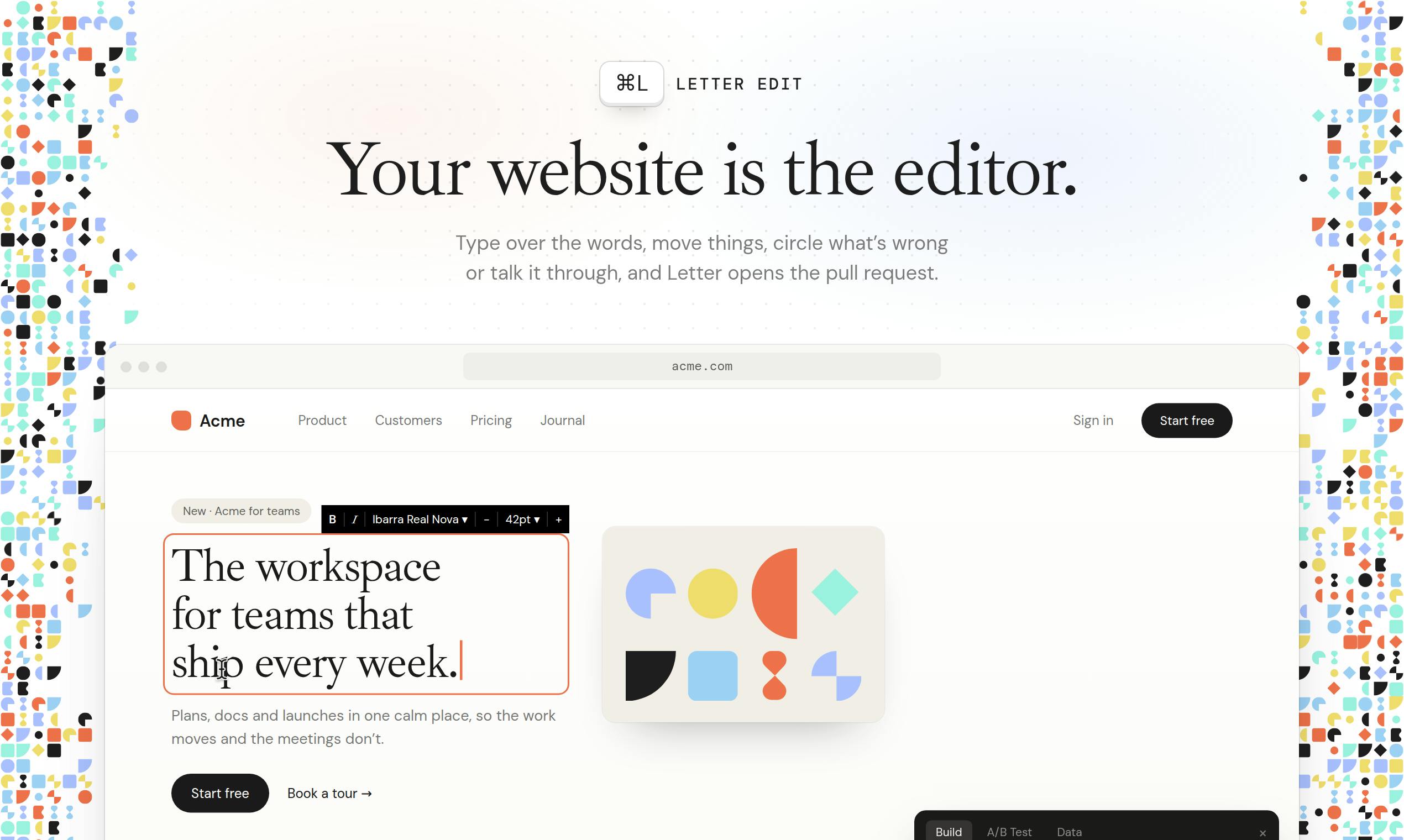
⌘+L is a tool gaining attention on Product Hunt that injects visual editing into webpages via a "magical script tag," letting users drag elements, adjust styles, and modify copy like in Figma. Its core innovation is backend: AI coding agents like Claude Code, Codex, or Letterpress-1 analyze frontend changes, auto-generate code, and create Pull Requests, enabling non-technical roles to turn visual tweaks into reviewable engineering artifacts. It suits fast-iteration scenarios like marketing and landing pages, though AI code quality, complex-project fit, and script-tag limits need validation.
In an era where the boundary between design and development is increasingly blurred, a tool called ⌘+L (Command L) has drawn attention on Product Hunt. Its goal is straightforward: let you edit live websites directly as if you were editing a Figma file, while the AI behind it handles turning your changes into a perfect Pull Request.
When a Website Becomes a Canvas: The Core Mechanism of ⌘+L
⌘+L's implementation is quite clever—it injects editing capabilities into a webpage via a "magical script tag." Once enabled, users can drag and drop elements, adjust styles, and modify copy directly in the browser, with an interaction experience highly similar to design tools like Figma.
The real highlight is on the backend. After you finish editing on the frontend, AI coding agents such as Claude Code, Codex, or Letterpress-1 automatically analyze your changes in the background, generate the corresponding code changes, and create a Pull Request. This means designers or product managers can turn visual adjustments into reviewable, mergeable engineering artifacts without manually writing code.
Pull Request (PR) is a core collaboration mechanism on code hosting platforms like GitHub and GitLab. Developers create a branch containing code changes without directly modifying the main branch, and request to merge those changes into the target branch via a PR. A PR not only carries code diffs but also provides comments, reviews, automated test triggers, and CI integration—making it a key entry point for teams to ensure code quality. By packaging AI-generated changes as standard PRs, ⌘+L means these modifications can enter existing code review workflows rather than taking effect directly—this is the technical foundation for its balance between efficiency and controllability.
Why This Tool Is Worth Watching
The traditional website modification process usually involves design mockups, development scheduling, code implementation, and testing validation, resulting in a long cycle. ⌘+L attempts to compress this chain: editing is submission, and AI is development.
This model is especially suited to marketing pages, landing pages, and scenarios with frequent content iteration. Non-technical roles can bypass development bottlenecks and tweak pages directly, while the AI-generated PR preserves the entry point for code review, balancing efficiency and controllability.
However, this "frontend editing, backend PR generation" workflow also raises some questions worth considering. Is the quality of AI-generated code stable? For projects with complex interactions or a high degree of componentization, can this direct editing approach be accurately reflected in the codebase? These are challenges that cannot be avoided in real-world deployment.
A New Application Scenario for AI Coding Agents
Another significance of ⌘+L is that it demonstrates the potential of AI coding agents (such as Claude Code and Codex) in the intersection of design tools and development workflows. In the past, such tools were mostly used for code generation, completion, or debugging; ⌘+L embeds them into the visual editing workflow, making AI a translation layer between design intent and code implementation.
According to information on the Product Hunt page, the product received 115 votes and 8 comments, ranking in the top four for the day, with categories covering design tools, productivity, and developer tools. Regarding the team, the Maker information is partially hidden, but it is known that Deepak is involved.
AI coding agents are fundamentally different from traditional code completion tools. Completion tools like GitHub Copilot mainly predict the next line of code based on context, whereas coding agents can accept high-level task descriptions, autonomously plan steps, read and write multiple files, run commands, and iteratively correct themselves, ultimately producing a runnable set of changes. Products such as Claude Code and OpenAI Codex belong to the latter category, and they are typically integrated into development environments via command line or API. ⌘+L's innovation lies in shifting such agents from "actively invoked by developers" to "backend services triggered by design operations," changing the agent's input from text instructions to visual editing behavior—which places higher demands on its intent understanding and code localization capabilities.
Hands-On Experience and Potential Limitations
Although the vision painted by ⌘+L is appealing, several practical factors need to be considered:
- Script tag integration: Requires some configuration of the website and may not suit all tech stacks or hosting environments.
- Accuracy of AI-generated PRs: Depends on the underlying model's code comprehension ability; complex changes may require manual intervention and adjustment.
- Collaboration and version control: How generated PRs integrate with a team's existing workflow, and whether multiple people can edit simultaneously—these details have not yet been elaborated in public information.
Overall, ⌘+L represents a direction worth watching—further shortening the distance between design tools and code repositories. For teams pursuing rapid iteration, this is an experimental product worth trying.
Note: This article is based on public information from Product Hunt; product details are subject to official descriptions.
Script tag injection is a common integration method for third-party tools: the website owner includes an external JavaScript in the HTML, which executes when the page loads, thereby gaining read and write access to the DOM. This approach is simple to deploy and requires no backend changes, but it also means the tool's capabilities are limited by the DOM structure at page runtime rather than the source code itself. For websites using component-based frameworks like React or Vue, there is a build-layer mapping between the DOM and the source code. Whether script injection can accurately trace back to the component source location is a key technical variable determining the applicability of such tools.
One-line Summary
⌘+L lets users edit live websites directly like Figma, with AI automatically converting changes into Pull Requests.
Paragraph Summary
⌘+L is a tool gaining attention on Product Hunt that injects visual editing capabilities into webpages via a "magical script tag," letting users drag elements, adjust styles, and modify copy directly as if using Figma, with an interaction experience close to design tools. Its core innovation is on the backend: AI coding agents such as Claude Code, Codex, or Letterpress-1 analyze frontend changes, automatically generate code changes, and create Pull Requests, enabling non-technical roles to turn visual adjustments into reviewable engineering artifacts without writing code by hand. This model suits rapid-iteration scenarios like marketing pages and landing pages, compressing the traditional design-to-development chain, but the quality of AI-generated code, adaptability to complex projects, and limitations of the script tag integration still need real-world validation.
Related articles

Gemini 4 Neon Review: Benchmark Scores Rival Carbon, API Pricing and Quota Breakdown
Google Gemini 4 Neon is now live, benchmark scores closely tracking Carbon, API pricing 3/15 at twice Hydrogen's rate. This article compiles Bilibili creator testing: Neon can replace 90% of Carbon scenarios, AntiGravity quota consumption is only one-third of Carbon, plus subscription channel restrictions and 2API ban risks.

Gemini 4 Helium Coming Soon? Signals of Google Loosening Subscription Restrictions
Google team member hints releases will continue; community speculates Gemini 4 Helium (Flash Lite) may be next. Subscription ban controversy gets a response as product lead says "Soon," suggesting restrictions may be lifted. This article covers Gemini developments, OpenAI Coding Agent and risk management, Doubao real-time audio-video API, and compute business dynamics.

AI-Assisted React Development in Practice: Optimizing a Video App and Handling Errors
A 14-year veteran developer demonstrates AI-assisted React video app optimization: compressing video from 80MB to 5MB (~94%) via ImageKit, plus reliable error handling and retry mechanisms. Includes planning, code understanding, and verification methods for working with AI.