Langflow: Build AI Agents Visually — No More Handwritten Glue Code

Langflow turns LangChain agent orchestration into drag-and-drop visual workflows deployable as APIs.
Langflow is an open-source visual AI agent building platform with over 155K GitHub Stars, designed to eliminate the boilerplate overhead of writing LangChain scripts by hand. Its drag-and-drop visual builder lets users assemble agent workflows quickly, while Python source code access ensures developers are never locked into the GUI. It features a built-in interactive Playground for step-by-step debugging, native multi-agent orchestration, conversation management, and RAG retrieval. Every visual workflow can be directly exposed as an API service, dramatically shortening the path from prototype to production — and the whole thing runs locally with just two commands.
Why Use a Visual Tool to Build AI Agents
If you're still writing LangChain scripts by hand and laboriously stitching modules together with code, it might be time to rethink your approach. A visual workflow builder can deliver the same agent in a matter of minutes — and that's exactly the core problem Langflow was built to solve.
Langflow is a platform for building and deploying AI agents and workflows. It has accumulated over 155,000 Stars on GitHub, a clear testament to the community's strong demand for low-code and visual solutions. It transforms what would otherwise require mountains of boilerplate code to orchestrate an agent into a simple drag-and-drop experience.
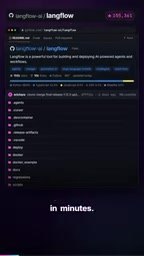
"Glue code" (also called boilerplate code) refers to the repetitive, connective code you have to write by hand when piecing together different modules, libraries, or services. It carries no core business logic, yet it consumes a disproportionate amount of development time. When building agents manually with frameworks like LangChain, developers often spend enormous effort managing the handoffs between model calls, tool bindings, memory management, prompt templates, and other components — code that is both verbose and error-prone. This is precisely where visual tools shine: they abstract those connections into graphical nodes and edges, letting developers focus on what the agent should do rather than how the code should be written.
Core Capabilities: Visual Building + Source Code Customization
Langflow's design philosophy serves two types of users. For those who want to get started quickly, it provides a visual builder where you can drag different workflow nodes together and assemble a complete pipeline like snapping building blocks into place.
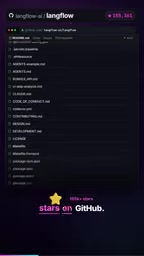
For developers who need deep customization, Langflow doesn't lock you into the graphical interface — it exposes full source code access, allowing you to customize any component in Python. This balance of "visual-first, but never surrendering code control" is what sets it apart from purely black-box tools.
Interactive Testing and Multi-Agent Orchestration
Building a workflow is only the first step — debugging and orchestrating it is often where the real effort lies. Langflow includes a built-in interactive Playground that supports step-by-step testing, letting you observe how an agent behaves at each individual step rather than only seeing the final output.
For more complex scenarios, it natively supports multi-agent orchestration and has conversation management and retrieval capabilities built directly into the platform. This means building a multi-agent system with memory and knowledge base retrieval doesn't require you to cobble together a bunch of external components.
Multi-agent orchestration refers to coordinating multiple AI agents — each with different capabilities or responsibilities — to collaboratively tackle complex tasks that a single agent couldn't handle alone. Common orchestration patterns include: the supervisor model (an Orchestrator Agent dispatches subtasks to specialized agents), the pipeline model (agents pass results to each other sequentially), and the parallel model (multiple agents process different subproblems simultaneously before aggregating results). The retrieval capability typically refers to RAG (Retrieval-Augmented Generation) — a technique where the agent retrieves relevant documents from an external knowledge base before generating a response, thereby overcoming the limitations of an LLM's training cutoff date and enabling question-answering over private data.
One Click to API: Your Visual Flow Is Instantly Callable
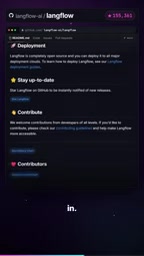
One of Langflow's key value propositions is seamless deployment. Every workflow you design in the interface can be exposed directly as an API or served via a Langflow server.
In other words, the agent you assembled by dragging and dropping immediately becomes a callable tool for any client. The distance between a prototype and a production-ready service is dramatically shortened, eliminating the all-too-common struggle of "validate the concept, then rewrite everything for production."
Getting Started: Up and Running in a Few Commands
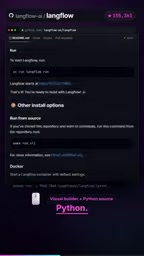
From a deployment standpoint, the barrier to entry with Langflow is remarkably low. In a fresh directory, simply run the following commands:
uv pip install langflow
uv run langflow run
Once running, the service comes up on port 7860 — just open your browser and you're in the visual interface. The process involves no complex environment setup, making it very approachable for developers who want to validate ideas quickly.
uv is a next-generation Python package manager developed by the Astral team, written in Rust. Compared to traditional pip, it offers significantly faster dependency resolution and installation speeds, along with built-in virtual environment management. uv pip install mirrors pip's install command, while uv run executes a given command in an isolated environment without requiring you to manually activate a virtual environment. Users without uv can achieve the same result the traditional way: pip install langflow followed by langflow run. Port 7860 is the default port for the Gradio framework, which Langflow's visual interface is built on, so it inherits that convention.
Summary: Who Is This For?
Overall, Langflow abstracts away the most tedious "wiring" work in AI agent development into visual operations, while preserving the ability to deeply customize with Python. It's particularly well-suited for three groups: product and engineering teams who want to rapidly prototype agents, developers looking to reduce the overhead of handwriting LangChain code, and engineering scenarios where workflows need to be deployed directly as API services.
Of course, visual tools have their limits — for scenarios with extremely complex logic that require fine-grained control over every line of code, a pure-code approach remains irreplaceable. But for most journeys from "idea" to "working agent," the efficiency gains Langflow provides are very real.
Related articles

Random Pruning of the DPO Computation Graph: 1.4x Training Speedup and Lower Peak Memory
DPO training too slow and memory-hungry? This paper proposes a random pruning framework for the DPO computation graph, sampling independently across position, sequence, and branch dimensions; branch pruning achieves a 1.426x step-time speedup and cuts training time by about 30%, with in-depth attribution of memory and time gains.

Why Does JEPA Underperform MLM in Longitudinal EHR Representation Learning?
New study compares JEPA and MLM for longitudinal EHR representation learning on MIMIC-IV: three JEPA variants train stably without collapse but underperform MLM; target size, not heterogeneity, drives prediction error.

Transfer Learning + Visible Light Communication: A New Approach to Energy-Efficient Indoor Positioning
A study proposes a transfer learning-based visible light communication indoor positioning method, achieving 47% accuracy improvement on the BOSCH factory dataset, 67.5% model efficiency under high noise, and introducing the ME composite metric for energy-efficient positioning in energy-constrained industrial IoT scenarios.