Layoutr: From Floor Plan to 3D, Then Let AI Render Your Room

Layoutr unifies floor plan drawing, 3D modeling, and AI rendering into one low-barrier interior design workflow.
Layoutr is an AI interior design tool built for non-professionals, aiming to connect floor plans to photorealistic renders in a single workflow. Users can upload or hand-draw a floor plan, place furniture at true scale, and explore an auto-generated interactive 3D space via Dollhouse (top-down) or Inside (eye-level) views. A simple style prompt then triggers AI rendering to produce photorealistic images — no manual lighting or material setup required. Still in early stages, its rendering stability and style control remain to be proven, but its core positioning is clear: making spatial visualization accessible and affordable for everyone.
The barrier to interior design tools has always been a two-sided problem: everyday users find professional software too complex, while simple drawing tools can't produce realistic visualizations. Layoutr, which appeared on Product Hunt, aims to bridge this gap — connecting floor plan drawing, 3D modeling, and AI rendering into a single, end-to-end workflow.
What Is Layoutr
Layoutr is an AI-powered interior design tool built by Kevin van Dijk, sitting at the intersection of productivity and artificial intelligence. Its core logic is straightforward: start with a floor plan, move into 3D, then hand it off to AI for rendering.
Users can upload an existing floor plan or draw one directly within the tool. Once a scale is set, they can place furniture at true-to-life dimensions — something many lightweight design tools fail to support. Dimensional accuracy is critical, as it determines whether the resulting 3D space actually feels believable.
Based on its Product Hunt performance, Layoutr currently ranks #13, with 7 upvotes and 1 comment — clearly an early-stage product that hasn't yet built significant community momentum.
Two 3D Viewing Modes
One of Layoutr's most interesting features is how it elevates a flat floor plan into 3D space. It offers two distinct perspectives:
Dollhouse Mode (Top-Down View)
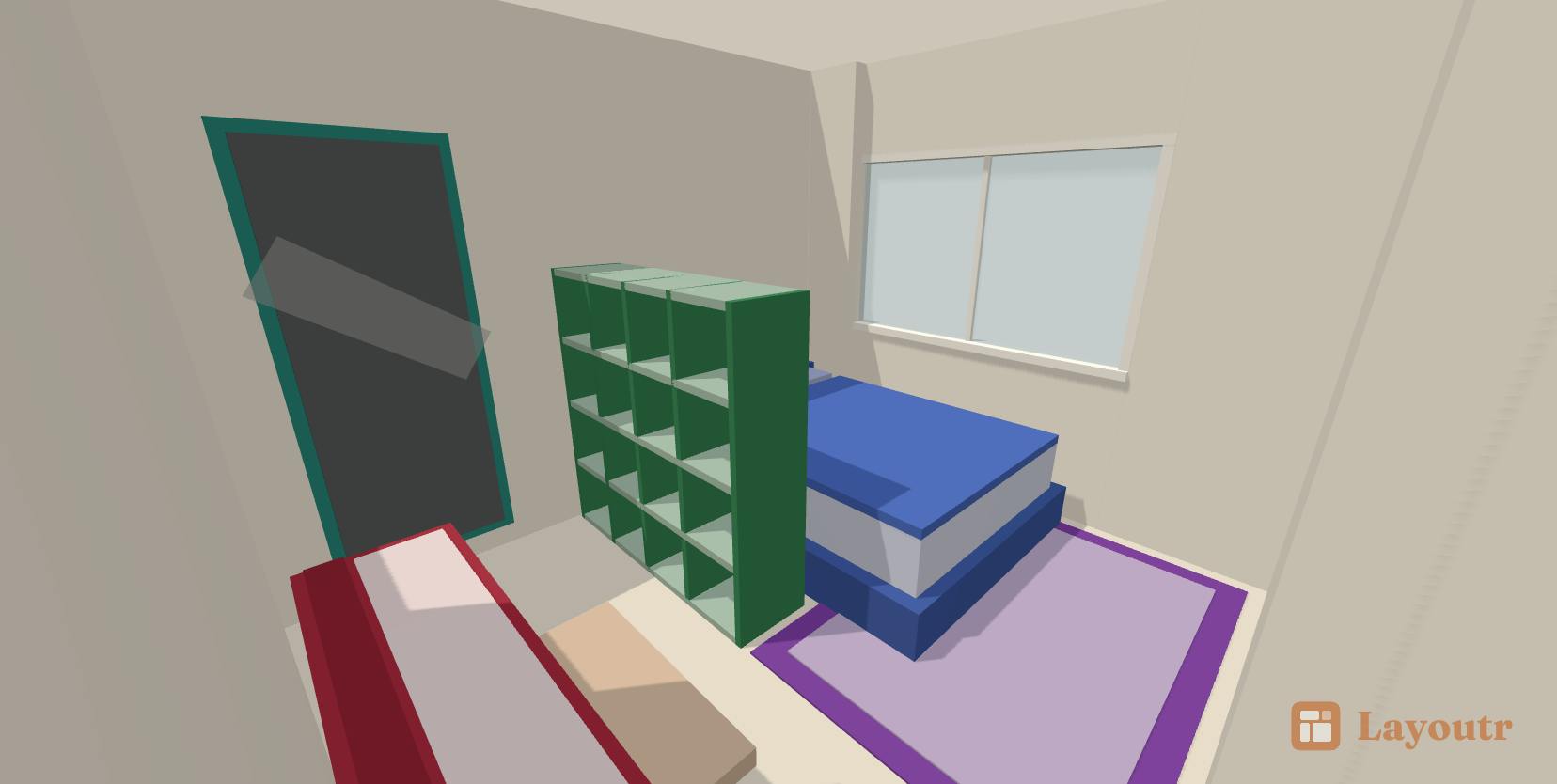
This mode presents a bird's-eye view of the entire space, rendered at the wall height the user specifies. It's like a roofless dollhouse — giving you a clear read of the overall layout, traffic flow, and relative furniture placement at a glance. For evaluating whether a spatial plan makes sense, this perspective is highly intuitive.
The "Dollhouse view" is a common term in BIM (Building Information Modeling) and home design software, named for its resemblance to a toy dollhouse. It was popularized by 3D spatial scanning platforms like Matterport and later widely adopted by consumer interior design tools such as IKEA Place and Planner 5D. Its core advantage is that it displays both floor relationships and height information simultaneously, letting users assess partition walls, corridor widths, and furniture scale in a single view — making it the most efficient communication tool during the early "big picture" phase of a design.
Inside Mode (Eye-Level View)
Switching to Inside mode drops the viewpoint to eye level, letting users move through the space as if they were actually walking through the room. This immersive perspective gives a much more realistic sense of how open or cramped a space feels, and better approximates the actual experience of living in it.
Both modes share the same floor plan data, meaning users don't need to rebuild anything from scratch — changes to the floor plan automatically update the 3D space.
AI Rendering: From Model to Photorealistic Image
What truly sets Layoutr apart from traditional modeling tools is its AI rendering step. Once a user frames a viewpoint in the 3D space and specifies a style, the AI renders the room into a photorealistic image.
This dramatically lowers the barrier to producing polished visuals. In the past, generating a convincing interior render required professional rendering software along with manual tweaking of materials and lighting. In Layoutr, users simply describe the style they want and let the AI do the heavy lifting. For previewing renovation concepts, experimenting with different aesthetics, or visualizing a rental or purchase before committing, this kind of instant rendering has real practical value.
This type of AI rendering is typically built on diffusion model technology, using structural control frameworks like ControlNet under the hood — which preserves the 3D spatial geometry (walls, furniture positions) while translating style prompts into photorealistic textures and lighting. Unlike traditional rendering engines such as V-Ray or Lumion, AI rendering requires no manual setup of light source positions, material reflectance parameters, or render sampling rates. The entire process goes from "geometric model + text prompt" directly to an image, usually in seconds to tens of seconds. The tradeoff is limited controllability: lighting direction and material details are largely decided by the model itself, making it difficult to precisely specify things like the grain direction of a particular floorboard or the color temperature of a specific lamp — a limitation shared across most tools in this category today.
Who It's For — and What's Still Unproven
Layoutr's target audience is fairly clear: everyday homeowners who want to visualize a space before renovating or furnishing it, designers who need to quickly generate concept visuals for clients, and real estate agents or landlords showcasing properties. By integrating floor plan drawing, 3D exploration, and image generation into one tool, it eliminates the friction of constantly switching between multiple applications.
That said, as an early-stage product, several questions remain unanswered. How stable and style-controllable is the AI rendering? Is the furniture library extensive enough? How faithfully does the rendered output reflect the actual space? These questions can only be answered as more users put the tool through its paces. With just one review on Product Hunt, the sample size is too small to draw meaningful conclusions about the real-world experience.
From a product strategy standpoint, Layoutr targets a clear pain point: helping non-professionals turn a mental image of a space into something concrete, at low cost. Whether it can deliver on that promise depends on how much further it develops its rendering quality and overall ease of use.
Related articles

Free Unlimited Claude Code Solution: Agnes AI + CC Switch Setup Guide
No paid subscription needed — pair the free AI platform Agnes AI with the open-source tool CC Switch to provide a backend for Claude Code, enabling unlimited free calls to text, image, and video models. This guide covers the full setup, test results, and usage boundaries.

A Complete Zero-Cost Guide to Getting Started with Claude Code for Beginners in China
A beginner's guide to Claude Code for users in China: two installation methods (command line and IDE plugin), full configuration steps for replacing the official API with the free domestic LongCat model, and a hands-on demo of building a small tool with natural language, plus tips.

When the NSA Gets Involved: The AI Supply Chain Crisis Behind Open-Source CVEs and API Key Hijacking
Multiple open-source projects disclosed severe CVEs in one day, PHP flaws alarmed the FBI, and Railway and OpenCode were breached with API keys stolen. This article breaks down the vulnerability window, AI-accelerated exploitation, and the AI supply chain crisis behind the API key black market, with a developer defense checklist.