Managing WhatsApp Automation with Gemini CLI: A Hands-On Pidiga MCP Tutorial

Pidiga uses MCP to let Gemini create WhatsApp automation flows with natural language.
The article shows how Pidiga connects to Gemini CLI and the Gemini app via the MCP protocol, letting operators or developers create WhatsApp automation flows with a single natural language instruction instead of clicking through forms. The tutorial covers the full pipeline: querying built-in templates (welcome menus, booking, lead qualification, payment follow-up), generating automations from natural language descriptions, invisible testing as a hypothetical customer, pre-launch readiness checks like WhatsApp number connection, and a safety gate requiring human confirmation of message drafts before sending. New automations default to disabled to prevent misconfiguration from going live. The backend automations section shows conversation volume per flow, forming a "create with language, review with data" complement. The article argues this division of labor—execution to Pidiga's channel, configuration to Gemini—lowers trial-and-error costs for small and medium teams.
Building WhatsApp automation flows through conversation is becoming a reality. Pidiga's MCP (Model Context Protocol) integration lets Gemini CLI or the Gemini app directly call its automation capabilities, turning "configuring a customer service bot" from clicking through forms into a single natural language instruction.
This tutorial walks through the full pipeline: querying available templates, creating a booking-type automation, invisible testing, going live, and the safety design where messages are only sent after human confirmation.
Connection Methods and Available Environments
The prerequisite is connecting Pidiga to Gemini; there's a separate official video explaining the connection steps. This tutorial uses Gemini CLI for the demo, which is available in India; within the Gemini app where custom apps are offered, the operating logic is identical.
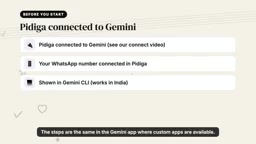
This matters for real-world adoption: the CLI suits developers or operations staff comfortable with terminal work, while custom apps within the Gemini app lower the barrier for non-technical users. Both entry points share the same MCP capabilities, and configuration results sync to the Pidiga backend.
MCP (Model Context Protocol) is an open protocol proposed and open-sourced by Anthropic, designed to give large language models a standardized way to securely and controllably access external tools and data sources. It uses a client-server architecture: LLM applications (such as Gemini CLI, Claude Desktop) act as clients, external services (such as Pidiga) act as servers, exposing capabilities like "tools" and "resources" via JSON-RPC messages. For developers, MCP eliminates the hassle of writing separate plugins or API adapter layers for each SaaS product; for product vendors, a single implementation can be called by any MCP-compatible AI client. This is also the technical foundation that allows Pidiga to serve both Gemini CLI and the Gemini app with the same set of capabilities.
From Asking to Generating: The Automation Creation Flow
The first step is asking "what can be automated." Pidiga returns a list of built-in templates covering welcome menus, appointment booking, lead qualification, payment follow-up, and other scenarios.
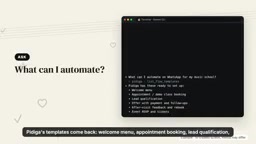
Next, describe the requirement in natural language, for example "set up free trial class booking, Monday to Saturday, 4 PM to 8 PM." The system creates the automation accordingly, but saves it as disabled by default—this step is crucial to prevent misconfiguration from going live immediately.
The whole process requires no hand-writing of flow nodes; templates handle most of the structural work, and natural language only fills in parameters. This design compresses configuration cost down to a single sentence while preserving the reliability of templates.
WhatsApp automation is typically built on the WhatsApp Business Platform (formerly Business API), requiring a Meta-verified business account and a linked phone number, and complying with rules like the 24-hour session window and message template review. Pidiga, as a BSP (Business Solution Provider) or integration layer, shields the complexity of the underlying API and packages common flows like booking, menus, and lead qualification into templates. The so-called "template + natural language parameter filling" model is essentially parameter injection onto a predefined directed flow graph, rather than having the model generate flow structure from scratch—thus it both lowers configuration cost and ensures compliance with WhatsApp platform policy constraints, reducing the risk of account bans or template rejections.
Test Runs and Pre-Launch Checks
After creation, you can request a test run. Pidiga simulates a "hypothetical customer" going through the conversation without actually sending messages to anyone, letting operators see what users would actually receive.
Once satisfied with the result, just say "enable." Before going live, Pidiga performs a readiness check, such as confirming the WhatsApp number is connected, then formally switches to enabled status.
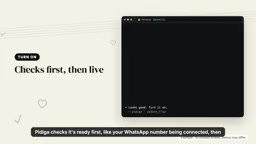
The pre-check mechanism solves a common pain point: automation configuration errors often only surface after a real user triggers them. Moving checks forward to the go-live step reduces customer disturbance and rework.
The "hypothetical customer" test is often called sandbox or dry-run mode in conversational AI products; its value lies in walking through every branch of the state machine without touching real channels. This is especially important for WhatsApp scenarios, because the platform has strict limits on proactive messages—erroneous sends not only disturb users but may also lower the number's quality rating. The readiness check falls under the category of a readiness gate; besides number connection status, it should typically also cover: whether templates are approved, whether the webhook is reachable, whether business hours are configured correctly, etc. Moving such checks from manual checklists to automated system execution is a key maturity marker distinguishing automation configuration tools from pure script-based solutions.
Backend Visibility and the Human Confirmation Boundary
Within the Pidiga app you can see the same batch of automations in the automations section, showing how many conversations each flow has handled. This makes "conversational configuration" and "visual monitoring" complementary—create with language, review with data.
The message-sending step retains a human gate: when asked to send a message to a customer, the system first shows a draft and only sends it after confirmation. Automation handles 7×24 operation, while AI handles simplifying the setup process into a question.
From a product logic perspective, this boundary is clearly drawn—execution goes to Pidiga's WhatsApp channel, configuration and understanding go to Gemini's MCP calls. For small and medium teams looking to quickly launch customer service automation, this division of labor lowers trial-and-error costs and gives a concrete example of the "AI operating backend systems on your behalf" model.
Those interested can visit app.pridiga.com to get started for free.
Related articles
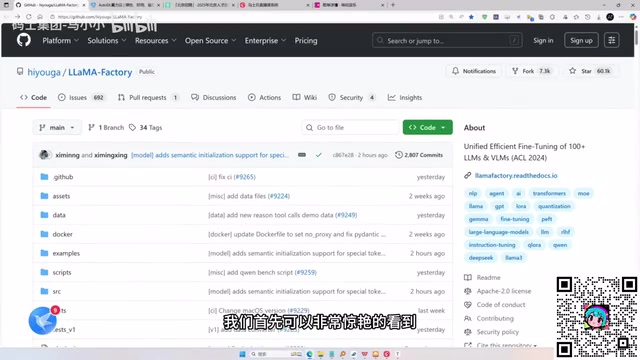
LLaMA-Factory in Practice: A Complete No-Code Guide to Fine-Tuning Large Models
An introduction to LLaMA-Factory, the open-source fine-tuning tool: its 60.1K-star background, supported models and algorithms, local vs. cloud deployment, and CUDA setup steps.
Zeng Ming's Deep Retrospective: Why OpenAI May Not Be the Ultimate Winner — and Why the Corporate System Will Disappear
Zeng Ming's deep retrospective on the AI endgame: model companies are just infrastructure, OpenAI and Anthropic won't be the final winners; the next battle is the Agent entry point standard; the corporate system will disappear as AI restructures collaboration, and only mission-driven companies can survive the cycle.
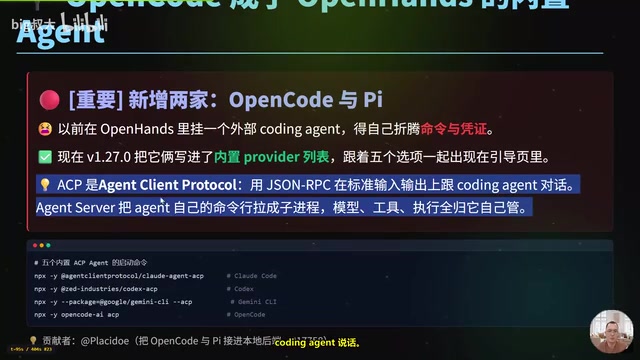
OpenHands v1.28.0: OpenCode and PI Added as Built-in Agents, API Keys Requestable In-Conversation
OpenHands ships 5 releases in 21 days: v1.27.0 adds OpenCode and PI as built-in agents, v1.28.0 enables in-chat key requests. ACP integration, credential reuse, model list changes, and upgrade advice.