Media File Organizer: A Free, Open-Source Tool for Automatically Organizing Your Plex Media Library

A free open-source tool that auto-renames and organizes media files for Plex using TMDB metadata.
Media File Organizer is a free, open-source desktop application that automatically matches TMDB metadata to rename movies and TV shows into Plex-compatible formats and organize them into proper directory structures. Built with AI-assisted "Vibe Coding," it offers batch operations with change previews, solving a common pain point for Plex and home media server users without any cost.
A Practical Tool Born from "Vibe Coding"
For anyone who has ever maintained a home media server, file naming and directory organization is an endless battle. Freshly downloaded movies often come with long, messy filenames like Movie.Name.2025.1080p.BluRay.x264-GROUP.mkv, and without manual intervention, media servers like Plex often fail to correctly identify and match metadata.
The core issue lies in the media server's "scraping" mechanism. Take Plex as an example—it's one of the most popular personal media server applications, transforming locally stored video files into a Netflix-like streaming experience. Plex's scraper parses filenames using regular expressions to extract title and year information, then matches metadata, posters, and plot summaries from online databases. If a filename contains too much noise (such as encoding format x264, resolution 1080p, release group names, etc.), the scraper may fail to match correctly, leaving films without proper covers or descriptions—ultimately appearing as a bunch of "unrecognized" gray entries.
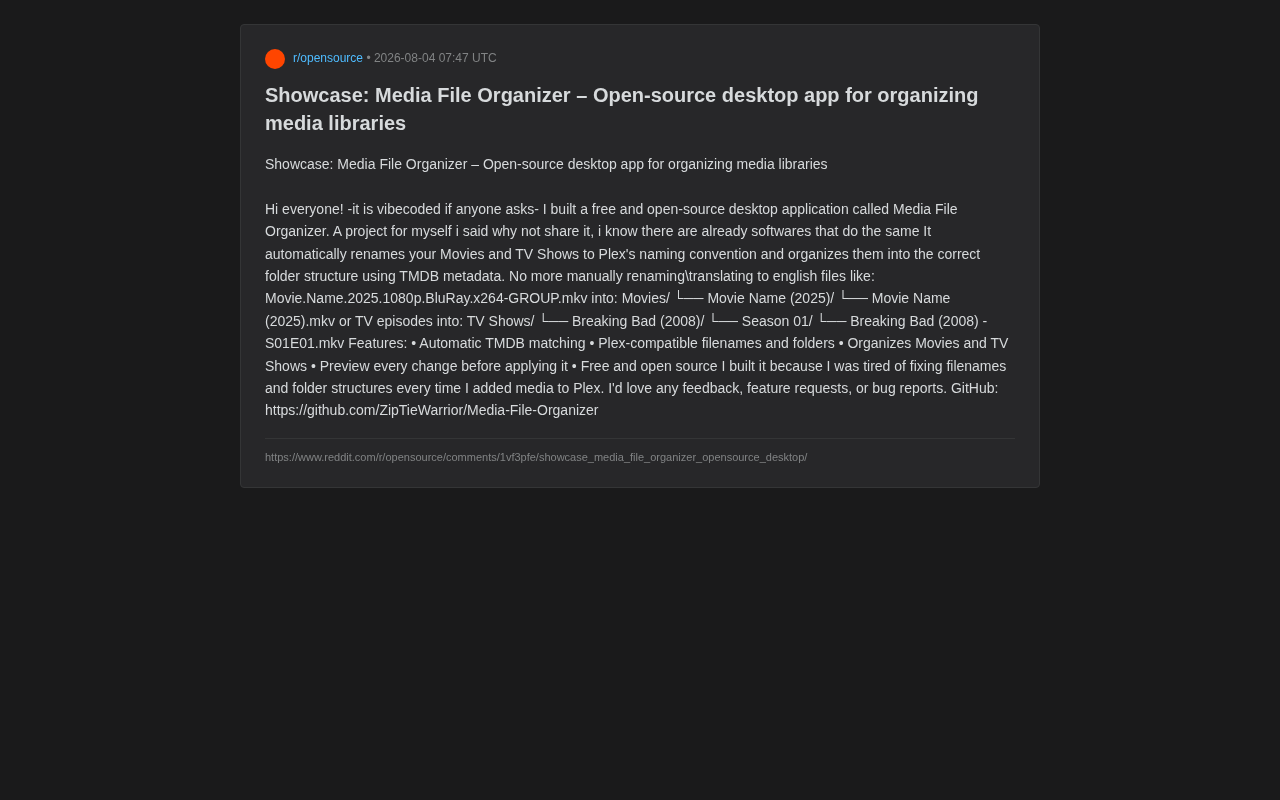
Recently, a developer shared his open-source project on Reddit—Media File Organizer. It's a free desktop application that automatically renames movie and TV show files to comply with Plex's naming conventions and organizes them into the correct directory structure. The author openly states this is a "vibecoded" project (built with AI assistance), originally created to solve his own pain points before he decided to open-source it for the community.
Core Features: From Chaos to Order
Automatic TMDB Metadata Matching
The tool's most critical capability is its integration with the TMDB (The Movie Database) database. When you import a batch of messy media files, the program automatically parses key information from filenames (such as title and year) and matches them against TMDB to retrieve standardized titles, release years, and other metadata.
TMDB is a community-driven open movie and TV database containing detailed metadata for over 900,000 movies and 150,000 TV shows, supporting more than 40 languages, and providing a free API for third-party developers. In comparison, while IMDb has more comprehensive data, its API is subject to strict commercial licensing restrictions—which is why most open-source media tools choose TMDB as their metadata source.
This is particularly helpful for non-English users. The author mentioned that he previously had to "manually rename/translate to English," but with TMDB's multilingual database, the tool can automatically handle standardized naming, eliminating a significant amount of repetitive work.
Generating Plex-Compatible Directory Structures
Plex has specific requirements for directory structure, which is a root cause of many users' scraping failures. Media File Organizer automatically generates hierarchical structures that comply with Plex's officially recommended naming conventions:
For movies:
Movies/
└── Movie Name (2025)/
    └── Movie Name (2025).mkv
For TV series:
TV Shows/
└── Breaking Bad (2008)/
    └── Season 01/
        └── Breaking Bad (2008) - S01E01.mkv
This structure ensures that Plex accurately identifies every movie and episode, significantly reducing scraping failures. Plex's naming conventions require movie files to be contained within individual folders named "Title (Year)," while TV shows need strict SxxExx episode numbering and season-based subfolders—rules that seem simple but become an enormous burden when manually managing hundreds or even thousands of files.
Preview Every Change Before Batch Operations
For any batch renaming tool, "accidental operations" are the biggest risk. A single matching error could throw an entire media library into disarray. To address this, the application provides a preview feature—before executing any changes, users can review all upcoming rename and move operations one by one. This design minimizes the risk of mistakes and gives users greater control over the results.
Why It's Worth Your Attention
Directly Addresses a Real Pain Point for Plex Users
The author's motivation for building this tool was remarkably straightforward: "I was tired of fixing filenames and folder structures every time I added media to Plex." Projects built "for oneself" often solve the most genuine problems. While mature solutions like FileBot and tinyMediaManager already exist, Media File Organizer offers users a zero-cost alternative with its lightweight, free, and open-source positioning.
It's worth noting that FileBot is the most well-known tool in this space, with over 10 years of development history, supporting batch renaming of movies, TV shows, anime, and subtitles, with integration of multiple metadata sources. However, FileBot switched to a paid licensing model in 2019 (approximately $6/year or $19.99 for a perpetual license), prompting some users to seek free alternatives. tinyMediaManager is another open-source option with comprehensive features but a relatively complex interface and steeper learning curve. Media File Organizer's positioning is more focused—concentrating on the core need of "renaming + directory organization" with a minimalist approach that lowers the barrier to entry.
Open-Source and Free, Ideal for NAS and Self-Hosted Server Users
The project is hosted on GitHub and is completely free and open-source. The author explicitly welcomes any feedback, feature requests, and bug reports.
For users who enjoy tinkering with self-hosted servers or NAS devices, open-source means being able to audit code, customize it, and avoid concerns about closed-source software's privacy or pricing issues. NAS (Network Attached Storage) is a core device for home data storage, and whether it's brand solutions like Synology or QNAP, or DIY solutions like TrueNAS and Unraid, they are widely used among tech enthusiasts. The self-hosted community has a natural preference for open-source tools because one of the core motivations for self-hosting is data sovereignty—users want complete control over where their data flows, avoiding dependence on commercial services that might shut down or raise prices at any time. An open-source media organization tool aligns perfectly with this philosophy.
A Product of the "Vibe Coding" Era
The author's self-applied "vibecoded" label reflects a noteworthy current trend: with AI programming assistants, even tools that address niche personal needs can be quickly built and open-sourced for sharing.
"Vibe Coding" is a concept coined by AI luminary Andrej Karpathy in early 2025, referring to developers describing their requirements in natural language to AI, with AI programming assistants (such as Cursor, GitHub Copilot, Claude, etc.) generating most of the code. The developer plays more of a "director" and "reviewer" role rather than a "typist" writing code line by line. This model is especially suited for small projects that solve personal pain points—developers don't need to master every detail of a programming language; they just need to clearly express their requirement logic.
The barrier for individual developers to turn a "flash of inspiration" into a usable product is dropping significantly. In the past, a desktop application like Media File Organizer might have required weeks of development time, but with AI assistance, core functionality can be scaffolded in a matter of hours. This means we'll see more highly vertical, pain-point-specific open-source tools emerging in the future.
Limitations and Outlook
As an early-stage personal project, Media File Organizer currently focuses on basic functionality. It relies on TMDB's matching accuracy, and for films with extremely chaotic naming or obscure titles, manual intervention may still be necessary. Additionally, compared to veteran tools like FileBot, it still lacks advanced features such as subtitle handling, format conversion, and automation scripting.
However, for ordinary users who simply want to "get their Plex media library organized," this tool is already practical enough. It nails the core use case, has an intuitive interface, and is completely free. As community feedback accumulates, it has the potential to evolve with more useful features over time.
Conclusion
Media File Organizer is a textbook example of a "pain-point-driven" open-source project: focused functionality, easy to get started with, and freely available. If you're struggling with file naming and directory organization in your Plex media library, head over to its GitHub page to download and give it a try. For developers, it also serves as a vivid case study of how AI-assisted programming is lowering the barriers to tool development.
Related articles

Free Unlimited Claude Code Solution: Agnes AI + CC Switch Setup Guide
No paid subscription needed — pair the free AI platform Agnes AI with the open-source tool CC Switch to provide a backend for Claude Code, enabling unlimited free calls to text, image, and video models. This guide covers the full setup, test results, and usage boundaries.

A Complete Zero-Cost Guide to Getting Started with Claude Code for Beginners in China
A beginner's guide to Claude Code for users in China: two installation methods (command line and IDE plugin), full configuration steps for replacing the official API with the free domestic LongCat model, and a hands-on demo of building a small tool with natural language, plus tips.

When the NSA Gets Involved: The AI Supply Chain Crisis Behind Open-Source CVEs and API Key Hijacking
Multiple open-source projects disclosed severe CVEs in one day, PHP flaws alarmed the FBI, and Railway and OpenCode were breached with API keys stolen. This article breaks down the vulnerability window, AI-accelerated exploitation, and the AI supply chain crisis behind the API key black market, with a developer defense checklist.