MiniMax Hub In-Depth Review: Hands-On with an All-in-One AI Creative Workstation

MiniMax Hub unifies AI agents, canvas editing, image tools, and video generation in one desktop app at competitive pricing.
MiniMax Hub is a Windows/Mac desktop app that integrates AI chat agents, canvas editing, image processing, video generation, and reusable workflow skills into a single interface. Hands-on testing with a burger brand PDF brief showed strong orchestration capabilities, practical image editing tools, and impressive end-to-end video output — all at pricing significantly lower than direct API access.
The Pain Point of Creative Workflows — and a Way Forward
AI tools are proliferating at a rapid pace — image generators, video generators, Claude Code, and countless other agents keep emerging. Yet for creative professionals, one core pain point remains largely unsolved: workflows are too fragmented.
This fragmentation is a structural problem in today's AI tool ecosystem. Most mainstream AI creative tools follow a clear "single-point breakthrough" pattern: Midjourney and DALL-E focus on image generation, Runway and Pika on video generation, ElevenLabs on voice synthesis. Each goes deep in its vertical, but native integration between them is virtually nonexistent. This fragmentation doesn't just cost you time from switching tools — the deeper issue is context loss. Every time you switch, you have to re-explain your project background, re-upload assets, and re-tune style parameters. For creatives who need to maintain continuity of vision, that cognitive overhead is far more painful than the operational friction.
Most AI agents are also designed for chat-based interactions, while creative work demands a canvas, visual editing, and script execution capabilities — all in one place. Constantly jumping between tools kills your momentum. Recently, a desktop application called MiniMax Hub has been drawing attention from creators. It attempts to unify chat agents, canvas editing, image processing, video editing, and code execution into a single interface. After hands-on testing, the tool shows genuinely exciting potential.
Product Overview: A Capable Architecture Behind a Clean Interface
MiniMax Hub is a desktop application for Windows and Mac. It ships with a Codex-based agent that can run directly inside local folders. When you open the app, the interface is refreshingly minimal — no clutter, just a clean canvas.

Core Feature Modules
- Chat: Drag in images and have natural conversations with the agent
- Model selection: Covers image, video, and audio models — choose different series based on your needs
- Canvas system: Agent-generated content appears directly on the canvas rather than piling up in a chat log
- Skills system: A skill builder lets you package common workflows into reusable, repeatable skills
MiniMax Hub's Pricing Advantage
One number worth highlighting: on the cheapest subscription plan, video generation costs as little as $0.00015 per second; even for serious video editors, it's roughly $0.11 per second. Compared to accessing full AI services directly via API, the cost is at least half. The company calls this "realistic pricing," and how long it lasts remains to be seen — but right now, it's one of the most cost-effective AI creative tools on the market.
The same holds for audio. MiniMax has its own proprietary voice and music models, with extremely low access costs and surprisingly strong output quality.
Real-World Test: From PDF Brief to Finished Video
Theory only goes so far — let's talk about what it actually does. The tester ran a complete creative workflow using a PDF brief for a burger brand, with the goal of producing a 30-second brand promo video.
The Agent's Orchestration Capabilities
After importing the PDF brief, the agent demonstrated impressive comprehension and orchestration:
- Automatic brief parsing: The agent generated and ran a Python script to extract the text, creating structured text and Markdown files
- Proactive follow-up questions: When the brief was missing a logo, the agent asked the user to provide one
- Storyboard script generation: Automatically generated a complete storyboard script based on the brief content
- Reference image generation: Produced final reference images incorporating the logo and product
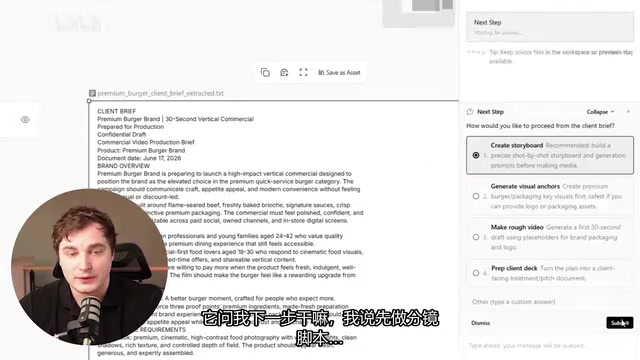
One design decision here deserves recognition: the agent places generated content as Markdown files on the canvas rather than dumping everything into the chat window. This choice has solid cognitive science backing. Traditional chat interfaces use a linear, chronological structure — information stacks up in conversation turns, optimized essentially for information retrieval. Creative work, by contrast, requires spatial thinking: designers, directors, and content creators are accustomed to arranging, comparing, and organizing materials in two-dimensional space. That's exactly why mood boards and storyboards have been staples of the creative industry for decades. The canvas system transforms AI-generated content from "chat history" into "working assets" — you're no longer "searching for an image you generated earlier," you're "organizing the asset library for your current project." The success of tools like Figma and Miro further validates how naturally the canvas paradigm fits creative work.
A Practical Image Editing Toolkit
Click any image on the canvas and you can immediately bring it into the chat for iterative edits. MiniMax Hub's built-in image editing options are quite comprehensive:
- Repaint: Brush over a region to regenerate it
- Annotate: Add notes and markers
- Outpaint: Extend the image boundaries
- Erase: Remove unwanted elements
- HD Upscale: Increase resolution
- Background removal: One-click cutout
- Color adjustment: Tweak hue, saturation, and more
The color adjustment feature is particularly worth calling out. When working with multiple assets, maintaining consistent color tone is a common creative need — even a simple hue shift can dramatically improve the cohesion of a final piece. These tools won't replace Photoshop, but for quick hue adjustments, they're more than sufficient.
The Skills System: Reusable Workflow Packaging
Satisfied with the burger campaign results, the tester decided to package the entire workflow into a reusable skill. The core logic: input a PDF brief, automatically generate a short-video script, two video clips, subtitles, and voiceover, then composite everything into a finished product.
MiniMax Hub's skills system is essentially a combination of prompt templating and workflow orchestration — similar to the "macro recording" concept in low-code tools, but with much stronger semantic understanding. Skill packaging addresses two core challenges in agent-based workflows: parameterized input (abstracting the PDF brief into a replaceable input variable) and step dependency management (ensuring voice generation only triggers after video generation completes). Unlike workflow automation tools like n8n or Zapier, every node in the skills system is dynamically executed by an AI agent. This means that even if the structure of the input material changes (say, a new PDF format), the skill can still adapt and complete the task — it won't crash because a field name changed.
Once packaged via the skill builder, subsequent runs only require attaching a new PDF brief. The agent then automatically executes the full pipeline:
- Generates two preview versions for selection
- Produces multiple voiceover options in the chat
- Uses MiniMax's proprietary voice models to generate narration and music
- Composites all assets into the final video

The final result was impressive. The tester noted that they normally use ElevenLabs for voice synthesis — but the workflow inside MiniMax Hub was so seamless that there was simply no reason to jump to another platform.
Lessons Learned from Longer-Form Video Creation
After the short-video test succeeded, the tester pushed further into longer narrative video production. One important lesson emerged:
Asking the AI to generate a complete 15-second video in one shot — specifying what happens at second 3, second 5, etc. — produces results that are too random and nearly impossible to control. A better approach is the reverse: first have the agent help create a mood board and storyboard reference images, gradually confirming the direction of each shot, and only then generate the final video based on those confirmed references.
This lesson connects directly to the underlying limitations of AI video generation technology. In current video diffusion models (like Sora and Runway Gen-3), content distribution along the time dimension is fundamentally a high-dimensional random sampling process. A model's ability to follow precise temporal instructions like "show a burger close-up at second 3" is far weaker than its ability to maintain overall style and atmosphere — because models learn the global distributional characteristics of video during training, not frame-level precision control. The iterative, step-by-step methodology sidesteps this technical bottleneck by decoupling "creative decision-making" from "content generation": first use static images (low cost, high controllability) to lock in the visual direction of each key shot, then use those confirmed reference images to guide video generation. This effectively imposes stronger conditional constraints on the random sampling process, significantly improving the predictability of the final output.
The best practice for AI video generation isn't one-shot completion — it's iterative, step-by-step confirmation.
Why Codex Instead of Claude Code
One interesting technical choice: MiniMax Hub uses a Codex agent under the hood rather than Claude Code. Codex is OpenAI's code generation model — originally a code-specialized fine-tune of GPT-3, which later evolved into the underlying engine for GitHub Copilot. Unlike general-purpose conversational models, Codex was trained extensively on public code repositories, giving it a significant edge in understanding and generating executable code. In an agent context, Codex's core value lies in tool-call accuracy — reliably translating natural language instructions into executable Python scripts or API call sequences. This is critical for creative workflows that need to manipulate local files and invoke image/video processing interfaces.
The tester explained that among all ChatGPT-series models, Codex has stronger visual capabilities than Claude Code. While Fable 5 outperforms Codex in certain respects, it isn't publicly available yet. MiniMax Hub's choice of Codex over Claude Code is essentially a deliberate tradeoff between "visual understanding" and "code execution reliability" — calibrated specifically for creative use cases. For a tool centered on visual creativity, visual understanding capability naturally takes priority.
Verdict: Is MiniMax Hub Worth Using?
MiniMax Hub is still in its early stages — the skills and plugins marketplace just launched, and the pre-installed skill library is limited. But its core architecture already demonstrates serious potential: bringing together AI agents, canvas editing, code execution, image processing, and video editing in a single, fluid desktop application — at a highly competitive price point.
For creative professionals, this may be the closest thing currently available to the ideal "AI creative workstation." If you're tired of constantly switching between multiple AI tools, MiniMax Hub is worth a try.
Key Takeaways
Related articles
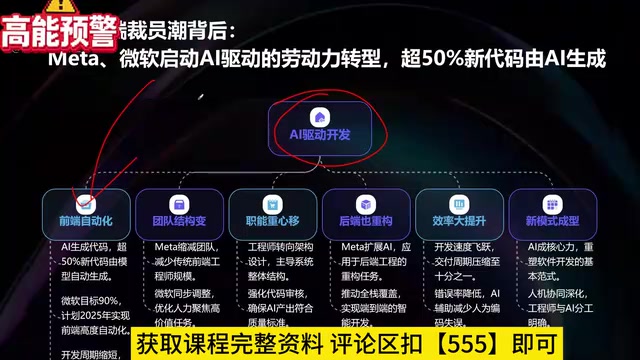
What Is Vibe Coding? The AI Programming Skill Every Developer Needs
What is Vibe Coding? Learn how AI programming is reshaping dev teams, why traditional programmers face displacement, and why Cursor & Claude Code matter.
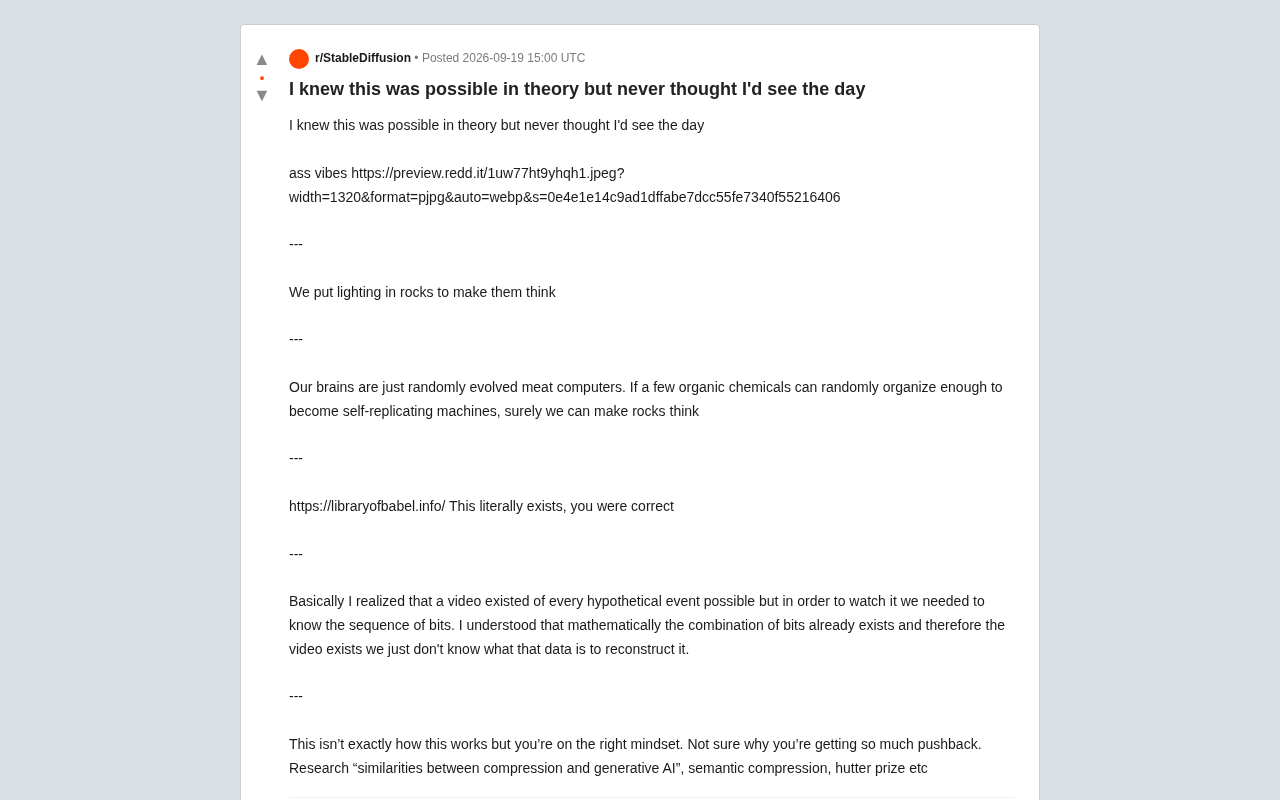
Making Rocks Think: A Philosophical Exploration of Generative AI and Information Compression
From a viral Reddit post to deep AI theory: why compression equals understanding, the Library of Babel thought experiment, semantic compression, and the Hutter Prize.

Irregular Warns: Four AI Lab Security Breaches Traced to the Same Root Cause
Irregular reveals four AI lab security breaches share a single root cause, exposing systemic risks from technology stack homogeneity across the AI industry.