MuM: A Reading-First Native Markdown Engine for macOS

MuM is a reading-first native macOS Markdown reader — 1.7 MB, ~0.3s cold start, fully AppKit-based.
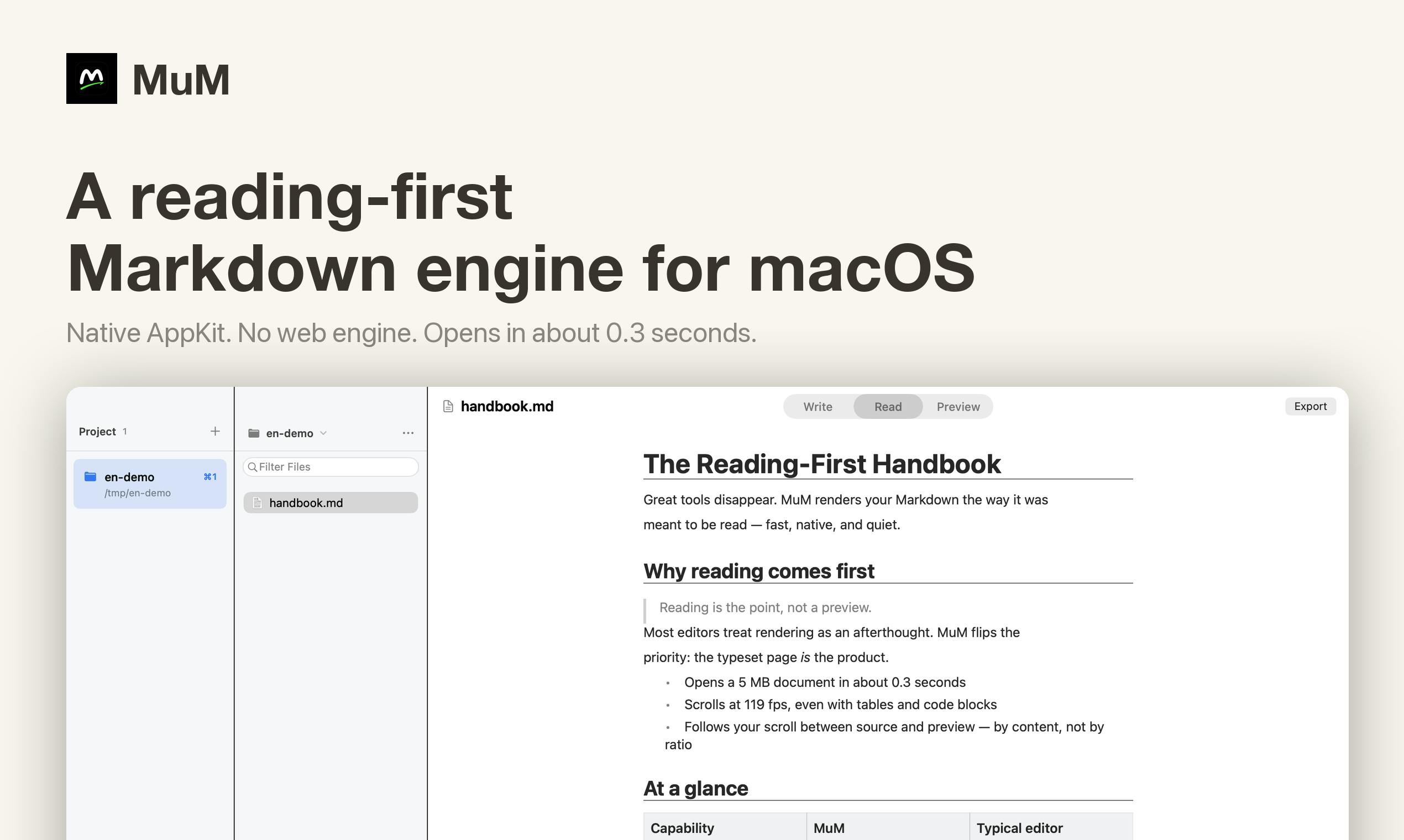
MuM flips the script on conventional Markdown tools: instead of writing with a preview pane, it's a pure reader. Built entirely on native macOS AppKit with no web rendering engine, it launches in ~0.3 seconds, installs at just 1.7 MB, and scrolls 5 MB documents at 100+ fps. Features include multi-project support with reading position memory, cross-project full-text search, and dedicated CJK typography optimization. Open source under MIT and ranked #10 on Product Hunt.
In a world overflowing with Markdown tools, nearly every app is a "writing tool with a preview panel" — they assume you want to write. But the reality is often the opposite: your Markdown files are scattered across dozens of folders, and most of the time you don't want to edit anything — you just want to quickly flip to a section and read it. MuM (an open-source project that reached #10 on Product Hunt) was built around this overlooked need, putting reading first.
A Design Philosophy That Goes Against the Grain
MuM's positioning can be summed up in one sentence: it's not yet another writing app — it's a pure Markdown reader. Developer IceskYsl puts it plainly: "Every Markdown tool is a writing app with a preview pane. MuM is the opposite."
This idea sounds simple, but it hits a real pain point for many people. READMEs, technical notes, and project documentation are often saved as Markdown files scattered across local drives, and what people actually do most often is read them, not write them. When a tool is purpose-built for reading, the trade-offs it makes around navigation, typography, and performance look completely different — there's no need to make room for editor cursors, syntax highlighting, or live preview.
Full AppKit, No Embedded Browser Engine
MuM's most significant technical decision is its complete rejection of web rendering engines — it's built entirely on native AppKit. Most cross-platform Markdown tools (especially Electron-based ones) are essentially rendering documents inside a browser, which brings a host of problems: bloated installation size, slow startup times, and high memory usage.
The benefits MuM gains from going native are immediately tangible:
- Cold startup in ~0.3 seconds — practically instant;
- Installer size of just 1.7 MB — an almost anomalous figure compared to Electron apps that routinely exceed 100 MB;
- 100+ fps scrolling through a 5 MB document — no lag even with large files.
For users who regularly work with documents on macOS, this kind of "light, fast, and stable" native experience is precisely where MuM stands apart.
AppKit is Apple's native UI framework for macOS, with roots stretching back to the NeXTSTEP era — it's the foundation underlying system-level apps like Finder and Safari. By contrast, the Electron framework bundles the Chromium browser engine with Node.js, allowing developers to build desktop apps with web technologies. The trade-off is that every Electron app ships with a full browser: installers typically start at 100–200 MB, cold startup takes 1–3 seconds, and resident memory usage often exceeds 200 MB. Native AppKit apps call directly into the OS's text layout engine (Core Text), graphics stack (Core Animation / Metal), and memory management subsystem — no translation layer needed — which gives them a structural advantage in rendering speed and resource usage. MuM's choice to go all-in on AppKit means giving up cross-platform support, but the payoff is deep macOS integration and a smoothness that explains how it can sustain 100+ fps while scrolling through a 5 MB document.
A Reading Experience Built for Multi-Project, Cross-Document Work
MuM's feature set is equally centered on reading. It supports having multiple projects open simultaneously, and remembers your last reading position in each one — an extremely useful quality when your documents are spread across different directories. When you switch back, you're right where you left off.
It also has built-in cross-project search, letting you search across multiple folders rather than being confined to a single file or workspace. Features like this tend to be deprioritized in writing-focused tools, yet they're exactly what readers need most.
Dedicated CJK Typography Optimization
Worth noting is that MuM's typesetting isn't just tuned for Latin alphabets — it's been specifically optimized for CJK (Chinese, Japanese, and Korean) text rendering. Chinese-language users tend to be particularly sensitive to typography in Markdown tools: improper character spacing, mixed-script layout, and poor line-breaking can noticeably affect reading comfort. A native approach combined with targeted typesetting optimization gives MuM a meaningful edge over general-purpose tools for CJK users.
CJK typesetting poses challenges on multiple fronts: when CJK characters are mixed with Latin text, default parameters for font baseline, character spacing, and line height are typically optimized for Latin scripts, causing Chinese paragraphs to appear either too loose or too cramped. Punctuation rules (such as full-width periods and enumeration commas) require proper "kinsoku" (line-start/end prohibition) handling — without it, punctuation marks can end up at the start of a line where they don't belong. Additionally, since Chinese text uses no spaces as word separators, line-breaking algorithms designed for Western text can force breaks at semantically awkward points. While macOS's Core Text engine provides baseline CJK support, the application layer must still actively configure kerning, line-height ratios, and punctuation compression. MuM's claimed CJK typesetting optimizations mean that users who write technical notes or knowledge bases in Chinese should experience noticeably less visual fatigue when reading long documents.
Open Source and the Trade-Offs of Minimalism
MuM is open source under the MIT license, categorized under Open Source, Developer Tools, and GitHub-related projects. Being open source with a tiny footprint lowers the barrier to trying and trusting it, and gives the developer community a chance to contribute to its refinement.
That said, MuM's product positioning involves a clear trade-off: it deliberately forgoes editing capabilities. This means it's better understood as one component in a workflow rather than an all-in-one solution — you'll likely still need another editor to write, and MuM to read. For users who want a single app that handles both reading and writing, this focused approach may feel like a limitation. But for macOS users who prioritize a refined reading experience and native performance, this restraint is precisely its value.
In Summary
MuM represents a rare but well-defined product philosophy: instead of treating reading as a secondary feature of a writing tool, make reading the main act. Full AppKit native architecture, sub-second startup, a minimal footprint, CJK typography optimization, multi-project position memory, and cross-project search all come together to form a focused, lightweight Markdown reader. For users whose documents are spread across many locations and who read far more than they write, MuM is well worth a try.
Related articles

Uber Deploys ChatGPT Work Company-Wide: AI in the Workplace Enters the Scaled Implementation Phase
Uber deploys ChatGPT Work to 30,000+ employees, extending it from engineering to all roles. We analyze its expert-engineer pairing, end-to-end automation, and questions of AI control and power concentration—insights for scaling AI in the workplace.

Shift at Midnight Hands-On: When "ID Verification" Becomes Alien Hunting
Shift at Midnight blends ID verification with horror survival in a four-player co-op game. We break down its inspection mechanics and chaotic humor.

Zelensky Recounts the Outbreak of War: I Need Ammunition, Not a Ride
Zelensky recalls the first day of war in a YouTube interview: farewell to family, rejecting Biden's evacuation offer with "I need ammunition, not a ride," and how Bucha shaped his stance on compromise and peace talks.