Muse: A Local AI-Powered Visual Bookmark Manager for Mac — $29 One-Time Purchase, No Subscription

Muse is a $29 Mac app using local AI to auto-organize visual bookmarks with full privacy.
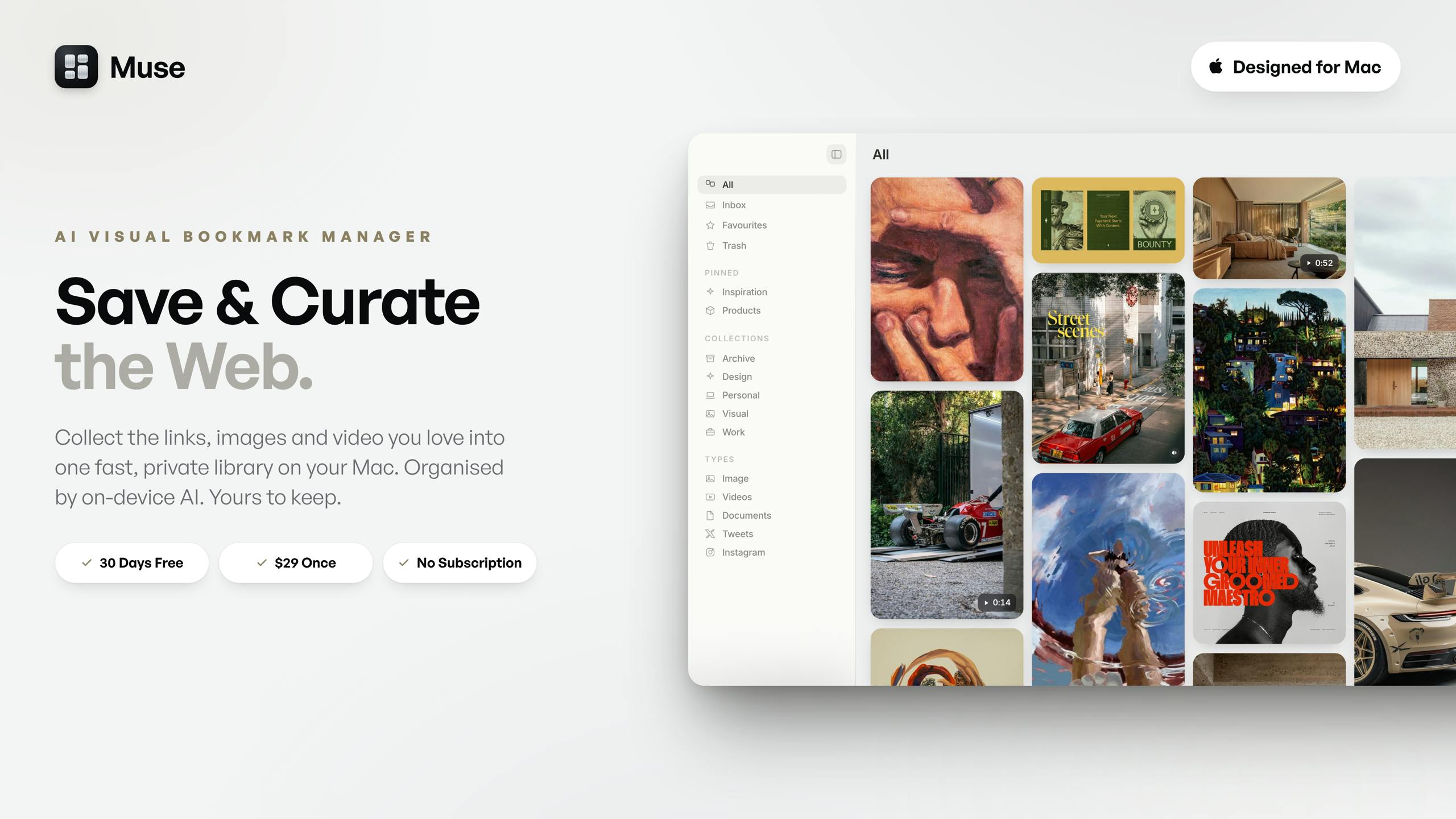
Muse is a newly launched Mac visual bookmark manager that uses on-device AI to automatically tag and classify saved images, screenshots, links, and videos — all stored locally for privacy. Priced at a one-time $29 with no subscription and a 30-day free trial, it targets designers and knowledge workers drowning in digital clutter, offering a privacy-first alternative to cloud-based tools like Raindrop and Pocket.
When Saving Becomes a Burden: The Trap of Digital Hoarding
Every knowledge worker's computer probably harbors a "digital junkyard" — scattered screenshots, casually saved images, mountains of browser bookmarks, and links copied into notes that never get opened again. We save more and more, yet find less and less. This paradox of "saving equals forgetting" is the core problem Muse aims to solve.
In fact, "saving equals forgetting" isn't a personal discipline issue — it's a phenomenon repeatedly validated by cognitive science. The Zeigarnik effect in psychology shows that people remember incomplete tasks better, and once information is "archived," the brain actively releases its attention from it. The act of saving itself psychologically equates to "already handled." Combined with the near-zero storage cost of digital tools and the lack of external pressure to organize, this creates a vicious cycle of ever-increasing information entropy and declining retrieval efficiency. That's why the solution can't rely on users' diligence — it must achieve automation at the tool level.
Recently launched on Product Hunt, Muse positions itself as an "AI Visual Bookmark Manager for Mac." It received 79 upvotes and 7 comments on launch day, ranking #13, and is categorized under Mac, Design Tools, and Productivity. It's developed by the team THEODORE HQ.
Muse's Core Features: One-Stop Visual Information Aggregation
Collecting All Types of Fragmented Content Without Discrimination
Muse's core philosophy is "collect everything without discrimination." According to the official description, it can collect everything you save — images, screenshots, links, videos, and notes — regardless of which app or browser tab they come from. In other words, unlike traditional bookmark tools that only handle web URLs, Muse treats "visual information" as a first-class citizen.
This design aligns with real-world information consumption habits: what we save is often not a neat URL, but an inspiration screenshot, a short video clip, or a design reference image. Unifying the management of these heterogeneous content types is precisely what differentiates Muse from traditional bookmark tools like Raindrop and Pocket.
On-Device AI Auto-Tagging and Smart Classification
Muse's most critical selling point lies in its automation capabilities. All saved content is automatically tagged and classified by on-device AI, requiring no manual organization from users. This means when you need something, you can "find it back the instant you're looking for it."
To understand the technical background: on-device AI means model inference runs entirely on the user's local hardware without relying on cloud servers. Since Apple introduced the Core ML framework in 2017, it has continuously built a local machine learning ecosystem on macOS and iOS, including the Vision framework (image recognition), Natural Language framework (text understanding), and recent hardware acceleration support for large model inference. The Neural Engine built into M-series chips can perform tens of trillions of operations per second (TOPS), enabling tasks like image classification, object detection, and OCR to be completed efficiently on-device. Muse's choice of the on-device AI route leverages precisely this Apple Silicon hardware advantage.
The challenge is particularly acute for visual content retrieval. Traditional bookmarks rely on title and URL searches, but images and screenshots are virtually impossible to find through text searches without AI recognition capabilities. Making visual content "searchable" typically requires the coordination of multiple AI capabilities: OCR (Optical Character Recognition) to extract text from images, image classification models to identify scenes and objects, and multimodal models like CLIP to map images into semantic vector spaces for natural language queries. Each of these technologies is quite mature when deployed individually, but running them in real-time on local devices while maintaining low latency and high accuracy demands significant model compression, quantization, and inference optimization. Muse fills this gap with local AI, making visual asset management truly achieve "easy to save, easy to find."
Two Product Decisions Worth Noting
Privacy First: Data Stored Entirely on Your Local Mac
In an era where AI applications commonly upload data to the cloud for processing, Muse explicitly emphasizes that all content is "stored entirely on your Mac," and AI processing is also completed on-device.
This is a meaningful commitment. Bookmarks and collections often reflect a person's interests, work direction, and even privacy preferences. Keeping this data local avoids cloud breach risks and eliminates dependency on third-party servers. For privacy-conscious professionals, this point might be more attractive than the features themselves. Of course, localization also means cross-device sync capabilities may be limited — a classic trade-off between privacy and convenience.
One-Time Purchase at $29: Say Goodbye to Subscription Fatigue
Another distinctive choice is the pricing model. Muse uses a one-time payment of $29 with no subscription, and offers a 30-day free trial with no credit card required.
In an era where SaaS subscriptions dominate and users widely experience "subscription fatigue," the buy-once model is itself a marketing statement. According to a 2023 C+R Research survey, American consumers spend over $200 per month on average for subscriptions, and 42% of respondents said they'd forgotten about subscriptions they were still paying for. This fatigue is changing indie developers' pricing strategies — more and more Mac/iOS apps are returning to one-time purchases or "buy-once + optional upgrades" models, such as Raycast, CleanShot X, and ScreenFloat. For developers, the buy-once model means needing to continuously attract new users rather than relying on renewal revenue, but it significantly reduces users' decision friction and converts better for utility apps. A one-time $29 payment is far easier to accept than "a few dollars per month, charged forever." This also complements its local architecture: since data and computation are all local, the product doesn't need ongoing cloud costs to justify subscription pricing.
Muse's Market Positioning and Competitive Comparison
From a product form perspective, Muse sits at the intersection of several mature categories:
- Visual asset management: Similar to design asset management tools like Eagle and Pixave
- Bookmark collection: Similar to web bookmark tools like Raindrop and Pocket
- AI-powered smart retrieval: Adding the emerging capability of local AI auto-classification
Looking at the competitive landscape in detail: Eagle is the most well-known visual asset management tool among designers, supporting 90+ file formats, color filtering, and smart folders, also using a one-time purchase pricing model. Pixave (now renamed Inboard) is a lightweight macOS-native alternative. In the bookmark space, Raindrop.io is known for its cross-platform capabilities and beautiful visual bookmark walls, while Pocket (now under Mozilla) focuses on read-it-later functionality. However, these tools generally lack deep AI capabilities — Eagle's tags still require manual or semi-automatic setup, and Raindrop's search relies on web metadata.
The real moat lies in the combination of "AI + local + visual." Each element alone isn't groundbreaking, but combining on-device AI auto-organization, privacy-focused local storage, and cross-app visual aggregation does create a clear differentiated positioning — especially for designers, researchers, and heavy information collectors.
However, as a newly launched product, Muse still needs to answer some practical questions: How accurate is the local AI's tag recognition? Is search performance stable with massive amounts of content? Will the lack of cloud sync affect multi-device workflows? These all require time and real user validation.
Summary: Is It Worth Trying?
Muse represents an emerging product philosophy: using local AI to solve personal information management pain points, while leveraging privacy protection and one-time purchase pricing as differentiated weapons against cloud-based subscription models.
For Mac users long troubled by the "bookmark black hole," a visual bookmark management tool that automatically organizes, retrieves on demand, and doesn't require worrying about data leaks is certainly worth trying. The 30-day free trial with no credit card requirement also sets the barrier low enough. As for whether it can truly deliver on its promise of "instant retrieval," that depends on the actual capabilities of its on-device AI.
Related articles

Free Unlimited Claude Code Solution: Agnes AI + CC Switch Setup Guide
No paid subscription needed — pair the free AI platform Agnes AI with the open-source tool CC Switch to provide a backend for Claude Code, enabling unlimited free calls to text, image, and video models. This guide covers the full setup, test results, and usage boundaries.

A Complete Zero-Cost Guide to Getting Started with Claude Code for Beginners in China
A beginner's guide to Claude Code for users in China: two installation methods (command line and IDE plugin), full configuration steps for replacing the official API with the free domestic LongCat model, and a hands-on demo of building a small tool with natural language, plus tips.

When the NSA Gets Involved: The AI Supply Chain Crisis Behind Open-Source CVEs and API Key Hijacking
Multiple open-source projects disclosed severe CVEs in one day, PHP flaws alarmed the FBI, and Railway and OpenCode were breached with API keys stolen. This article breaks down the vulnerability window, AI-accelerated exploitation, and the AI supply chain crisis behind the API key black market, with a developer defense checklist.