N8N Automation Free Beginner Tutorial: Build Workflows from Scratch

N8N instructor Maxim's free course distills automation decision logic and a beginner's path to getting started.
Based on N8N instructor Maxim's free course for complete beginners, this article outlines core automation concepts and practical starting points. It argues that automation's ultimate goal is data-driven rather than intuition-driven decisions; manually handling low-value tasks causes wasted time, human error, and lower employee satisfaction, while automation boosts data availability and ROI and reduces reliance on manual labor. Automation is essentially predictable data transfer, and workflows comprise trigger, processing, and output nodes. Beginners should start with one high-frequency repetitive task, clarify data flow before choosing tools, and accept upfront debugging investment. The course suits people in marketing, operations, and data roles with no prior experience.
N8N is becoming an important tool for connecting data with business decisions. Maxim, an instructor who has spent four years working deeply with N8N, built over 100 workflows, and trained 500 students, recently released a free course aimed at complete beginners, systematically explaining the core concepts of automation and the path to getting started.
This article is based on that course content and distills the automation logic and practical starting points that beginners most need to master.
Why Do We Need Automation?
Maxim's reasoning is straightforward: The ultimate goal of automation is to make decisions based on data rather than intuition.
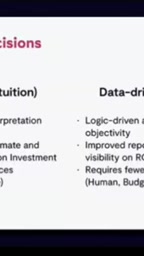
When decisions rely on feelings or experience, the criteria are subjective, ROI is difficult to estimate and justify, and budget and time resources are easily consumed by inefficient repetition. Data-driven decision logic, on the other hand, is clearer and more traceable, with significantly improved reporting capabilities and ROI visibility — while actually requiring fewer human, budget, and time resources.
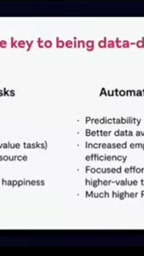
The cost of performing tasks manually is equally obvious. Repeatedly handling low-value tasks not only wastes time but also easily introduces human error, while driving up labor demands — ultimately leading to decreased employee satisfaction and retention. Few people are willing to spend their long-term career on work like "copying data from one spreadsheet to another."
After introducing automation, things change: data predictability and availability increase, employees can focus their energy on higher-value tasks, ROI improves, and dependence on manual labor decreases.
What Exactly Is Automation?
Maxim defines automation as: a predictable action that transfers data from one point to another.
This definition sounds somewhat abstract, so he immediately illustrates it with a workflow example. The starting point of this example is a form submission: when a user submits a form, the system determines what type of company it is and triggers subsequent actions accordingly.
From this example, it's clear that the essence of automation isn't complicated — it's a series of "if A happens, then execute B" rule combinations, where data flows between nodes to ultimately accomplish a business goal. For beginners, understanding the basic structure of "trigger condition + data processing + output action" is more important than memorizing tool buttons.
The ROI (Return on Investment) mentioned repeatedly throughout is the core metric for evaluating whether automation is worth pursuing. In the context of automation, ROI isn't just about money — it also includes time costs, labor costs, and error rates. The calculation approach is simple: convert the manual time currently consumed by a task into a cost, then compare it against the one-time and ongoing investment required to build and maintain the workflow — the difference is the net benefit. For example, a data synchronization task that takes 5 hours per week, if automated to require only 1 hour of maintenance per month and reduces rework caused by human error, would have a very obvious ROI. The significance of ROI lies in turning "should we automate this?" from a gut feeling into a quantifiable argument — which is part of what Maxim emphasizes about data-driven decision-making.
Workflows: The Basic Unit of Automation
In N8N, a Workflow is the core unit for organizing automation. A workflow typically contains three types of nodes:
- Trigger nodes: Determine when the workflow starts, such as form submissions, scheduled tasks, or webhook calls.
- Processing nodes: Judge, transform, filter data, or call external services.
- Output nodes: Write results to a database, send notifications, or update other systems.
Maxim's form example follows this structure: form submission triggers the process, a node that determines company type handles the processing logic, and subsequent actions complete the data routing. When building your first workflow as a beginner, it's recommended to first sketch out these three stages before connecting nodes — this can reduce a lot of trial and error.
Webhook is a key concept for understanding N8N's workflow trigger mechanism. Essentially, a webhook is when a system proactively sends an HTTP request to a preset URL when a specific event occurs, carrying event-related data. Compared to traditional "scheduled polling" (actively checking for new data every few seconds), webhooks are "event push" — responding more promptly and consuming fewer resources. In N8N, when using a Webhook trigger node, the platform generates a unique URL. You configure this URL in an external system's event callback settings (such as Stripe, GitHub, or Typeform). When the external system generates an event, N8N immediately receives the data and starts the workflow. For beginners, simply understanding that "a webhook is just an address waiting for someone to knock on the door" is enough to start building a large number of real-time automations.
Beginner Tips
Although the course content is primarily conceptual, combined with Maxim's experience sharing, several practical directions valuable for complete beginners can be distilled:
Start with a single, high-frequency repetitive task. Don't design complex processes right away. First find a small task you manually perform daily or weekly, such as organizing form data or syncing spreadsheet records.
Understand the data flow first, then choose tools. N8N is just the means of implementation. What truly determines whether automation works is your clear understanding of "where data comes from, what processing it goes through, and where it goes."
Accept the upfront investment. Building workflows takes time to debug, but once they're running, the ongoing maintenance cost is far lower than continuous manual operation. Among the 500 students Maxim has trained, most only truly appreciated the value of automation after completing their first usable workflow.
This free course is suitable for marketing, operations, and data professionals who have no automation experience but want to use data to drive their daily work. After mastering the basic logic of workflows, entering N8N's specific interface becomes a much gentler learning curve.
Workflow debugging is the step beginners most easily underestimate. Since each node in an automation chain depends on the output of the previous node, a single mismatched field name or data format can cause the entire flow to fail. N8N provides two key capabilities: first, "execution history," which lets you review the input and output of each node in every run to quickly identify which step went wrong; second, "pinned test data," which allows repeated debugging of subsequent nodes without re-triggering external events. Beginners are advised to develop the habit of verifying node by node — run the workflow each time you connect a node, confirm the data format matches expectations, then continue connecting. This is far more efficient than building the entire flow and troubleshooting all at once, and it avoids the dilemma of "the last step is clearly the problem, but you start suspecting step one."
One-line Summary
N8N instructor Maxim's free course distills automation decision logic and a beginner's path to getting started.
Paragraph Summary
Based on N8N instructor Maxim's free course for complete beginners, this article outlines the core concepts and practical starting points of automation. It points out that the ultimate goal of automation is to make decisions based on data rather than intuition. Manually handling low-value tasks leads to wasted time, human error, and decreased employee satisfaction, while automation improves data availability and ROI and reduces dependence on manual labor. The essence of automation is predictable data transfer, and workflows consist of three types of nodes — trigger, processing, and output — corresponding to the basic structure of "trigger condition + data processing + output action." Beginners should start with a single high-frequency repetitive task, clarify the data flow before choosing tools, and accept the upfront debugging investment. The course is suitable for people in marketing, operations, and data roles with no prior experience.
Related articles

Bilibili's Hit Dify Tutorial: A Practical Guide to Building 20+ AI Apps from Scratch
A distilled guide to Bilibili's top-rated Dify tutorial: Windows + Docker deployment, MySQL connection, five app types, model integration strategy, and publishing.

Agent Skills Beginner's Guide: From Concepts to Multi-Agent Collaboration in Practice
A comprehensive guide to Agent Skills: core concepts, components, the importance of Description, standardization, beginner learning paths, and multi-agent collaboration.

One Neuron Detects Both Cats and Cars? We Reproduced It and Found a New Explanation
The cat-car neuron reinterpreted: researcher Cammarata argues it distinguishes pointy from round, not cats from cars. We reproduced the experiment and found the new explanation holds on most inputs—but cars are the exception. The interpretability debate continues on language models.