n8n Beginner's Guide: 7 Core Nodes That Handle 90% of Automation Use Cases

Master just 7 core n8n nodes — Schedule, Webhook, IF, and more — to build 90% of any automation workflow.
This article distills hands-on experience to identify the 7 n8n nodes every beginner should prioritize: Schedule and Webhook handle triggering; IF serves as the decision hub and Edit Fields handles data cleanup; Code enables custom JavaScript/Python logic while HTTP Request connects to any external API; and the AI node adds semantic understanding and autonomous decision-making. Together, these 7 nodes cover the full automation lifecycle of trigger → decide → process → output.
For those just getting started with n8n, staring at a massive list of nodes can feel overwhelming. But here's the truth: you don't need to master all of them. By thoroughly understanding just 7 core nodes, you can build nearly 90% of any automation workflow you'll ever need. This article distills hands-on experience from a YouTube creator to help you cut through the noise and avoid months of unnecessary trial and error.
Why Only 7 Nodes?
n8n is an open-source workflow automation tool with hundreds of integration nodes. A common beginner mistake is trying to learn every single one — which only leads to confusion. In practice, the skeleton of any automation workflow is remarkably consistent: trigger → decide → process → output. The nodes that hold this skeleton together are just a small handful of high-frequency essentials.
As the original video emphasizes: "The skill in automation isn't how many things you can connect — it's whether you've built a solid foundation." Focusing your energy on these 7 nodes and understanding their roles and how they combine will take you much further than blindly accumulating node knowledge.
Trigger Nodes: Making Your Workflow Run on Its Own
Schedule (Timed Trigger)
The first core node runs your workflow automatically based on time. Whether it's a fixed time each day, every hour, or any custom interval, it lets your workflow start without any human intervention. This is the foundation of "unattended" automation — common use cases include scheduled data scraping, daily report delivery, and periodic cleanup tasks.
Webhook (Real-Time Receiver)
The second node receives data from external systems in real time. The moment an action occurs on another platform, a Webhook captures it and immediately triggers your workflow. It complements the Schedule node: one is proactive and time-driven, the other is reactive and event-driven. Form submissions, payment callbacks, and third-party event notifications all rely on it to bridge systems together.
Here's how Webhooks work: n8n generates a unique URL for the node, which you paste into the callback configuration of an external system. When an external event fires, that system sends an HTTP POST request to the URL, and n8n immediately activates the workflow upon receiving it. Compared to polling (periodically querying for new data), Webhooks use a "push" model — extremely low latency and no wasted resources. One important caveat: workflows triggered by Webhooks require your n8n instance to be running and reachable from the public internet. If you're running n8n locally or on an internal network, you'll need a tunneling tool like ngrok to receive external pushes.
Logic Control Nodes: The Brain of Your Workflow
IF (Conditional Branching)
This is the decision-making hub of the entire workflow. The logic is straightforward: if a condition is met, go down Branch A; otherwise, take Branch B. The original video aptly calls it "the brain that directs where data flows" — without it, your workflow can only run in a straight line; with it, the workflow can react differently based on different situations.

Edit Fields / Set (Data Cleanup)
The fourth node lets you clean, restructure, or standardize data before it moves to the next step. In real projects, data pulled from different sources is often messy and inconsistently formatted. This node "straightens out" your data so that downstream steps can read it correctly. It's a critical piece of any stable workflow, yet one that beginners frequently overlook.
Capability-Extending Nodes: Breaking Through Built-In Limits
Code (Custom Scripting)
When built-in nodes can't handle a specific logic requirement or complex calculation, the Code node lets you write a few lines of JavaScript or Python to solve the problem. As the original video puts it: "Sometimes you need a bit of custom logic that just isn't available in an existing node — writing a couple lines of code takes care of it." It gives the platform near-unlimited flexibility and is an essential tool for power users.
HTTP Request (The Universal Connector)
The sixth node is called the "wildcard." Even if a service doesn't have a dedicated integration node in n8n, as long as it provides an API, the HTTP Request node lets you connect your workflow to virtually any interface in the world. This dramatically expands n8n's reach, making "there's no node for that" a non-issue.
The HTTP Request node supports standard HTTP methods including GET, POST, PUT, and DELETE, with full customization of request Headers, Query Parameters, and Body to meet the requirements of most REST APIs. For authenticated endpoints, it supports common auth methods like Bearer Token, Basic Auth, and OAuth2. Returned JSON data is automatically parsed by n8n into fields you can reference directly in subsequent nodes. A practical tip: before integrating for real, use Postman or your browser to test and finalize your API parameters, then copy them into the HTTP Request node — this can significantly cut down debugging time.
AI Node: Taking Your Workflow to the Next Level
The seventh node is what truly upgrades your automation. It gives workflows the ability to understand, analyze, and make autonomous decisions — handling situations where there are no fixed rules and genuine judgment is required. In other words, the first six nodes make your workflow run according to preset rules; this AI node gives it the intelligence to handle ambiguous, complex scenarios.

By integrating large language models, these nodes can handle content generation, semantic classification, intelligent replies, data analysis, and other tasks that traditional rule-based logic struggles to cover. It's also the hottest area of exploration in the n8n community right now.
n8n's AI nodes typically access intelligent capabilities by calling large language model (LLM) APIs. Mainstream support includes OpenAI, Anthropic Claude, and Google Gemini, and you can also connect locally deployed open-source models (such as LLaMA running via Ollama). In practice, the most common form of AI node usage is the AI Agent — which doesn't just generate text, but can autonomously invoke other tool nodes (like search, send email, or query a database) based on context, forming a closed loop of multi-step reasoning and execution. This is fundamentally different from a simple "Q&A" call: in Agent mode, the AI can plan the steps needed to complete a task on its own, rather than just returning a block of text.
Wrapping Up: Build the Foundation First, Then the Fancy Stuff
Breaking these 7 nodes down, you'll see they cover the complete lifecycle of automation:
- Trigger: Schedule and Webhook determine when the workflow starts
- Decide: IF determines which path the workflow takes
- Process: Edit Fields and Code handle data transformation
- Connect: HTTP Request bridges every external service
- Intelligize: AI node handles complex decision-making
For beginners, instead of feeling anxious about the sheer number of nodes, focus on getting comfortable with these core combinations first. As the original creator puts it, real skill comes from a deep understanding of the fundamentals — not from the number of nodes you've touched. Once you've internalized this framework, learning other specialized nodes will feel much more manageable.
Related articles
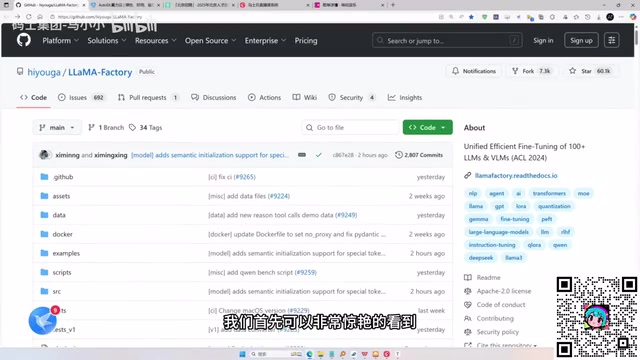
LLaMA-Factory in Practice: A Complete No-Code Guide to Fine-Tuning Large Models
An introduction to LLaMA-Factory, the open-source fine-tuning tool: its 60.1K-star background, supported models and algorithms, local vs. cloud deployment, and CUDA setup steps.

Zeng Ming's Deep Retrospective: Why OpenAI May Not Be the Ultimate Winner — and Why the Corporate System Will Disappear
Zeng Ming's deep retrospective on the AI endgame: model companies are just infrastructure, OpenAI and Anthropic won't be the final winners; the next battle is the Agent entry point standard; the corporate system will disappear as AI restructures collaboration, and only mission-driven companies can survive the cycle.
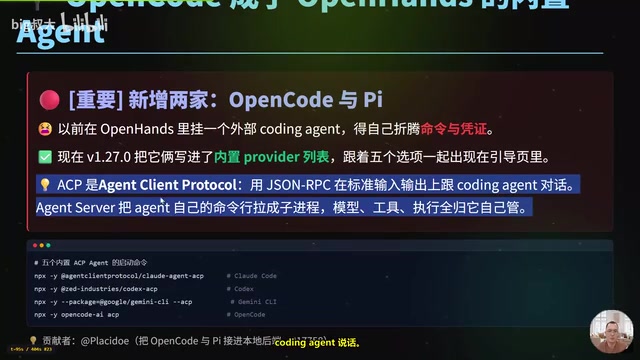
OpenHands v1.28.0: OpenCode and PI Added as Built-in Agents, API Keys Requestable In-Conversation
OpenHands ships 5 releases in 21 days: v1.27.0 adds OpenCode and PI as built-in agents, v1.28.0 enables in-chat key requests. ACP integration, credential reuse, model list changes, and upgrade advice.