n8n in Practice: Automated Failure Alerts with a Dedicated Error Workflow

Build a standalone n8n Error Trigger workflow to get instant alerts whenever your automation fails.
This article introduces an n8n best practice for handling workflow failure alerts: completely separating error notification logic from the main business flow by building a dedicated alert workflow with an Error Trigger as its entry point. When any node in the main workflow throws an exception, n8n automatically routes the error to this alert workflow, triggering an email or SMS — without the main workflow needing any awareness of the alert logic. This separation of concerns keeps the main canvas clean, and a single alert workflow can be reused across multiple main workflows. The practical advice is to validate the pipeline with placeholder addresses first, then swap in high-reach channels like SMS for production use.
Why Every Workflow Needs a "Watchdog"
The biggest risk in automated workflows isn't slow execution — it's silent failure. A form-processing pipeline or a scheduled scraping task could crash at some node in the middle of the night, and by the time you notice, hours worth of bad data have already piled up.
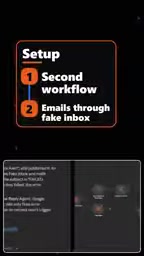
In this n8n hands-on walkthrough, the author presents a clean and practical approach: instead of stuffing error-handling logic inside your main workflow, build a second workflow dedicated entirely to alerting. When the main workflow crashes, this one fires off the notification — via email or SMS.
This "separation of concerns" principle has long been standard practice in software engineering, yet it's frequently overlooked in low-code automation. Many people habitually jam retries, alerts, and logging all into one workflow, leaving the canvas bloated and painful to maintain or debug.
How the Error Trigger Works
The linchpin of the entire setup is n8n's Error Trigger. The author names the second workflow "review reply error alert" — and its entry point isn't a regular scheduled or Webhook trigger, but an Error Trigger that listens specifically for error events.
When the monitored main workflow throws an exception during execution, n8n automatically routes the error data to whichever workflow has an Error Trigger configured, handing off all subsequent handling to it. In other words, the main workflow doesn't need to know that the alert logic even exists — the two are decoupled through the error event itself.

The author captures the elegance of this design in one line: "it's actually a separate workflow — it's not going to add it to this one." It's a fully independent workflow that never muddles the main flow. That's precisely what prevents the main canvas from getting "muddied up."
For the Error Trigger to actually work, you need to complete one critical linking step: manually specify the error workflow inside the main workflow's Settings. n8n does not automatically route all workflow errors to a single Error Trigger — you must fill in the "Error Workflow" field (by name or ID) in each main workflow's settings individually. This also means one alert workflow can serve multiple main workflows: just point every main workflow's settings to the same alert workflow. The error object received by the Error Trigger typically includes the workflow name, execution ID, the name of the failed node, and the error message — all fields you can reference directly in your notification content, giving on-call engineers enough context to pinpoint the root cause immediately, rather than just receiving a vague "something went wrong" ping.
Alert Actions: From Email to SMS
After the Error Trigger, the author wires in a lightweight Send Email step. The demo uses a fake inbox for testing — both sender and recipient are set to placeholder addresses like demo.test, with the subject line set to "Failed Workflow."

In a real deployment, this step can be swapped out for any notification channel with minimal effort. The author mentions that in his own setup, the email ultimately becomes a text message (SMS) pushed to his phone. The typical approach is to replace the Send Email node with a Twilio, Slack, Telegram, or WeCom node — whatever gets the right person's attention the moment a failure occurs.
This minimalist structure — one trigger plus one notification action — is actually a feature, not a limitation. An alert workflow doesn't need to be complex; it just needs to be reliable.
Twilio is currently one of the most common SMS gateways integrated with n8n. Simply sign up for a Twilio account, grab your Account SID and Auth Token, and configure n8n's Twilio node to send SMS to any phone number. For use cases in China, Alibaba Cloud SMS, Tencent Cloud SMS, or a WeCom bot Webhook are more common alternatives — the latter being especially lightweight, requiring only an HTTP Request node to POST to the group bot's endpoint with no additional account setup. When choosing a notification channel, the guiding principle is reach first: emails can get filtered into spam or fail to vibrate a locked phone, while SMS and WeCom messages have noticeably higher immediate delivery rates, making them better suited for critical workflows where response time matters.
Why This Pattern Is Worth Adopting

From this concise walkthrough, a few practices emerge that apply to any automation platform:
- Keep alerting separate from business logic: Splitting monitoring and notification into a standalone workflow keeps the main flow clean and makes the alert logic reusable. In theory, one alert workflow can serve any number of main workflows.
- Validate the pipeline with placeholder data first: The author uses a fake inbox and
demo.testaddresses to confirm the flow is connected before wiring in a real email address or SMS gateway — a great habit for minimizing debugging overhead. - Failures must be pushed proactively: Passively logging into the backend to check execution history after the fact is far less effective than having the system reach out to you the instant something breaks. SMS has higher delivery rates than email and is better suited for critical pipelines.
For teams building production-grade automation with n8n, Make, or Zapier, a dedicated error alert workflow is essentially zero-cost insurance. Spend ten minutes setting it up, and it might save you hours of middle-of-the-night debugging the next time someone asks why the data stopped updating.
Related articles

Apple HomeView Hands-On Review: Is the $300 Smart Home Hub Worth It?
Apple HomeView hands-on: a $300 smart home hub with facial recognition for quick account switching, but no App Store or voice recognition. Is the wall-mounted version worth it? Should you buy the first generation?

Meta Muse Wonder Launch: What It Means for Meta's Return to the Frontier AI Race
Meta releases Muse Wonder and WonderFull, benchmarks reach the frontier, community feedback is polarized. An in-depth look at Meta's return to the frontier AI race, its personal agent strategy, and Zuckerberg's different path.

Apple Home Smart Home Lineup Leaked: LG and Schneider Team Up, UWB Door Lock on Board
Apple Home ecosystem gains new LG and Schneider devices: UWB smart lock with proximity unlock, 2.5K dual-camera doorbell, privacy indoor camera, and AirPods-like seamless pairing.