Nearly 80K-Star Open Source Project: Use 26 Large Models Locally for Free, Including DeepSeek and GLM

A nearly 80K-star open source project lets you call 26 large models locally—no registration or keys—as a low-cost alternative to AI memberships.
The article introduces an open source project with nearly 80,000 GitHub stars: once installed, it lets you directly call 26 large models on your own computer, including popular ones like DeepSeek and GLM, with no account registration or API keys required. The project creates a local console for viewing model usage and speed, and exposes a local address that other software can connect to, enabling free use for writing, translation, and more. It offers two onboarding paths: deploying yourself, or handing a prompt to your computer's AI assistant to do it for you. The author considers such local aggregation tools suitable for cost-sensitive users with scattered needs, but notes that actual experience depends on hardware configuration and that the open source project's maintenance should be monitored.
AI membership fees cost tens of yuan a month, and many people just want to write something occasionally or organize spreadsheets, yet end up paying for quota they never use. A Bilibili video introduced an open source project with nearly 80,000 GitHub stars: once installed, it lets you directly call 26 large models on your own computer, including popular ones like DeepSeek and GLM, with no registration and no API keys required.
What problem does this project solve
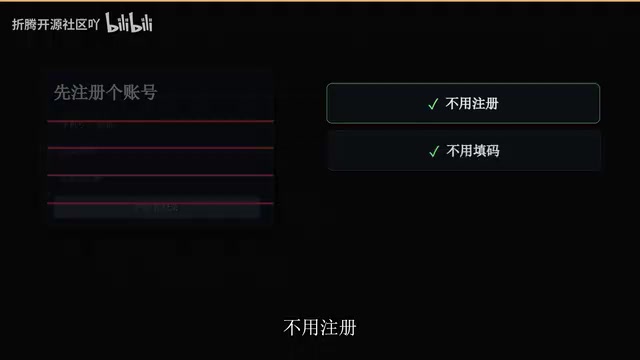
Its core value is giving the "choice of model" back to users. According to the video, after installation your computer gains a local console where you can pick any model, and see at a glance how much you've used and how fast it runs.
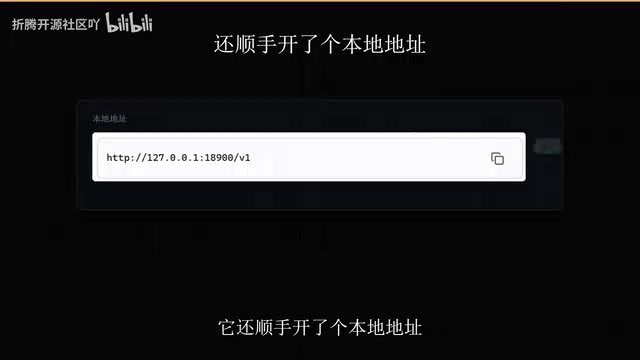
More importantly, it conveniently exposes a local address, so any other software on your computer can connect simply by entering that address—writing, translation, and more can all be used for free. For people who don't want to buy a membership for a one-off need, this is a more lightweight approach.
How local model aggregation tools work
"Local model aggregation" generally refers to running a lightweight service on your machine (such as open source frameworks like Ollama, LM Studio, or Open WebUI), which then uniformly manages and calls multiple models. The models themselves can be downloaded and run locally, or the aggregation layer can forward requests to each provider's cloud API. What the article calls "exposing a local address" essentially means starting an HTTP service on your machine that is compatible with the OpenAI API format (common ports include 11434 or 1234). Other software only needs to set the API Base URL to this local address to call models just like the official API, with no need to apply for separate keys.
The value of such tools lies in "a unified entry point + free switching": users don't need to install a separate client for each platform, nor are they locked into one provider's quota or subscription. The trade-off is that local execution consumes memory and VRAM—the larger the model, the higher the hardware requirements; if using forwarding mode, it still depends on upstream services.
Why it's worth paying attention to
The emergence of these local model aggregation tools reflects a divergence in how people use AI: cloud subscriptions suit high-frequency power users, while local aggregation suits those with scattered needs who are sensitive to cost. The coverage of 26 models also means users can switch between different tasks without being tied to a single platform. The ability to read over a million characters of context at once is especially friendly for processing long documents.
Context length and what "a million characters" means
A large model's context window refers to the total number of tokens the model can "see" in a single request, with roughly 1 Chinese character ≈ 1–2 tokens. What's described as "reading over a million characters at once" corresponds to a context window in the millions of tokens, which is among the longer tiers currently available. The significance of long context is that you can hand an entire book, a full contract, or a large set of spreadsheets to the model in one go without chunking and stitching, reducing fragmented information.
But note two things: first, long context does not equal equally high-quality comprehension—models can get "lost" in the middle of extremely long texts; second, when running locally, long context significantly increases memory usage and response time. Therefore, this capability is better suited to machines with good hardware, or to long-document summarization and retrieval tasks that demand completeness.
How to use it: two onboarding paths
Path one: deploy it yourself
The video's approach is straightforward—after installing the project, open the local console and pick from the model list. The whole process requires no account registration and no API keys, lowering the barrier for ordinary users.
Open source projects and GitHub stars
The "nearly 80,000 stars" mentioned refers to the number of Stars the project has received on GitHub. Stars represent users' bookmarking and recognition of a repository, and the number reflects to some extent the project's visibility and community activity—but it does not directly equate to code quality or security. For ordinary users, evaluating an open source project should also involve checking recent commit frequency, how Issues are handled, and whether there is clear documentation and a license.
"Deploying it yourself" generally involves cloning the repository, installing dependencies (such as a Python environment or Docker), downloading model weights, and starting the service. Complexity varies greatly between projects: some offer one-click installers, while others require command-line operations. Before deploying, it's advisable to confirm you have enough disk space and memory, and to obtain the installer from the official repository to avoid using bundled packages of unknown origin.
Path two: let AI deploy it for you
For users who don't want to wrestle with GitHub, the video's author offers the "old method": give a prompt to the AI assistant on your computer and let it handle the local deployment for you, then open and use it once done. This approach outsources the deployment itself to AI—a practical way to lower the technical barrier today.

Who it's for
People who need to write things and organize spreadsheets from time to time but don't want to pay for a membership are the most direct target users of this tool. Its positioning is not to replace professional development workflows, but to provide a zero-cost alternative for everyday lightweight needs.
Things to watch out for
Local deployment means model execution depends on your own hardware; the video doesn't provide specific performance data, and actual experience will vary by machine configuration. In addition, users need to keep an eye on the project's update cadence and how well the model list is maintained.
For users who want to try multiple large models at low cost and have some hands-on ability, this nearly 80,000-star project is worth bookmarking and trying out.
Related articles
Gemini 4 Neon Released: Tops Coding Benchmarks, Gemini 4 World Model Opens Up
Google releases Gemini 4 Neon, topping the coding agent index with million-token context; Gemini 4 world model opens Project Genie; DeepSeek web search goes free; Microsoft unveils an on-device Windows small model; the White House discusses requiring US companies to disclose whether they use Chinese open-source models.
Google Gemini 4 Neon Released: Just $3 per Million Tokens as the AI Price War Escalates
Google releases Gemini 4 Neon at just $3 per million input tokens; Tencent open-sources Hy4 Flash; DeepSeek scraps search-crawling fees; Microsoft unveils new image and voice models; NVIDIA halts H200 shipments to China; Citi says no reimbursement for AI-agent fraud losses. Today's hardcore AI news in one read.
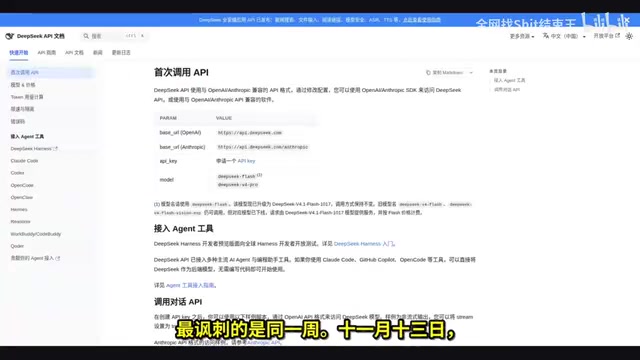
DeepSeek Quota Wall Pre-embedded in Code: The 48 Hours of Open-Source Migration Tools and Chat Restrictions
DeepSeek pre-embedded quota limits in frontend code two days early; old chats expire after 72 hours of inactivity on Nov 15, while APIs and client code go open-source the same week. This analysis examines the VRAM pressure and three-way resource contention behind rapid quota depletion, and the user dilemma of "not unwilling to pay, but unable to find where to pay."