No Code Required: Building SVG Animation Explainer Videos with Claude Code
No code required: a complete practical path to building an SVG animation explainer video toolchain with Claude Code through conversation.
Based on a Bilibili UP host's hands-on video, this article outlines how to use only natural language to drive Claude Code to build from scratch an SVG animation explainer video generator. It covers connecting Claude Code to the DeepSeek API via environment variables, tiered management of code execution risk with four permission modes, giving the model screenshot and pixel-level self-check capabilities via Playwright MCP, persistent memory with CLAUDE.md, automatic SVG validation with Hooks, reusable video workflows with Skills, independent visual review with Subagent, and unified design style through the plugin marketplace. It also highlights boundaries such as rollback not covering script-generated files and limited controllability of context compression, emphasizing that conversational development lowers the coding threshold but does not eliminate the need for systems thinking and version management.
Title
No Code Required: Building SVG Animation Explainer Videos with Claude Code
Meta Description
Bilibili UP host tests: zero lines of code, using Claude Code to build an SVG animation explainer video generation tool. Covers environment setup, multimodal reference images, MCP screenshot self-check, Hooks auto-validation, Skills workflow encapsulation, and Subagent independent review, with practical details on context management and rollback.
Article Content
On Bilibili, the UP host "Wukong Shares the 72 Transformations of the AI World" released a hands-on video with no coding throughout: using only natural language conversation, they had Claude Code build from scratch an "AI assistant" that automatically generates SVG animation explainer videos. This episode is dense with information, covering environment configuration, multimodal input, context management, hooks, skills, subagents, and plugins, among other advanced techniques. Based on the video content, this article outlines a clear practical path and adds some key observations and judgments.
1. Environment Setup: Three Environment Variables Decide Everything
The video author's approach is pragmatic: rather than struggling with the official login process, they directly use DeepSeekAd's API Key to access Claude Code. The specific operation only requires setting three environment variables in the terminal—DeepSeek's interface address, API Key, and model name (DeepSeek Chat). After setting them, enter the claude command to start, select the dark theme on first run and trust the current folder, and Claude Code will respond normally in Chinese.
The key insight here is: Claude Code itself is a "shell" that is not bound to a specific model. As long as the interface is compatible, users can completely replace the backend model based on cost, response speed, or localization needs. The author chose DeepSeek, likely for cost considerations, but this also means output quality will be affected by the underlying model's capabilities, which readers need to weigh themselves.
After installation, the author created the SVGIMMaker folder as the project workspace. Then, by pressing Shift+Tab to switch interaction modes, they demonstrated Claude Code's four operation permissions: default mode (asks at every step), auto-accept edits (no longer asks when modifying files), plan mode (only produces a plan without acting), and auto mode (autonomously judges operation safety). This mode design reflects a tiered management philosophy for "code execution risk," especially plan mode, which is suitable for reviewing a plan before refactoring project structure.
2. From "Breathing Circle" to Reusable Tool: Requirement Loop and Rollback
The first actual requirement was "make a circle that grows and shrinks." In default mode, Claude Code requests permission before writing files or executing commands each time. The author chose "allow once" and quickly passed multiple confirmations, ultimately generating a pulse.svg file. By entering ! to enter Shell mode, then opening the file in a browser, a breathing animation appeared.
When the requirement escalated to "turn the animation into a proper small tool template," the author switched to plan mode and had Claude Code generate a plan first. During the process, the author used Ctrl+G to directly modify the font settings in the plan in the editor, unifying them to Noto Sans SC. After saving, the plan was reloaded, and then "auto mode execution" was selected, and Claude Code autonomously completed folder creation, template writing, and script generation.
Subsequently, the author tried the "rainbow background" requirement, but the result was too flashy. At this point, by double-clicking Esc or entering /rewind, one can roll back to the conversation state before adding the rainbow. Five options are provided during rollback: restore both code and conversation, restore only conversation, restore only code, summarize previous conversation, summarize subsequent conversation.
There is a detail to note here: rollback does not affect files generated by commands. That is, directly edited source files can be reverted, but files generated by scripts (such as flowchart outputs) will not be automatically restored. The author recommends using Git for important projects in the video, which is a very pertinent reminder.
Comparing the initial breathing circle with the final one-minute explainer video, the enormous gap highlights the core value of Claude Code: it makes requirement iteration itself part of the development process.
Why Git is needed as a safety net: Claude Code's rollback (/rewind) is implemented based on conversation and file edit records, and can restore source files directly written by the model, but has no tracking capability for artifacts produced by script execution (such as rendered SVGs, video files). Git records all changes in the workspace as snapshots, complementing the rollback mechanism: the former manages "what the AI changed," while the latter manages "what ultimately exists on disk." For important projects, committing at key milestones is both a safety net and a basis for comparing generation effects of different versions later.
3. Multimodal and Context Management: Letting AI "See" Reference Images
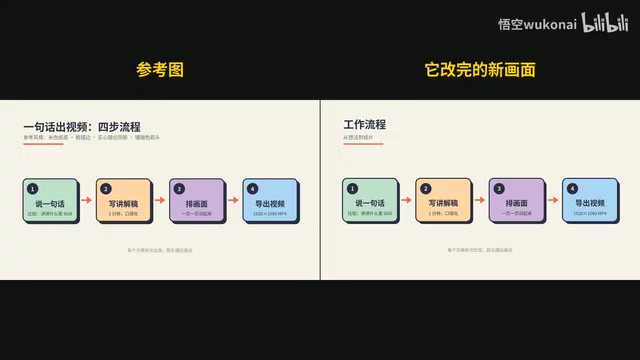
When the author wanted a more refined visual style, they directly copied a reference image into the input box and had Claude Code redo the template based on the image. Although Claude Code can read static images, it cannot see the actual playback effect of animations. The video points out that the restoration accuracy of such static references is limited.
To break through this limitation, the author installed Playwright MCP. After confirming the connection via /mcp list, Claude Code essentially had a browser tool that can automatically take screenshots. Then the author asked Claude Code to open the preview page itself, capture multiple frames, compare pixel by pixel with the reference image, and fix the character width estimation algorithm for long text overflow issues. The result showed that out of 2.07 million pixels, only 121 were different, and all were edge anti-aliasing differences.
The introduction of MCP (Model Context Protocol) upgrades Claude Code from a "text generator" to an "agent that can operate external tools." Playwright MCP is just one example, but it is enough to show: when AI is given the ability to measure, screenshot, and execute tests, its self-verification capability improves significantly.
Regarding context management, the video demonstrated the usage of /context, /compact, and /clear. When context usage reached 77%, it dropped to 15% after compression via /compact. Additional requirements can be appended during compression, such as asking Claude Code to focus on retaining template style, script usage, and reference image locations. But the author also candidly admitted: the controllability of compression results is not perfect—what is retained and what is discarded is not entirely up to the user.
What is MCP: Model Context Protocol is an open standard for connecting large models with external data sources and tools. It adopts a client-server architecture: Claude Code acts as the client, while servers like Playwright MCP expose capabilities such as browser operations, file systems, and databases to the model through standardized interfaces. Compared with writing separate integration code for each tool, MCP allows the same model to invoke various tools in a plug-and-play manner, and has therefore become an important infrastructure for the agent ecosystem.
Capability boundaries of Playwright MCP: Playwright itself is Microsoft's open-source browser automation framework, supporting cross-browser control, page screenshots, element positioning, and network interception. After being encapsulated as an MCP server, Claude Code can instruct it to open pages, click, scroll, take screenshots, and read the accessibility tree. This enables the model not only to "generate code" but also to "observe runtime results," forming a generate-execute-verify loop, which is precisely the prerequisite for pixel-level comparison.
4. Persistent Memory and Automation: From CLAUDE.md to Hooks, Skills, Subagent, and Plugin
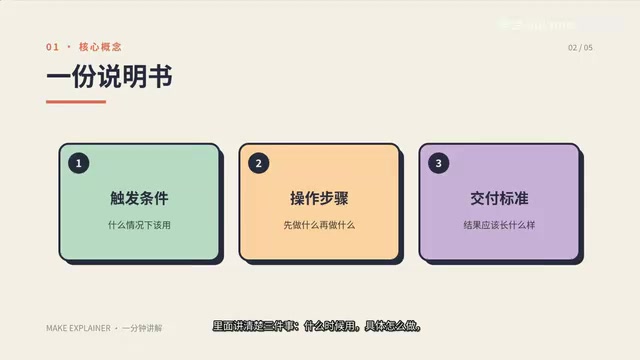
How do you make Claude Code remember project rules after clearing the conversation each time? The answer is the /init command to generate a CLAUDE.md file. The author changed it to Chinese and added three hard rules: background uniformly beige, card titles no more than eight characters, and the first sentence of each new conversation must be "Let's get started." After that, each time a new conversation is created, Claude Code reads the file first and follows the rules. The author also demonstrated the /memory command, distinguishing project-level and user-level memory.
Hooks are event-driven automation triggers. The author checked event types via /hooks and had Claude Code add a PostToolUse hook: after each file write or edit, if it is an SVG, check the XML format and block with an error if corrupted. Hook configuration has three key fields—trigger timing (PostToolUse), matching tool (Write|Edit), and execution command (XML format validation). Save levels are divided into user level, project level, and local level, corresponding to different scopes.
Skills are essentially reusable operation manuals. The author had Claude Code create a make-explainer skill, which contains complete process scripts for scripting, layout, voiceover, subtitles, and video composition. To invoke it, simply enter /make-explainer, and Claude Code executes according to the skill manual, generating a 60-second 1080p explainer video in just over a minute.
Subagent is a dedicated assistant with an independent context. The author created a visual-reviewer subagent with read-only permission, specifically to check video frames page by page and list issues. The video clearly compares the two: Skill loads in the main conversation and shares context, suitable for short tasks that require continuous dialogue; Subagent has independent context and only returns conclusions after finishing, suitable for long and miscellaneous tasks that only need results.
Finally, the author installed the front-design design plugin through the plugin marketplace, which is essentially a packaged collection of Skills. After the plugin was installed, Claude Code redid all visual templates using this set of design principles and once again invoked the make-explainer skill, generating a more refined 56-second video.
Mechanism and value of Hooks: Hooks are shell commands automatically executed by Claude Code at specific lifecycle events (such as before or after tool calls, or at session start or end). It transforms "whether the model follows rules" from a soft constraint dependent on prompts into a hard constraint enforced by external scripts. For example, the PostToolUse hook runs XML validation after each Write/Edit, and once a file is corrupted, it directly errors and blocks subsequent processes, equivalent to adding a deterministic quality gate to AI operations.
Architectural differences between Skill and Subagent: Skill is an operation manual loaded on demand, with content injected into the current conversation context, thus consuming tokens in the main conversation but maintaining task continuity; Subagent is an independent session instance with its own context window and permission set, and only returns a summary of results to the main conversation after execution. The former is suitable for tasks with compact steps that require back-and-forth clarification, while the latter is suitable for tasks such as retrieval and review where "the process is lengthy but the conclusion is brief." The trade-off between the two is essentially a balance between context cost and task continuity.
5. Practical Insights: The Capability Boundaries of Conversational Development
The most valuable part of this case is not the gimmick of "generating a video with one sentence," but that it fully demonstrates how a non-programmer can gradually build a reusable and extensible automation toolchain through layered requirement iteration. From environment variable configuration to MCP tool integration, from Hooks automatic validation to Skills process encapsulation, each step reduces the cost of subsequent repetitive work.
But it also needs to be viewed calmly: although the video author claims to "not write a single line of code," the concepts involved throughout the process (API Key, environment variables, XML format, Git version management) still require a certain level of technical understanding. Claude Code lowers the coding threshold but does not eliminate the need for systems thinking. For truly zero-foundation users, reviewing plans in plan mode and properly using the rollback mechanism still require practice.
In addition, multiple sources indicate that Claude Code's context compression and rollback mechanisms behave differently across versions. The demonstration in the video is based on a version at a specific point in time, and readers may encounter slight adjustments in option names or response formats in actual operation. It is recommended to refer to the latest official documentation and include key projects in Git management to cope with the uncertainty of AI operations.
One-line Summary
No code throughout, a complete practical path to building an SVG animation explainer video generation toolchain with Claude Code through conversation.
Paragraph Summary
Based on a Bilibili UP host's hands-on video, this article outlines the entire process of using only natural language to drive Claude Code to build from scratch an SVG animation explainer video generator. It covers: connecting Claude Code to the DeepSeek API via three environment variables to bypass official login; using four permission modes to manage code execution risk in tiers and manually editing AI plans in plan mode; giving the model screenshot and pixel-level self-check capabilities with Playwright MCP; using CLAUDE.md for persistent memory across conversations, Hooks for automatic SVG format validation, Skills to encapsulate reusable video production workflows, Subagent for independent visual review tasks, and finally unifying the design style through the plugin marketplace. The article also points out boundaries such as rollback not covering script-generated files and limited controllability of context compression, emphasizing that conversational development lowers the coding threshold but does not eliminate the requirements for systems thinking and version management.
Related articles

zCAD AI: Generating Editable Parametric 3D Parts with Natural Language
zCAD AI tops Product Hunt with natural-language generation of editable parametric 3D parts and assemblies, browser CAD editing, and STEP export. We break down its boundaries and use cases.

myPip: Building Monetizable Games with AI Vibe Coding
myPip is an AI game creation tool that generates playable games from natural language descriptions, with built-in in-app purchases and ads for monetization. This article covers its features, use cases, and challenges.

AI Code Documentation Isn't Just Boring Text: The Practice of Visual Interactive Docs
AI-generated code is outpacing static docs. Learn how visual, dynamic, interactive documentation—with Linear/Jira integration and interactive PR review—keeps engineers in sync.