no-mistakes: An AI Code Quality Gate Before git push

no-mistakes runs AI code review, lint, and tests before git push so every PR is clean.
no-mistakes is an open-source pre-push quality gate that intercepts git push, spins up an isolated workspace, runs AI code review, lint checks, unit tests, and auto-fixes issues — only allowing the push through once everything passes. It moves CI feedback local and earlier, turning noisy fix-commit loops into clean, consistent PRs.
AI Writes Code Faster — But Bugs Are Doubling Too
Since AI coding tools went mainstream, many developers have noticed an awkward pattern: commit histories stuffed with fix lint, fix typo, and fix ci patches. Code gets written faster, sure — but buggy commits are keeping pace.
AI tools generate a pile of code in one shot, but routinely forget imports, skip tests, and misalign types. The logic looks bulletproof until you actually run it. Eventually you find yourself asking: am I building features, or cleaning up after the AI?
There's a technical root cause worth understanding: tools like GitHub Copilot, Cursor, and Claude Code are powered by large language models (LLMs) that generate code through probabilistic prediction — not genuine semantic understanding. This means AI-generated code is often syntactically fine, but prone to hidden errors around runtime dependencies, type system constraints, and project-wide consistency. Code can look perfectly reasonable yet conflict with your project's conventions, dependency versions, or business logic. These "semantically plausible but contextually wrong" bugs are precisely the hardest kind to spot by eye.
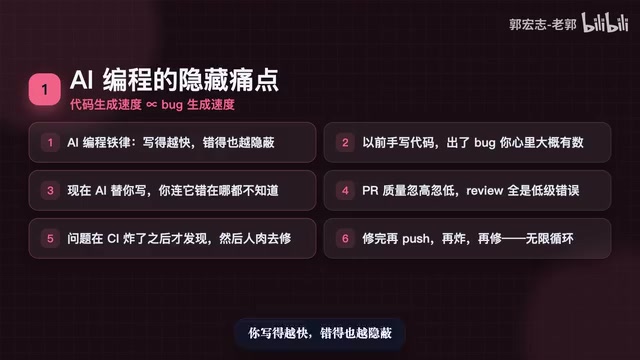
This points to an iron law of AI-assisted development: code generation speed and bug generation speed scale together. The faster you write, the more subtle the errors. When you wrote code by hand, a bug meant you had a rough idea of where to look. When AI writes it, you may not even know where it went wrong.
The result: commit histories get messier, PR quality swings wildly, and reviewers burn time on trivial mistakes. Worse, these issues usually only surface when CI blows up — then it's manual fixes, another push, another explosion, another round of fixes. An endless loop.
no-mistakes: A Quality Gate Before You Push
The open-source project no-mistakes takes a clever approach. It doesn't replace Git. It doesn't replace CI. It positions itself precisely at one critical moment: before you push.
Instead of git push origin, you run git push no-mistakes. That single change triggers three things:
- An isolated, temporary workspace is created — your development environment stays untouched;
- A full AI review runs in that clean environment — covering code review, lint/style checks, unit tests, and documentation updates; issues that can be auto-fixed are fixed; only things requiring human judgment interrupt you;
- Only after everything passes does it allow the push — and automatically creates the PR.
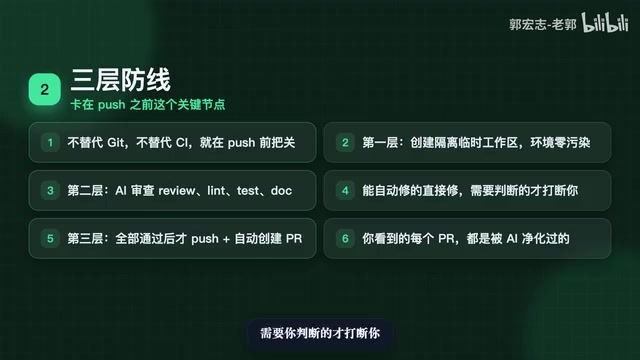
In other words, every PR you end up seeing has already been rigorously vetted by AI. This doesn't solve "how fast can I write" — it solves "can I actually trust what I'm shipping."
Three Usage Modes for Different Workflows
no-mistakes supports three modes that integrate cleanly into different development styles:
Native Git Mode
The recommended day-to-day approach. Just type git push no-mistakes as you normally would. It fits entirely within your existing Git workflow with almost no learning curve. Here's a technical detail worth knowing: Git supports configuring multiple remote targets, and no-mistakes registers itself as a custom remote backed by a local proxy process. The proxy intercepts the push, runs all checks in an isolated temporary worktree, then forwards the push through to the real origin. This architecture is completely non-invasive — it doesn't modify Git itself, doesn't rely on Git hooks, and leverages Git's native multi-remote mechanism. For developers who already live in Git, this is the most natural choice.
CLI Interactive Mode
Just run no-mistakes and it walks you through creating a branch, auto-committing, and auto-pushing — with a TUI (Terminal User Interface) guiding the process. A TUI renders graphical interaction (buttons, menus, progress bars) inside a terminal using character art and color codes — think of it as a GUI that lives in your terminal, combining command-line efficiency with graphical readability. Ideal for developers who prefer guided, wizard-style workflows over memorizing commands.
Agent Mode
If you're working inside an AI coding agent, you can trigger it directly with a slash command like /no-mistakes fix login bug. It will execute the task, run validations, fix issues, and only loop you in for key decisions. Slash commands are a standard interaction protocol in tools like Claude Code and Cursor Agent, letting users invoke external tools directly from the conversation interface. no-mistakes supports this protocol, meaning it can serve as a node in an AI agent's toolchain — embedding code quality checks directly into the AI programming conversation flow.
Under the Hood: CI Moved Local and Armed with AI
Architecturally, no-mistakes is best understood as a "Git proxy + AI pipeline" combination.
When you run git push no-mistakes, a proxy layer intercepts the push and creates a disposable workspace copy. Inside that copy, it runs a full sequence of checks:
- Lint checks
- Unit tests
- AI Review
- Auto-fix loop
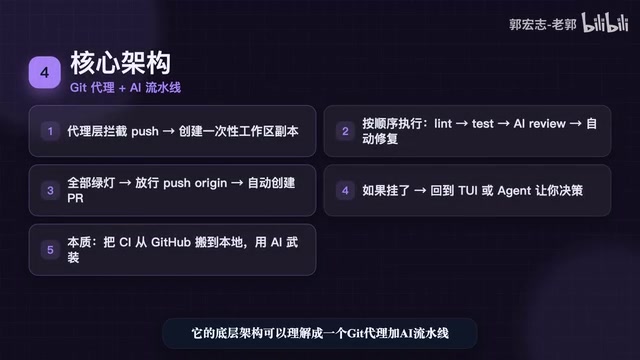
Only when everything passes does it forward to the real remote and auto-create the PR. If a check fails, control returns to the TUI or Agent for you to decide how to handle it.
In essence, it takes the CI that normally runs on GitHub and moves it local, then arms it with AI — catching and fixing errors before they ever leave your machine. This is a practical implementation of "Shift Left Testing" from software engineering: the earlier you catch a bug, the cheaper it is to fix. Traditional cloud CI (GitHub Actions, GitLab CI, etc.) typically has a feedback loop of several minutes and generates noisy fix commits on every failure. Local pre-push checks compress that feedback loop to before the push itself.
The Real Value: Holding the Line on Delivery Quality
no-mistakes isn't about helping you write code — it's about holding the line on delivery quality.
Comparing the two workflows makes this clear:
Traditional flow: Write code → push → CI blows up → fix manually → push again → blow up again.
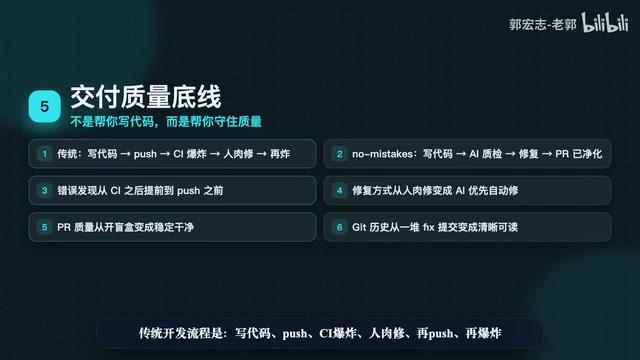
no-mistakes flow: Write code → pass AI quality gate → auto-fix → push → clean PR.
The shift happens on four levels:
- Bug discovery moves from "CI stage" to "before push";
- Fixes shift from "manual" to "AI-first";
- PR quality goes from "mystery box" to "consistent output";
- Git history transforms from "pile of fix commits" to "clean and readable."
Put simply: it doesn't make you write faster — it lets you confidently write faster.
Who It's For — and What It Isn't
If this profile fits you, no-mistakes is worth trying:
- You regularly use AI coding tools like Claude, Copilot, or Cursor;
- You work in a team where PR quality is inconsistent;
- CI failures are a constant source of frustration.
But it's important to be clear about the boundaries. no-mistakes is not a silver bullet: it's not a Git replacement, not a CI replacement, and definitely not a code generation tool. It's a quality checkpoint before you push — a tool that lets you commit code with confidence.
One-line summary: no-mistakes doesn't write your code. It makes the code AI wrote actually trustworthy.
Key Takeaways
Related articles
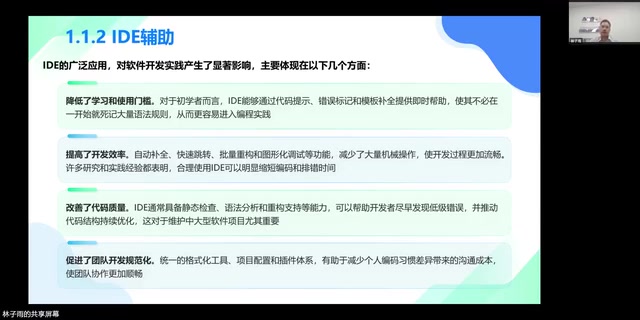
AI Programming at Xiamen University: A Full Breakdown from Textbook to Teaching
Xiamen University's Lin Ziyu shares how he built an AI programming course — covering three coding eras, Claude Code's production-ready milestone, three methodologies, and a fully free, reproducible curriculum design.
A DeepSeek Researcher's Confession: The AI He Trained Is About to Replace Him
DeepSeek V4.1 kernel engineer Liu Shengyu admits the AI he trained will surpass his own skills within a year—yet he keeps pushing forward. Here's why.
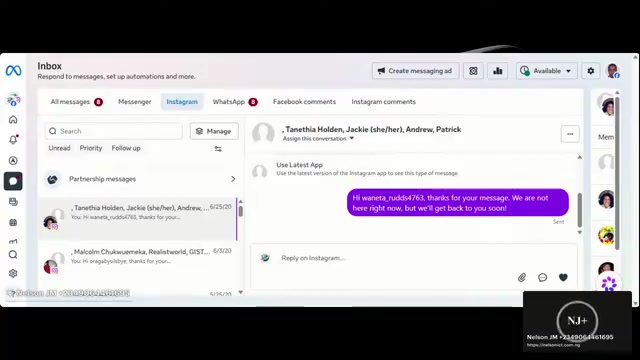
n8n Automation in Practice: How AI Workflows Help SMBs Cut Costs and Boost Efficiency
Learn how SMBs use n8n and AI tools to automate multi-platform messaging, AI customer service replies, and bulk exam data entry — real-world workflows for cutting costs.