NotchPop: Turning the MacBook Notch into a Practical Dynamic Island

NotchPop transforms the MacBook notch into a multi-function productivity hub, with a developer-focused twist, for $3.99.
NotchPop is a macOS productivity app that turns the MacBook notch into an interactive panel similar to the iPhone Dynamic Island, integrating music controls, clipboard history, a file shelf, calendar, weather, AI coding stats, and revenue display. Built natively in SwiftUI and priced at a one-time $3.99 with a 7-day trial, its key differentiator is developer-focused features like AI coding statistics and revenue metrics. It earned 80 upvotes and ranked 13th on Product Hunt at launch — solid early validation, but not yet a breakout hit.
Mac users have always had a complicated relationship with that black notch at the top of their screen — it eats into menu bar space, yet there's nothing useful filling it. Apple turned a similar cutout on the iPhone into an interactive hub called the Dynamic Island, but on the MacBook, that area has always just been dead space. NotchPop aims to change that, transforming this idle zone into a genuinely useful feature panel.
A Native App That Actually Uses the Notch
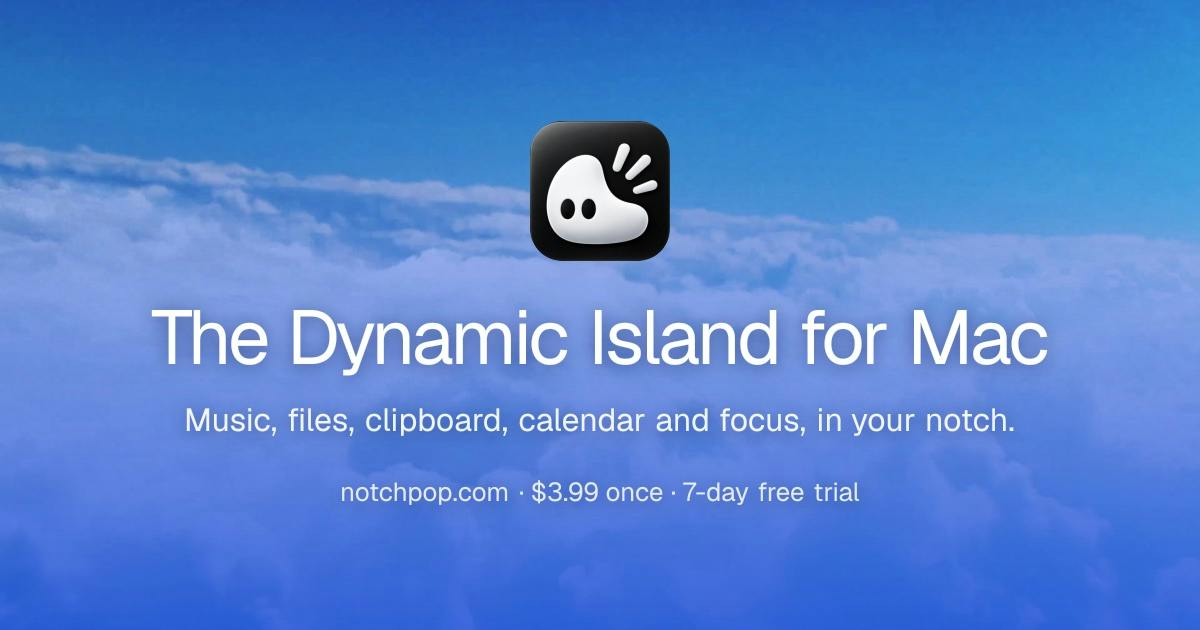
NotchPop is a macOS productivity tool that launched on Product Hunt with a straightforward tagline: "The Dynamic Island your MacBook notch always needed." It turns the notch area into an interactive panel, bringing together music controls, a file shelf, clipboard history, a focus timer, calendar, weather, and even AI coding stats and revenue data — all in one place.
Worth noting: NotchPop doesn't require your Mac to have a notch. Even older models without one, or external monitors, can simulate the interactive zone in that position. This broadens its appeal and keeps the functionality from being tied to a specific hardware form factor.
Developer Tejas Telkar built it using native SwiftUI, which typically means better system integration, lower resource usage, and smoother animations. Pricing follows a one-time purchase model: $3.99 for lifetime access, with a 7-day free trial that makes it easy for hesitant users to give it a shot.
SwiftUI is Apple's declarative UI framework, introduced in 2019, allowing developers to build apps for macOS, iOS, iPadOS, and more from a unified codebase. Compared to the older AppKit framework, SwiftUI tracks more closely with system version updates, automatically adapting to dark mode, accessibility features, and other system traits. Its animation rendering is handled at the system level, which is typically more resource-efficient than hand-rolled animation logic. For use cases like notch interactions — where smooth pop-in and pop-out animations matter — native frameworks have a clear edge. Choosing SwiftUI also means dropping compatibility with older OS versions; full SwiftUI support generally requires macOS 12 Monterey or later.
Feature Philosophy: An Aggregated Productivity Hub
Looking at the feature list, NotchPop's approach isn't to build a single-purpose tool, but to consolidate high-frequency daily actions into one easily accessible entry point.
Everyday Features for General Users
Music playback controls, calendar events, and weather info are normally scattered across the menu bar and various apps. Bringing them into the notch area means you can glance at key information without switching windows. Clipboard history and the file shelf tackle the friction of cross-app drag-and-drop and copy-paste workflows — the file shelf in particular is handy for temporarily "parking" files in the notch area while moving them between Finder windows or applications.
Developer-Focused Differentiators
What truly sets NotchPop apart from similar notch tools is its built-in AI coding stats and revenue display. The former speaks to the growing trend of AI-assisted development, surfacing coding activity data directly in your line of sight. The latter targets indie developers and creators, turning revenue metrics into a constant, visible motivator. These kinds of features are rare in traditional notch tools, suggesting the product has a fairly well-defined target user in mind.
AI coding stats are typically powered by integrations with third-party activity tracking services like WakaTime or GitHub Copilot, recording how much time developers spend across different languages, projects, and IDEs — then surfacing that data in a consolidated view. Embedding this in the notch area essentially brings the "quantified self" concept into the daily developer workflow: no need to open a separate stats dashboard to stay aware of your coding rhythm and output. Revenue display usually relies on APIs from payment or distribution platforms like Stripe, Paddle, or App Store Connect, letting indie developers see real-time commercial feedback while they work. Together, these two features point to a growing user segment: the "Indie Hacker" — someone who both writes code and runs a product.
Reading the Market Response
On Product Hunt, NotchPop earned 80 upvotes and ranked 13th for the day, appearing under categories including Mac, Productivity, YouTube, and Menu Bar Apps. That result suggests it has found some traction in the crowded productivity tools space, though it hasn't broken through to viral hit status.
Notch-enhancement apps aren't a new concept — several competitors have already turned this area into a notification center or media player. NotchPop's strategy is "all-in-one plus developer-focused": maximize retention through broad feature aggregation, then attract higher-intent paying users with AI coding and revenue stats. The $3.99 one-time price sets a low barrier to entry, and the 7-day trial reduces the risk of trying it — a classic indie developer acquisition playbook.
Earlier entrants in the notch enhancement category include Notchmeister (focused on visual effects), TopNotch (purely hiding the notch), and various Dynamic Island for Mac tools (simulating iPhone Dynamic Island interactions) — the market has gone through several rounds of user education. Most existing competitors take a single-feature approach: either playback controls or notification aggregation, rarely combining information display with file management. NotchPop's "all-in-one" strategy delivers higher perceived value, but also risks feature bloat and increased interaction complexity. For an indie product, a Day 1 Product Hunt ranking of 13th with 80 votes is generally considered a "validated signal" that still needs continued marketing effort — it's well short of the organic viral spread threshold.
Who Should Consider It
If you're a MacBook user who regularly moves files between apps, relies on clipboard history, and wants quick access to music and calendar info, NotchPop's aggregated experience is worth trying. For indie developers and creators, the AI coding stats and revenue display are genuine bonuses — turning productivity data into everyday visible feedback.
One caveat: the real-world experience of any aggregated tool depends heavily on interaction design and stability. More features don't automatically mean better usability. The native SwiftUI tech stack is a positive signal, but whether it actually feels natural is something you'll need to verify yourself during the 7-day trial. At under $4 for a one-time purchase, the cost of experimenting is low enough to make that worthwhile.
Related articles

Bilibili's Hit Dify Tutorial: A Practical Guide to Building 20+ AI Apps from Scratch
A distilled guide to Bilibili's top-rated Dify tutorial: Windows + Docker deployment, MySQL connection, five app types, model integration strategy, and publishing.

Agent Skills Beginner's Guide: From Concepts to Multi-Agent Collaboration in Practice
A comprehensive guide to Agent Skills: core concepts, components, the importance of Description, standardization, beginner learning paths, and multi-agent collaboration.

One Neuron Detects Both Cats and Cars? We Reproduced It and Found a New Explanation
The cat-car neuron reinterpreted: researcher Cammarata argues it distinguishes pointy from round, not cats from cars. We reproduced the experiment and found the new explanation holds on most inputs—but cars are the exception. The interpretability debate continues on language models.