Ollama Beginner's Guide: Run AI Models Locally for Free — No Experience Needed

Ollama lets you run large language models locally for free with just a few commands — no API keys needed.
This article, based on a Tamil-language tutorial for beginners, introduces Ollama as a tool for running large language models locally. Using a "copy shop" analogy, it explains the privacy, cost, and availability limitations of cloud AI services, then shows how Ollama sidesteps them entirely — no internet, no API keys, zero cost. It covers the simplicity of installation, the flexibility to choose different open-source models, and the potential to build real AI applications like chat assistants. It also honestly addresses the key limitation: local hardware is the performance ceiling, making Ollama ideal for prototyping and privacy-sensitive use cases rather than large-scale compute tasks.
Why You Need Ollama
With powerful cloud-based AI tools like ChatGPT and Claude already within easy reach, why would anyone bother deploying open-source models locally? The answer lies in real-world engineering constraints. If you want to build an AI assistant powered by internal company documents, or develop a customer-facing chatbot, you'll quickly run into unavoidable challenges around data privacy, cost control, and rate limits.
This is the core insight of a Tamil-language tutorial aimed at beginners: Ollama lets you run large language models on your own laptop — no internet connection, no API keys, and no fees required. For anyone looking to transition into AI engineering, understanding these constraints matters more than knowing how to call a particular API.

A Copy Shop Analogy
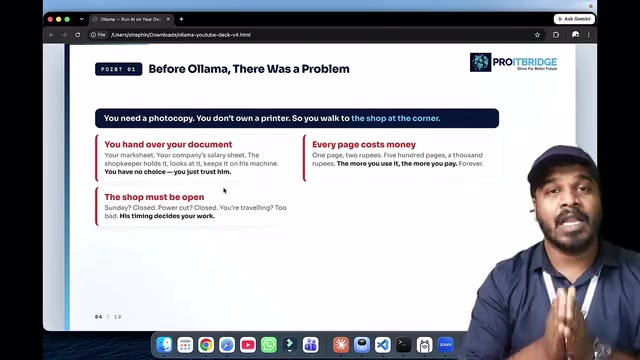
The tutorial uses a simple analogy to explain the value of local deployment. Imagine you need to copy a confidential document, but you don't have a printer at home — so you have to walk to the corner shop. You hand over your document, pay per page, and wait for the shop to be open. If there's a local power outage or the grid goes down, the whole process grinds to a halt and you have zero control.
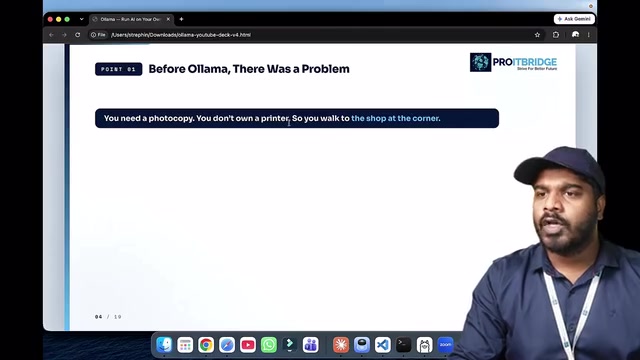
Swap "copy shop" for "cloud AI service" and the logic holds perfectly: your data leaves your hands, every call costs money, and service availability depends entirely on a third party. Ollama is essentially bringing that "printer" home — your data never leaves your machine, calls cost nothing, and it's available whenever you need it.
What Is Ollama
AI (Artificial Intelligence) refers to developing computer systems capable of performing tasks that typically require human intelligence. Ollama is the tool that makes these models actually run: it wraps the download, loading, and inference of large language models into simple commands, so you can spin up a local model from your terminal in just a few lines.
Its key features can be summed up in three points:
- Offline operation: No internet dependency — the model runs entirely on your local device
- Zero cost: No API call charges, no matter how much you use it
- No key requirements: No registration or API key needed
For beginners just getting into AI engineering, this means you can experiment repeatedly in a near-zero-cost environment without worrying about bills or quota limits.
From a technical architecture standpoint, Ollama's core job is managing quantized versions of models. Quantization refers to compressing model weights from high-precision floating-point numbers (like float32) down to low-precision integers (like int4 or int8), dramatically reducing memory usage and compute requirements — making models that would otherwise need tens of gigabytes of VRAM runnable on an ordinary laptop. Ollama also includes a built-in local HTTP server that listens on port 11434 by default, exposing an OpenAI-compatible API interface. This means many applications already built on the OpenAI SDK can switch to a local Ollama model by changing just one line — the base URL. Supported models include major open-source families like Llama 3, Mistral, Gemma, and Phi, all downloadable via ollama pull <model-name>.
How to Install and Run It
The tutorial lays out a straightforward path: install Ollama via the terminal, pull a model, and you're ready to go. No complex configuration is required — once it's installed, the model is ready and waiting locally.
One thing worth highlighting is the flexibility of model selection. You can choose different open-source models depending on your project's needs, and weigh factors like "which model to use, how much data to work with, and what trade-offs to consider." This is exactly the kind of decision AI engineers face repeatedly in real-world projects.
Build Your Own Application
The real power of Ollama is that it lets you build your own AI applications. The tutorial demonstrates a chat assistant — essentially a chat interface driven by a local model running under the hood.
From there, you can go further: feed in company documents to create an internal AI assistant that understands your business, launch a chatbot product for your users, or even use it as a foundation to build your own company. Open-source models combined with local deployment offer a low-barrier starting point for all of these ideas.
Where Ollama Falls Short
Local deployment isn't a silver bullet. The tutorial is candid about its limits: your laptop is the ceiling.
In other words, how large a model you can run and how fast inference goes is entirely constrained by your local hardware's compute power and memory. On a personal device, running the largest, most capable models simply isn't feasible, and performance can't match that of cloud-based clusters. Understanding this constraint matters — it determines that Ollama is best suited for prototype validation, privacy-sensitive scenarios, and lightweight applications. When truly large-scale compute is required, cloud solutions remain irreplaceable.
The core bottleneck for local model performance is unified memory or VRAM size — not CPU clock speed. As a rough reference: a 7B-parameter quantized model (Q4 precision) requires roughly 4–5 GB of memory; a 13B model needs around 8 GB; a 70B model requires 40 GB or more. This means a MacBook with 16 GB of RAM can comfortably run 7B to 13B quantized models, but will struggle with anything larger. Apple Silicon chips (M1/M2/M3 series) have a notable advantage for local inference because the CPU and GPU share the same memory pool — a significant edge over similarly priced x86 laptops. Understanding these hardware constraints helps you make smart model selection decisions right from the start of a project.
Summary
This tutorial is aimed at absolute beginners and does a great job grounding the value of Ollama in practical terms: starting from the copy shop analogy to illustrate the advantages of local deployment in terms of privacy, cost, and control, then walking through installation, building applications, and honestly acknowledging the limitations. For anyone looking to get started in AI engineering, Ollama is an affordable, fast-to-set-up experimentation platform — the key is understanding both what it can do and where it falls short.
Related articles

Gaussian Process Bandit Optimization: Exploration Strategies and Inference Regret Guarantees
Cumulative regret guarantees in Bayesian optimization fail to reflect final recommendation quality. This article examines a new study that provides inference regret guarantees for Gaussian process bandit optimization through exploration query strategies and fill distance analysis, validated on hyperparameter optimization and control tasks.

The Most Detailed Codex Guide on Bilibili: From Installation to Real-World Practice
The most detailed Codex guide on Bilibili: from app store installation to daily work mode configuration, with a real coffee shop project demonstrating file organization, data extraction, dashboard creation, and other practical tasks. Learn to use Plan Mode and desktop pets to leverage Codex efficiently.

Appearance Compensation in Volume Rendering: Why RGB Accuracy Cannot Guarantee Density Correctness
Volume rendering research reveals that volumetric data perfectly reproducing external RGB views may still contain density errors: appearance compensation can double central density and keep external rays unchanged even when L2 error exceeds 14.52%. Density recovery depends on appearance capacity, spatial resolution, and measurement design.