Ollama Beginner's Tutorial: A Getting Started Guide to Local LLM Deployment
Ollama is an open-source, free local LLM management platform that lowers deployment barriers and ensures data privacy.
This article introduces Ollama, an open-source LLM management platform that addresses high online API costs, data privacy risks, and non-customizable models. Ollama supports cross-platform (macOS, Windows, Linux, Docker), offers command line and Web UI, and automatically schedules CPU/GPU resources to simplify local deployment. Its four key features are open source and free, cross-platform, easy to use, and performance optimization. Typical use cases include local knowledge base Q&A, API integration development, and model experimentation and fine-tuning. Ollama lets developers focus on applications rather than environment setup, suitable for low-cost individual exploration and enterprise private deployment.
Online LLM services are convenient, but API calls are billed by Token, making long-term use costly, and data must be uploaded to third parties. If you want zero cost, private data, and the freedom to customize models, Ollama offers an elegant solution.
What is Ollama?
Simply put, Ollama is an open-source LLM management platform. It helps you download open-source models (such as DeepSeekAd, Llama, etc.) to your local machine and provides two interaction methods: command line and Web UI. You no longer need to manually configure complex GPU environments—Ollama automatically schedules CPU and GPU resources to run models.
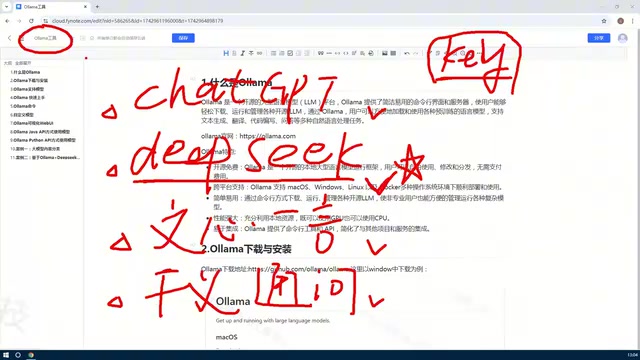
The core value of Ollama lies in lowering the barrier to local deployment. In the past, running LLMs locally required dealing with dependencies like CUDA and PyTorch; now, after installing Ollama, you can directly pull and run models.
Open-source LLMs refer to AI models whose weights, architecture, and training methods are publicly available, such as Llama, DeepSeek, Qwen, etc. Unlike closed-source models (like GPT-4), open-source models allow users to freely download, modify, and use them commercially (subject to the respective licenses), which provides the foundation for local deployment and customization. Ollama is a management tool built around these open-source models; it does not train models itself but simplifies the process of obtaining, running, and switching models.
Token billing is a common pricing method for LLM APIs. A Token is the basic unit of text processing, roughly equivalent to a Chinese character or part of an English word. Online services charge based on the number of input and output Tokens, and costs accumulate with high-frequency calls. Local deployment eliminates pay-per-use billing, requiring only hardware and electricity costs.
Why do you need local deployment?
Online services like ChatGPT, ERNIE Bot, Tongyi Qianwen, etc., are convenient but have obvious limitations:
- API calls are billed by Token: Although models like DeepSeek are cheaper, high-frequency enterprise-level calls still incur costs.
- Data privacy issues: Sensitive data must be uploaded to third-party servers.
- Models are not customizable: You can only use the fixed models provided by the service provider.
Local deployment of open-source models can solve these problems. Models run on your own machine, API calls incur no fees, data stays local, and you can feed private knowledge bases into existing models to build domain-specific Q&A bots.
Four key features of Ollama
1. Open source and free
Ollama is fully open source, free for both individuals and enterprises, with no hidden licensing fees.
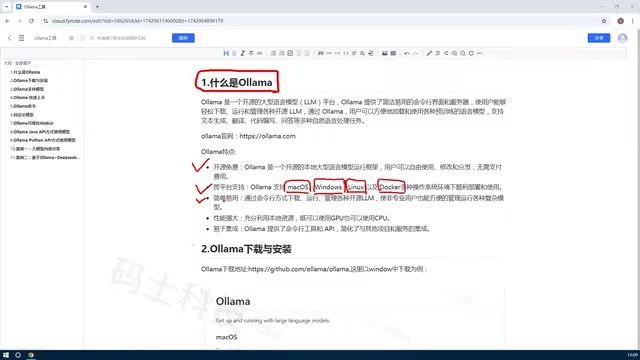
2. Cross-platform support
Supports macOS, Windows, Linux, and also provides Docker images. Individual developers can quickly try it on Windows or Mac, while enterprises can deploy it in production via Linux or Docker.
3. Simple and easy to use
Provides two usage methods: command line (Client) suitable for scripts and automation, and Web UI suitable for graphical operations. Both support downloading, deleting, and custom creation of models.
4. Performance and resource scheduling
Ollama can automatically utilize GPU and CPU resources. When a GPU is available, it prioritizes GPU acceleration; without a GPU, it falls back to CPU. This greatly lowers the hardware barrier—though, of course, the larger the model, the higher the machine configuration requirements.
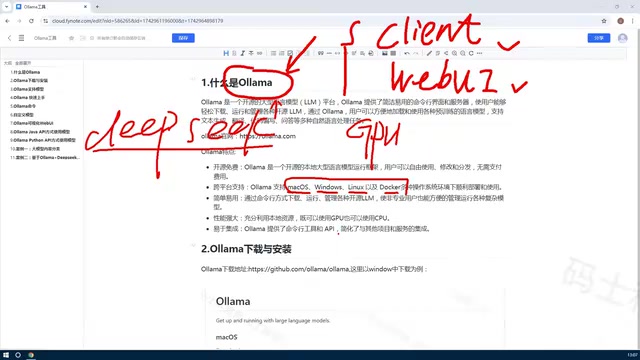
GPU acceleration relies on computing frameworks such as CUDA (NVIDIA) or Metal (Apple Silicon). Ollama has built-in optimized backends for different hardware, automatically detecting available GPUs and allocating model layers to VRAM. When VRAM is insufficient, it offloads some layers to CPU memory, achieving hybrid inference—slower but ensuring runnability. This dynamic scheduling mechanism is key to Ollama lowering the usage barrier, as users do not need to manually configure environment variables or write inference code.
Typical application scenarios
- Local knowledge base Q&A: Feed internal enterprise documents into models to build private Q&A systems.
- API integration development: Use Ollama's API interface to call local models from Python, Java, Rust, etc., without paying for online API fees.
- Model experimentation and fine-tuning: Create custom versions based on open-source models for research and testing.
Private knowledge base Q&A typically uses the Retrieval-Augmented Generation (RAG) pattern: enterprise documents are split, vectorized, and stored in a vector database. During a query, relevant snippets are first retrieved, then combined with the question and passed to the local model to generate an answer. Ollama provides APIs for Embedding models and generation models, which can be combined with frameworks like LangChain and LlamaIndex to build a complete pipeline, ensuring sensitive data never leaves the intranet.
Summary
Ollama solves the core pain points of running LLMs locally: complex environment configuration, difficult resource scheduling, and cumbersome model management. It allows developers to focus on application development rather than the underlying environment. For individuals who want to explore LLM capabilities at low cost, or enterprises that need data privacy, Ollama is a tool worth trying.
One-line Summary
Ollama is an open-source, free local LLM management platform that lowers deployment barriers and ensures data privacy.
Paragraph Summary
This article introduces Ollama, an open-source LLM management platform designed to address the high costs of online API services, data privacy risks, and non-customizable models. Ollama supports cross-platform (macOS, Windows, Linux, Docker), offers both command line and Web UI interaction methods, and can automatically schedule CPU/GPU resources, simplifying local deployment. Its four key features include open source and free, cross-platform, simple and easy to use, and performance optimization. Typical application scenarios cover local knowledge base Q&A, API integration development, and model experimentation and fine-tuning. In summary, Ollama lets developers focus on applications rather than environment configuration, suitable for low-cost individual exploration and enterprise private deployment.
Related articles

2026 Top 7 Free AI Coding Tools: Hands-On Ranking and a Free-Stack Combo Strategy
Hands-on ranking of seven free AI coding tools in 2026, covering Cursor, GitHub Copilot, Windsurf, Google Antigravity, and local Ollama, plus a free-tool combo strategy that never runs out of quota.

ChatGPT vs. AI Agents: Choosing Between Conversation and Agentic Workflows
ChatGPT vs. AI Agent explained: the real difference between basic conversation and agentic workflows, the observe-choose-act-check loop, and when to use each.

OpenBot: A Local-First Desktop Workspace for AI Teammates
OpenBot is a local-first desktop workspace by nightly-labs that runs Codex, Claude, and Grok as persistent AI teammates with dedicated workspaces, task queues, file sharing, browser control, and agent-to-agent collaboration. Written in TypeScript.