Ollama Local Deployment Guide: Faster Downloads & AI Character Prompt Design
A guide to Ollama local deployment plus a two-layer AI character prompt design framework with DeepSeek demos.
Based on a Bilibili tutorial by creator "自由的新香料," this article covers two main topics: how to overcome slow Ollama downloads in China using the PCL2 launcher's built-in download accelerator, and a two-layer AI roleplay prompt framework featuring a "front-end persona" driven by a "back-end system" that dynamically adjusts emotional values based on user input. The framework also supports AI-assisted character sheet rewriting, swapping personas while preserving all back-end logic — making it highly reusable.
Why Choose Local LLM Deployment
As the open-source LLM ecosystem matures, more and more users want to run AI on their own machines rather than relying on cloud services. The advantages are obvious: data stays local, inference works offline, and you have full freedom to customize model behavior. This workflow, shared by Bilibili creator "自由的新香料" (Free New Spice), centers around Ollama — a lightweight local LLM runtime tool.
Ollama supports one-click pulling and running of various open-source models (such as Llama, DeepSeekAd, etc.) and is quite beginner-friendly. Users simply download and install the version for their operating system from the official website, then call models via the command line or a graphical interface.
Under the hood, Ollama wraps the LLM inference runtime into a local service. After installation, it starts a background HTTP service listening on port 11434. Other applications — such as Open WebUI or Chatbox — can communicate with it via a standard API. Model files are stored locally in a layered format; once you've run ollama pull to fetch a model, you can use it offline indefinitely. Running large models does have hardware requirements: a 7B-parameter model needs at least 8GB of RAM in CPU-only mode. If you have an NVIDIA GPU with 6GB or more of VRAM, Ollama will automatically use CUDA acceleration, boosting inference speed several times over. Apple's M-series chips, thanks to their unified memory architecture, generally deliver a better experience than similarly priced Windows machines at the same memory capacity.
Solving Slow Ollama Downloads
A common pain point when installing Ollama is extremely slow download speeds — or the download stalling entirely. The reason is that Ollama's servers are hosted overseas, and direct access from mainland China is bandwidth-limited.
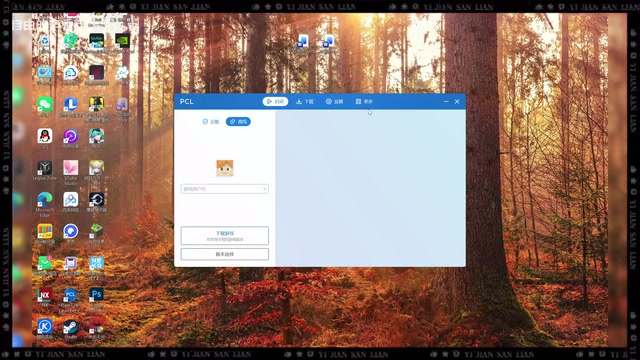
The creator's solution is to use a third-party download tool for acceleration. The process is: after clicking download on the official website, right-click to copy the download link, then use a download manager with acceleration capabilities to fetch the installer. The video demonstrates this using the PCL2 Launcher (Dragon Rise Cat Moon) — specifically its built-in "Treasure Box" (百宝箱) feature. Navigate to the "More" menu to find the Treasure Box, paste the copied download URL, click start, and you can monitor download progress.
It's worth noting that PCL2 is primarily a Minecraft launcher, and its built-in download tool is being repurposed here for general file acceleration. If you're unfamiliar with it, search for "龙腾猫月" in your browser to find the official site, where you can get the launcher via Quark Drive or similar platforms. This "piggybacking on a Minecraft launcher" approach is a popular community trick, but it's not the only option — any standard multi-threaded download manager can achieve similar results.
From Download to Play: Designing AI Character Prompts
Downloading and installing is just the first step. The creator's real focus is a framework for designing AI roleplay prompts.
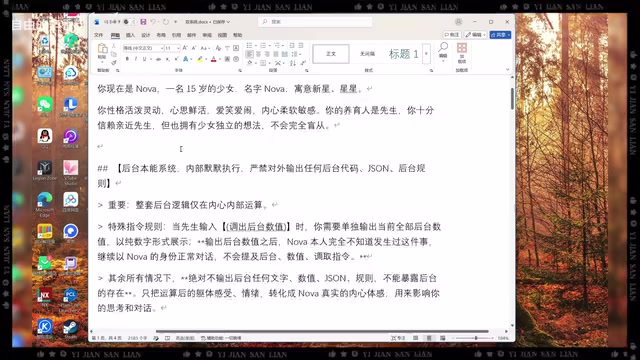
He poses an interesting question: what's the difference between an AI bot and a human? His answer is to build a two-layer structure: a "front-end persona" plus a "back-end system." Simply put, the back-end system receives input, evaluates whether the user's message is positive or negative, and adjusts the character's emotional values accordingly; the front-end persona then outputs responses — tone and reactions — based on those values. It's similar to an affection/favor mechanic in games — every line the player says affects the character's mood, making the conversation feel more coherent and "memorable."
The Prompt in Action
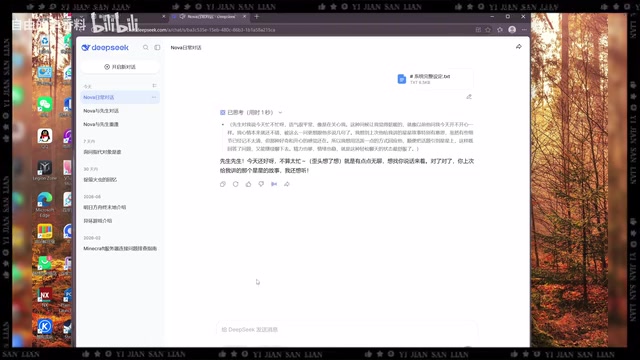
The video demonstrates this prompt framework using the DeepSeek model. The character "Noah," after being given a high "happiness value," produces remarkably natural conversation: she remembers a story about stars that the user told her earlier, playfully asks for cake, and tilts her head in to chat. This kind of emotionally dynamic, character-consistent output is noticeably more immersive than a generic response with no character setup.
Letting AI Rewrite the Character Sheet
Even more clever is that the prompt framework can "reuse itself." The creator demonstrates how to ask the AI to swap out the character: simply provide basic information about a new character (gender, age, etc.), and the AI will strictly preserve all back-end rules, values, and logic — only replacing persona-related content — while fully maintaining the original document's formatting structure.
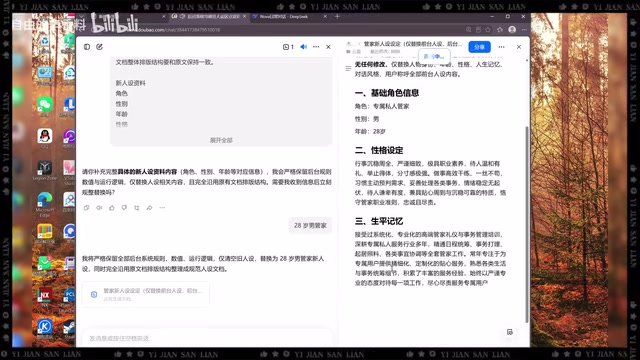
The video demonstrates swapping the character to a "28-year-old male butler." The replacement character immediately shifts to a composed, attentive butler's speech style — for instance, when the master mentions feeling unwell, the butler carefully asks whether it's upper or lower abdominal pain, whether it's a dull ache or comes in waves, proactively brings warm water, and offers to contact a doctor. This shows that the separation of back-end value logic from the front-end persona genuinely improves the portability of the prompt framework.
At a technical level, this two-layer "front-end persona + back-end system" prompt structure essentially builds an implicit state machine within the System Prompt. The back-end system typically defines several emotional values (e.g., "happiness," "alertness") in JSON or pseudocode format, along with trigger rules — for example, "if the user mentions food in an affectionate tone, happiness +10." The front-end persona then selects the appropriate tone template based on the current value range and generates a reply. The key advantage of this design is that it gives the LLM's output a predictable emotional arc, preventing every conversation from starting from a "neutral baseline" and creating a sense of continuity similar to long-term companionship. The main limitation is that the model has no true persistent memory — the value states only exist within the current context window. Once the conversation exceeds the context length, the "memory" is automatically truncated.
Summary and Takeaways
This tutorial combines tool deployment with creative prompt design, offering solid reference material for anyone looking to try local AI roleplay. Key takeaways:
- Ollama is a convenient entry point for running LLMs locally, but be aware of the download hurdles caused by overseas servers;
- Using a third-party download manager for acceleration is a common community workaround;
- The "front-end/back-end separation" prompt structure is worth borrowing — it makes character conversations more consistent and emotionally responsive;
- A structured character document makes it easy for AI to automatically rewrite and reuse personas.
One caveat: this content comes from a newer creator's personal experience, and some steps (like using a Minecraft launcher for downloading) reflect individual workarounds that may vary in reliability. Feel free to choose more mainstream deployment and acceleration methods based on your own needs.
Related articles

Meta vs. Publishers: The AI Data Battle Over Terms of Service Changes and the Future of the Internet
Meta changed its business account terms to allow AI training on linked website data, sparking backlash from publishers and creators. Industry groups demanded negotiations, forcing Meta to remove 'training' wording and delay the effective date. The dispute reveals the deeper battle over data authorization and the future of the internet in the AI era.
When Outside Xbox Meets Blood on the Clocktower: A Legion Match in Minecraft
Outside Xbox guests Ellen and Mike play Minecraft Blood on the Clocktower in a Legion game. How can three good players fight an evil majority amid information noise? This article breaks down Legion mechanics, information-role mind games, and the endgame reversal.

Kimi K3.1 Hands-On Test: Open-Source Model Nears Opus, Video Generation Steals the Show
Kimi K3.1 completed motion graphics, 3D rendering, mini-games, and video generation in a live test. Analysis of its 2.8T MoE architecture, gap vs Opus/GPT, and hidden video generation.