Ollama v0.40.15 Released: Adds Kimi Code CLI Support

Ollama v0.40.15 adds Kimi Code CLI launch support, unifying the entry point for multiple tools.
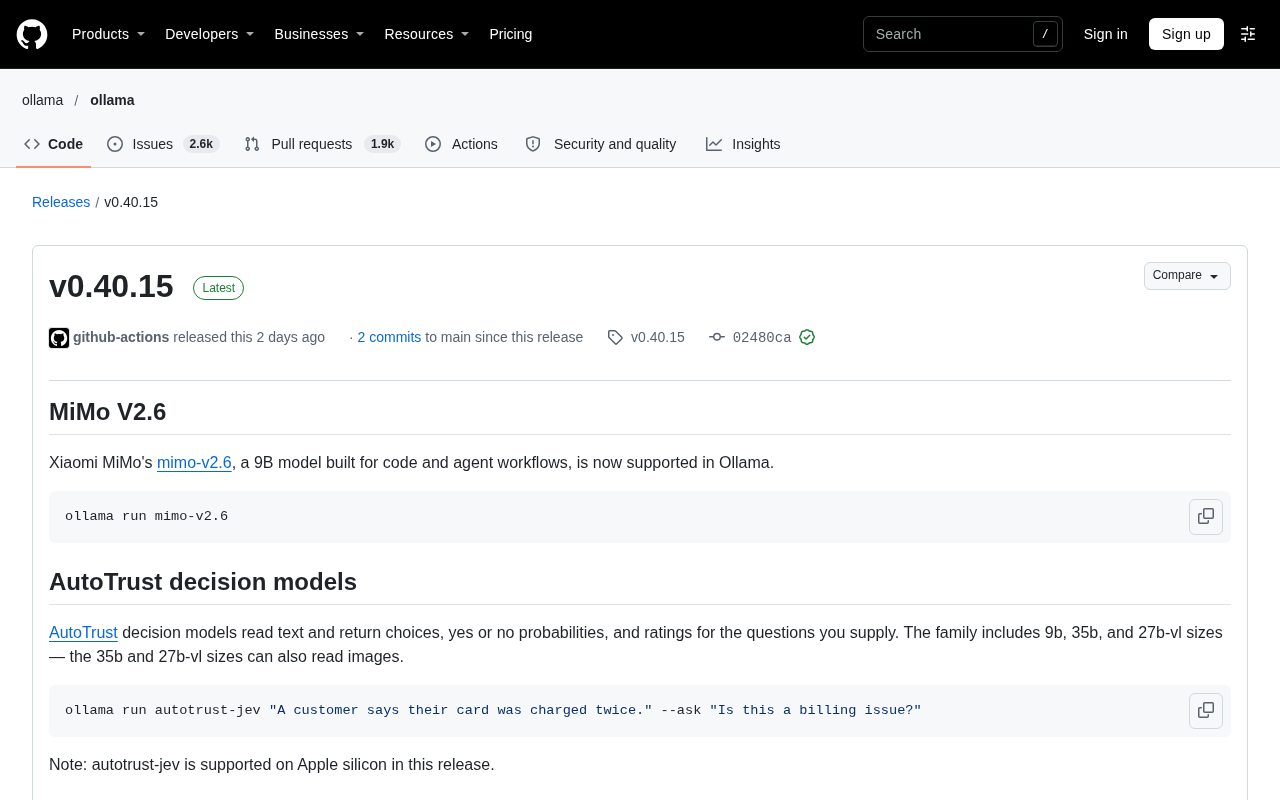
Ollama has released patch version v0.40.15, with the core change being the addition of Kimi Code CLI support to the cmd/launch module (commit #19506). This means developers can directly launch Moonshot AI's command-line coding tool via the ollama launch command, reducing the cost of switching between local Ollama models and cloud Kimi services. The change is restrained in scope, only involving launcher integration and not taking over Kimi's configuration and authentication processes. The commit carries GPG signature verification, was tagged by jberg5, and has commit hash 02480ca. This update reflects Ollama's positioning as a unified scheduling layer, and future expansion of the launch support list is worth watching.
Ollama has recently released version v0.40.15, with the core change being the addition of Kimi Code CLI support to the cmd/launch module. This change was submitted by developer jberg5 (#19506) and has passed GPG signature verification, indicating that Ollama is further expanding its command-line tool ecosystem, particularly in terms of compatibility for AI coding assistance scenarios.
Release Overview
Ollama's version iterations have always been known for being lightweight and fast, with each minor version typically focusing on fixes or enhancements for specific features. As a patch version, v0.40.15 does not introduce large-scale architectural changes, but instead focuses on integrating Kimi Code CLI into the launch subcommand.
From the GitHub commit history, this change is a feature addition rather than a simple bug fix. The commit message explicitly marks the cmd/launch scope, indicating that the changes are concentrated on the launcher's recognition and invocation logic for third-party CLI tools. For developers who are used to directly calling AI coding assistants in the terminal, this means Ollama can serve as a more unified entry point for managing different model services.
What Kimi Code CLI Support Means
Kimi Code CLI is a command-line programming tool launched by Moonshot AI, allowing developers to interact directly with the Kimi model in the terminal to complete tasks such as code generation, explanation, and debugging. By including it in the launch support list, Ollama is effectively reducing the cost of switching between multiple tools.
Previously, developers who used both Ollama local models and Kimi cloud coding capabilities often had to maintain two sets of launch scripts or environment configurations. After v0.40.15, the ollama launch command can recognize and launch Kimi Code CLI, allowing local and cloud models to coexist in the same workflow. This design approach is consistent with Ollama's long-standing positioning as a "model runtime"—not tied to a single model provider, but serving as a unified scheduling layer.
Moonshot AI is a Chinese artificial intelligence company whose Kimi series models are known for their long-context processing capabilities. Kimi Code CLI is a command-line tool the team launched for developers, based on Kimi's code generation model, supporting code completion, explanation, refactoring, and other tasks within the terminal. Unlike locally running Ollama, Kimi Code CLI relies on cloud APIs and requires network connectivity and API key authentication. Such cloud coding assistants typically charge by token and are suitable for handling complex programming problems or those requiring the latest knowledge, while local models have advantages in privacy and offline scenarios.
Impact on Development Workflows
For AI coding scenarios, toolchain fragmentation is a real pain point. Different CLI tools vary in argument style, authentication methods, and output formats, and frequent switching can easily interrupt flow. Ollama abstracts away some of these differences through the launch subcommand, allowing developers to invoke different backends with similar command habits.
However, this update only involves launch support and does not mean Ollama takes over Kimi Code CLI's configuration management or authentication process. Developers still need to complete API key setup in Kimi's existing way. What Ollama does is connect at the "launcher" level, not deep integration. This can also be seen from the fact that the commit scope is limited to cmd/launch—the change is restrained and focused on unifying the entry point.
Version Verification and Trustworthiness
The commit carries a Verified badge on GitHub, signed with GPG key ID B5690EEEBB952194. For teams concerned about supply chain security, signature verification provides a basic guarantee of source trustworthiness. Ollama's release process maintains this convention, and the commit corresponding to each tag is traceable.
You may not have noticed that this version was tagged v0.40.15 by jberg5, with commit hash 02480ca. If your deployment process relies on a fixed version, you can lock this release via that hash.
GPG (GNU Privacy Guard) is an asymmetric encryption tool widely used to verify the integrity and origin of software releases. In Git commits, developers can sign commits with a private key, and others can verify the signature's validity using the corresponding public key. GitHub's Verified badge indicates that the commit's signature matches the GPG public key registered in the committer's account. Key ID B5690EEEBB952194 is the short identifier of the public key and can be used to look up the full public key on a key server. For open-source projects, GPG signatures can reduce the risk of code tampering or impersonated commits and are a fundamental part of supply chain security practices.
Summary
v0.40.15 is a small, fast-moving update whose core value lies in bringing Kimi Code CLI into Ollama's launch ecosystem. It does not change Ollama's underlying capabilities, but for developers using multiple AI coding tools simultaneously, it removes a layer of manual switching friction. Going forward, it will be worth watching whether Ollama continues to expand the list of CLIs supported by launch and whether it will provide deeper integration at the configuration level.
One-line Summary
Ollama v0.40.15 adds Kimi Code CLI launch support, unifying the entry point for multiple tools.
Paragraph Summary
Ollama has released patch version v0.40.15, with the core change being the addition of Kimi Code CLI support to the cmd/launch module (commit #19506). This means developers can directly launch Moonshot AI's command-line coding tool via the ollama launch command, reducing the cost of switching between local Ollama models and cloud Kimi services. The change is restrained in scope, only involving launcher integration and not taking over Kimi's configuration and authentication processes. The commit carries GPG signature verification, was tagged by jberg5, and has commit hash 02480ca. This update reflects Ollama's positioning as a unified scheduling layer, and future expansion of the launch support list is worth watching.
Related articles

How to Choose a Claude Subscription: Full Breakdown of Pro, Max, and Ultra Pricing and Usage
How to pick among Claude's four tiers? This guide breaks down Free, Pro, Max, and Ultra pricing and benefits, the shared five-hour and weekly usage rules, three quota types, and tier and team buying advice.

PyAgent's Minimalist Design Philosophy: The Scalable Path for AI Coding Agents
Why does PyAgent keep gaining traction in the AI coding agent space? This article analyzes its minimalist core, on-demand extension, and developer autonomy, contrasting it with the feature-stacking approaches of Codex and Claude Code to help you understand lightweight AI agent implementation.

Rebooting Dot to Restore Your AI Assistant: An Overlooked Maintenance Trick
A Reddit user shares that ChatGPT's Dot assistant gets lazy and error-prone over time, but an in-app reboot restores performance. We analyze why rebooting works and explore the value of daily AI maintenance and community experience sharing.