OpenAI SDK v3.31.0 Released: New Browser and Computer Toolsets

OpenAI SDK v3.31.0 adds browser and computer toolsets, signaling a shift toward action-capable Agent infrastructure.
OpenAI SDK released v3.31.0. Though the version bump is small, its only substantive update points clearly: adding browser and computer toolsets. The (1/4) tag at the end of the commit message indicates this is the first step of a four-part series, with future versions continuing to fill in capabilities. Previously the SDK only handled communication and formatting, leaving action execution to developers; now it bakes browser interaction and computer operation abstractions into the standard development experience, echoing OpenAI's ongoing investment in Agents. For developers, current steps include upgrading to explore new interfaces, reserving compatibility space, and reassessing the necessity of a custom tool layer. Since official detailed docs and examples are not yet available, the toolsets' actual boundaries and maturity remain to be verified and warrant cautious treatment.
The official OpenAI SDK repository openai-sdks has quietly rolled out version v3.31.0. Judging by the GitHub release notes, this update looks like just a minor version bump, but it hides a signal worth developers' attention: the SDK is evolving from a simple API wrapper layer into a tool platform with real operational capabilities.
A Measured but Clearly Directional Release
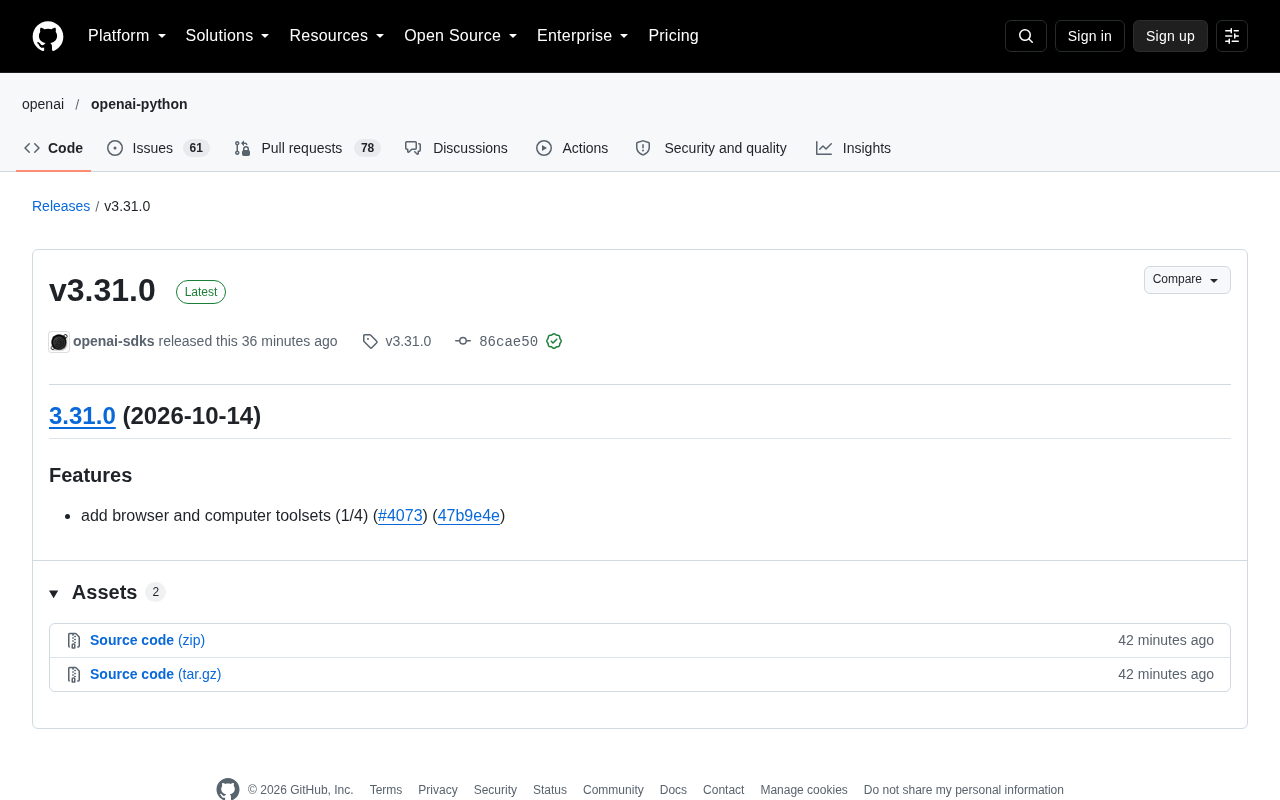
According to the verified-signature commit record on GitHub (commit 86cae50, GPG key ID B5690EEEBB952194), v3.31.0's Features list contains only one substantive entry:
add browser and computer toolsets (1/4) (#4073) (47b9e4e)
No breaking changes, no deprecation warnings, no API signature adjustments. Judging by the sheer number of changes, this is almost a release you could skip—compared to the typical iterative cadence of the same repository, which often ships a dozen Features at a time, v3.31.0 even feels a bit "sparse."
But that single update note is itself worth pondering.
What "Toolsets" Means
Historically, the typical path for developers using the OpenAI SDK was: call the model, get text or structured output, then execute actions in the outside world yourself. The SDK handled communication and formatting, not action.
The phrase browser and computer toolsets suggests the SDK is starting to bake in capability abstractions for browser operations and computer operations. In other words, model outputs could directly connect to browser page interactions, file system operations, application control—scenarios typical of "computer use"—without requiring developers to build the tool-calling layer from scratch.
Given OpenAI's ongoing investment in the Agent direction, this isn't surprising. What you might not have noticed is that it's appearing at the SDK layer—meaning the toolset isn't an isolated capability in some experimental repository, but is becoming part of the standard development experience.
What is "computer use"
"Computer use" is an Agent paradigm first proposed by Anthropic in late 2024: letting models go beyond text generation to directly control graphical interfaces and complete cross-application tasks by observing the screen via screenshots, moving the mouse, clicking, and keyboard input. It essentially hands the "perceive—plan—act" loop to the model rather than hardcoding each step in advance. OpenAI's previous Agent capabilities mainly relied on developers stitching together function calling and external executors; the SDK itself didn't provide desktop or browser operation abstractions.
From an engineering perspective, a browser toolset is typically built on headless browser drivers like Playwright or Puppeteer, packaging actions like "navigate to URL," "extract DOM," "click element," and "fill form" into tools the model can invoke; a computer toolset involves screen capture, coordinate positioning, and input event simulation, imposing higher demands on sandbox isolation, timeout control, and error recovery. Once this abstraction enters the official SDK, it means cross-cutting concerns like permissions, replay, and observability may form unified conventions rather than each team reinventing the wheel.
The Roadmap Revealed by (1/4)
The (1/4) at the end of the commit message is an easily overlooked detail. It clearly indicates this is the first part of a four-part series of changes.
This means v3.31.0 is likely just a starting point: the current version may only expose the basic interfaces or partial capabilities of the toolset, with the next three versions continuing to fill in features, stability, or more tool types. For teams building products on the SDK, this releases a planning signal—if your application involves Agents or automated operations, the upgrade path over the next few minor versions is worth watching in advance, rather than passively adapting only when a major version arrives.
The Engineering Implications of Frequent Minor-Version Iteration
openai-sdks uses semantic versioning (SemVer); the increment to 3.31.0 represents backward-compatible feature additions. An unchanged major version number means callers can upgrade without modifying existing code. For capabilities like toolsets that are still rapidly taking shape, the official choice to introduce them into the mainline in small, batched minor versions rather than opening a separate experimental repository usually reflects two considerations: first, letting real users form a feedback loop early; second, distributing interface evolution across multiple minor versions to reduce the blast radius of any single change.
This also explains why only one Feature appears in a single version. Compared to the compatibility friction caused by merging a massive feature all at once, the (1/4)-style split makes the risk and verification cost of each upgrade more manageable. For consumers, a reasonable approach is to allow minor-version auto-upgrades in dependency declarations (e.g., ^3.31.0), while locking test cases to cover the toolset's call paths so that any interface tweak introduced by a sub-version is surfaced in CI immediately.
What Developers Can Do Right Now
For developers currently using openai-sdks, the direct action items from this update aren't complicated:
- Upgrade and explore the toolset interfaces: Even if you don't use them for now, you can familiarize yourself with how the new toolsets are invoked and assess whether they fit your existing architecture.
- Watch the cadence of the next three versions: Since this is labeled as one-quarter, subsequent versions may bring interface adjustments—reserving compatibility space in advance is less painful than refactoring after the fact.
- Reassess the necessity of a self-built tool layer: If you currently maintain a custom browser/computer operation wrapper, the SDK's built-in capabilities may become a replacement or complement once mature.
Note that this release record doesn't include detailed API documentation or usage examples; the actual capability boundaries will need to be verified by developers after upgrading. Until official documentation catches up, maintaining a cautious judgment about the maturity of these toolsets is reasonable.
Trade-off Dimensions When Evaluating a Self-Built Tool Layer
To decide whether to replace a custom wrapper with the official toolset, consider several dimensions: First, coverage. If your business only needs limited in-browser interactions, mature third-party libraries are sufficient; if it involves broader computer operations like screenshot OCR, multi-window switching, and system-level input, the value of an official unified abstraction is higher. Second, controllability. A custom layer can tailor retry strategies, proxies, and audit logs as needed, while the official toolset may not offer the same granularity of hooks early on. Third, migration cost. If the toolset interfaces are still in rapid iteration, deep binding means following every upgrade, whereas keeping a thin adapter layer can support both implementations simultaneously.
A more pragmatic path is: first do small-scale validation in a new project's automation pipeline, run one end-to-end flow with the official toolset, record its stability and failure modes, then decide whether to replace the existing custom layer. Until official documentation catches up, treating these capabilities as "usable but not yet settled" is more prudent than committing directly to production.
Summary
v3.31.0 carries very little information, but a strong sense of direction. One line of Features plus a (1/4) marker outlines OpenAI SDK's intent to move toward "Agent infrastructure that can take action." For developers focused on AI programming and Agent deployment, this is a version milestone worth adding to the watch list.
One-line Summary
OpenAI SDK v3.31.0 adds browser and computer toolsets, marking the SDK's evolution toward action-capable Agent infrastructure.
Related articles

Bilibili's Hit Dify Tutorial: A Practical Guide to Building 20+ AI Apps from Scratch
A distilled guide to Bilibili's top-rated Dify tutorial: Windows + Docker deployment, MySQL connection, five app types, model integration strategy, and publishing.

Agent Skills Beginner's Guide: From Concepts to Multi-Agent Collaboration in Practice
A comprehensive guide to Agent Skills: core concepts, components, the importance of Description, standardization, beginner learning paths, and multi-agent collaboration.

One Neuron Detects Both Cats and Cars? We Reproduced It and Found a New Explanation
The cat-car neuron reinterpreted: researcher Cammarata argues it distinguishes pointy from round, not cats from cars. We reproduced the experiment and found the new explanation holds on most inputs—but cars are the exception. The interpretability debate continues on language models.