OpenCode Complete Guide: Installation, Configuration & Practical Usage
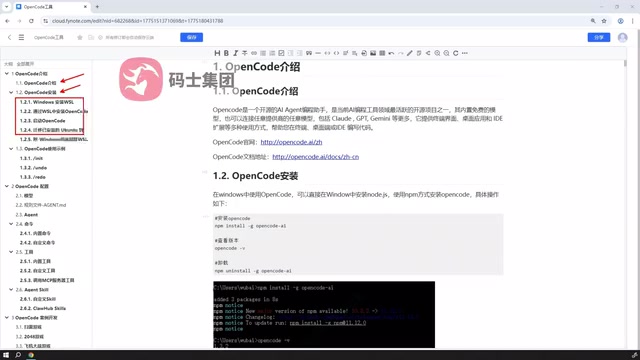
A systematic roadmap for learning OpenCode — from installation and configuration to hands-on AI-assisted development.
Based on a Bilibili tutorial series, this article maps out a clear learning path for developers getting started with OpenCode, an open-source AI coding tool known for its high configurability. It covers two installation methods (desktop and WSL), model and rule configuration, agent classification, custom commands and tools, MCP-based external service integration, and community Agent SQL reuse — forming a complete loop from concepts to practical development.
OpenCode is an AI-powered coding tool gaining increasing traction among developers. A content creator on Bilibili has released a tutorial series that systematically covers the full workflow — from installation and configuration to hands-on development. This article, based on that tutorial's curriculum, provides a clear roadmap for developers looking to get started with OpenCode.
What Is OpenCode
OpenCode is an open-source AI-assisted coding tool whose core idea is to embed large language model capabilities directly into everyday development workflows. Beyond understanding natural language instructions, it supports custom commands, tool invocation, and external service integration — elevating AI from simple code completion to a development assistant capable of handling complex tasks.
For developers, OpenCode's value lies in its configurability. You can freely choose which models to connect, write rule files to constrain AI behavior, and even define multiple agent types to handle different task scenarios. This flexibility sets it apart from closed commercial tools and makes it especially well-suited for technical teams with specific needs.
Two Installation Methods: Desktop and WSL
The tutorial highlights two installation paths — the area where beginners are most likely to get stuck.
The first is desktop installation, which is straightforward and ideal for users who want a quick experience. Simply download the installer for your platform, follow a few steps, and you're up and running with virtually no additional environment setup.
The second method targets Windows users: installation via WSL (Windows Subsystem for Linux). The approach involves first setting up WSL in Windows to create a Linux virtual environment, then deploying OpenCode within it. This is also the officially recommended method.
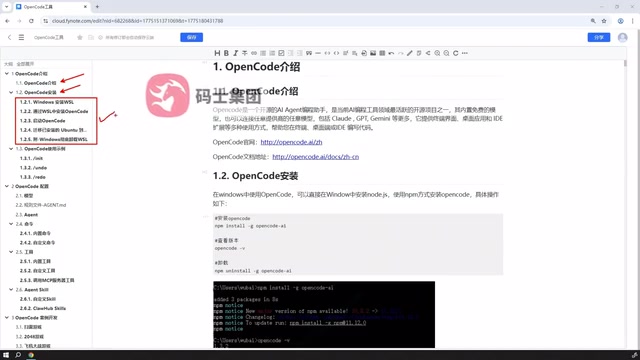
Why does the official recommendation favor WSL? Many AI coding tools' underlying dependencies and command-line utilities run more stably in a Linux environment with fewer compatibility issues. While the setup steps are somewhat more involved, the upfront investment pays off for developers who plan to use the tool long-term and need reliability.
What is WSL? WSL (Windows Subsystem for Linux) is a compatibility layer built into Windows 10/11 that lets users run Linux binaries directly within Windows — without needing a dual-boot setup or traditional virtual machine. WSL 2, the current mainstream version, runs on a real Linux kernel and delivers significant improvements over WSL 1 in file I/O performance and system call compatibility. For AI coding tools, many dependencies — such as Node.js toolchains, Python packages, and shell scripts — behave more consistently in Linux environments, with path handling, permission management, and process communication all aligning more closely with the tools' design expectations. This is why WSL is the priority recommendation for Windows users.
Core Configuration: Models, Rules, and Agents
Much of OpenCode's power is expressed at the configuration level, and the tutorial dedicates considerable attention to this area.
Model configuration determines the AI's core capabilities. You can connect different large language models based on your needs, balancing cost, speed, and output quality.
Rule file configuration is the key to constraining AI behavior. By writing rule files, you can instruct OpenCode to follow specific coding standards, project structures, or workflow preferences — preventing it from generating code that doesn't meet your team's standards.
Agent classification is another important concept. OpenCode ships with multiple agent types, each suited to different task scenarios. Understanding how these agents divide responsibilities is a prerequisite for using the tool effectively.
Custom Commands and Tool Extensions
This section highlights OpenCode's openness as a developer tool.
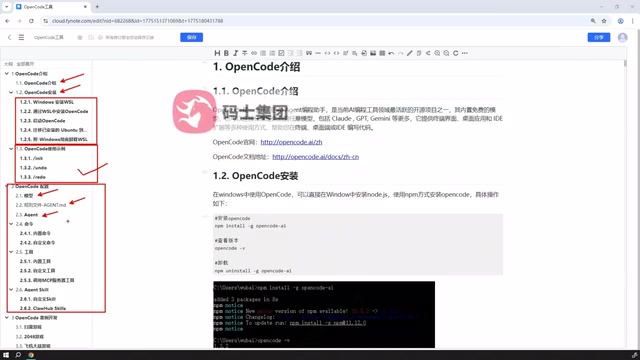
Beyond built-in commands, OpenCode supports custom commands — you can package frequently used operations into dedicated instructions to boost daily development efficiency.
On the tooling side, beyond the official tools, users can also define custom tools and even call externally published tools via MCP (Model Context Protocol) services. This means OpenCode can integrate with your existing tech stack, becoming part of your entire development ecosystem rather than an isolated plugin.
What is MCP? MCP (Model Context Protocol) is an open standard protocol introduced and open-sourced by Anthropic in late 2024, designed to address the fragmented integration between large language models and external tools or data sources. Its core idea is to define a unified interface specification so that different AI clients (like OpenCode) can call third-party tool services in a standardized way — similar to how REST APIs standardize interface calls in web development. With MCP, developers no longer need to write custom adapter code for each tool. The community already offers a large number of ready-to-use MCP Servers covering common scenarios like file system operations, database queries, code search, and browser control, dramatically reducing the cost of extending the tool ecosystem.
Agent SQL: Customization and Reuse
OpenCode's support for Agent SQL is one of the more advanced topics covered in the tutorial.
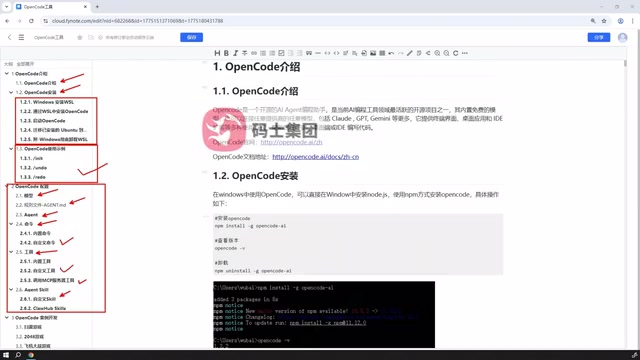
Users can not only define custom SQL configurations but also directly reference ready-made SQL resources from the broader community and use them in OpenCode as-is. This "standing on the shoulders of giants" reuse mechanism significantly lowers the barrier to entry — developers unfamiliar with certain query logic can immediately put community-shared resources to work.
What is Agent SQL in OpenCode's context? "Agent SQL" here doesn't refer to traditional database SQL queries. Instead, it describes structured definition files that specify an agent's behavioral rules and capability configurations (sometimes called "prompt templates" or "agent specs" in other tools). By writing or reusing these configurations, users can quickly create purpose-built agents for specific task scenarios without designing their reasoning logic and tool-calling strategies from scratch. The community on platforms like GitHub and Reddit has accumulated a wealth of agent configuration resources across different tech stacks and use cases. Referencing these resources means inheriting already-refined agent behavior patterns, significantly cutting the time needed to build from zero.
Hands-On Development Demo
The tutorial wraps up with practical demos using simple real-world examples, tying together the installation, configuration, commands, and tools covered earlier to showcase OpenCode's complete workflow in actual development scenarios.
From foundational concepts and installation to model configuration, command extensions, MCP integration, and SQL reuse — culminating in hands-on examples — the tutorial follows a logical and comprehensive structure, covering all the key milestones from zero to independent use. For developers who want to learn OpenCode systematically, following this progression is far more efficient than piecing things together from scattered documentation.
One important caveat: AI coding tools evolve rapidly. Specific installation commands and configuration options may change with new versions, so always cross-reference the latest official documentation when putting things into practice.
Related articles
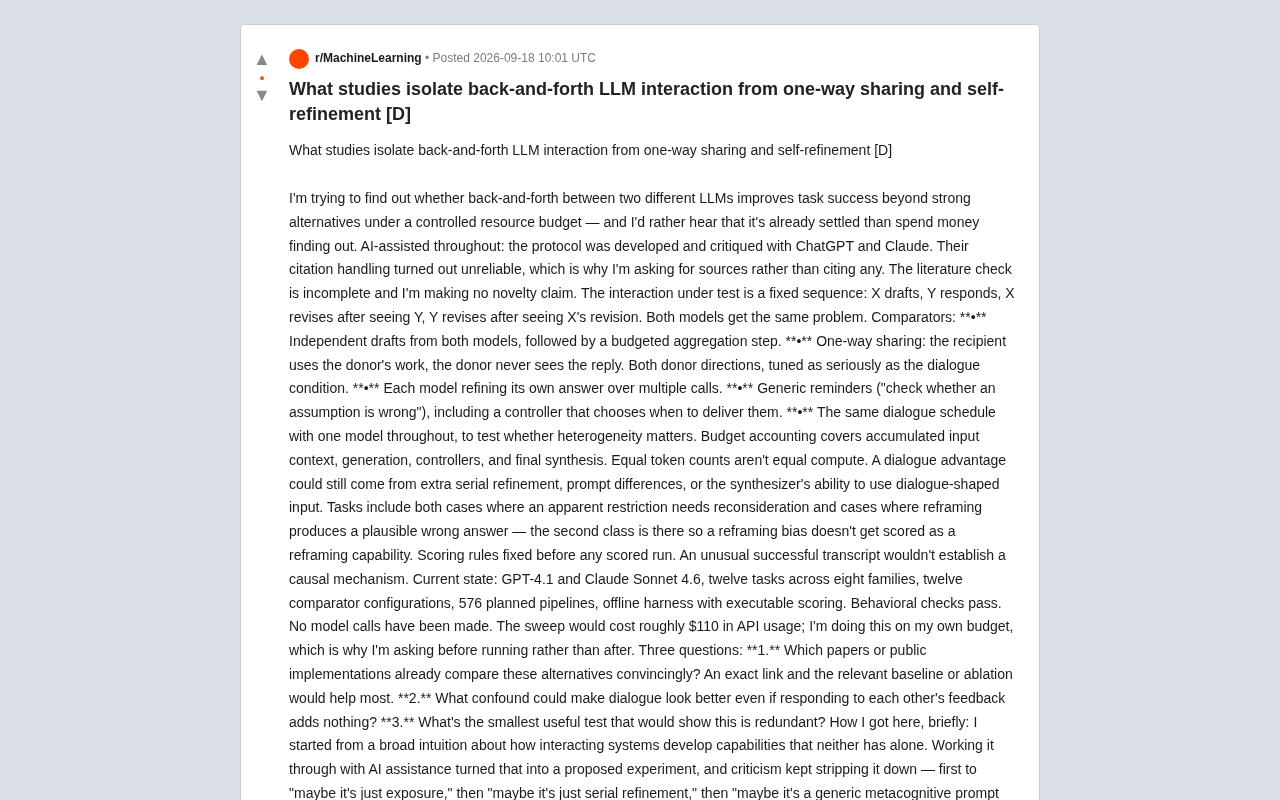
Can Multi-LLM Dialogue Really Improve Task Performance? Lessons from a Rigorous Experimental Design
A researcher designed rigorous controlled experiments to isolate whether multi-LLM back-and-forth dialogue genuinely outperforms simpler baselines like self-refinement and one-way sharing.

Which $10 AI Coding Plan Should You Choose? Go vs. Code Credit Breakdown
After DeepSeek's price hike, should you pick Go or Code for your $10 AI coding plan? We break down credit allocations for Mimo, Qwen, DeepSeek V4, Kimi, and more.
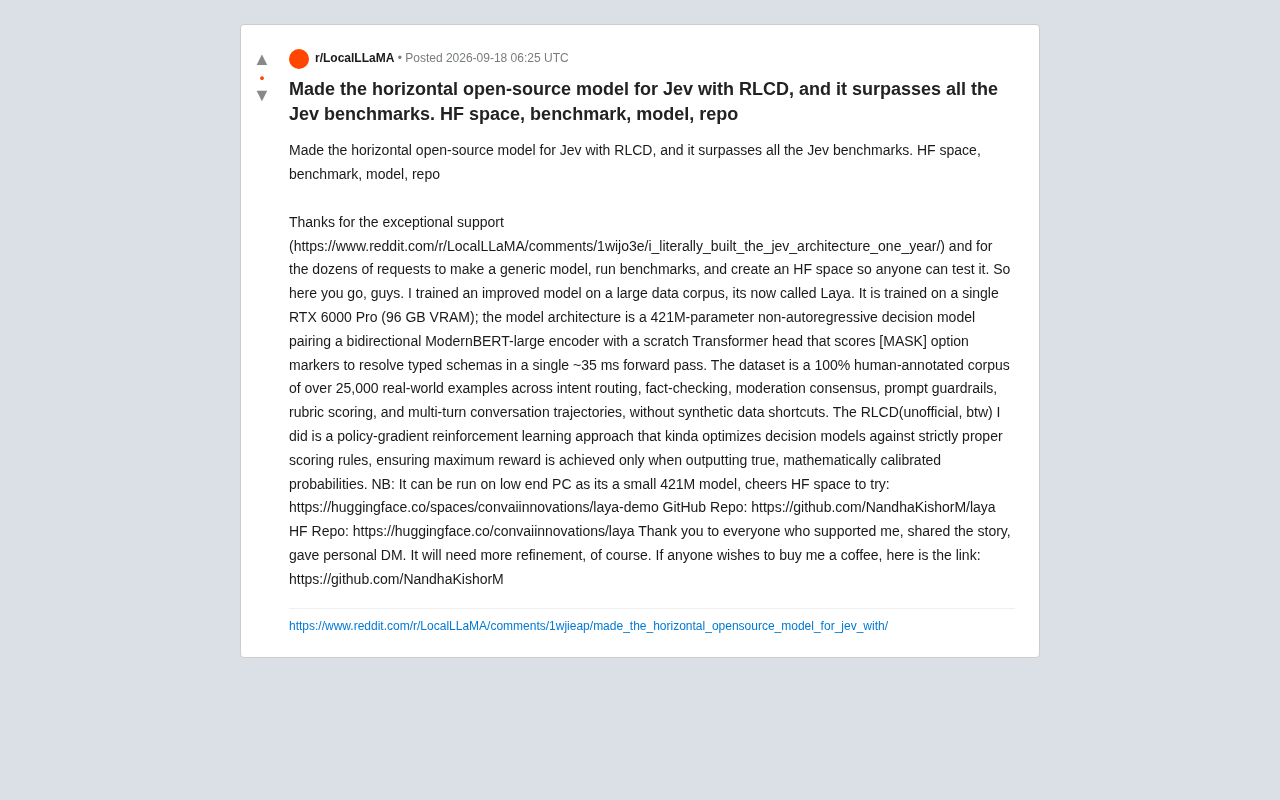
Laya Open-Source Decision Model: How 421M Parameters Beat Jev Benchmarks
Laya is an open-source 421M-parameter non-autoregressive decision model built on the Jev architecture, trained with RLCD on 25,000 human-annotated samples using a single GPU, running in ~35ms on low-end PCs.