Optimizing Golang CI: Replacing actions/setup-go to Speed Up Builds
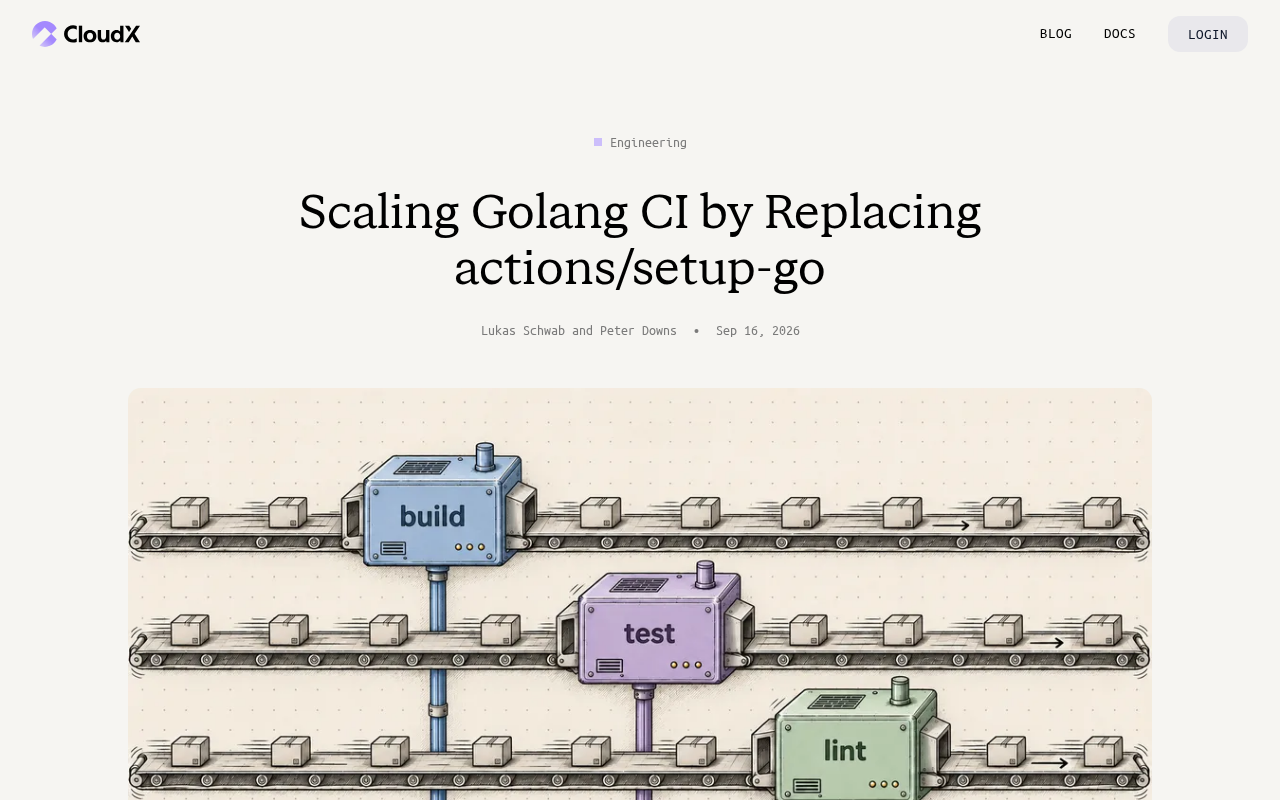
Replace actions/setup-go with pre-built images and custom caching to speed up large-scale Golang CI pipelines.
This article examines how the official `actions/setup-go` can become a performance bottleneck in high-concurrency Go CI environments due to toolchain download overhead and limited cache control. It covers three replacement strategies: pre-installing Go into Docker base images, fine-grained management of GOMODCACHE and GOCACHE using custom caching, and lightweight toolchain installation scripts. The key takeaway is to measure setup-go's actual time share in your pipeline before investing in custom solutions — data-driven decisions, not trend-chasing, are what scalable engineering demands.
Background: The Hidden Bottleneck in Your CI Pipeline
In continuous integration (CI) practices for large-scale Go projects, build speed is one of the core metrics engineering teams care about. GitHub Actions' official actions/setup-go is the default choice for most Go projects when setting up a CI environment — it installs the specified Go toolchain version and configures related caches. However, as projects grow in scale and concurrent jobs multiply, this seemingly basic step can quietly become a hidden bottleneck in your pipeline.
This technical write-up from Hacker News (the discussion thread received 17 upvotes) explores a concrete engineering problem: when Golang CI needs to scale further, how can replacing actions/setup-go yield better performance and greater control?
Why Replace actions/setup-go
actions/setup-go is designed for general-purpose use and ease of adoption — and it works well for most small-to-medium projects. But in high-frequency, large-scale CI environments, its limitations start to surface:
Toolchain Download and Installation Overhead
Every time a workflow runs, setup-go may need to download and unpack the Go SDK. Although it has a built-in caching mechanism, this step becomes noticeably slow on cache misses or when jobs run across different runners. When a team runs thousands of CI jobs per day, the cumulative time cost is substantial.
A full Go SDK release package typically exceeds 100MB. Under constrained network conditions or during peak load on GitHub-hosted runners, the download alone can take tens of seconds. The caching mechanism in actions/setup-go relies on GitHub Actions' built-in cache service (backed by Azure Blob Storage), with cache keys generated by default from the OS and Go version. Cache miss rates climb significantly when runners are scheduled across regions, cache entries are evicted (GitHub enforces a 10GB cache limit per repository), or when teams frequently upgrade Go minor versions. At a scale of thousands of CI jobs per day, even an average extra 30 seconds per job translates to a substantial monthly runner billing cost — and because this overhead rarely appears in a team's performance analysis, it earns the label of "hidden" bottleneck.
Limited Control Over Caching Strategy
The official Action encapsulates caching logic, which is convenient but also means teams can't fine-tune it to match their specific dependency structures. For large Go monorepos with complex, numerous modules, the default caching strategy is often suboptimal.
Version Management and Pre-installed Images
In self-hosted runner or containerized CI environments, teams can often pre-install the Go toolchain into a base image. Running setup-go on top of that becomes redundant overhead — reusing the pre-installed environment is typically faster and more stable.
Self-hosted runners are build machines maintained by the team itself — physical servers, cloud VMs, or Kubernetes Pods — connected to the GitHub Actions scheduling system via the GitHub Actions runner program. Compared to GitHub-hosted standard runners, self-hosted runners offer full control over hardware specs and software environments, private resource access without extra configuration, and persistent local disk caching instead of relying on a remote cache service. Pre-installing the Go toolchain into a base image means the container is ready to go the moment it starts, eliminating runtime installation steps. The trade-off is that teams must maintain the image build process and update images whenever Go versions change — which adds operational overhead for teams that track Go's biannual major releases closely.
Core Approaches to Replacing actions/setup-go
From an engineering practice standpoint, strategies for replacing actions/setup-go typically fall into the following categories:
Use Pre-built Images
Embed the Go toolchain directly into a Docker base image, and run CI jobs inside containers that already have a Go environment. This eliminates the per-run download and installation step, and is especially well-suited for teams using self-hosted runners. Version upgrades simply require updating an image tag — a clear and manageable path.
Custom Cache Management
Bypass setup-go's built-in caching and instead use actions/cache or a self-managed cache layer, with fine-grained control over key directories like GOMODCACHE and GOCACHE. Teams can design more effective cache key strategies based on their own dependency change frequency to improve cache hit rates.
GOMODCACHE is the local storage directory for downloaded Go modules (default path: $GOPATH/pkg/mod), containing the source code and metadata for all dependencies. GOCACHE is the build cache directory for compilation results (default: ~/.cache/go/build), storing compiled package objects that significantly speed up incremental builds. The two have different caching characteristics: GOMODCACHE content is locked by go.sum and is highly stable, making it ideal to key off the dependency manifest hash; GOCACHE is strongly correlated with code change frequency, and overly aggressive caching strategies can lead to stale caches. The key to fine-grained management is a layered cache key design — for example, first attempting an exact key match, then falling back to a base snapshot from when dependencies were last unchanged — striking a balance between hit rate and storage efficiency.
Lightweight Toolchain Installation
For scenarios where Go genuinely needs to be installed dynamically, a leaner script can download and unpack a specific version directly, skipping the general-purpose logic branches in the official Action that may not be needed — resulting in shorter execution times.
Engineering Trade-offs: Convenience vs. Control
It's worth considering that replacing the official Action isn't without cost. The value of actions/setup-go lies in its out-of-the-box usability and low maintenance burden — it handles cross-platform compatibility, version resolution, caching, and many other details on your behalf. A custom solution can squeeze out better performance, but it also means the team takes on full ownership of that solution — including version upgrades, cross-platform compatibility, and ongoing cache logic tuning.
This type of optimization therefore makes the most sense for teams with a clear scaling pressure: when CI volume is large enough and build time has become a real pain point, investing engineering resources in a custom replacement yields positive returns. For smaller projects, the official Action remains the highest value-for-effort choice.
Key Takeaways for Teams
This case reflects a widely applicable principle: default tooling often needs to be reconsidered at scale. Every foundational step in a CI/CD pipeline can be amplified into significant cost under high concurrency. Engineering teams should base their optimization decisions on actual build data — such as job duration distributions and cache hit rates — rather than chasing trends blindly.
For teams scaling their Go CI, the recommended starting point is measurement: first quantify setup-go's share of overall pipeline time, then decide whether to adopt pre-installed images, custom caching, or simply keep the status quo. Data-driven decision-making is the core methodology of scalable engineering.
Related articles

AI Agent Learning Roadmap: A Four-Stage Guide for Complete Beginners
A four-stage AI Agent learning roadmap for beginners: from core concepts and model deployment to RAG, LangChain, LoRA, and interview-ready projects.
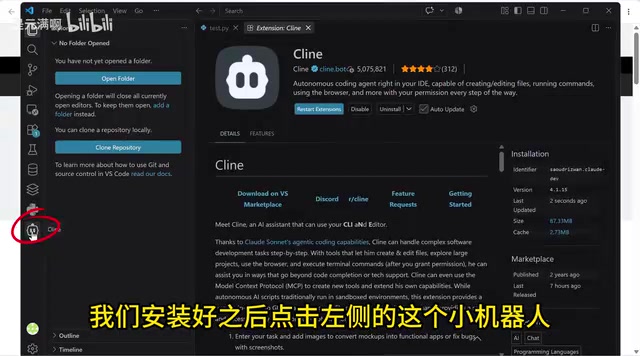
Free Access to Mystery Model & DeepSeek V4 via Cline: Complete Setup Tutorial
Learn how to use DeepSeek V4 and the mystery "Niumai" model for free on Cline — covering IDE extension and CLI installation, account setup, and model selection.
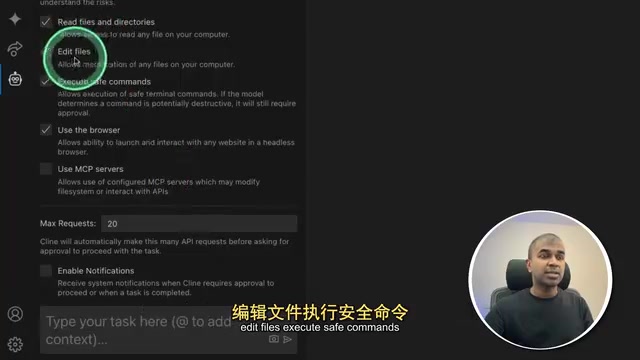
Cline + VS Code in Practice: Generate a To-Do App from a Single Prompt
Cline is an autonomous coding agent inside VS Code. This hands-on guide shows how to generate a to-do app from one prompt and compares Claude, Ollama, and Groq integrations.