Perplexity Hybrid Compute Tested: Local + Cloud AI Collaboration for Private Data

Perplexity Hybrid Compute lets frontier cloud AI and local models collaborate on the same task while keeping private data on-device.
Perplexity's Hybrid Compute feature for its Mac desktop app breaks the longstanding "smart but exposed vs. private but limited" dilemma through a six-step orchestration architecture. Within a single task, parts requiring web search or complex reasoning go to a cloud frontier model, while sensitive file handling routes to a local model. Between them, the open-source 0.6B-parameter privacy gate Pytracer pseudonymizes sensitive fields before anything reaches the cloud, restoring real values locally on return. Three real tests — bank statements, contract review, and customer data analysis — confirmed that local processing consumes zero cloud credits, though it runs slower than pure cloud. The feature is currently Mac desktop only, requires a Pro or higher subscription, and needs at least 24GB unified memory, with 32GB as the performance sweet spot.
The most capable AI models run on data center hardware you could never afford, yet the files you most want AI to process — bank statements, contracts, client records — are exactly the ones you'd never upload to a cloud model. Local models are private but far less intelligent, and can't search the web when offline. For years, you've been forced to choose: smart but exposed, or private but limited.
Perplexity's "Hybrid Compute" feature, launched in its Mac desktop app, aims to break this deadlock — running the same task across both local and cloud simultaneously. This article, based on a hands-on YouTube demonstration (sponsored, but conducted entirely on the creator's real machine with real files), breaks down the architecture, setup process, and real-world performance.
Why Hybrid Compute Matters
Frontier models outpace the alternatives by a wide margin in raw intelligence, and even open-source or open-weight models are often too large to run locally. You want these models, but frequently can't afford the privacy trade-off — that's the core tension.
The cost of cloud models is clear: you pay via subscription or API for compute, and every file you hand over leaves your machine, potentially feeding into AI training. For most files, that's fine. But contracts, financial records, NDA-covered content, and files containing customer personal data are absolute no-go zones.
Local models are the opposite. Once you have the hardware, each token costs nothing, no data ever leaves your machine, and you have full control. But the trade-off is constant: models that fit on your machine are a fraction of what frontier models offer — slower on large tasks, noticeably weaker at complex reasoning, and unable to fetch real-time information from the web.
A modern Mac with 32GB of unified memory running a local model is still useful, but it's not a universal solution. The ideal is using both — even within the same task: cloud handles thinking and research, local handles private content. The problem has been that no product made this split for you; you had to switch between them manually.

"Unified Memory" is the key concept for understanding the performance threshold of local models on Mac. In traditional PC architecture, the CPU and GPU have separate memory pools (system RAM and VRAM), and transferring data between them creates a bandwidth bottleneck. Apple Silicon (M-series chips) integrates the CPU, GPU, and Neural Engine on a single die, sharing one physical memory pool with bandwidths reaching 100–400 GB/s — far exceeding typical PCIe transfer rates. For large language models, the biggest inference bottleneck is loading model weights from memory into compute units, so high-bandwidth unified memory gives Macs better token generation speeds than conventional PCs at equivalent parameter counts. This explains why Perplexity's hardware requirements are defined by "unified memory capacity" rather than VRAM — on Apple Silicon, they're the same thing.
Six-Step Architecture: How Tasks Flow Between Cloud and Local
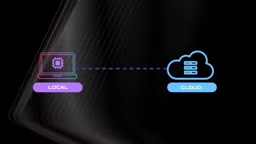
Perplexity calls this system a "hybrid local service inference orchestrator," capable of automatically switching between local and cloud models depending on what you're doing. The product is called Perplexity Computer, the feature is called Hybrid Compute, and it appears as "hybrid" in the model selector.
When you give Computer a task in hybrid mode, the flow works roughly like this:
Step 1: The Task Starts in the Cloud
A frontier model reads your request, plans the steps, and handles anything requiring web search, real-time information, or heavy reasoning.
Step 2: Some Steps Route to Your Local Mac
Anything that needs to read local files, handle sensitive information, or execute actions on your device gets routed to your Mac rather than the cloud.
Step 3: The Privacy Gate
Before anything leaves your machine, an on-device classifier scans it for personal information. This isn't a simple regex filter — it's a 0.6B-parameter model called Pytracer, built by Perplexity's Secure Intelligence Institute, benchmarked on datasets across 13 languages, and open-sourced. You can inspect its exact behavior on Hugging Face. It flags names, addresses, emails, phone numbers, and account numbers, ensuring that none of this leaves the device or reaches the cloud.
The distinction between "open weights" and "open source" is worth clarifying here: open-weight models release trained parameter files for anyone to download and run locally, but training code, datasets, or full technical details aren't necessarily public. Pytracer is genuinely open source — code, weights, and benchmark data are all available on Hugging Face, meaning external researchers can independently verify its detection behavior rather than simply trusting Perplexity's claims. The 0.6B parameter size is a deliberate design choice: small enough to run in memory with minimal latency, yet smarter than pure rule-based matching (regex) — for example, distinguishing between "Apple Inc." and the name "Apple," or recognizing account information implied by context. Benchmarking across 13 languages means it doesn't just handle English contracts; it works equally well on private fields in Chinese, Spanish, and other multilingual documents.
Step 4: You Decide
Computer shows you what it found in a file — a name, an email, a phone number — and asks how to handle it: process locally on the Mac, upload to the cloud anyway, or skip it entirely. If you choose to keep it local but the cloud still needs context, real values are replaced with standardized placeholders (effectively pseudonymizing the data), and results are restored on your local machine when they come back. The cloud model completes its research without ever seeing any real data.
The technical mechanism used here is known in data security as "tokenization" or "pseudonymization": replacing real sensitive values with reversible placeholders, completing computation in an untrusted environment, then restoring the original data using a mapping table in a trusted environment. The key difference from "anonymization" is reversibility — anonymization is one-way, while pseudonymization can recover the original data given a local key. This mechanism lets a cloud model reason about "CLIENT_NAME_001 signed a contract with a non-compete clause in Q3 2024" without ever knowing who CLIENT_NAME_001 is. The trade-off is that cloud models can sometimes suffer in reasoning quality from lacking real context — which is why the system includes the "upload to cloud anyway" option. In some tasks, semantic detail matters more than privacy protection, and that final call belongs to the user.
Step 5: The Local Model Does the Private Work
Reading files, rebuilding spreadsheets, summarizing contracts — all done on your device. Any work handled by the local model consumes zero cloud credits.
Step 6: You Get a Single Result
Computer combines the cloud steps and local steps into one unified answer for the same task, accessible from any device — even your phone.
How to Set Up Hybrid Compute
To use Hybrid Compute, you need a Perplexity account with a Pro, Max, or Enterprise subscription, plus the desktop app installed.
The hardware bar is relatively high, since you're running models locally. Official minimum requirements are macOS 15 or later and 24GB or more of unified memory, with 32GB being the sweet spot for solid performance. Perplexity also runs in the browser with full cloud features, but hybrid functionality requires the desktop app.
After installing the desktop app and signing in, switch from search mode to Computer mode, then enable hybrid mode in the model selector. On first use, it will prompt you to download a local model, offering three options: Gemma (for lower-end devices), Qwen 3 (around 35B parameters), and Perplexity's own model. Each is labeled with minimum requirements — lower-end devices should use Gemma, while higher-end machines can run larger models.
Next, install and enable the Privacy Gate. In short, three steps: download at least one local model, enable the Privacy Gate, and select a local model in Computer mode then switch to hybrid. You can also select a specific cloud model or leave it on default to let the system auto-route.

Three Real-World Task Tests
Bank Statement (Local Only): The creator dragged a bank statement into Computer. The Privacy Gate immediately scanned it and flagged sensitive information — name, address, account details — and asked whether to process on the Mac or upload anyway. Choosing local processing, the entire analysis displayed GPU utilization, memory usage, and token count — and critically, consumed zero cloud credits. It listed all transactions for the month (including a large car purchase) and offered money-saving suggestions. Slightly slower than cloud, but nothing left the local machine.
Contract Review (Local + Cloud Hybrid): The creator asked it to analyze a contract from a new company in the downloads folder, keeping private content local while using the cloud to research similar partnerships and industry norms, flagging red-flag clauses and negotiation opportunities. The task ran simultaneously — Computer performed a full contract review and generated a Markdown file stored locally, while executing various web searches in the cloud, pseudonymizing data before sending necessary content upstream.
Customer Data Analysis (Local + Cloud Hybrid): Using a fictional customer dataset, the task was to segment customers and generate a risk report. Interestingly, this task went to the cloud first for extensive research before handing off to the local agent for document analysis — the order varies based on need. The demo also showed two tasks running in parallel, with the system scheduling back and forth between local and cloud. The final document covered high-risk renewals over the next six months, amounts paid, and industry segmentation.

Value and Limitations
The real significance of Hybrid Compute is this: it no longer forces you to choose between "smart" and "private." Frontier models handle reasoning and real-time research; local models guard private data; the Privacy Gate pseudonymizes in between; and the local portion consumes zero credits.
But the barriers are real. It's currently Mac desktop only, requires a paid subscription, and has clear hardware requirements (24GB minimum, 32GB sweet spot). Local tasks run noticeably slower than pure cloud. For everyday work with no sensitive content, going full cloud is more efficient. This setup only truly earns its value when you need frontier-level intelligence and must keep local data private.
For users who've long wrestled with the privacy-versus-capability trade-off, this is one of the very few products that refuses to make you pick a side. It's worth watching whether it expands to more platforms.
Related articles

Free Unlimited Claude Code Solution: Agnes AI + CC Switch Setup Guide
No paid subscription needed — pair the free AI platform Agnes AI with the open-source tool CC Switch to provide a backend for Claude Code, enabling unlimited free calls to text, image, and video models. This guide covers the full setup, test results, and usage boundaries.

A Complete Zero-Cost Guide to Getting Started with Claude Code for Beginners in China
A beginner's guide to Claude Code for users in China: two installation methods (command line and IDE plugin), full configuration steps for replacing the official API with the free domestic LongCat model, and a hands-on demo of building a small tool with natural language, plus tips.

When the NSA Gets Involved: The AI Supply Chain Crisis Behind Open-Source CVEs and API Key Hijacking
Multiple open-source projects disclosed severe CVEs in one day, PHP flaws alarmed the FBI, and Railway and OpenCode were breached with API keys stolen. This article breaks down the vulnerability window, AI-accelerated exploitation, and the AI supply chain crisis behind the API key black market, with a developer defense checklist.