ProGantt: Letting AI Agents Read and Write Gantt Charts via MCP
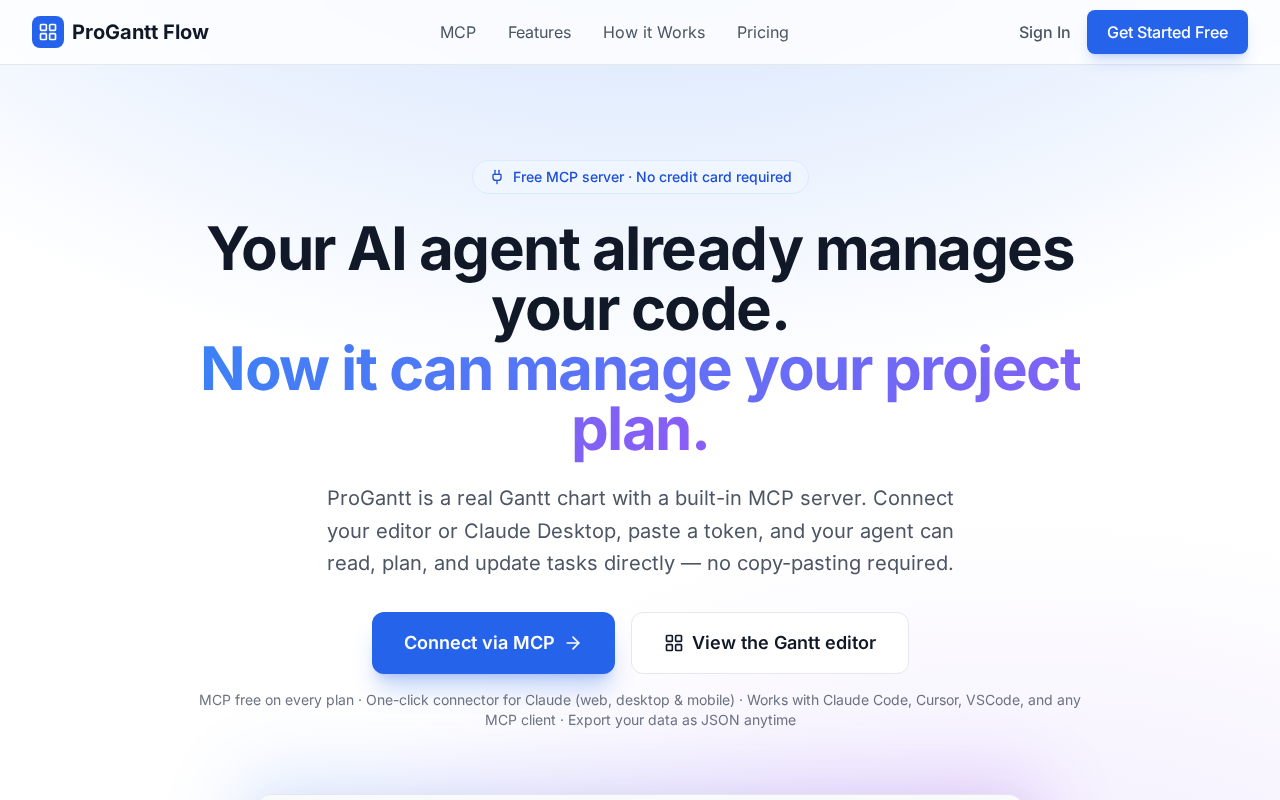
ProGantt uses MCP to let AI Agents directly read and write Gantt charts, pioneering AI-native project management.
ProGantt is an early-stage project management tool whose core innovation lies in using MCP (Model Context Protocol) to turn Gantt charts into structured data endpoints that AI Agents can directly read and write. Its bidirectional capability means AI can not only analyze project data passively but also actively create tasks, adjust timelines, and manage dependencies — enabling truly automated project workflows. Currently in early stages with limited adoption, it's best suited for technical users exploring AI-driven workflows, and represents the broader trend of designing tools with native AI Agent interfaces rather than treating AI as an add-on.
When Project Management Meets AI Agents
The intersection of project management tools and AI is becoming a compelling new frontier. ProGantt is a project that recently appeared on Hacker News, with a core value proposition aimed at a specific pain point: enabling AI Agents to directly read and write Gantt charts via MCP (Model Context Protocol).
Gantt charts are among the most classic visualization tools in project management, but they've historically been designed for human users — relying on drag-and-drop interactions to arrange task timelines, dependencies, and milestones. ProGantt attempts to bridge the gap between AI and this type of structured project data, transforming AI assistants from passive observers into active participants that can directly manipulate project schedules.
Why MCP Is the Key
MCP (Model Context Protocol) is a standard protocol that has been gaining traction in the AI tooling ecosystem. Its goal is to give large language models a unified way to access external data sources and tools. Compared to traditional API integrations, MCP's value lies in providing a standardized interface specification that allows AI Agents to discover and invoke different services in a consistent manner.
By building on MCP, ProGantt isn't simply creating another Gantt chart editor — it's turning the Gantt chart itself into an AI-accessible "data endpoint." The practical result: users can instruct an AI assistant through natural language to create tasks, adjust timelines, set dependencies, and even automatically update schedules based on project progress, all without manually interacting with the UI.
Why Bidirectional Read/Write Matters
A notable aspect of ProGantt is its emphasis on bidirectional "read and write" capability, rather than just letting AI read data. This means AI Agents aren't passively understanding project state — they can actively write changes back. This two-way interaction is the foundation for building truly automated project management workflows: for example, having an AI automatically schedule tasks based on meeting notes, or proactively adjusting downstream task timelines when a delay risk is detected.
Imagining Real-World Use Cases
In terms of positioning, ProGantt is well-suited for teams or individual developers who want to deeply integrate AI into their project management workflows. Potential use cases include:
- Rapidly building project plans through conversational interaction, eliminating tedious manual drag-and-drop
- Letting AI automatically infer reasonable time allocations and dependencies from task descriptions
- Having AI continuously maintain and update Gantt charts as a project progresses, reducing the cost of manual synchronization
- Feeding Gantt chart data as context to an AI for generating progress reports or risk analyses
This category of "AI-readable and writable" structured tools is essentially providing AI Agents with a richer "action surface" — moving AI from content generation toward process execution.
Realistic Considerations for an Early-Stage Project
It's worth being clear-eyed about where ProGantt stands: at the time of its Hacker News appearance, it received relatively limited attention (only a handful of upvotes and comments), placing it firmly in early-stage territory. This means its maturity, stability, and ecosystem support have yet to be proven.
For users considering trying it out, a few areas are worth evaluating: the practical compatibility of the MCP integration (whether it connects smoothly with mainstream AI clients like Claude Desktop), data import/export capabilities, and whether it supports advanced needs like team collaboration. As an emerging project, it's better suited for technically inclined users who are eager to explore AI workflows, rather than enterprises requiring production-grade stability.
Closing Thoughts
ProGantt represents a rising trend: more and more tools are beginning to design native interfaces for AI Agents, rather than treating AI as a bolted-on feature. As protocols like MCP become more widespread, we may see a growing number of traditional tools get "AI-native" makeovers — enabling AI to truly operate them, not just understand them. Gantt charts are just the beginning; project management, data analysis, design collaboration, and many other domains could undergo similar transformations.
For developers tracking the evolution of the AI tooling ecosystem, projects like ProGantt are worth watching. The "AI-native tool" paradigm it's exploring may well be the direction the next wave of productivity tools is heading.
Related articles

AI Comic Drama with WorkBuddy from Scratch: A Step-by-Step Skill Pack Installation Guide
Learn how to create AI comic dramas with WorkBuddy from scratch. This guide covers installation, Skill pack import and invocation, plus a script generation demo with manual revision tips to get you through the first step from script to storyboard.

WorkBuddy Agent Runs the Entire GEO Database Mining Pipeline with a Single Prompt
WorkBuddy agent automates GEO database mining: from data search and curation to batch correction, differential analysis, co-expression networks, feature gene screening, and immune infiltration—a single prompt generates a complete bioinformatics report, greatly lowering the barrier to bioinformatics analysis.

PC Memory Wasted? Hacker News Debates Centralized Data Centers
Hacker News users argue that personal computer memory is wasted and should be centralized in data centers, sparking debate on centralized vs. distributed computing resource allocation. This article analyzes the logic behind the claim, the costs of centralization, and new tensions in memory resource allocation in the AI era.