Qwen-Image-2.1 Comes to ComfyUI: A New Addition to the Open-Source Image Generation Ecosystem

Qwen-Image-2.1 gains native ComfyUI support, enabling direct use in visual node-based workflows.
Alibaba's Qwen-Image-2.1 image generation model is now natively supported in ComfyUI, the popular open-source node-based workflow tool known for hosting Stable Diffusion and Flux. The integration means users can call the model directly within familiar workflows without setting up a separate inference environment, combining it freely with existing nodes and plugins. This reflects a broader trend of accelerating decoupling and interoperability between models and tools in the open-source generative AI space, lowering barriers for creators, indie developers, and small studios.
ComfyUI Now Supports Qwen-Image-2.1
The open-source image generation ecosystem has received a noteworthy update: Qwen-Image-2.1 is now natively supported in ComfyUI. For creators who rely on ComfyUI's node-based workflows, this means they can call Alibaba's Tongyi Qwen team's image generation model directly within their familiar visual editing environment — no need to set up a separate inference environment.
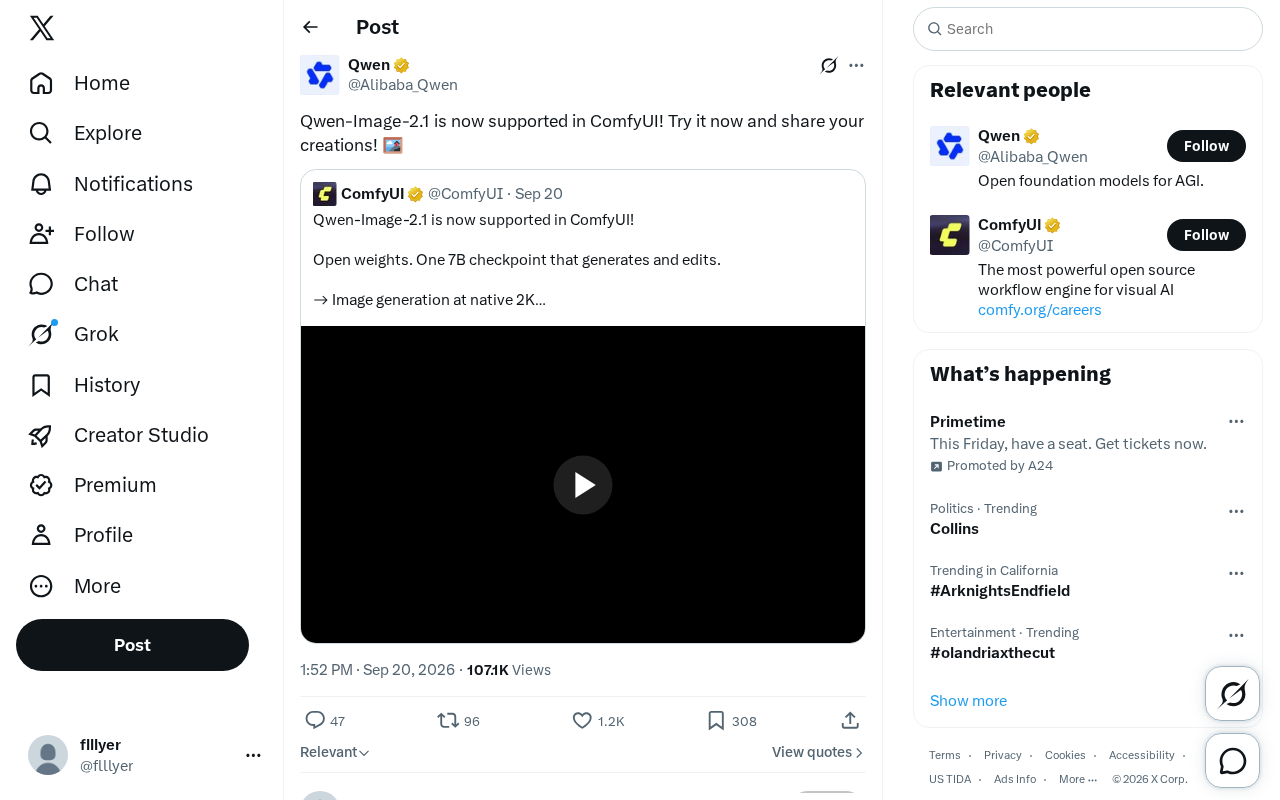
As one of the most popular open-source generative AI workflow tools available today, ComfyUI has established itself as a key deployment platform for mainstream models like Stable Diffusion and Flux, thanks to its flexible node-linking mechanism. Adding the Qwen-Image series to its supported models further expands the freedom creators have in choosing which models to work with.
ComfyUI is an open-source AI image generation frontend built around a node graph paradigm. Instead of writing code, users construct generation pipelines by dragging and connecting functional nodes. Each node represents a discrete processing step — such as loading a model, entering a prompt, sampling, or decoding an image — and the connections between nodes define the data flow. This visual design allows non-programmers to build complex multi-step generation pipelines that can be easily saved, shared, and reused. Compared to WebUI solutions like Automatic1111, ComfyUI offers greater advantages in workflow customization and batch processing, which is why it has been widely adopted among professional creators and developers.
Qwen-Image-2.1 is an image generation model developed by Alibaba's Tongyi Qwen (Qwen) team, and is part of their multimodal large model series. Released in open-weight form, it allows users to deploy and run it locally, making it one of the more prominent open-source image generation models to emerge from China.
Why This Update Matters
For creators, whether a model is natively supported by mainstream toolchains often matters more in practice than the model's benchmark metrics. Even a high-performing model remains difficult to use if it lacks mature workflow integration. Now that Qwen-Image-2.1 is part of the ComfyUI ecosystem, users can combine it with existing nodes, plugins, and post-processing pipelines, seamlessly integrating it into their current creative workflows.
This integration also reflects a broader trend in the open-source image generation space: models and tools are increasingly decoupled and interoperable. Creators are no longer locked into a single model or platform. Instead, they can flexibly switch between and compare different models within the same workflow, choosing the best option for each specific task.
How to Get Started
According to the official announcement, users can try Qwen-Image-2.1 directly in ComfyUI and share their creations. For those who already have ComfyUI installed, the process typically involves updating to a version that supports the model and downloading the corresponding model weights, after which it can be loaded via the relevant node.
First-time users are encouraged to start with a simple text-to-image pipeline to get familiar with how the model responds to prompts, before exploring more complex generation and editing scenarios using ComfyUI's advanced nodes. Since the original announcement is brief, specific installation steps, VRAM requirements, and best practices should be referenced from official documentation to be released by the ComfyUI and Qwen teams.
The Continued Expansion of the Open-Source Ecosystem
From a broader perspective, this kind of integration news reflects the vitality of the open-source generative AI toolchain. Platforms continuously absorb new models, and model teams are happy to reach wider audiences through established platforms — a virtuous cycle that benefits everyone. For content creators, indie developers, and small studios, this translates to lower experimentation costs and faster iteration cycles.
The official content is fairly brief, mainly signaling that "support is ready and you're welcome to try it." Interested users are encouraged to dive in and judge for themselves whether Qwen-Image-2.1 suits their creative needs, then share their results with the community to help advance the open-source ecosystem.
The "decoupled interoperability" trend in open-source generative AI toolchains is underpinned, at a technical level, by unified model weight formats (such as SafeTensors), standardized inference interfaces (such as the Pipeline abstraction in the Diffusers library), and a community-driven custom node ecosystem. ComfyUI's plugin mechanism allows third-party developers to write loader nodes for new models and distribute them via ComfyUI Manager, dramatically shortening the time from a model's release to its usability. For model teams, supporting ComfyUI means direct access to hundreds of thousands of active users, and community feedback can quickly translate into reference points for model iteration — creating a mutually beneficial collaboration between model developers and tool developers.
Related articles

Cursor AI Programming in Practice: Build a Student Management System from Scratch in 30 Minutes
A Bilibili creator demonstrates Cursor AI programming: generating a student management system in 30 minutes with natural language. Details on Agent mode, Claude selection, prompt techniques, and thresholds.

Top 20 AI Coding Tools Ranking: From Rock-Solid to Lackluster, a Scored Matrix
Bilibili creator releases top 20 AI coding tools ranking, tiered T0–T4 from rock-solid to lackluster, with Claude Code and Codex tied at T0. This article details the scoring dimensions (capability, reliability, robustness, durability, cost, domestic availability) and tool performances to help developers choose the right AI coding assistant.

Vibe Coding Systematic Tutorial: Master AI-Assisted Programming from Zero
A three-month Vibe Coding tutorial from a Bilibili creator covering Codex, ClaudeCode, and Cursor, from core logic to commercial project practice for beginners.