RawToHEIC: One-Tap RAW to HEIC Conversion Right Inside Apple Photos, Shrinking File Size by 10x

RawToHEIC converts RAW photos to HEIC directly in Apple Photos, cutting file size by up to 10x.
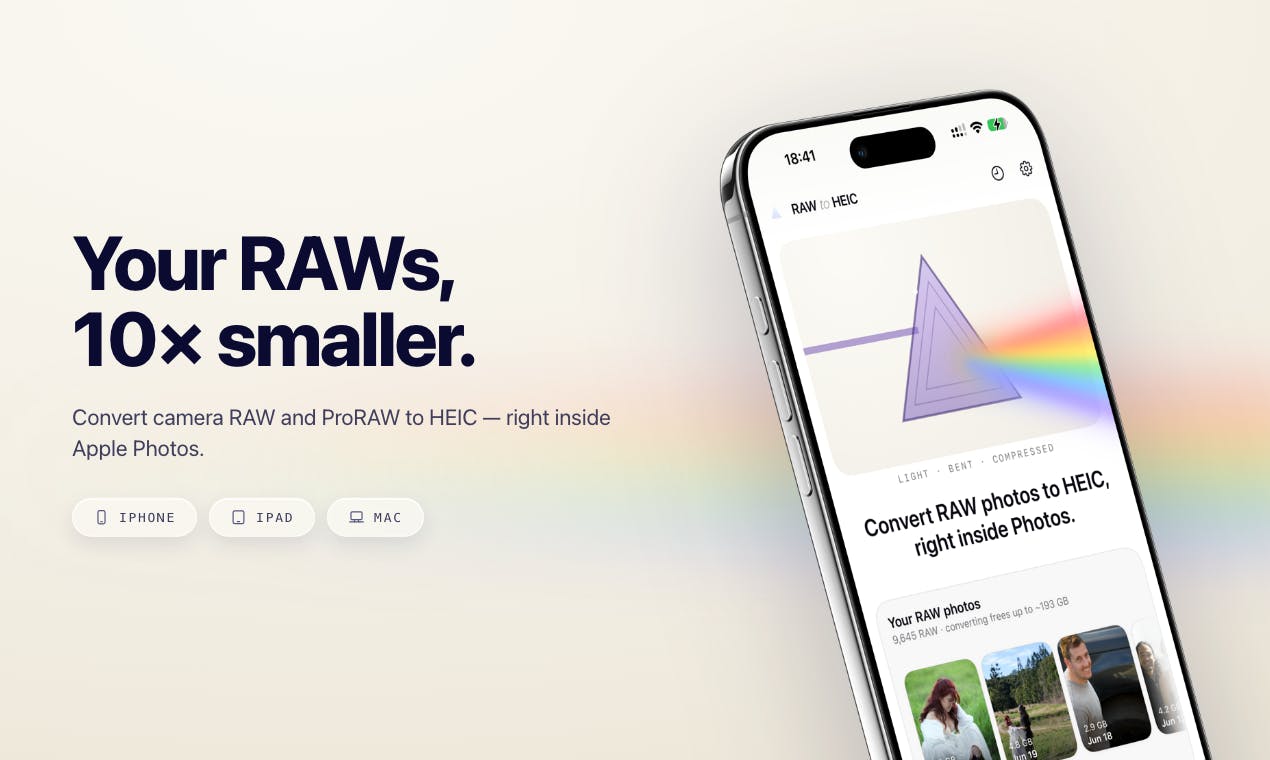
RawToHEIC is a utility that integrates into Apple's Share Sheet, letting users convert RAW and ProRAW photos to HEIC format directly within the Photos app on iPhone, iPad, and Mac. It reduces file sizes by up to 10x while preserving edit history, album organization, and metadata. All processing happens entirely on-device with no cloud uploads or account requirements, making it ideal for archiving post-processed photos and freeing up storage.
The Photographer's Storage Dilemma
For photography enthusiasts who shoot ProRAW on iPhone and iPad, or import camera RAW files into the Apple ecosystem, storage space has always been an unavoidable pain point. A single RAW photo can easily reach tens of megabytes, and even Apple's own ProRAW format takes up significantly more space than standard photos. Once hundreds or thousands of RAW files accumulate in your photo library, storage pressure builds up fast.
RawToHEIC, recently launched on Product Hunt, targets exactly this niche need. Its core function is straightforward: convert RAW and ProRAW files to HEIC format directly within Apple Photos, reducing file size by up to 10x. The product garnered 70 upvotes after launch, ranking 11th on the daily leaderboard in the Photography category.
Key Highlights: Seamless Integration and Local Processing
Deep Integration with the System Share Sheet
RawToHEIC's most clever design choice is its deep integration into the system Share Sheet. Users don't need to open a standalone app — simply select RAW photos in the Photos app and trigger the conversion through the standard share action. This design dramatically lowers the barrier to use, embedding the conversion process into users' existing workflows across iPhone, iPad, and Mac.
Compared to traditional third-party conversion tools that require exporting, processing, and re-importing, this "convert in place" experience is far smoother. For users who regularly need to batch-process RAW files, the efficiency gains are significant.
Full Preservation of Edit History, Album Organization, and Metadata
Notably, RawToHEIC promises to preserve photos' edit history, album assignments, and metadata during conversion. This is especially important for photography professionals — format conversion often risks losing shooting parameters (EXIF), GPS location data, or post-processing adjustments. RawToHEIC's commitment to fully preserving this information shows it's more than a simple compression tool — it maximizes photo integrity while saving space.
A Privacy-First Design Philosophy
In an era of growing data privacy awareness, RawToHEIC emphasizes its fully local processing approach: all conversions happen on-device, no data is uploaded to the cloud, no account registration is required, and there's no analytics or tracking whatsoever.
This design aligns perfectly with Apple's longstanding commitment to privacy protection. For users with large libraries of personal photos, there's no need to worry about images being uploaded to third-party servers or deal with tedious account registration. This "zero trust cost" positioning creates a clear differentiator among similar RAW conversion tools.
The Advantages of HEIC and the Conversion Trade-offs
Why HEIC?
HEIC (High Efficiency Image Container) is the high-efficiency image format Apple adopted starting with iOS 11, based on HEVC encoding technology. It can compress files to roughly half the size of JPEG while maintaining comparable image quality. Compared to RAW files, the compression ratio is even more impressive. RawToHEIC's claim of "up to 10x size reduction" leverages HEIC's significant compression efficiency advantage.
Trade-offs Worth Understanding
That said, users should understand the trade-offs behind converting RAW to HEIC. RAW files are large precisely because they retain the raw sensor data, providing maximum latitude for post-processing adjustments. Once converted to HEIC — while still a relatively high-quality format — the result is essentially lossy compression, and some degree of post-editing flexibility is inevitably lost.
Therefore, RawToHEIC is best suited for photos that have already been post-processed and are ready for archival to save space, or for everyday shots where ultimate image quality isn't critical. For professional creative assets that require deep post-processing, keeping the original RAW files remains the safer choice.
Summary: A Small but Precisely Targeted Tool
RawToHEIC is a quintessential "small but beautiful" utility product. Rather than chasing feature bloat, it precisely solves a specific pain point for Apple ecosystem users dealing with RAW file storage. Its seamless Share Sheet integration, meticulous metadata preservation, and thorough local-processing privacy commitment together form the product's core competitive strengths.
Built by indie developer Sandro Gumz, RawToHEIC also demonstrates the ability of independent developers to uncover user needs in niche scenarios. For iPhone photography enthusiasts perpetually haunted by storage warnings, it offers a solution worth trying. Of course, whether to adopt it still depends on your personal balance between image quality and storage space.
Related articles

AI-Powered SRC Vulnerability Hunting: A Hands-On Guide to Building the Hermes Agent Workbench
Based on a hands-on Bilibili video: how to build an AI-powered SRC vulnerability hunting workbench—three-step method, four report elements, Agent mode vs web chat, and tool selection.

CLI-Anything Complete Beginner's Guide: How AI Operates Software — Principles and Practice
A complete beginner's guide to CLI-Anything: how AI Agents operate professional software via the command line, covering the three-layer architecture, CLI Hub installation, DrawIO practice, generator principles, and limits.

Carbon-X: A 14.8B Open-Source Model That Handles DNA and Text Simultaneously
Carbon-X is a 14.8B open-source multimodal model on Hugging Face where DNA and text share a token stream. 6-mer tokenization, 302B token mid-training, deployable on a single 80GB GPU, 66.7% average on five DNA benchmarks, Apache 2.0 license.