Review Box: Efficient GitHub PR Review with a Desktop App
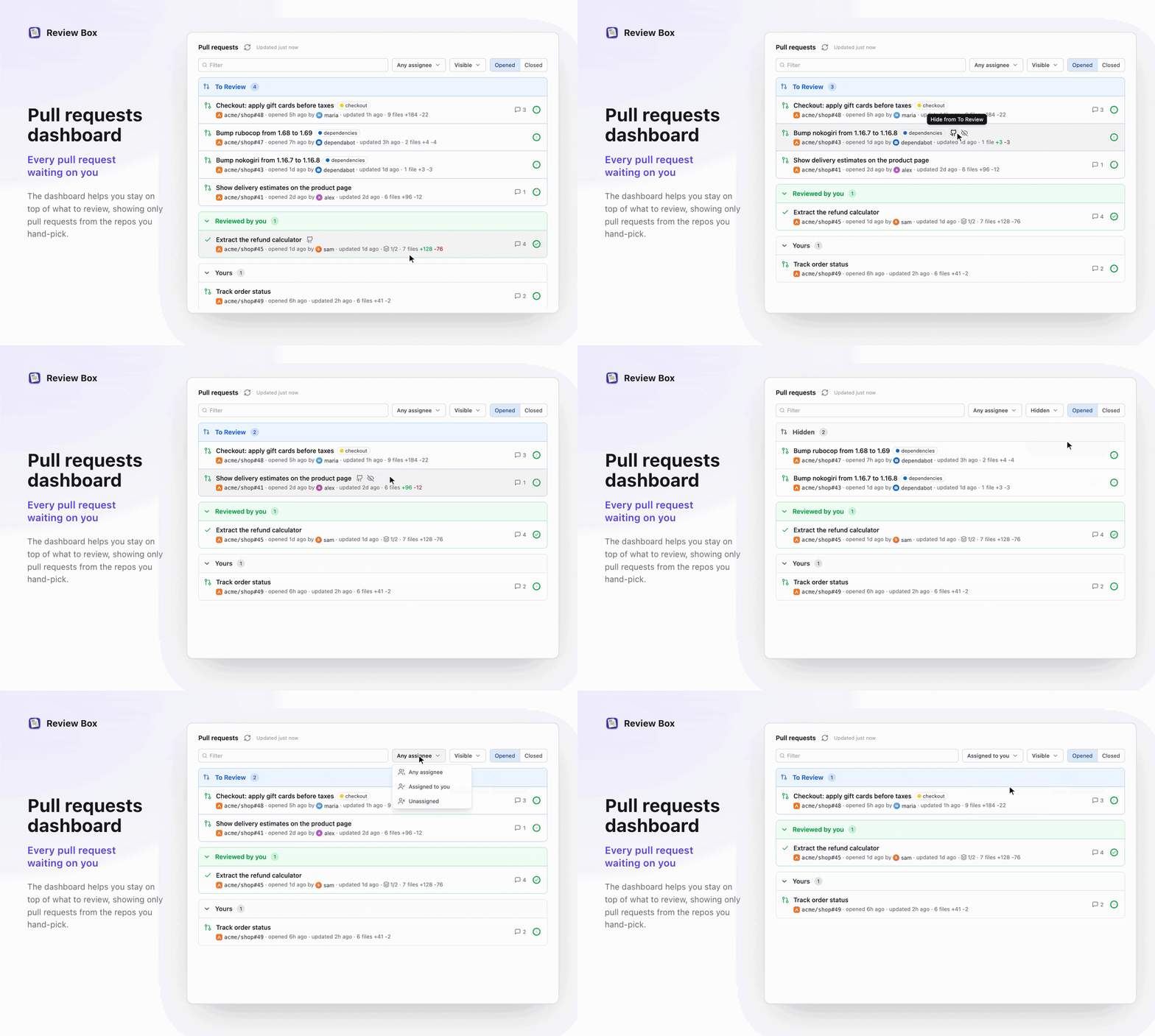
Review Box is a desktop tool that accelerates GitHub PR reviews with symbol navigation, full-PR search, and AI Q&A.
Review Box is a desktop app by Radoslav Stankov positioned as a fast GitHub Pull Request review tool, addressing pain points of the web interface in large PRs such as slow file switching, missing symbol navigation, and limited search. Core features include marking reviewed files, jumping to symbol definitions and usages, full-PR search, and asking AI about changes. The desktop form factor offers local rendering performance and shortcut integration but adds install/maintenance costs and GitHub-only support. It received 86 upvotes on Product Hunt, ranking 10th in Productivity, targeting developers, tech leads, and open-source maintainers who frequently review large PRs.
Why do we need a dedicated PR review tool?
While GitHub's web interface is feature-rich, developers often feel overwhelmed when handling large or complex Pull Requests: slow file switching, missing symbol navigation, limited search scope, and let's not even mention quickly understanding the intent of code changes during review. Review Box is a desktop app built for exactly these pain points—positioning itself as "a tool for fast GitHub PR reviews," attempting to bring code review back to focus and efficiency with local performance and enhanced navigation.
According to its Product Hunt page, Review Box has received 86 upvotes and 13 comments, ranking 10th in the Productivity category for the day. Built by Radoslav Stankov, the tool emphasizes "speed" and "intelligence," with core features including tracking reviewed files, jumping to symbol definitions and usages, full-PR search, and asking AI about code changes.

Core features: from tracking to AI Q&A
Review Box's feature design revolves around the review workflow, aiming to reduce the cognitive burden of context switching.
Track reviewed files
In large PRs, developers often need to complete reviews across multiple sessions. Review Box lets you mark files as reviewed, avoiding repeated browsing or omissions. This feature seems simple but can significantly improve efficiency during long reviews, especially for collaborative scenarios requiring multiple rounds of feedback.
Jump to symbol definitions and usages
Code review isn't just about reading diffs—it's about understanding the scope of impact of changes. Review Box provides the ability to jump to symbol definitions and find usages, allowing reviewers to quickly trace the origin and destination of functions, variables, or classes within the context of the PR. This is similar to the code navigation experience in an IDE, but focused on the PR's changeset, helping reviewers make more accurate judgments.
Go to Definition / Find Usages is a fundamental navigation feature in integrated development environments (IDEs). Its principle relies on the Language Server Protocol (LSP) or compiler indexing to build a symbol table of the source code, enabling precise cross-file navigation. In code review scenarios, this capability is particularly critical: reviewers need to quickly confirm where a function is called and in which branches a variable is modified to assess the impact scope of changes. Traditionally, such features only existed in local IDEs, but Review Box brings them into the PR review interface, meaning reviewers can trace symbols within the context of the changeset without cloning the repository or switching to an editor—greatly reducing the cognitive cost of understanding code changes.
Full-PR search
GitHub's search is typically limited to the current file or repository, while Review Box supports searching across the entire PR. Whether you're looking for an error code, a configuration item, or a specific pattern, you can locate it with one click, saving the trouble of manually flipping through multiple files.
Ask AI about changes
Review Box integrates AI Q&A functionality, allowing reviewers to ask questions about code changes. For example, you can ask about the intent of a modification, its potential impact, or alternative approaches. This adds an intelligent assistant to the review process, especially useful for unfamiliar codebases or complex logic changes. However, the accuracy of AI answers still requires the reviewer's own judgment—the tool itself does not replace human decision-making.
Integrating large language models (LLMs) into the code review process is an important trend in developer tools in recent years. The typical approach is to feed the PR diff, relevant file context, and the reviewer's natural language question together as a prompt into the model, which generates explanations, risk warnings, or improvement suggestions. The value of such features lies in helping reviewers quickly understand unfamiliar codebases or complex logic, but it also raises two concerns: first, the model may produce plausible but actually incorrect answers (i.e., "hallucinations"); second, sending code snippets to a third-party service may raise data privacy and compliance risks. Therefore, reviewers should treat AI output as auxiliary reference rather than final conclusion, and confirm the tool's data processing policy when sensitive code is involved.
Advantages and potential limitations of a desktop app
As a desktop app, Review Box has inherent performance advantages: local rendering avoids web latency, and loading and scrolling large PRs is smoother. Meanwhile, the desktop can integrate system shortcuts and window management more deeply, aligning with developers' long working habits.
However, a desktop app also means additional installation steps and update maintenance. For developers accustomed to doing everything in the browser, the switching cost is not negligible. Additionally, Review Box currently focuses only on GitHub and has not mentioned support for other platforms (such as GitLab or Bitbucket), which may limit its audience.
The architectural differences between desktop and web apps directly determine the experiential divide between the two in code review scenarios. Web apps are constrained by the browser's rendering engine, network request latency, and sandbox security model, making them prone to stuttering when handling diffs of thousands of lines; desktop apps, on the other hand, can access the local file system, use native rendering pipelines, and cache repository data for instant response. Furthermore, the desktop can register global shortcuts and support multi-window parallel reviews, better fitting developers' habits of long, high-intensity work. However, desktop apps also face distribution and update challenges: users need to manually download and install, version upgrades depend on auto-update mechanisms, and cross-platform (macOS, Windows, Linux) adaptation costs are higher—all factors to weigh when evaluating such tools.
Who is Review Box for?
Review Box's target users are developers, tech leads, and open-source maintainers who frequently conduct code reviews. If you often handle large PRs or want to navigate code quickly without leaving the keyboard, this tool is worth trying. For developers who review code occasionally, the GitHub web version may already suffice, but Review Box's AI Q&A and symbol navigation may still bring efficiency gains.
Currently, Review Box has received positive feedback on Product Hunt. Although the number of comments is small, it indicates that early users recognize its core value. The makers team states it will continue iterating, and more intelligent features may be added in the future.
Conclusion: a lightweight but targeted efficiency tool
Review Box doesn't try to reinvent code review; instead, it offers pragmatic solutions to specific pain points in GitHub PR reviews. Its fast navigation, full-PR search, and AI integration form a coherent review assistance experience. Although the desktop form factor and platform limitations may make some developers hesitate, for teams pursuing efficiency, it's a choice worth paying attention to.
In an era of increasingly abundant AI-assisted development tools, Review Box has a clear positioning: to be the accelerator for GitHub PR reviews. Its emergence also reminds us that innovation in developer tools often comes from subtle insights into existing workflows, rather than grand restructuring.
One-line Summary
Review Box is a desktop tool that accelerates GitHub PR reviews with symbol navigation, full-PR search, and AI Q&A.
Paragraph Summary
Review Box is a desktop app built by Radoslav Stankov, positioned as an efficiency tool for fast GitHub Pull Request reviews, aimed at solving pain points of the GitHub web interface in large PRs such as slow file switching, missing symbol navigation, and limited search scope. Its core features include marking reviewed files, jumping to symbol definitions and usages, searching across the entire PR, and asking AI about code changes. The desktop form factor brings performance advantages from local rendering and shortcut integration, but also comes with installation and maintenance costs and the platform limitation of GitHub-only support. The tool has received 86 upvotes on Product Hunt, ranking 10th in the Productivity category, targeting developers, tech leads, and open-source maintainers who frequently review large PRs.
Related articles

Zed Editor Releases v1.29.2: Observations on a Routine Version Iteration
Zed editor releases patch v1.29.2, version bump by @JosephTLyons, commit verified via GitHub signature. This article covers the release's basic info, what a patch version means, and practical upgrade advice for users.

Anthropic IPO Questioned: Hacker News Debates Timing of Going Public
A Hacker News post titled "Just say no to Anthropic's IPO" sparks debate on the timing of Anthropic's public listing and AI capitalization, touching on valuation bubbles and mission independence.

Hands-On with the Genie 4 World Model: Directing Worlds in Real Time Like a Puppeteer
Google DeepMind's Genie 4 world model in depth: Special Guest X's hands-on demo of real-time scene direction via prompts, custom interactive apps in Project Genie, and prompts-as-seeds reproducibility.