Running Local LLMs on a Regular Home PC: Which Models Are Actually Worth Keeping?
Mini PC test shows MoE models make 26B faster than dense 12B, and Qwen3 27B runs fine on regular hardware.
A Bilibili creator systematically tested local LLMs on a Geekom A9 Max mini PC with BIOS-adjustable VRAM set to 24 GB. The key finding: MoE architecture is decisive for home use — a dense 12B model managed ~10 tok/s, while a 26B MoE model hit 31 tok/s and a 36B Qwen3 MoE reached 38 tok/s. The two keepers were Qwen3 27B (~14 tok/s, next-gen quality) and Gemma 26B MoE (faster, complementary). Ollama's overhead versus raw llama.cpp was negligible, and BIOS-level VRAM control proved critical for loading 27B-class models.
Beyond workstations with hundreds of gigabytes of RAM and professional GPUs, more and more people are asking a far more practical question: what local large language models can an ordinary home computer actually run? Rather than demo on a high-end desktop, this Bilibili creator chose a compact mini PC, tested everything from small to heavyweight models, and narrowed it down to a combination that's genuinely useful for everyday tasks.
Why Use a Mini PC for Testing
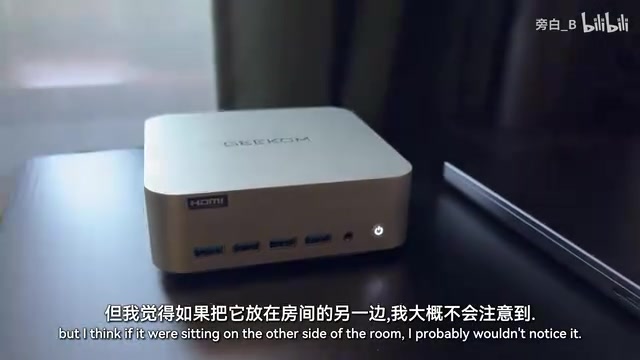
The creator deliberately set aside his own desktop — one loaded with a powerful GPU and over 100 GB of RAM — and used a Geekom A9 Max mini PC as the test platform instead. The reasoning was practical: he didn't need a second full-size tower, the compact form factor works better on a desk, the processor and GPU are reasonably balanced, and the machine comes with an active cooling system designed specifically for this hardware.
The real deciding factor was the BIOS. This particular mini PC allows you to customize how memory is split between system RAM and VRAM — in testing, he set VRAM to 24 GB, giving him fine-grained control over how large a model he could load. That kind of flexibility is uncommon on consumer mini PCs.
The entire test ran in headless mode, accessed over a local network via SSH and tmux. He chose Ollama as the runtime rather than dropping down to raw llama.cpp. His explanation was straightforward: Ollama uses llama.cpp under the hood, and after recent optimizations the overhead is negligible — no need to wrestle with lower-level tooling for this use case. All models were run with Q4_K_M quantization and default settings.
Step-by-Step Testing: Small to Large
The approach was to start small and work up, looking for the sweet spot where response quality is as high as possible while speed remains acceptable. The single core metric: token generation speed.
Small Models: Effortlessly Fast
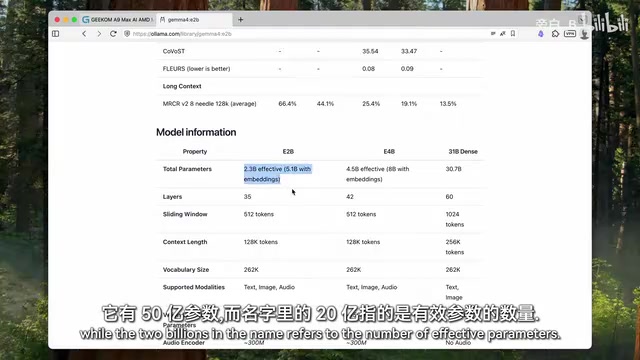
He started with the smallest model in the Gemma family, the one with "E6B" in its name. He took a moment to clear up a common misconception: that number doesn't refer to the total parameter count — it refers to the number of effectively activated parameters, the ones actually doing computation at each token generation step. That architecture is precisely what makes the model fast. Measured speed exceeded 46 tokens/sec, with no strain on the hardware whatsoever.
Mid-Size Dense Models: Noticeable Slowdown
Next up was the 12-billion-parameter dense Gemma model. "Dense" means all 12 billion parameters are used for every single token — no shortcuts. Speed dropped to just over 10 tokens/sec. Noticeably slower, but still within an acceptable range in the creator's view.
During the run, he switched to btop (an open-source resource monitor) to check the load: GPU was maxed out, CPU was not — a sign that compute was correctly offloaded to the graphics card. VRAM still had nearly two-thirds free, leaving headroom for larger models. The cooling fan kicked into higher gear at this point; he described it as "quiet" up close, and essentially inaudible from across the room.
20 Billion Parameters: A Speed Surprise from MoE
Switching to OpenAI's GPT-OSS 20B, speed jumped back up to over 21 tokens/sec — nearly double that of the dense 12B model. For a 20-billion-parameter model, that's a striking result, and he decided immediately to keep it.
Q4_K_M is a specific quantization format for large language models. The basic idea behind quantization is to store model weights at reduced precision — from the original 32-bit or 16-bit floats — in exchange for smaller file sizes and lower VRAM usage, at the cost of some accuracy. Q4 means weights are stored as 4-bit integers. K refers to the "K-quant" family introduced by llama.cpp, a grouped quantization scheme that applies different precision levels to different layers, preserving more precision where it matters most. M stands for "Medium" — a balance between compression rate and quality. By comparison, Q4_K_S (Small) is more aggressive, and Q4_K_L (Large) retains more precision. For a 27B-parameter model, the original BF16 weights require roughly 54 GB of VRAM; Q4_K_M compresses that to around 15–17 GB, making it fit within the test machine's 24 GB VRAM. This is why quantization isn't optional for running large models on consumer hardware — it's a prerequisite.
Heavyweight Models: Where MoE Architecture Makes the Difference
The real gap opened up with large models using a Mixture of Experts (MoE) architecture. These models have large total parameter counts, but only activate roughly 3–4 billion parameters per step — which lets them deliver high-quality output while still running at respectable speeds.
Gemma vs. Qwen: Head to Head
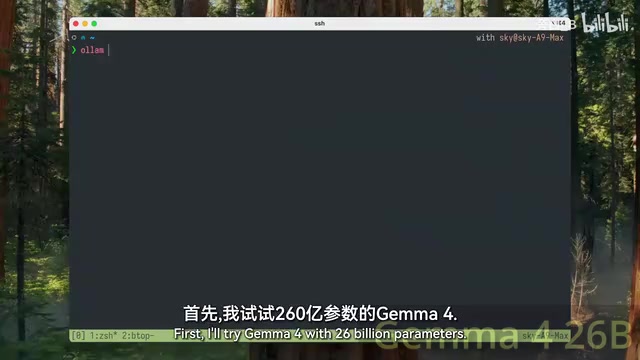
The 26-billion-parameter Gemma (MoE) hit nearly 31 tokens/sec — about a third faster than the 20B GPT-OSS. The 36-billion-parameter Qwen3 went even further — nearly 38 tokens/sec, which exceeded the creator's expectations; he'd assumed the two would be roughly comparable.
One interesting detail: Qwen's total response time was nearly double Gemma's, which sounds contradictory. The reason: after generating the JSON, Qwen ran a self-check pass to verify the file was correct and look for duplicate information across elements. That's a sign of output quality awareness, not a speed weakness.
Qwen3 27B: Pushing the Machine to Its Limits
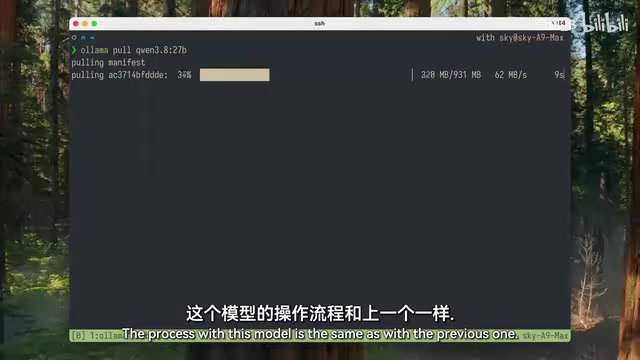
The final model was the recently released 27-billion-parameter Qwen3. Resource usage was pushing close to this machine's ceiling, but VRAM was still sufficient, the model loaded fine, and speed came in at nearly 14 tokens/sec. Slower than the MoE models above, but given that it's a newer and more capable generation of model, the takeaway is clear: you don't need a high-end workstation to run Qwen3 27B — a modern mid-range PC can handle it.
The core idea behind the Mixture of Experts (MoE) architecture is to divide the model into multiple "expert" sub-networks, with a lightweight gating network dynamically selecting a small number of experts to activate for each inference step — rather than running all parameters as a dense model does. This means the model's total parameter count can be large (improving knowledge capacity and expressive power) while the activated parameter count stays small (reducing per-step compute). For example, a MoE model with 26 billion total parameters might only activate 3–4 billion per step, making it computationally comparable to a much smaller dense model — and far faster than a dense model of equivalent total size. The main challenge with MoE is that all expert weights must remain resident in VRAM, so even though computation is fast, VRAM usage doesn't shrink proportionally. This is exactly why the BIOS-adjustable VRAM in this test is so significant — a model that doesn't fit in VRAM simply can't run, no matter how fast the architecture.
The Final Two Models Worth Keeping
It's worth noting that this test focused solely on token generation speed, using all default parameters. The goal wasn't to squeeze every last bit of performance from any single model, but to figure out which models are meaningfully usable on a regular PC. Fine-tuning is the next step.
With that in mind, the creator settled on two models to keep on this mini PC:
- Qwen3 27B: The clear winner of this session. A next-generation model with acceptable speed, and likely to get faster after fine-tuning.
- Gemma 26B (MoE): From a different model family, noticeably faster, and an excellent complement to Qwen.
He also teased a follow-up video on using these two models in combination.
Practical Takeaways for Everyday Users
The most valuable conclusions from this test aren't the specific tokens-per-second numbers — they're the transferable judgments:
MoE architecture is the key factor for home use. At equivalent parameter scales, the difference between a dense model (12B at ~10 tokens/sec) and a MoE model (26B at 31 tokens/sec) is enormous in practice. When evaluating models, look at activated parameters, not total parameters — that's what actually determines real-world speed.
Adjustable VRAM allocation raises the ceiling. Being able to set VRAM to 24 GB in the BIOS was directly responsible for whether this machine could load 27B-class models at all. This is an easy-to-overlook spec when shopping for a home AI PC.
Ollama is good enough. For the vast majority of users, there's no reason to wrestle with raw llama.cpp or vLLM for a performance difference that's barely measurable.
For anyone looking to set up a local AI on their own computer, this test provides a clear, grounded baseline: a mainstream mid-range modern machine is fully capable of running next-generation 20B–27B class models for everyday use.
Related articles

OpenAI Claims to Have Cracked Navier-Stokes — But Who Really Deserves the Credit?
OpenAI reportedly used 10,000 agents to solve the Navier-Stokes Millennium Problem in 88 hours. But the unverified claim has sparked fierce debate over credit attribution and AI ethics.

India's New Rules Force Caller ID Apps to Share Spam Data with Telecom Operators
India's regulator requires Truecaller and other caller ID apps to share spam data one-way with telecom operators, sparking debate over proprietary assets and data governance.

MiniMax Ref2VA in Action: Transforming Cartoon Animation into Live-Action Video
A Reddit creator used MiniMax H3 Ref2VA to transform Dungeons & Dragons cartoon animation into live-action video. We break down how reference-driven AI video generation works and its current limitations.