Running Local LLMs on a ThinkPad T14: What Can Pure CPU Inference Do with 48GB RAM?

A ThinkPad T14 with 48GB RAM can run 7B local models fine — great for learning, not for serious coding workflows.
Using a Lenovo ThinkPad T14 Gen 2 with an Intel i7-1165G7 and 48GB DDR4 RAM as a concrete case, this article sets realistic expectations for running local LLMs on non-high-end hardware. The 48GB of RAM comfortably fits quantized 7B–14B models, but the absence of a discrete GPU means CPU-only inference — resulting in slow generation speeds, significant heat output, and a user experience far below cloud services. 7B models are the performance sweet spot. The recommended strategy is to run small models locally for learning and experimentation, and switch to cloud services for real production tasks.
Introduction: A Real-World Local AI Exploration Case
With frameworks like Ollama and LM Studio gaining traction, more and more developers are experimenting with running AI models directly on their own machines rather than relying entirely on cloud APIs. The motivations range from privacy and cost concerns to pure technical curiosity.
Recently, a Reddit user posed a very concrete question: he has a Lenovo ThinkPad T14 Gen 2 equipped with an Intel i7-1165G7 processor (2.80GHz) and 48GB of DDR4 RAM, running Fedora 44, and using Ollama through Msty Studio. His question was — what local models can this decidedly mid-range business laptop actually run? And can it handle Web front-end development assistance?

The question seems simple, but it represents the genuine confusion shared by a huge number of users without high-end hardware. This article breaks down realistic expectations for running local LLMs on this specific configuration.
Hardware Breakdown: The Real Compute Power of the ThinkPad T14
CPU and Memory Analysis
Let's start with the key specs. The i7-1165G7 is a low-power (U-series) processor from Intel's 11th-generation Tiger Lake architecture — 4 cores, 8 threads, optimized for the efficiency-to-performance ratio of thin-and-light laptops rather than raw throughput. Its integrated Iris Xe graphics handles light graphical workloads reasonably well, but there's no discrete GPU and no dedicated AI acceleration unit.
The real standout here is the 48GB of DDR4 RAM. For local LLMs, memory capacity matters more than most people expect — without a discrete GPU, model weights must be loaded entirely into system memory and processed by the CPU. 48GB provides substantial headroom when it comes to simply fitting a model into memory.
The Core Bottleneck: CPU-Only Inference Performance Ceiling
One reality must be stated clearly: this is a CPU-only inference machine. That defines its performance ceiling. CPU inference is typically orders of magnitude slower than GPU inference. The "heat issue" the user mentioned is a direct symptom of the CPU running at full load for extended periods — during inference, every core is maxed out, and power consumption and temperatures spike accordingly.
Model Selection: Real-World Performance at Different Parameter Scales
Balancing Parameter Count and Quantization
Based on this hardware configuration, here's a practical breakdown of model choices:
-
7B-class models (4-bit quantization): This is the sweet spot. Models like Llama 3.1 8B, Qwen2.5 7B, and Mistral 7B use only 4–5GB of RAM after 4-bit quantization — well within the 48GB budget. Generation speed lands around a few to roughly a dozen tokens per second, which is usable for Q&A and basic code completion, though the typewriter-style output pace will be noticeable.
-
13B–14B models (4-bit quantization): Memory is still sufficient, but speed drops further to around 2–5 tokens per second. The conversational experience starts to feel frustrating. Better suited for non-real-time batch tasks.
-
30B and above: Technically, 48GB can fit a 4-bit quantized 32B model, but inference speed will be slow enough to make interactive use nearly impractical — potentially under 1 token per second.
Coding Assistance Experience for Web Front-End Development
The user was particularly interested in front-end and Web development assistance. To be honest: on a CPU-only setup, the local model coding experience falls noticeably short of cloud services like GitHub Copilot, Claude, or GPT-4.
7B-class code models like Qwen2.5-Coder 7B and DeepSeekAd-Coder can understand common HTML/CSS/JavaScript requests and generate basic component code. But for complex logical reasoning, large context understanding, or anything requiring real-time responsiveness, neither the speed nor the quality can support a truly efficient development workflow.
Practical Advice: A Hybrid Strategy of Local Exploration and Cloud Supplementation
Treat Local LLMs as a Learning Tool
Given the user's stated goal of "learning the capabilities and limits of local hosting," this T14 is actually an excellent learning platform. It's more than capable of letting you:
- Grasp core concepts like model quantization, context windows, and token generation speed
- Get hands-on with Ollama's model management, API calls, and integrations
- Directly compare how models of different parameter sizes perform on the same hardware
Managing CPU Inference Heat
For the heat issue, some practical mitigations include: limiting the number of concurrent inference threads, using more aggressive quantization formats (e.g., Q4_K_M instead of Q8), reducing context length, and ensuring adequate airflow and cooling. These steps can alleviate temperature somewhat, but they can't fundamentally change the high-load nature of CPU inference.
When a Cloud Subscription Makes More Sense
The user himself mentioned "might need to consider a monthly subscription" — and that's actually a rational call. If the goal is real productivity, especially for coding assistance, cloud subscription services offer far better value than pushing local LLMs on this hardware. A more sensible approach: run small models locally for experimentation and learning, and switch to the cloud when high-quality output actually matters.
Conclusion: Memory Determines Capacity, GPU Determines Experience
The ThinkPad T14 Gen 2 with 48GB of RAM is a capable "entry-level local AI machine" — it lets you fully explore the local LLM ecosystem and how these models operate, and it handles 7B-class models for light tasks and learning without any problem. But its CPU-only architecture means it can't serve as a serious productivity tool.
For anyone considering local deployment, this case offers a clear lesson: memory determines how large a model you can fit; the GPU (or lack thereof) determines how enjoyable the experience will be. Define whether your goal is "learning" or "production" first, and you'll be able to make the right technology choice.
Related articles
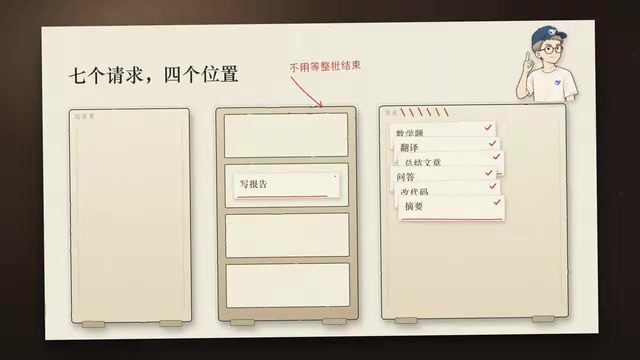
DeepSeek Open-Sources DeepInfer: What Is an Inference Framework Actually For?
DeepSeek open-sources its inference framework DeepInfer under Apache 2.0, supporting DeepSeek V4.1 Flash offline inference. This article explains its request scheduling, FlashMLA/DeepGEMM compute optimization, DSPark speculative verification acceleration, and what it means for developers and ordinary users.
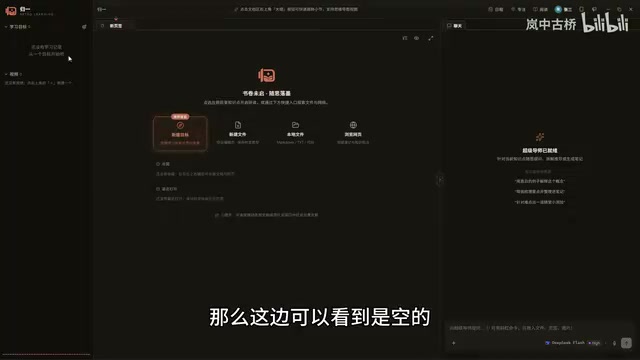
Open-Source AI Learning Agent: A Full Workflow Experience from Topology Graphs to Exam Generation
Explore an open-source AI learning agent: built on DeepSeek API, it constructs knowledge systems via topology graphs, with automatic document generation, notes, super documents, and exams. Learn about its Agent workflow and design highlights.

DeepSeek Whale Girl Open-Source MV Meme: AI Industry Coded Slang About Pivoting to Closed Source
Bilibili's DeepSeek Whale Girl rap MV uses fictional memes to tease the AI open-source vs. closed-source debate, with lyrics full of industry slang. This article explains the meme culture, the Whale Girl symbol, and the open/closed tension.