Shot.video: Turn Old Phones Into a Multi-Camera AI Editing Studio
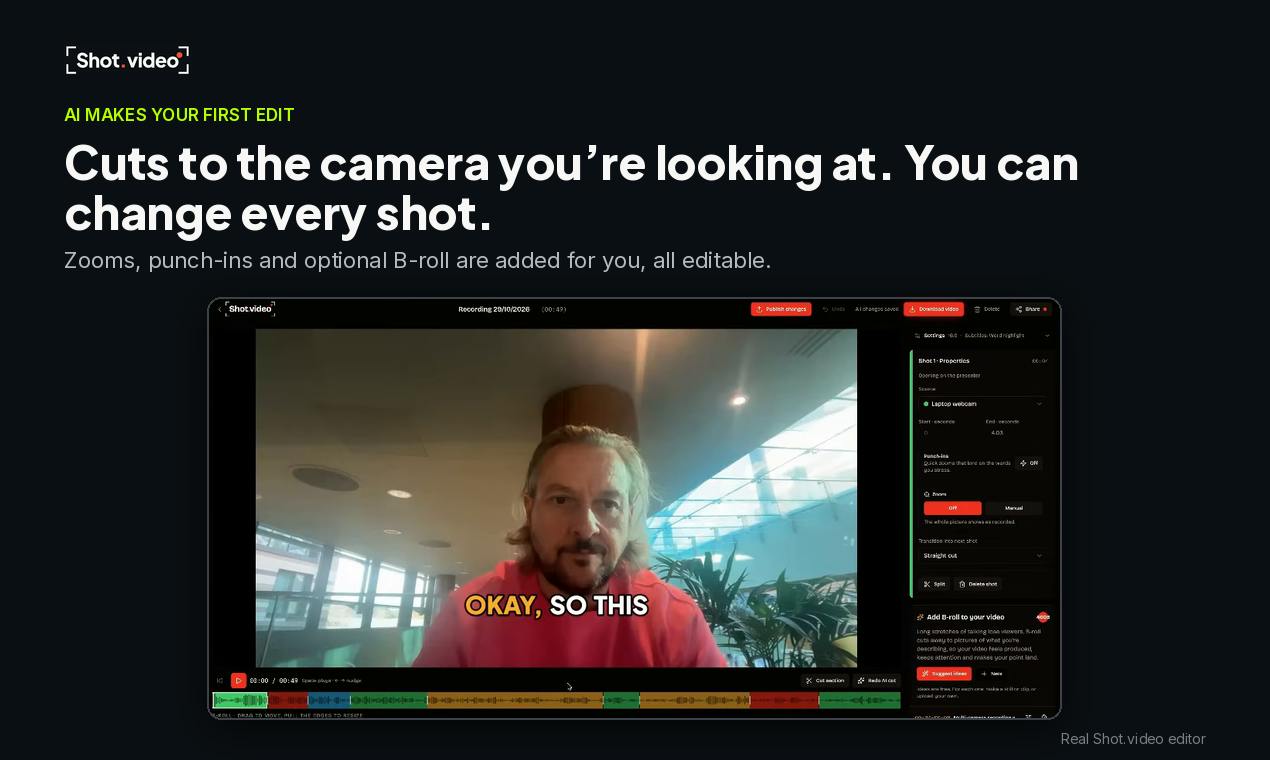
Shot.video turns phones into multi-camera rigs via QR codes and lets AI make the first cut.
Shot.video is a lightweight multi-camera recording tool ranked #6 on Product Hunt: scan a QR code and idle phones join a browser-based recording session with no app install; one record press starts all angles in sync. After recording, AI auto-switches cameras based on where you're looking, adds zooms, punch-ins, and optional B-roll for a first cut you can freely edit. It's ideal for interviews, podcasts, and tutorials, though strict commercial shoots and highly customized editing needs may still warrant caution.
Multi-camera shoots usually mean expensive gear and complex synchronization workflows, which keeps most creators away. Shot.video, a new product ranked #6 on Product Hunt, proposes a lightweight alternative: turn your laptop and idle phones into a multi-camera recording system, then let AI produce the first cut.
Where's the Real Barrier to Multi-Camera Shooting?
Traditional multi-camera production requires multiple cameras, synchronized timecodes, and manual clip alignment in post—any single failure slows down the whole pipeline. Shot.video's approach sidesteps hardware purchases and professional software: scan a QR code and a phone becomes a new camera angle, with no app installation required. Press record once and every angle starts recording in sync.
What this design really lowers is the "cost of trying." Creators no longer need to prove they need multi-camera before they can get it—the devices already on hand are enough to start.
Timecode is a standardized time label used in film and video production to identify the position of each frame, typically formatted as "hours:minutes:seconds:frames." In multi-camera shoots, if devices don't share a unified timecode, editors must manually find the sync point for each angle in post (e.g., a clap or flash), and the workload grows exponentially with the number of angles. Professional solutions include cameras that support timecode sync, external synchronizers, or audio-sync software. Shot.video bypasses this step through a "single trigger, simultaneous multi-device recording" design—essentially replacing hardware-level timecode sync with unified scheduling at the software layer.
How App-Free Onboarding and Synchronized Recording Work
Based on the product description, phones join a recording session by scanning a code, and the browser acts as the capture client—this is the key to making "no app installation" possible. Multiple video feeds start recording at the same trigger point, saving the hassle of aligning timecodes later in editing.
What's worth noting is the boundary of device compatibility: the description only mentions "laptops and phones" without listing specific models or system requirements. For users hoping to reuse old devices, this remains something that needs real-world testing to confirm.
Phones joining a recording session by scanning a code, with the browser acting as the capture client, relies on modern mobile browsers' support for WebRTC and the MediaDevices API. WebRTC provides low-latency real-time audio/video transmission, while the MediaDevices API lets web pages access the camera and microphone—this is the technical foundation that makes "no app installation" possible. However, support for these capabilities varies across systems and browsers (for example, iOS has historically been more restrictive about web-based camera access), so real-world usability often depends on browser version and operating system—which is why users need to test things themselves when the product description doesn't list a compatibility matrix.
AI First Cut: Camera Switching, Punch-Ins, and B-roll
After recording ends, AI generates the first cut. Its decision logic is based on "which camera you're looking at"—automatically switching to the camera currently in focus and layering in zooms, punch-ins, and optional B-roll footage.
This logic mirrors real editing habits: the first step in multi-camera work is selecting the primary shot. Handing this step to AI lets creators jump straight into fine-tuning. The product also explicitly preserves room for edits—AI output is a starting point, not a final cut.
B-roll refers to supplementary footage beyond the main shot (A-roll, usually a talking-head or interview shot of a person)—such as environmental cutaways, product close-ups, or action details—used in editing to cover jump cuts, add information, or adjust pacing. In traditional production, B-roll must be shot separately and manually inserted in post. The "optional B-roll" mentioned by Shot.video means AI will automatically insert such supplementary footage alongside main-camera switching, and the results depend heavily on the quality of the asset library or user-provided clips—one of the reasons AI first cuts work better as a starting point that requires human review.
Who It's For, and Who Should Wait
Interviews, podcasts, tutorial recording, and solo talking-head videos are natural fits for this tool—these formats typically need two or three angles, but the team isn't large enough to justify a professional multi-camera setup.
There are also cases where waiting makes sense: for commercial shoots with strict image-quality requirements, the ceiling of phone sensors remains a hard constraint; for creators with highly customized editing styles, an AI first cut may serve more as a reference than a finished product. The product offers a free start with no credit card required, lowering the bar for validation.
One-Line Verdict
Shot.video's value isn't in replacing professional production workflows, but in turning "multi-angle storytelling" from a project that needs approval into something you can try on a whim. Once the device barrier is flattened, video quality will depend more on the content itself.
One-line Summary
Shot.video turns phones into multi-camera rigs via QR codes and uses AI to produce the first cut.
Paragraph Summary
Shot.video is a new product ranked #6 on Product Hunt, focused on lightweight multi-camera recording: scan a QR code and idle phones nearby join a recording session through the browser with no app installation required; press record once and all angles start in sync, eliminating the hassle of aligning timecodes in post. After recording, AI automatically switches cameras based on which angle the creator is currently viewing, layers in zooms, punch-ins, and optional B-roll, and generates a first cut that can be freely edited. The article argues its value lies in turning multi-camera from a project that needs approval into something you can try on a whim—well suited to interviews, podcasts, tutorials, and other small-to-medium scenarios; but for commercial shoots with strict image-quality demands and highly customized editing needs, it's worth waiting and watching.
Related articles
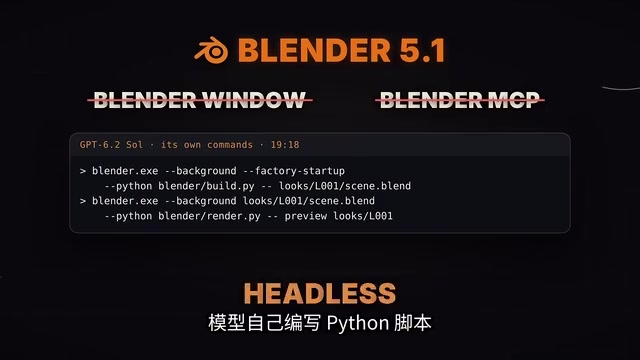
GPT-6.2 Dual-Model Hands-On Test: Astra Burns $419, Sol Just $5
OpenAI GPT-6.2 Astra vs Sol tested on Blender clock, neon shooter, and Formula racing. Astra costs $419, Sol $197, cheapest clock under $5. Cost comparison and selection advice.
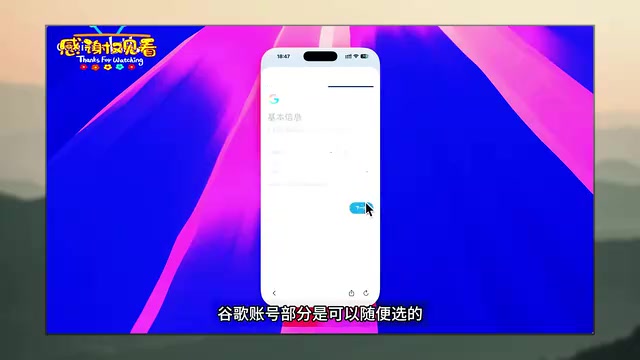
After GPT-6 Ultra's Launch: A Complete Guide to Plus/Pro Subscriptions
How to subscribe to GPT membership after GPT-6 Ultra's launch? This article covers the complete Bilibili tutorial: registering a Google account from scratch, Alipay top-up walkthrough, and a comparison of Go, Plus, and Pro plans.
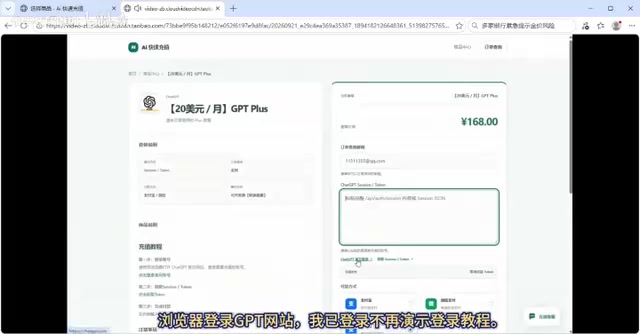
Real-World Test: Subscribing to ChatGPT Plus/Pro 5x/10x in China — Self-Service Channels and Account Maintenance Guide
A Bilibili creator tests self-service top-up channels for ChatGPT Plus and Pro 5x/10x in China, covering Session acquisition, plan selection, credit card and mobile in-app purchase pitfalls, plus account maintenance tips like fixed devices and networks to reduce ban risk.