Simulive One-Click Connect Claude/ChatGPT/Cursor to Your Workspace
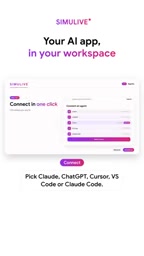
Simulive enables one-click connection to user-chosen AI, with fine-grained permissions and audit logs.
Simulive introduces a feature allowing users to connect Claude, ChatGPT, Cursor, VS Code, or Claude Code to their workspace with one click—no API key generation or copying needed, just log in and approve. Users can toggle AI access by area (members, series, real-time controls, billing), with anything not enabled staying off, reflecting least privilege. The agent takes natural language questions, reads authorized data, and hands it to the user's chosen AI; Simulive acts only as a secure channel, preserving model choice and cost control. Security includes three layers: user confirmation for every change, rate limiting, and audit logs. The article sees this as a shift from platform built-in AI to bring-your-own-AI integration, though integration depth across tools remains to be verified.
One-Click Connection, No API Key Copying
Simulive has launched a new feature that lets users connect their favorite AI assistants—such as Claude, ChatGPT, Cursor, VS Code, or Claude Code—to their workspace with a single click. This sounds like just another "integration," but its core logic is different: instead of making users adapt to a particular AI tool, it brings the AI they already trust directly into their workflow while maintaining fine-grained control over data access.
One-Click Connection, No API Key Copying
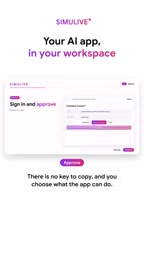
Traditionally, connecting third-party AI to a SaaS platform often requires generating API keys, configuring environment variables, and even writing a bit of code. Simulive's process is compressed into a few steps: open Agents in your workspace, select "Connect," pick Claude, ChatGPT, Cursor, VS Code, or Claude Code from the list, log in to Simulive, and approve.
According to the video demo, the entire process requires no key copying. This lowers the barrier for non-technical users and reduces the risk of key leakage. For teams, one less secret to manage means one less potential security vulnerability.
OAuth Authorization vs. API Keys: A traditional API key is a long-lived credential; once leaked, the holder can make unrestricted calls within its scope, and it's hard to trace who used it. One-click connection is typically based on the OAuth 2.0 authorization framework: users log in and consent under their own account, and the platform receives a scoped, revocable access token rather than a master key. Tokens often have expiration and refresh mechanisms, and users can revoke them at any time in authorization management. Compared to manually pasting keys, the OAuth flow also binds "who authorized what" to a specific identity, facilitating auditing and accountability. This is why "no key copying" is not just convenience—it genuinely reduces the exposure surface of credentials.
Permission Granularity: What You Check Is What the AI Can Touch
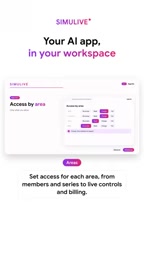
After connecting, users can set which areas the AI can access, item by item: members, series, real-time controls, billing, etc. Each area has an independent toggle, and "anything you leave off stays off." This design puts the decision of data boundaries in the user's hands, rather than relying on platform defaults of all-on or all-off.
This fine-grained permission is especially important in AI agent scenarios. When an agent can read "series" and "libraries," it might help you summarize content or answer queries; but if it also has "billing" permissions, the risk is entirely different. By letting users authorize by area, Simulive is effectively encouraging the principle of least privilege.
Principle of Least Privilege: This is a foundational design principle in information security, requiring that any subject should only have the minimum access necessary to complete its task, and only for the necessary duration. In AI agent scenarios, this principle's significance is amplified: agents autonomously initiate multi-step operations, and once permissions are too broad, a single misjudgment or prompt injection could reach sensitive data. Independent toggles by area (members, series, billing, etc.) essentially split the permission set into composable minimal units, allowing users to grant them item by item as needed. This is typically paired with a "default deny" strategy—anything not explicitly enabled is inaccessible, rather than defaulting to all-on and relying on users to turn things off.
Ask in Natural Language, Process with Your Own AI
After setup, users can ask the agent questions in natural language. The agent reads the series, libraries, and insights data the user has authorized, but the processing is done by the AI the user chose—Claude, ChatGPT, Cursor, etc. Simulive doesn't replace AI; it acts as a secure channel between data and AI.
This means users retain autonomy over model choice. If a team prefers Claude's reasoning style or already pays for ChatGPT, they don't need to pay extra for a platform's built-in AI or change their habits. The Bring Your Own AI model is more flexible in both cost and control.
Security Mechanisms: Confirmation, Rate Limiting, and Audit Logs
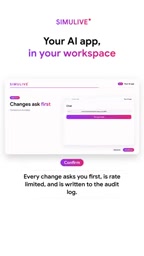
Simulive emphasizes three layers of protection. First, every change asks the user first; the agent cannot silently modify data. Second, operations are rate-limited to avoid accidental bulk requests. Third, all changes are written to an audit log, providing a traceable record.
These mechanisms address enterprises' core concerns about AI agents: Will it mess things up? Could it be abused? Can we investigate if something goes wrong? The confirmation step prevents accidental operations, rate limiting controls the scope of impact, and audit logs provide a basis for post-hoc review. Although the video doesn't disclose specific rate-limit thresholds or log retention periods, the direction is sound.
The Role of Audit Logs and Rate Limiting: An audit log is a structured record of every write operation in the system, typically including the actor, timestamp, object, and before/after content. Its value isn't in preventing errors but in enabling post-mortem analysis and compliance review—when anomalies occur, you can pinpoint exactly which agent call and who authorized it. Rate limiting constrains impact from the time dimension, preventing the agent from falling into loops or being abused to generate a large number of requests in a short period, which could overload the system or cause bulk data changes. Together with "confirmation before action," they form a complementary set: confirmation is pre-action interception, rate limiting is in-action constraint, and auditing is post-action tracing—covering different time points in AI agent risk control.
What It Means for Workflows
This feature reflects a trend: AI integration is shifting from "platform built-in AI" to "platform connects to user-chosen AI." For content or operations teams, this means they can process series content, library data, and insight analysis using familiar AI without leaving the workspace, while maintaining visibility into permissions and changes.
However, the actual experience depends on how deeply each AI tool integrates with Simulive. Cursor and VS Code, as development tools, may have different integration scenarios with a content workspace compared to conversational models like Claude and ChatGPT. The video doesn't elaborate on whether different AIs differ functionally, which may be something users need to figure out in practice.
Overall, Simulive's approach strikes a balance between convenience and control. One-click connection lowers the adoption barrier, while fine-grained permissions and audit logs address security concerns. For users who already have preferred AI tools, this offers an access path without compromise.
One-line Summary
Simulive supports one-click connection to user-chosen AI, with fine-grained permissions and audit logs.
Paragraph Summary
Simulive has launched a new feature allowing users to connect Claude, ChatGPT, Cursor, VS Code, or Claude Code to their workspace with one click—no API key generation or copying required, just log in and approve authorization. After connecting, users can toggle AI access by area—members, series, real-time controls, billing, etc.—with anything not enabled staying off, embodying the principle of least privilege. The agent receives natural language questions, reads authorized data, and hands it to the user's chosen AI for processing; Simulive serves only as a secure channel, preserving autonomy over model choice and cost control. Security-wise, three mechanisms are provided: every change requires user confirmation, operations are rate-limited, and all changes are written to audit logs. The article sees this as a shift from platform built-in AI to "bring your own AI" integration, though the depth of integration between different tools and the workspace remains to be verified in practice.
Related articles
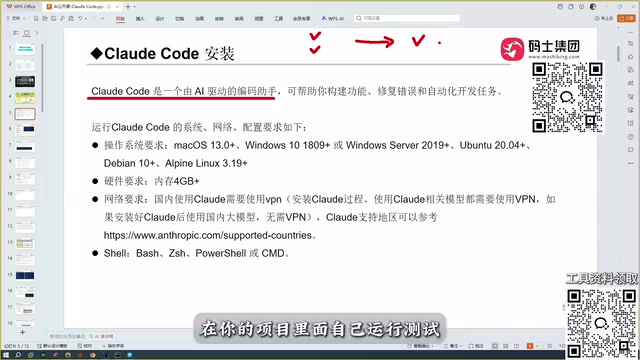
Claude Code Full Workflow in Practice: Connecting Models, Writing Skills, Mounting MCP, and Running Frontend to Backend
Drawing on a Bilibili public course, this article breaks down Claude Code's project-level coding capabilities: how it differs from conversational AI coding, Copilot, Cursor, and Trae; how model capability determines a tool's ceiling; and why accuracy has become the watershed for coding assistants.
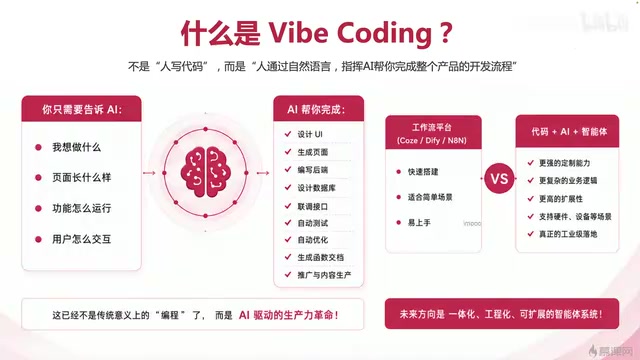
Vibe Coding Complete 80-Episode Practical Course: A Full-Chain Analysis of One-Person Company AI Development
An analysis of Bilibili's 80-episode Vibe Coding course: directing AI to write code, full-chain product development, and the path to one-person company AI engineering.
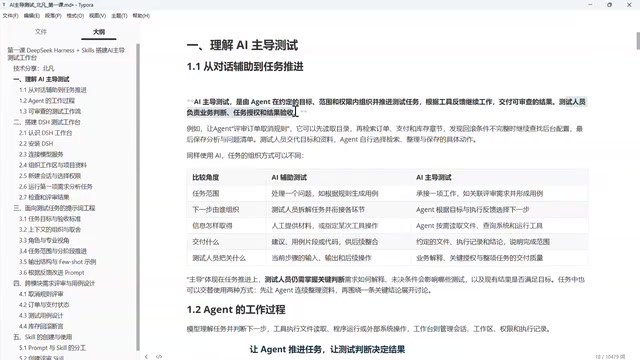
From Chat to Tasks: How Agents Are Reshaping AI-Driven Automated Testing
Deep dive into the DeepSeek Harness automated testing tutorial: AI's leap from Chat to Agent, how Agents advance testing tasks via tool use and loops, the difference between AI-led and AI-assisted testing, and how testers control boundaries and verify results.