Smooth Recorder: The Mac Screen Recording Tool That Delivers a Finished Video the Moment You Stop
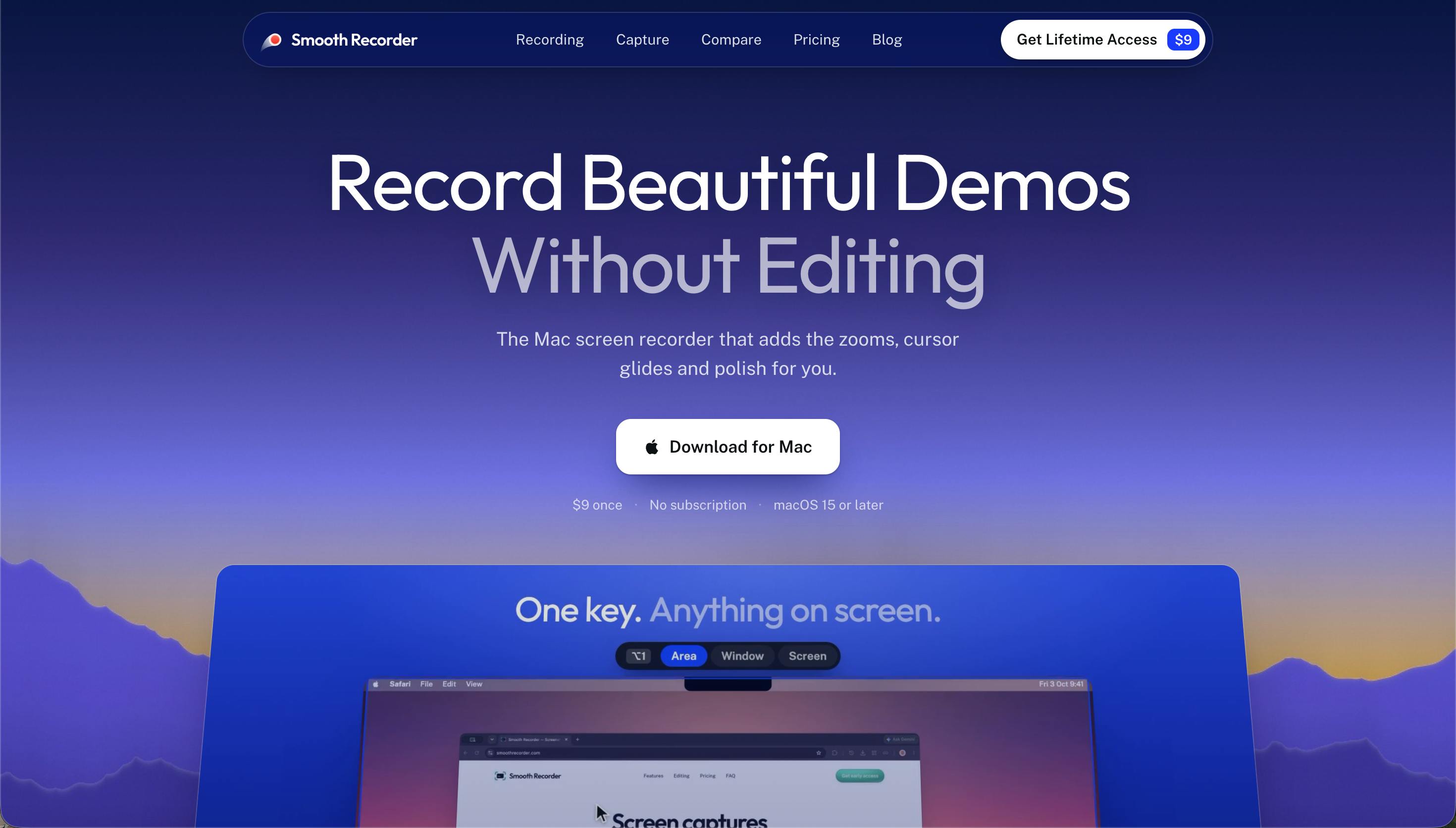
Smooth Recorder is a native Mac app that bakes post-production effects directly into the recording process.
Smooth Recorder is a native Mac app built for product demos and tutorials that embeds traditional post-production — click-to-zoom, cursor smoothing, local caption generation, and background enhancement — directly into the recording phase. The moment you stop recording, you have a near-finished video. Screenshots receive the same polish, making it easy to maintain a consistent visual style across video and written documentation. The app recently hit #2 on Product Hunt and targets indie developers, tutorial creators, and product designers. Pricing, multi-language caption support, and export specs are not yet publicly detailed, so hands-on testing is recommended before committing.
A Mac Tool That Builds Post-Production Into Your Recording
Anyone who's made product demos or tutorial videos knows that recording is rarely the bottleneck — it's the editing. Adding zoom effects, smoothing the cursor, generating captions, applying a background: the post-production pipeline can easily take longer than the recording itself. Smooth Recorder moves all of that work into the recording phase. The moment you hit stop, your footage already looks like it's been carefully edited.
This native Mac app recently climbed to #2 on the Product Hunt daily chart, earning 127 upvotes and 9 comments. Developed by Mohd Anas, it's built specifically for demo and tutorial use cases.

Core Features: Post-Production Baked Into the Recording
Smooth Recorder's value proposition centers on automating tasks that traditionally require manual work in tools like Premiere or Final Cut:
Click-to-Zoom
The app automatically zooms into wherever you click. This naturally guides the viewer's attention to the area that matters, without requiring you to manually add zoom keyframes in post. It's especially useful for tutorials that walk through button locations or nested menus.
In traditional video editing, this effect is achieved through keyframe animation — editors manually mark the start and end frames of a zoom on the timeline, set the magnification level, and configure easing curves. A five-minute demo might require dozens of keyframes. Smooth Recorder detects mouse click events in real time during recording, maps the click coordinates to the zoom center, and handles the entire effect at the capture layer — bypassing frame-by-frame editing entirely. Similar auto-zoom approaches appear in products like Screen Studio and represent one of the main differentiators in this category.
Smooth Cursor Movement
Real mouse movement tends to be jerky and erratic — displaying it raw can make a video feel rough. Smooth Recorder applies trajectory smoothing to the cursor, making pointer movement feel fluid and polished. This is an effect that professional demo videos often deliberately pursue.
Automatic Captions
The app generates captions locally — on your Mac. The emphasis on local processing means no cloud uploads are required, which is a plus for both privacy and speed.
Background Enhancement
Recorded content is placed against a thoughtfully designed background, so your output looks less like a raw desktop capture and more like a finished, release-ready asset.
Not Just Screen Recording — Screenshots Get the Same Treatment
Notably, Smooth Recorder extends its enhancement capabilities to screenshots as well. Screenshots receive the same background treatment and compositional polish as recorded video, meaning whether you're producing a video tutorial or a written document with visuals, you can generate consistently styled assets from a single tool.
For teams that regularly produce product documentation or social media graphics, this unified recording-and-screenshot workflow reduces the friction of switching between tools.
Who Is It For?
Based on its feature set, Smooth Recorder targets a few specific user types:
- Indie developers and early-stage teams: Need to produce high-quality product demos quickly, without a dedicated video editor.
- Technical tutorial creators: Auto-zoom and automatic captions meaningfully improve the viewing experience for walkthrough-style content.
- Product managers and designers: Creating feature overviews or design review materials without getting bogged down in post-production.
As a native Mac app, it generally has an edge over cross-platform web or Electron-based alternatives in terms of system integration and performance — a solid foundation for a macOS-first product.
A Few Observations
The screen recording tool space is competitive. Products like CleanShot X and Screen Studio are already working the same angle — making recordings that need little to no post-processing. Smooth Recorder's distinguishing factors appear to be its inclusion of screenshot enhancement within the same feature set and its locally processed caption generation.
That said, the product page currently reveals limited detail. Pricing model, multi-language caption support, export formats, and maximum resolution are all unclear — and these are often the deciding factors in a real purchasing decision. If you're considering it, hands-on testing before committing is the right call.
Overall, for Mac users who've lost hours to screen recording post-production, Smooth Recorder offers an appealing "record once, ship immediately" philosophy. It's worth keeping an eye on.
For context: CleanShot X focuses on detailed screenshot and short-recording workflows, covering annotations, scrolling captures, and GIF export; Screen Studio is known for its smooth picture-in-picture camera overlay and auto-zoom, priced in the hundred-dollar range and aimed at professional content creators. Both have established user bases. For Smooth Recorder to carve out space as a newcomer, local caption generation and the combined recording-plus-screenshot workflow are its clearest differentiators right now. Local caption generation typically relies on Apple's built-in Speech framework (available on macOS 13 and later) or offline speech recognition models like Whisper. Recognition quality and multi-language coverage will directly affect how useful the caption feature actually is in practice — making it one of the most important things to test before committing to the tool.
Related articles

M&M's Spent Millions Replacing Artificial Blue Dye — Why Is It So Hard?
Mars spent millions trying to replace artificial blue dye in M&M's with spirulina, but thick material clogs pipes and residue risks mold, forcing a full production-line rebuild. Here's the engineering behind the reformulation.

Teammate Wanted for Meta Global AI Developer Hackathon: Computer Vision & Medical AI
A Reddit developer seeks teammates for the Meta Global AI Developer Hackathon, focusing on computer vision and medical AI. This article analyzes the track logic, skills-complementarity needs, and topic selection strategy behind this teaming signal.
Multiple Claude Models Hit by Errors: A Postmortem of Fable 5.1, Sonnet 5.5, and Haiku 5.5
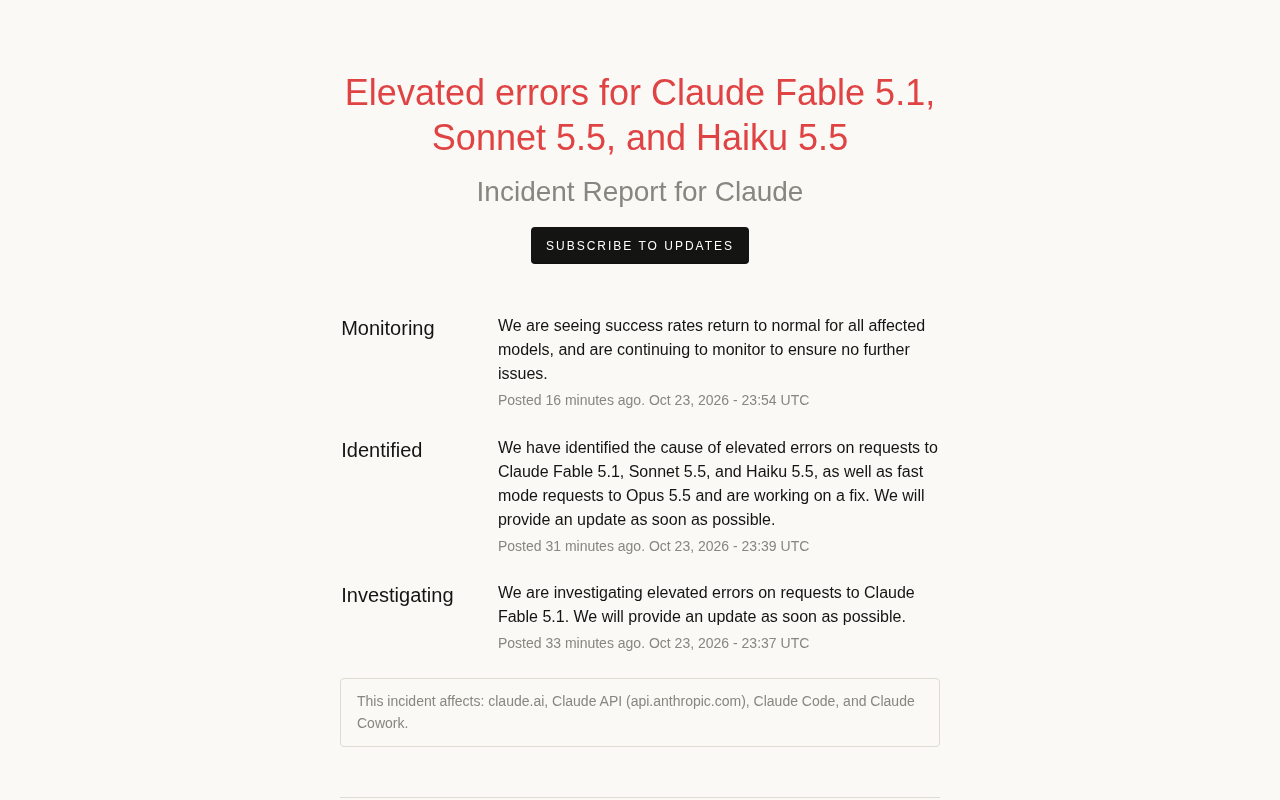
Claude Fable 5.1, Sonnet 5.5, Haiku 5.5, and Opus 5.5 fast mode saw elevated errors; Anthropic identified and resolved the issue in 17 minutes. This postmortem covers the timeline, the technical reasons for the multi-model cascading failure, and practical lessons for retry and degradation strategies.