Snapmaker U1 Review: An In-Depth Look at the Independent 4-Nozzle Color Multi-Material 3D Printer

Snapmaker U1: a 4-nozzle color multi-material desktop 3D printer with AI monitoring, priced from ¥4,572.
The Snapmaker U1 (UE series) is a desktop 3D printer featuring an independent 4-nozzle system for color multi-material printing, AI-powered failure detection, and a large high-speed print chamber. It targets both home users and semi-professional prototypers, with a take-home price as low as ¥4,572 after platform coupons and China's 3C national subsidy.
Redefining Desktop Color 3D Printing
Desktop 3D printing has steadily evolved from single-color prototyping to a new era of color and multi-material output. Since the RepRap open-source project democratized FDM (Fused Deposition Modeling) technology in 2009, desktop printing has undergone a major transition — from single-color PLA to multi-color, multi-material workflows. Early solutions were constrained by single-nozzle color swapping or dual-nozzle architectures, creating obvious bottlenecks in color count and material compatibility. The Snapmaker U1 3D printer (listed as the UE series on some channels) is a flagship product of this trend. It leads with four core features: an independent 4-nozzle design, color multi-material printing, AI-powered monitoring, and a large-format print chamber — aiming to strike a balance between home desktop printing and professional prototyping.
On pricing, this machine carries an MSRP of ¥5,999. Through stacked JD.com promotions and coupons (¥600 off ¥5,000, ¥20 off ¥200) along with China's 3C national consumer subsidy (up to 15–20% in select regions), the final take-home price can drop as low as ¥4,572.15 — a savings of roughly ¥1,427 off retail. For a machine with genuine 4-nozzle capability, that's a compelling price point.
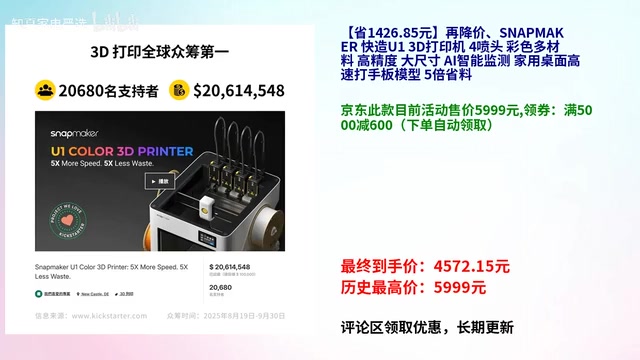
Independent 4-Nozzle System: The Core Advantage for Color and Multi-Material Printing
Traditional single-nozzle 3D printers that attempt multi-color printing typically require frequent filament swaps, wasting material and generating significant purge waste in the process. This mechanism is known as the "purge tower" system: each time the color changes, residual filament from the previous color must be fully purged. The printer does this by building a dedicated purge tower beside the model, extruding enough waste material until the output runs clean. For complex multi-color models, waste material can account for 30–50% of total filament used, while also consuming print chamber space and adding print time.
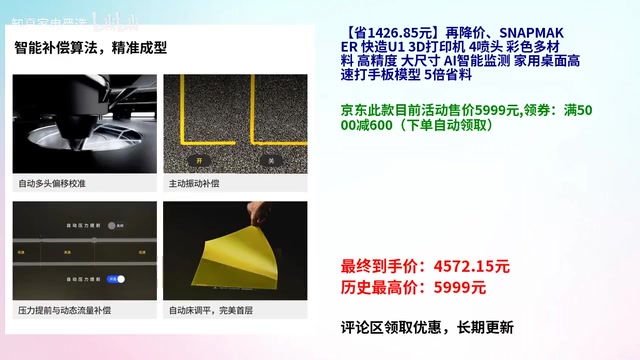
The Snapmaker U1 uses an independent 4-nozzle architecture. The core engineering challenge here is precise multi-nozzle calibration (XYZ axis deviation controlled within 0.05mm) and independent temperature control for each nozzle — demands that push the limits of both mechanical engineering and firmware algorithms. Each nozzle is permanently loaded with a dedicated color. Switching between colors is simply a matter of moving the toolhead or nozzle assembly to the active position — no purging required — fundamentally changing how multi-color printing works.
Snapmaker claims this approach delivers approximately 5x the material savings compared to traditional color-swapping methods. Since each color has its own dedicated nozzle, there's no need to purge during transitions, and in theory no waste is generated per color switch. For users who frequently print multi-color models, figurines, or assembly kits, this means not only lower filament costs but also significantly shorter print times.
The Real-World Value of Multi-Material Printing
Another major capability unlocked by the independent nozzle system is multi-material printing. For example, you can use PLA alongside a water-soluble support material like PVA (Polyvinyl Alcohol) within the same model. PVA's molecular chain contains a high concentration of hydroxyl groups, which form hydrogen bonds with water molecules, allowing it to dissolve in room-temperature water. During printing, a dedicated nozzle builds PVA support structures beneath overhangs and bridging sections; once the print is complete, submerging the model in 30–40°C water for a few hours causes the PVA to dissolve cleanly, leaving smooth surfaces with no manual post-processing required. This is especially valuable for internal cavities, complex cantilevers, and interlocking geometries where conventional supports are notoriously difficult to remove — making it a highly practical technique for precision models and engineering prototype validation.
AI-Powered Monitoring: Meaningfully Reducing Print Failures
Print failures mid-job are one of the most frustrating pain points in 3D printing. Warping, filament runout, nozzle clogs, and spaghetti-like extrusion failures can mean hours of wasted waiting time and significant filament waste.

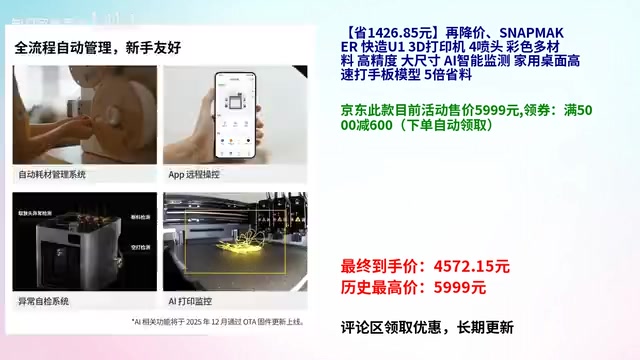
The Snapmaker U1 features a built-in AI monitoring system powered by computer vision. An integrated camera continuously captures images of the print chamber, and a convolutional neural network (CNN) analyzes each frame in real time for anomalies — including layer warping (bottom layer detaching from the heated bed), spaghetti failures (molten filament depositing randomly into tangled strands), layer shifting, and filament runout. Inference runs locally on an embedded chip with second-level latency. When detection confidence exceeds a set threshold, the system triggers a pause and sends an app notification, containing the damage to the earliest stage of the anomaly. For unattended long-duration print jobs in home environments, this feature meaningfully improves success rates and has become a key differentiator among mid-to-high-end desktop printers.
Large Print Volume and High-Speed Printing: Balancing Efficiency and Practicality
The Snapmaker U1 also emphasizes its large print chamber and high-speed printing capabilities. A larger build volume means you can complete bigger models or batch smaller parts in a single run, reducing the need for post-print assembly. High speed directly addresses users' growing expectations for printing efficiency.
Combined with high-precision positioning, the product's positioning is quite clear: it can satisfy home users printing toys, decorations, and everyday objects, while also handling prototyping and engineering validation at a semi-professional level. This "home + light professional" segment is currently the most competitive space in desktop 3D printing, and the Snapmaker U1 holds its own within it.
Pricing and Subsidies: The Final Price Is the Key Purchase Decision Factor
From a buying perspective, here's a breakdown of the pricing structure:
- Base promotional price: ¥5,999
- Platform coupons: ¥600 off ¥5,000 + ¥20 off ¥200 (applied automatically at checkout)
- 3C national subsidy: 15–20% in eligible regions
- Final take-home price: as low as ¥4,572.15
Regarding the 3C national subsidy: this is a phase-specific Chinese government policy designed to encourage consumer electronics upgrades. 3D printers, as smart manufacturing consumer devices, have gradually been included in the subsidy scope in recent years. Consumers need to complete real-name verification on the activity page and select their region; the system automatically verifies eligibility and applies the discount at checkout. Subsidy rates and total caps vary by province and city. It's worth noting that the 3C national subsidy has regional variations — not all areas qualify for the full discount amount. The actual subsidy will reflect what is displayed on the purchase page at the time of checkout. We recommend confirming the subsidy policy and stock availability for your region before placing an order.
Summary: Who Should Buy the Snapmaker U1?
The Snapmaker U1 (UE series) builds a well-rounded competitive product profile around four core capabilities: independent 4-nozzle design, color multi-material printing, AI monitoring, and large-format high-speed output. Its primary target users include:
- Enthusiast users: Those pursuing color and multi-material printing with a focus on material efficiency;
- Designers and engineers: Small studios or individual users who need to print prototypes and validate designs;
- Home users: Those who want an all-in-one solution that minimizes post-processing hassle and have some multi-color printing needs.
For beginners who only need single-color prototyping, this machine may offer more capability than necessary. But for anyone with multi-color or multi-material requirements, the efficiency and material savings of the 4-nozzle system will be highly significant. Within the current pricing window with national subsidies stacked in, the Snapmaker U1 sits in a very favorable value-for-money position — and is well worth serious consideration for anyone interested in this category.
This article is based on official product promotional materials and current promotional pricing. For real-world performance, we recommend consulting third-party hands-on reviews. Prices are subject to change; refer to the actual purchase page for current pricing.
Key Takeaways
Related articles
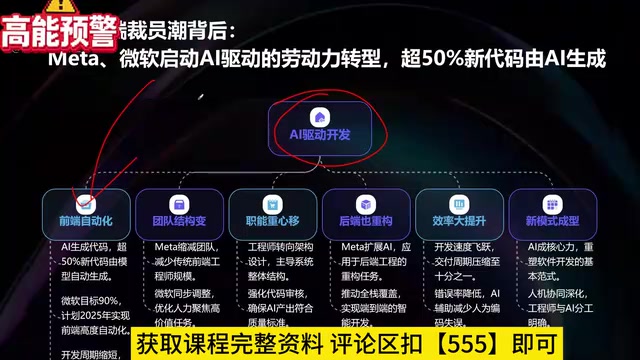
What Is Vibe Coding? The AI Programming Skill Every Developer Needs
What is Vibe Coding? Learn how AI programming is reshaping dev teams, why traditional programmers face displacement, and why Cursor & Claude Code matter.
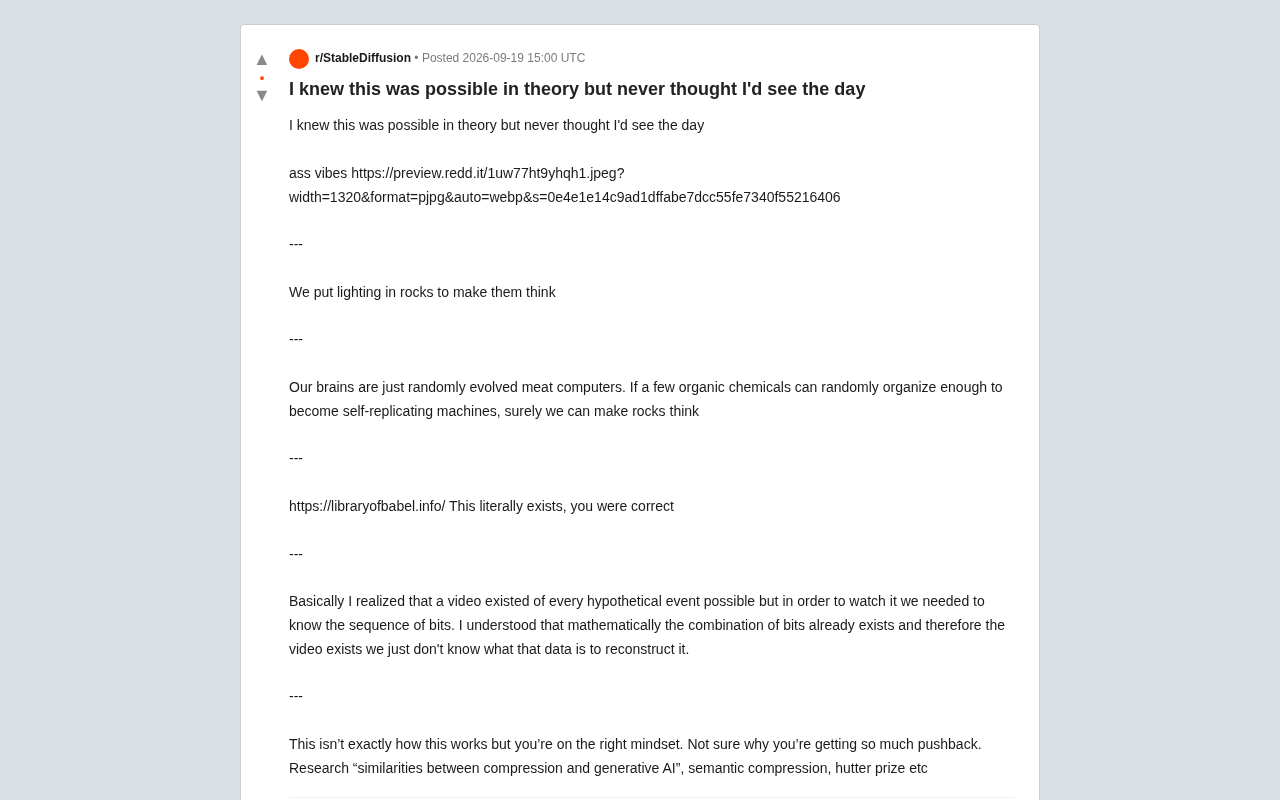
Making Rocks Think: A Philosophical Exploration of Generative AI and Information Compression
From a viral Reddit post to deep AI theory: why compression equals understanding, the Library of Babel thought experiment, semantic compression, and the Hutter Prize.

Irregular Warns: Four AI Lab Security Breaches Traced to the Same Root Cause
Irregular reveals four AI lab security breaches share a single root cause, exposing systemic risks from technology stack homogeneity across the AI industry.