Spellar for Chrome: Bot-Free Meeting Notes, Right in Your Browser
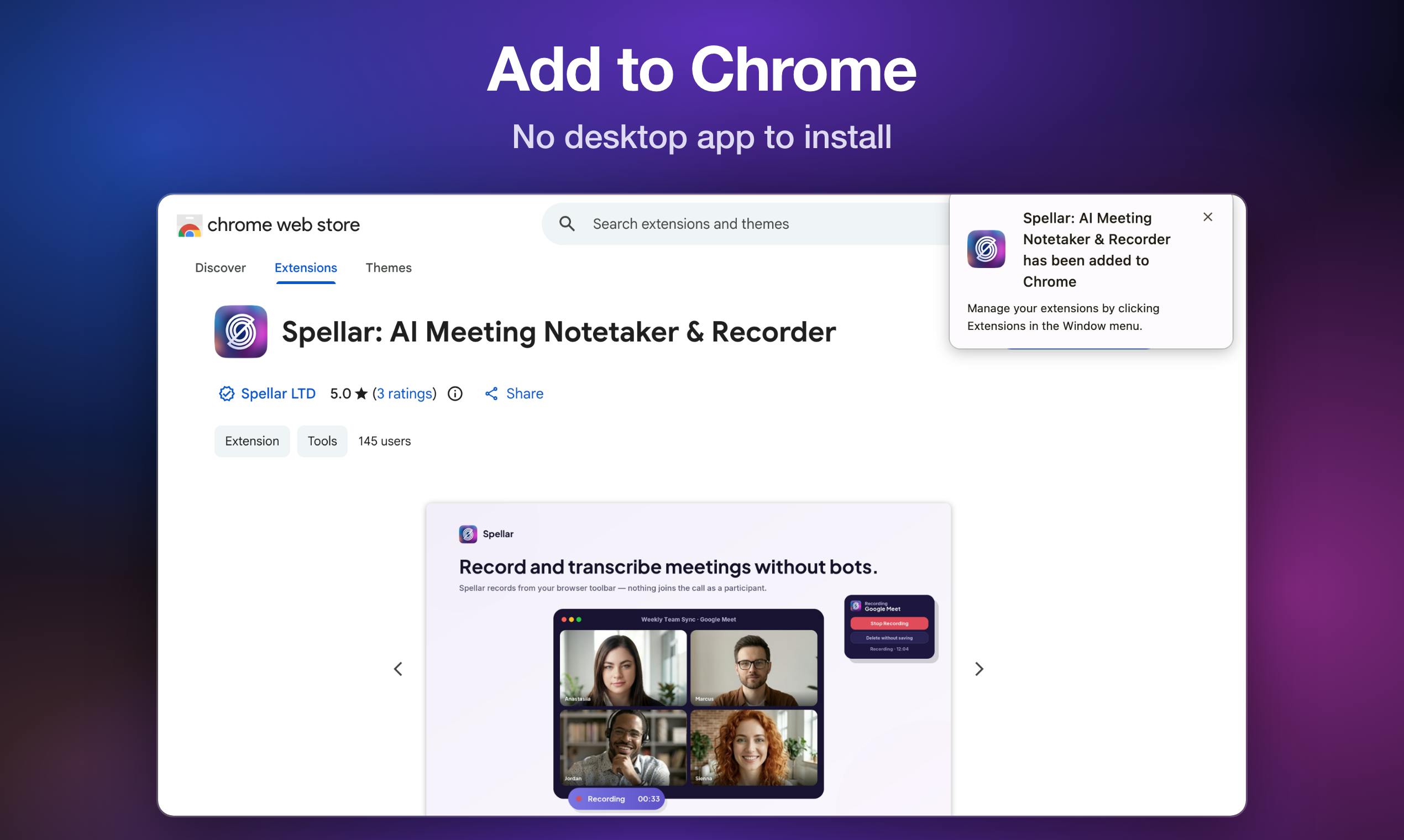
Spellar for Chrome records meetings via a bot-free browser extension, connecting cross-device memory with multi-model notes.
Spellar for Chrome is a browser-extension AI meeting-notes tool built around "bot-free joining": it sends no bot into the call and records and transcribes Google Meet, Zoom, Teams, and Webex locally in the browser, sidestepping bot join approvals and enterprise security blocking. On Google Meet, transcripts can show real speaker names. It emphasizes cross-device "memory," pooling all meeting records into one repository linked with Mac and iPhone notes for retrospective queries. Users can pick Claude, GPT, or Gemini to generate notes and send them to Slack or Notion. 300 free minutes, no credit card.
Meeting-notes tools are undergoing a "de-bot-ification" shift. Over the past two years, a large number of AI meeting assistants have joined calls in the form of "meeting bots." While this solved the problem of recording and transcription, it introduced new headaches: bots need host approval to join, are banned in some enterprise environments, and make participants feel like they're being watched. Spellar for Chrome takes a different path—it doesn't send any bot into the meeting and handles recording and transcription directly in the browser.
Bot-Free Joining: Sidestepping the Triple Dilemma of Meeting Bots
Spellar for Chrome's core selling point is right there in its tagline: "Free, no-bot meeting notes with memory, now in your browser." It supports the four major meeting platforms—Google Meet, Zoom, Teams, and Webex—and the recording process introduces no third-party participants; "nothing joins the call."
There's a practical rationale behind this design choice. Traditional meeting bots typically request to join under a separate account identity—appearing as an extra participant in Google Meet, or requiring the host to manually admit them in Zoom. Enterprise security policies often block such accounts outright, causing the tool to fail in exactly the scenarios where it's needed most. Spellar takes the browser-extension route, with recording happening locally in the browser, structurally avoiding the join-approval hurdle.
Another easily overlooked detail: on Google Meet, transcripts generated by Spellar display the real names of speakers. In multi-person meetings, attributing "who said what" is precisely where general-purpose speech transcription tends to be vaguest.
You might not have noticed that Spellar for Chrome targets Windows and Mac and requires no desktop app installation. For employees whose IT departments have locked down installation permissions, this is a substantive difference—the deployment barrier for a browser extension is far lower than for client software.
A meeting bot is a third-party program that automatically joins video meetings under a separate account identity to perform recording and transcription. Its typical workflow: after the user authorizes it, the bot sends a join request to the meeting link, appearing as an extra participant in Google Meet or requiring the host to admit it from the waiting room in Zoom. Because bot accounts often don't belong to the enterprise domain, they're frequently blocked by security policies (such as domain allowlists and DLP policies); meanwhile, a bot joining triggers the platform's participant notification, making attendees aware that recording is in progress. The browser-extension approach is different: recording happens within the user's local browser tab, using WebRTC media streams or tab-capture APIs to obtain audio and video, and generates no separate participant identity—so no join approval is needed, and it isn't affected by meeting-bot blocking policies. The trade-off, however, is that recording depends on the user's device and browser permissions, and can't cover meetings where the user hasn't actively enabled the extension.
Cross-Device "Memory": Stringing All Meetings into a Timeline You Can Query
The differentiation Spellar really wants to emphasize lies in the word "memory." The record of every call flows into the same memory repository, merged with the user's notes on Spellar Mac and iPhone. The official use case is very concrete: you can ask it "what did a certain client say three calls ago."
This effectively upgrades meeting notes from "single-session records" to "searchable conversation history." The value of a single meeting's transcript is limited, but if dozens of client communications, project syncs, and internal discussions all accumulate in the same queryable knowledge layer, information reuse rises markedly. Most meeting assistants today haven't productized this kind of cross-session retrieval capability.
Worth noting: cross-device memory presupposes that Spellar already has Mac and iPhone product lines—the Chrome extension is a new entry point into that system, not a standalone tool. For users who just want to take notes for a single meeting in the browser, the appeal of the memory feature is diminished.
Cross-session retrieval technically usually relies on "retrieval-augmented generation" (RAG): the system first splits each meeting's transcript into chunks and converts them into vector embeddings stored in a vector database; when the user asks a question, the system retrieves the most semantically relevant historical chunks and hands them to a large language model to compose an answer. Compared with single-session transcription, a RAG architecture lets the model cite content from multiple meetings, but effectiveness depends heavily on the accuracy of speaker diarization, timestamp alignment, and a unified index across devices. At the product level, privacy boundaries must also be addressed: a memory repository spanning Mac, iPhone, and the browser means meeting content must be synced in the cloud, and enterprise users should check whether data encryption, storage regions, and retention policies meet their own compliance requirements.
Open Model Choice and Workflow Output
Spellar lets users choose Claude, GPT, or Gemini to generate meeting notes. At a time when AI meeting tools generally lock into a single model, giving model choice to users is a pragmatic approach—different teams have very different preferences regarding model capability, cost, and data compliance.
On the output side, notes can be sent directly to Slack or Notion. This integration direction matches where meeting content actually flows: discussions happen in meetings, and conclusions need to land in team collaboration tools rather than sitting in a transcript waiting for someone to read.
Multi-model choice in engineering terms means the product needs to abstract a unified model-calling layer that adapts transcripts, prompts, and output formats to different vendors' APIs. Claude, GPT, and Gemini differ in long-context handling, summarization style, pricing structure, and data-residency policies: for example, some models offer more generous context windows for very long meeting records, while others provide different regional options for enterprise data compliance. Giving choice to users essentially delegates the trade-off among model capability, cost, and compliance to teams, rather than having the product unilaterally lock in. The cost of this approach is that output quality may vary by model, and the product must maintain multiple sets of prompts and evaluation benchmarks to keep note formatting and accuracy consistent across models.
Pricing and Trial Threshold
Spellar for Chrome offers 300 free minutes with no credit card required. For individual users who meet infrequently, this allowance is enough to cover a period of real use; for heavy users with frequent meetings, the cap will be reached quickly, and they'll need to assess whether a paid plan fits.
Judging from Product Hunt feedback, the product received 105 upvotes and 19 comments, ranking 7th for the day. The numbers aren't explosive, but in the crowded meeting-tools arena, sustaining steady discussion shows that the "no-bot" angle genuinely hits a pain point for some users.
Who This Kind of Tool Is For
Spellar for Chrome's profile is fairly clear: users who conduct external communications via Google Meet or Zoom, whose companies restrict desktop software installations or block meeting bots, and who need to look back across multiple meetings. Roles like sales, customer success, and consultants are the best fit.
Conversely, if your meeting-notes needs center on single-session transcription, or your team already relies entirely on a meeting platform's native AI features, then the necessity of adding a browser extension deserves reconsideration. Bot-free recording solves compliance and experience issues, but entrusting recording to a browser extension also means data flows need to be evaluated against your enterprise security standards.
One-line Summary
Spellar for Chrome records meetings via a bot-free browser extension, connecting cross-device memory with multi-model notes.
Paragraph Summary
Spellar for Chrome is an AI meeting-notes tool in the form of a browser extension, built around "bot-free joining": it sends no bot into the call and handles recording and transcription of Google Meet, Zoom, Teams, and Webex locally in the browser, thereby avoiding bot join approvals and enterprise security-policy blocking. On Google Meet, transcripts can also display real speaker names. The product emphasizes cross-device "memory"—all meeting records flow into a unified memory repository, connected with notes on Mac and iPhone, and support retrospective queries. Users can choose Claude, GPT, or Gemini to generate notes and send them directly to Slack or Notion. The product offers 300 free minutes with no credit card required, making it suitable for enterprise users constrained by software installation permissions who need to look back across meetings.
Related articles
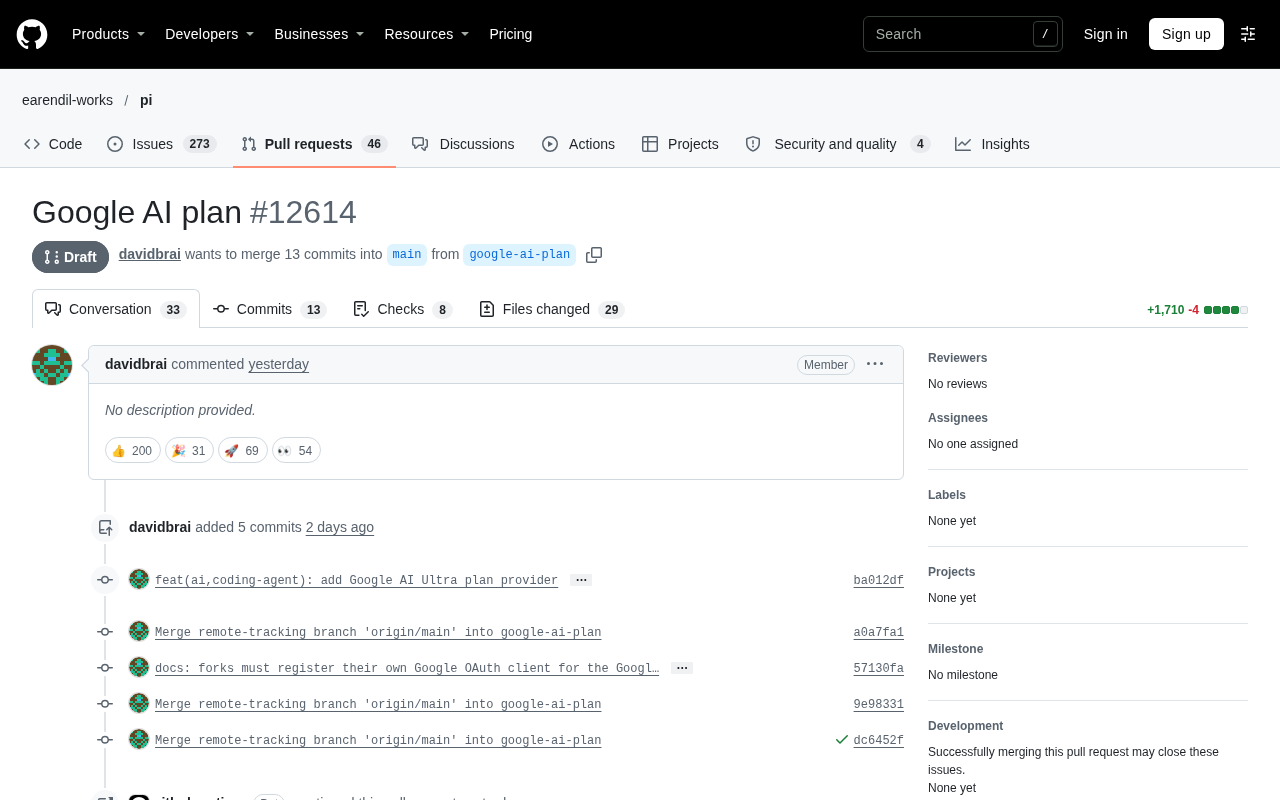
Google Officially Supports Pi Coding Agent: The AI Programming Tool Ecosystem Expands Further
Google adds official Google AI plan support for the open-source coding agent Pi, signaling accelerating integration between large model vendors and coding agent tool ecosystems. This article analyzes the impact on developer workflows, the tool ecosystem landscape, and model binding relationships.

Loom: One Machine for Weaving, Knitting and Braiding
Loom is a device that aims to seamlessly combine weaving, knitting and braiding in a single machine, drawing attention on Hacker News. This article examines its engineering challenges, significance for flexible manufacturing, and lessons for makers and hardware developers.
Running Local AI Agents on Mac: A Full Breakdown of the MLX Four-Layer Stack
A breakdown of Apple engineer Joanna's local Mac AI agent solution: the MLX four-layer stack, a three-step setup, and how the neural network accelerator, continuous batching, and distributed inference solve local agent performance bottlenecks.