Talking to Claude Code in Chinese: Hands-On Test of a Terminal Auto-Translation Plugin

A Claude Code terminal translation plugin that uses DeepSeek for bidirectional Chinese-English translation while preserving the original text for comparison.
Claude Terminal Translator is a plugin embedded in the Claude Code terminal that uses DeepSeek as its translation engine, letting users submit requests in Chinese: the plugin first translates Chinese into English before sending to Claude, then after Claude's English response is complete, translates the entire text into Chinese and appends it below the original, displaying both side by side. Installation requires adding the plugin and configuring a DeepSeek API Key, with costs and connectivity borne by the user. Daily use supports skipping translation for a single message with an equals sign, and three slash commands—/Translate Off/On/query—control the switch with state persisting across sessions. On translation failure, it falls back to sending the original text or keeping the English to ensure the conversation isn't interrupted. With translation enabled, questions and full responses are sent to DeepSeek, so translation should be disabled for sensitive code.
Claude Code is genuinely efficient when working in the terminal, but its responses are always in English. You ask in Chinese and get an English reply; to check whether it understood you correctly, you have to translate it yourself first. A Bilibili creator introduced a plugin called Claude Terminal Translator with a straightforward idea: you state your request in Chinese, DeepSeek handles the translation, and Claude provides the answer. The entire back-and-forth is folded into the terminal conversation, with the original text and the translation displayed side by side—no more switching windows.
How It Works
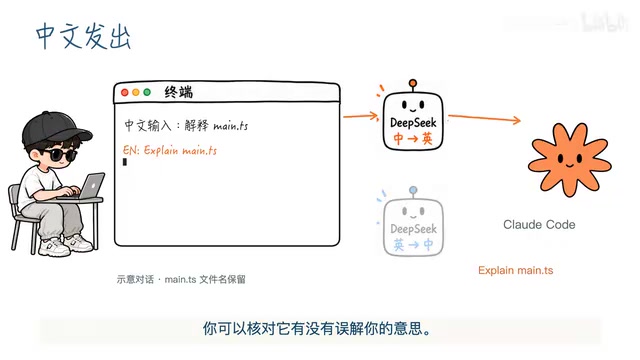
The plugin's core is a "translation pipeline." After you enter a Chinese request, the plugin first calls DeepSeekAd to translate it into English, then sends the English to Claude. The terminal displays this English translation so you can verify before sending that it hasn't distorted your meaning—this step is more reliable than "translate and use it directly," especially when your instructions contain conditions or negations.
Once Claude starts responding, the English appears word by word in the terminal; when the response is complete, the plugin passes the entire text to DeepSeek to translate into Chinese and appends it below the English original. This way you can see Claude's original phrasing and quickly understand what it's saying. Keeping both the original and the translation together is a clever aspect of this approach: if a translation goes wrong, you have something to check against rather than having to guess from the translation alone.
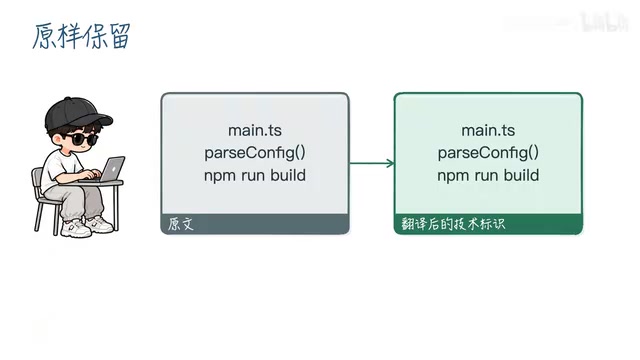
For code, paths, and commands, the plugin has specific preservation requirements, doing its best not to translate identifiers into Chinese. But the author also warns that translations can still go wrong, and critical content should be verified yourself—this isn't just a polite disclaimer; mistranslated paths and parameters in the terminal can have far more serious consequences than misreading a sentence of natural language.
DeepSeek API is a cloud-based large language model interface service provided by DeepSeek, through which developers use an API Key to call its language models for tasks such as translation and question answering. In this plugin, DeepSeek plays the role of "translation engine": it doesn't participate in code generation or problem solving, only in semantic conversion between Chinese and English. The reason for choosing DeepSeek over a local translation library is that large models handle sentences with context, technical terminology, or colloquial expressions better—but the cost is that each call incurs token billing and requires network connectivity.
Installation and Configuration
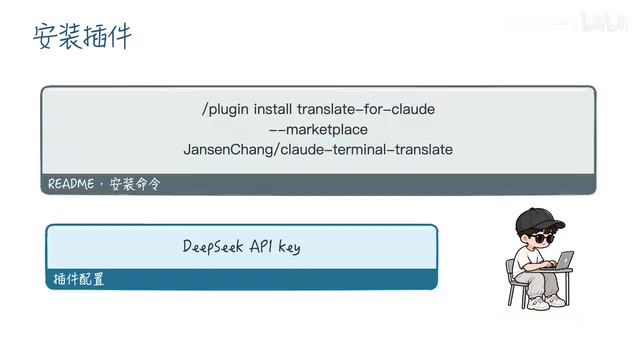
The installation process has two steps: enter a command in the Claude Code terminal to add the plugin, then configure your DeepSeek API Key. The complete installation command and project link are in the video description and won't be repeated here.
It's worth noting that this plugin's translation capability depends entirely on the DeepSeek API. That means you need to provide your own Key, and you bear the costs and network connectivity requirements of the calls. The plugin itself is just a scheduling layer that connects Claude Code and DeepSeek.
The Claude Code plugin mechanism allows third-party extensions to be installed via terminal commands; these plugins can hook into the conversation flow, injecting preprocessing or post-processing logic. Claude Terminal Translator uses this mechanism to insert translation steps between "user input" and "sending to Claude," and between "Claude output" and "displaying to the user." The plugin itself contains no model—it's just a scheduling layer—so its availability depends entirely on whether the external API it relies on is working properly.
Daily Use: Three Switches
For everyday use, just ask questions in Chinese and the plugin automatically runs the translation flow. If you want a particular message sent as-is without translation, simply add an equals sign at the beginning, e.g., =保留中文.
Switch operations use slash commands: enter /Translate Off to disable automatic translation, and this state persists across sessions—turn it off once and it stays off next time; enter /Translate On to re-enable it; enter just /Translate to view the current status. This design accommodates both the "occasionally want the English original" and "long-term Chinese" habits without needing to reconfigure each time.
Slash commands are a category of control instructions in the Claude Code terminal that begin with /, used to switch modes, check status, or trigger specific operations, and they follow a different parsing path from natural language questions. Here, /Translate Off, /Translate On, and /Translate correspond to disabling, enabling, and querying translation status respectively. State persisting across sessions means the plugin writes the switch value to a persistent configuration rather than keeping it only in the memory of the current conversation, so the setting remains in effect after restarting the terminal.
Fallback Strategy on Failure
The biggest fear with network-dependent plugins is dropping mid-way. When encountering a connection interruption or busy service, the plugin retries; if retries ultimately fail, it sends the original text—your Chinese request goes directly to Claude as-is, so it doesn't get stuck at the translation step. Conversely, if translating Claude's response fails, the English is kept and no Chinese translation is displayed.
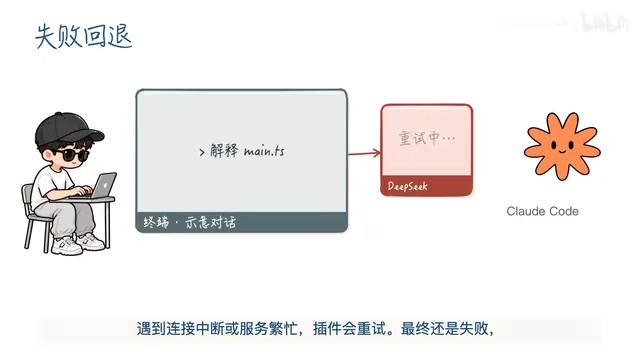
This fallback approach is commendable: translation is an enhancement, not a mandatory step, and any link failing shouldn't bring the entire conversation to a halt. The trade-off is that on failure you may receive an untranslated English response—a noticeable drop in experience—but at least the workflow isn't broken.
A Privacy Issue That Must Be Addressed
With translation enabled, your questions and Claude's full responses are sent to DeepSeek. This means two things: first, the conversation content leaves your local machine and enters a third-party API; second, if the conversation involves sensitive code, internal data, or credential information, that content is sent out as well.
The author's warning is clear: when sensitive code or data is involved, turn off translation first. This isn't a detail that can be glossed over. Using /Translate Off to disable automatic translation, or using the equals sign to skip a single message, are both viable ways to avoid this. Treat it as a convenience feature that's on by default, not a solution that's safe by default—that mindset will serve you better.
The data flow to third-party APIs deserves separate explanation: when you enable translation, the data path becomes "local terminal → DeepSeek servers → Claude servers," and your questions and responses pass through at least two external services. Even if the Claude side has its own data usage policy, DeepSeek will independently retain or process this content. API calls are typically transmitted over HTTPS encryption, but this only prevents eavesdropping during transmission—it doesn't change the fact that data leaves your local machine and enters a third party's control. Therefore, "turning off translation" essentially narrows the data path back to just the Claude side.
Who It's For
This plugin addresses a very specific pain point: wanting to converse with Claude Code in your native language without repeatedly copying and pasting between browser and terminal. It embeds translation into the terminal interaction itself, and it accounts for translation verification, switch control, and failure fallback—it's a "small but complete" tool.
Its boundaries are also clear: it depends on a third-party translation service, has a privacy exposure surface, and translation quality isn't guaranteed. If your daily use of Claude Code involves non-sensitive general development tasks, this workflow can significantly reduce the cost of reading English responses; if your work involves confidential code, you need to think carefully about which sessions can have translation enabled and which must have it off. The tool itself doesn't solve the judgment problem—you still have to make those calls yourself.
Related articles
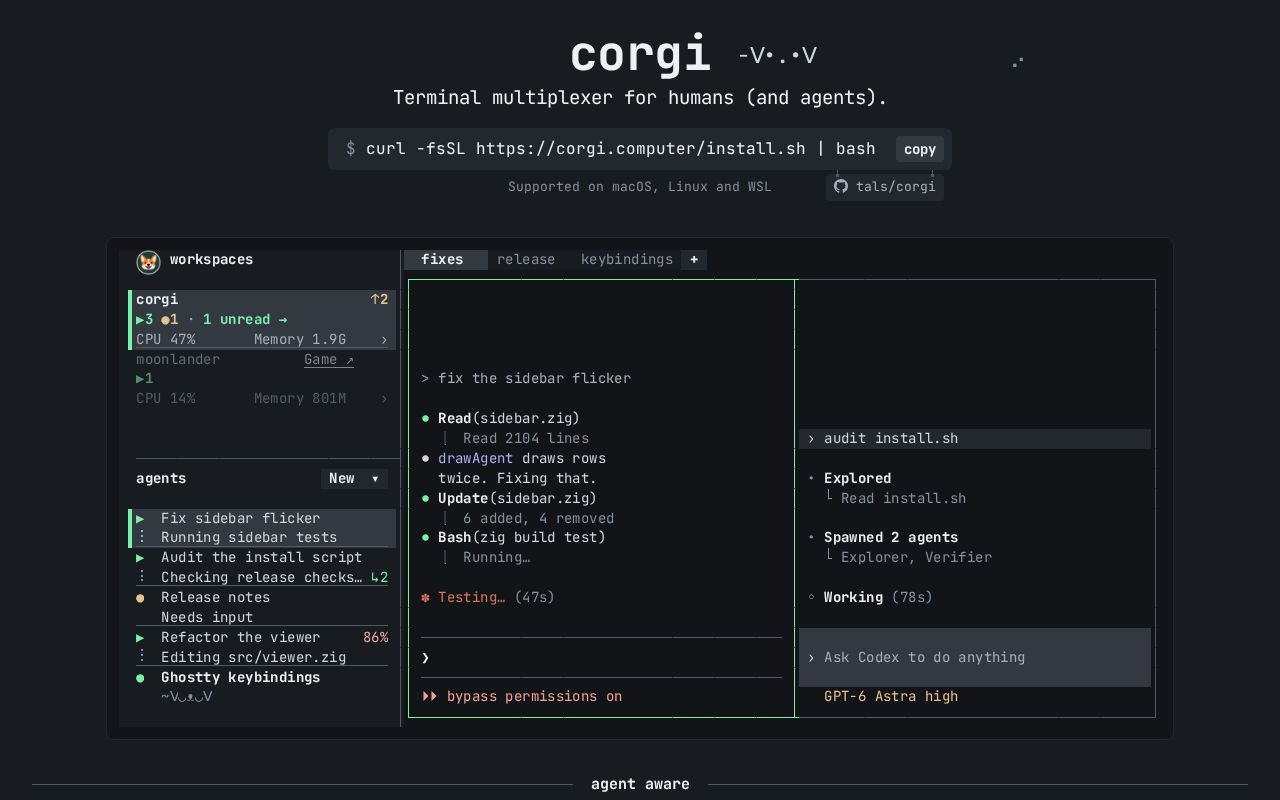
Corgi: A Terminal Multiplexer for AI Agents
Corgi, a new Show HN project, is a multiplexer for AI agents and terminals, aiming to solve session management when multiple coding agents run in parallel. This article analyzes its positioning, potential value, and early-stage risks.
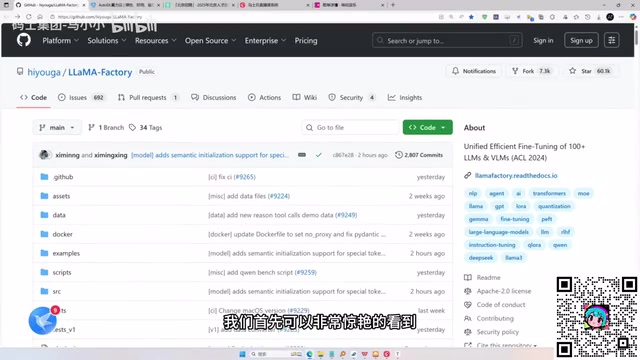
LLaMA-Factory in Practice: A Complete No-Code Guide to Fine-Tuning Large Models
An introduction to LLaMA-Factory, the open-source fine-tuning tool: its 60.1K-star background, supported models and algorithms, local vs. cloud deployment, and CUDA setup steps.
Zeng Ming's Deep Retrospective: Why OpenAI May Not Be the Ultimate Winner — and Why the Corporate System Will Disappear
Zeng Ming's deep retrospective on the AI endgame: model companies are just infrastructure, OpenAI and Anthropic won't be the final winners; the next battle is the Agent entry point standard; the corporate system will disappear as AI restructures collaboration, and only mission-driven companies can survive the cycle.