Tau Open-Source Coding Framework Explained: A Python Port of Pi

Tau is a Python port of the Pi coding framework featuring tree-based sessions, JSONL storage, and a Textual TUI.
Tau is an open-source Python coding framework that ports Pi's architecture — including tree-based session management, JSONL persistence, skills system, and custom prompts — while introducing a Textual-based terminal UI. Key features include conversation forking from any message node, exportable sessions for agent self-analysis, layered abstraction separating model-visible skills from frontend-only custom prompts, and an event-driven extension system compatible with Pi's ecosystem.
When building reliable AI workflows, coding harnesses are increasingly becoming one of the most critical components. A coding harness is the infrastructure layer in AI agent development, providing large language models with standardized interfaces for interacting with the external world. Unlike simple API wrappers, a complete coding harness must solve a series of engineering problems including tool call orchestration, context window management, session persistence, and error recovery. In the current AI agent ecosystem, tools like Claude Code, Aider, and Continue each implement coding harnesses with different design philosophies, while Pi/Tau represents a design path emphasizing extensibility and transparency. It not only determines how AI agents invoke tools and manage context but also directly impacts the fluidity of the entire development experience. This article provides an in-depth analysis of an open-source coding framework called Tau — a Python port of the well-known framework Pi that is architecturally nearly identical but delivers a fresh terminal interaction experience.
Tau Coding Framework Overview: A Python Port of Pi
Tau is a coding framework developed entirely in Python, essentially an architecture-level port of Pi. If you're familiar with and enjoy Pi, Tau delivers a virtually identical experience since the underlying execution logic is completely the same.
The most critical difference between the two lies in the Terminal User Interface (TUI). Rather than building its own interface from scratch, Tau adopts Textual, an excellent Python terminal UI framework. Textual is a modern terminal UI framework created by Will McGuigan, the author of the Rich library. It allows developers to build feature-rich terminal applications using a web-development-like approach (CSS layouts, componentization, event-driven architecture). Compared to traditional low-level terminal libraries like curses or blessed, Textual provides higher-level abstractions supporting responsive layouts, animations, rich text rendering, and other modern UI features. It can implement complex interactions like scrollable lists, sidebars, and modal dialogs while maintaining the lightweight advantage of pure terminal execution. This choice gives Tau a different visual style from Pi, with design inspiration partly drawn from other agent tools like OpenCode, whereas Pi's TUI is handwritten from scratch in TypeScript.
Installation is extremely simple: just copy the official installation script, run it in the terminal, and it supports Mac, Linux, and Windows. After installation, entering the tau command launches a clean interactive interface.
Tau's Interface Layout and Core Interaction Patterns
Upon launching Tau, users see an information-rich operational interface. The input box is located in the main area, and its bash command handling logic is noteworthy:
- Adding one exclamation mark (
!) executes a bash command that gets added to the context; - Adding two exclamation marks (
!!) executes a command that does not enter the context.
This design reflects fine-grained control over context management — some commands (like viewing file structures) produce output valuable for subsequent conversations and should be retained in context, while others (like cleaning temporary files) don't need to occupy precious context window space.
The sidebar displays key session information including:
- Session name: Automatically named upon sending the first message (this is one difference from Pi, which doesn't auto-name);
- Activity statistics: Agent turns and tool call counts;
- Cumulative usage: Total tokens consumed (input/output) and API call costs for the entire session;
- Compression info: Context compression is automatically executed when the threshold is reached;
- Context file view: Clearly shows system prompts, loaded
agents.mdfiles, tools, skills, custom prompts, and extensions.
Context compression is a key technique for dealing with LLM context window limitations. When the accumulated tokens from conversation history approach the model's context window limit, the framework needs to reduce token consumption while preserving critical information. Common strategies include summarizing historical messages, removing redundant tool call details, and keeping the most recent N turns of complete conversation while compressing earlier content. Tau/Pi's automatic compression mechanism triggers when a preset threshold is reached, ensuring the agent always has sufficient context space to handle new tasks without losing critical decision history from the session.
By default, Tau — like Pi — includes four core tools: read, write, edit, and bash.
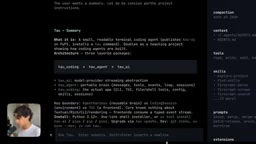
An easily overlooked but extremely practical detail: when selecting and copying text in Tau, the content is automatically saved in proper Markdown format. This solves the persistent problem of garbled formatting when copying from many terminal UIs.
Tree-Based Session Management: Tau's Core Architecture Design
Tau's session management fully adopts Pi's tree structure rather than a traditional linear list. This is one of the most noteworthy designs in its architecture.
Tree-based session management is a significant architectural upgrade over traditional linear conversation history. In a linear structure, each conversation has only one timeline — if users want to backtrack and try different prompting strategies, they must create an entirely new session and lose context. Tree structures borrow the branching concept from version control systems (like Git), allowing forks to be created from any historical node. This is profoundly meaningful for AI coding workflows: developers can try multiple implementation approaches on the same contextual foundation, compare output quality across different branches, without needing to repeatedly establish context. This design also provides natural support for A/B testing different prompting strategies.
Message Tree: Each Message Points to a Parent Node
In Tau, every message carries a parent attribute pointing to its preceding message. This data structure is essentially a special case of a directed acyclic graph (DAG) — a single-parent tree. Each node has only one parent but can have multiple children, which is the structural foundation that makes forking possible. The greatest benefit of this design is that conversation forking becomes extremely natural — you can create a new branch from any historical message, with that message as the parent node, thus generating a new conversation line within the same session history.
The /tree command provides intuitive navigation of the entire message tree, with support for showing or hiding tool calls to simplify browsing. Users can click any node in the tree to continue the conversation from that point, and the system automatically creates a new branch.

JSONL Format Persistent Storage
All sessions are stored as JSONL files (each line is an independent JSON object), saved in the .tau/sessions path corresponding to the working directory. JSONL (JSON Lines) has significant engineering advantages over regular JSON arrays: it supports append-only writing, where new messages can be directly appended to the end of the file without re-parsing the entire file; it's friendly for stream processing, allowing line-by-line reading without loading the entire file into memory; even if one line in the file is corrupted, the remaining lines are still readable, offering better fault tolerance. These characteristics make JSONL particularly suitable for log-type and event-stream data persistence scenarios, and it has become the de facto standard for AI agent session records.
Each record contains a message ID, parent ID, timestamp, message type, and content. Since sessions are bound to the working directory, using the /resume command lets you view and restore historical sessions in the current directory, with the interface displaying last used time, model used, and session name.
Session Export Feature: Using Agents to Analyze Agents
Session export is one of Tau's (and Pi's) most valuable features. It allows you to export an agent interaction and hand it to another agent for analysis and optimization — particularly useful when testing new skills, new tools, or MCP servers.
MCP (Model Context Protocol) is an open protocol proposed by Anthropic aimed at standardizing communication between AI models and external tools/data sources. Through MCP, developers can encapsulate any service (database queries, API calls, file system operations, etc.) as standardized tool interfaces callable by any MCP-compatible AI agent. Tau/Pi's extension system is compatible with the MCP ecosystem, meaning community-developed tools can seamlessly migrate between the two frameworks through a unified event mechanism.
Export methods are highly flexible:
/exportexports directly by session ID;/export ~/temp/test.htmlexports as an HTML file with path and name, viewable in a browser showing all tool calls, model switches, thinking processes, and the complete conversation tree;- Direct export as
.jsonlfiles is also supported; - The
/sessioncommand outputs complete session metadata (storage location, number of tools and skills, session ID) and automatically copies it to the clipboard.
In practice, you simply hand the session ID to another Tau agent and ask it to "analyze this session." The agent will automatically navigate to the .tau/sessions directory to locate and read the file, then provide improvement feedback. This creates an efficient agent self-iteration loop — essentially an application of metaprogramming thinking: using AI systems to examine and optimize the behavioral patterns of AI systems themselves, including prompt effectiveness, tool call efficiency, and decision path rationality.
Skills System and Custom Prompts Mechanism
Tau's skills mechanism is completely identical to Pi's. Skills are essentially programmatic instructions saved in Markdown files, which can include scripts or templates, typically stored in .agents, .tau, .py, or similar directories in the user's home directory or project root.
How Skills Are Invoked
There are two ways to invoke skills:
- Explicit invocation: Type
/skill:and select from the autocomplete dropdown; - Agent-autonomous invocation: Since skill descriptions are injected into the system prompt by default, the agent will automatically invoke them when it determines they're needed.

Due to Textual interface differences, Tau cannot fully list skills at the session header like Pi does, so a /skills command was added (similar to Claude Code's approach) to view all loaded skills. Press F1 to view descriptions, and Ctrl+Enter to read skill contents directly within the terminal — extremely convenient for debugging existing skills, and the reading operation doesn't pollute the context.
Layered Abstraction of Custom Prompts
Custom prompts represent another layer of abstraction. They are essentially slash commands that, when sent, get replaced at the frontend level with longer, complete prompts. Unlike skills, the agent itself is unaware of these prompts' existence — it only receives the fully expanded content.
This distinction reveals the fundamental difference in abstraction levels between the two mechanisms, embodying the core design principle of "model visibility." Skills are injected into the system prompt and are fully visible to the model — the model knows these skills exist, their functions, and trigger conditions, and can autonomously decide when to invoke them. Custom prompts are purely frontend-level shortcuts that complete text substitution before user input reaches the model. The model receives the expanded full content and doesn't know an abbreviation mechanism exists. Understanding which information should be perceivable by the model and which should be transparent to it is a critical decision in designing reliable agent systems.
Key Differences Between Tau and Pi
As a port of Pi, Tau strives for consistency, but differences in language and UI framework introduce several distinctions:
Interface and Command Differences
- TUI framework: Tau is built on Textual; Pi is handwritten in pure TypeScript;
- New commands:
/skills(list skills),/prompts(list prompts),/tools(display all tools and their sources); - Auto-naming: Tau automatically names sessions upon the first message; Pi does not.
The /tools command clearly shows tool sources. For example, after loading a sub-agent extension contributed by community developer Ryan, in addition to the four built-in tools, new tools like create subagent and steer subagent appear. All extensions are compatible with Pi and require only simple porting since they share the same event mechanism. This event-driven extension architecture means the framework communicates with extensions through a publish/subscribe pattern — extensions only need to listen for specific events (such as tool call requests, message reception, etc.) and respond accordingly, without needing to understand the framework's internal implementation details.
Notifications and Theme Customization
Tau integrates task completion notifications by default — when the agent completes a task, it sends an alert. This is extremely useful when running multiple agents in parallel using terminal multiplexers like tmux. Pi doesn't include this feature by default but can add it through extensions.

Tau includes built-in themes like Tau Lite and High Contrast, with support for custom themes through simple JSON files. You can even have Tau itself generate themes, skills, and prompts — it "knows" how to create these resources because the relevant file format specifications have been injected into the agent's context as skills or system knowledge. After modifications, use the /reload command to have Tau re-read skills, prompts, extensions, and themes, achieving hot updates without restarting the session.
Conclusion: Understanding Coding Framework Design to Build Better Agents
Tau's value lies not only in providing a usable Python coding framework but also in clearly and readably demonstrating the design philosophy of modern coding frameworks: tree-based session management, JSONL persistence, layered abstraction of skills and prompts, and exportable, analyzable session feedback loops.
These design patterns are not unique to Tau/Pi — they represent an emerging consensus in the AI agent engineering field: sessions should not be disposable but rather auditable, reusable, and analyzable structured assets; tool interfaces need standardization to promote ecosystem collaboration; users should have fine-grained observability and control over agent behavior.
For developers seeking to deeply understand the internal mechanisms of AI coding agents or even build their own agents, studying open-source frameworks like Tau is an excellent learning path. As the author states, understanding these underlying designs is "extremely interesting," and this understanding forms the foundation for building reliable AI workflows.
Related articles

Apple HomeView Hands-On Review: Is the $300 Smart Home Hub Worth It?
Apple HomeView hands-on: a $300 smart home hub with facial recognition for quick account switching, but no App Store or voice recognition. Is the wall-mounted version worth it? Should you buy the first generation?

Meta Muse Wonder Launch: What It Means for Meta's Return to the Frontier AI Race
Meta releases Muse Wonder and WonderFull, benchmarks reach the frontier, community feedback is polarized. An in-depth look at Meta's return to the frontier AI race, its personal agent strategy, and Zuckerberg's different path.

Apple Home Smart Home Lineup Leaked: LG and Schneider Team Up, UWB Door Lock on Board
Apple Home ecosystem gains new LG and Schneider devices: UWB smart lock with proximity unlock, 2.5K dual-camera doorbell, privacy indoor camera, and AirPods-like seamless pairing.