The Complete Claude Code Guide: Installation, Core Features, and Advanced Workflows

A complete guide to Claude Code: installation, core features, and advanced AI coding workflows.
This comprehensive guide walks through Anthropic's Claude Code agentic coding tool—from installation and pricing to advanced techniques including model selection, token management, CLAUDE.md global memory, MCP integration, Skills, and Subagents—helping you master AI-driven coding workflows.
Claude Code Positioning and Pricing: Do the Math First
Claude Code is Anthropic's Agentic Coding Tool that runs in your terminal and can directly read and write files, execute commands, and call external tools. Unlike ChatGPT or the Claude web version, it actually runs on your local machine, diving deep into your codebase to perform real operations. This article is based on a comprehensive hands-on tutorial from an experienced developer, systematically covering the complete methodology of Claude Code—from installation and configuration to advanced workflows.
What is an agentic coding tool? Agentic coding tools represent the second-generation paradigm of AI-assisted development. First-generation tools (such as early versions of GitHub Copilot) mainly provided code completion and suggestions, with developers still needing to manually execute every step. The agentic paradigm is different—the AI can autonomously plan multi-step tasks, invoke tool chains, read and write the file system, execute shell commands, and dynamically adjust its next actions based on execution results.
This capability stems from the combination of large language models with "Tool Use/Function Calling" abilities: when generating a response, the model can output a structured "tool call request" instead of plain text. The host program captures this request, performs the corresponding operation (such as reading a file or running a command), then injects the result back into the context as a "tool return value." The model continues reasoning based on this—forming a closed loop of perception-decision-execution-feedback. This capability was first introduced by OpenAI into the GPT-4 API in 2023, and has since become the common technical foundation for agentic coding tools. Claude Code, GitHub Copilot Workspace, Devin, and others all belong to this space. Essentially, they use an LLM as the "reasoning engine," connecting it to execution environments such as file systems, terminals, and browsers to form a closed-loop autonomous execution system.
Claude Code belongs to the agentic coding tool space, similar in nature to tools like Codex and Cursor. For developers, the most common usage is running it in an editor's integrated terminal or an editor extension. If you have experience with similar tools, getting started with Claude Code will be quite smooth.
However, many tutorials tend to sidestep the pricing question—so let's do the math first:
- Free tier: For trial use only; using it for real projects will quickly hit the quota limit;
- Pro plan: $20/month (roughly $17/month if paid annually);
- Max plan ($100): 5x the Pro quota;
- Max plan ($200): 20x the Pro quota.
The tutorial author personally uses the $200 Max plan, not only for coding but also for project planning and requirement gathering via the desktop Co-work tool. For beginners, it's recommended to start with the free tier and gradually upgrade based on actual usage.
Installation Methods and Three Main Usage Environments
Anthropic currently offers multiple usage environments, with the desktop app being prominently promoted. Its interface is divided into three tabs.
The Three Modules of the Desktop App
- Chat tab: Essentially the Claude AI web chat interface. It doesn't access the local file system but supports integrations like Google Drive and Calendar;
- Co-work tab: Similar to a virtual assistant, it can connect to the file system. The tutorial author connected it to his own Obsidian knowledge base, running a "Good Morning Skill" daily to report his schedule and to-do items, and also uses it for project planning;
- Code tab: The graphical entry point for Claude Code. However, since it can't directly view the project directory structure, it leans toward "vibe coding," and the author personally doesn't recommend this approach for serious development.
Recommended Approach: Terminal Installation
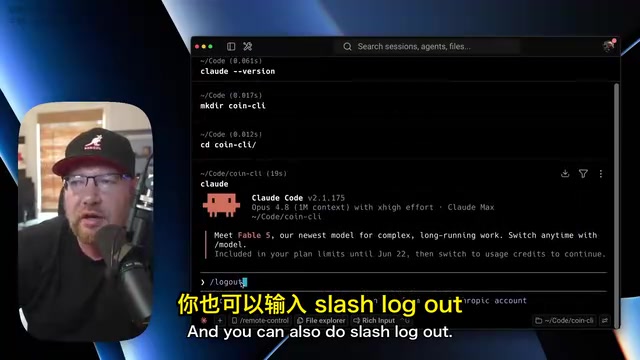
For real development work, the author strongly recommends the terminal approach. Get the cURL install command from the official website, paste it into your terminal, and run it. After installation, run claude --version to verify. First-time use requires account authentication at claude.ai (a free account will do), and you can manage your login state anytime with /login and /logout.
The working directory is crucial—it determines the scope Claude Code can access and operate on. In the tutorial, the author created a new coin-cli directory as an example project, cd'd into it, and ran claude to start a session.
Model Selection, Token Management, and Context Control
Model Selection
Use the /model command to view and switch models. Claude Code currently only supports Anthropic's own models, with four main options:
- Opus: The most capable, but also the highest token consumption;
- New-generation model: Just released when the tutorial was recorded, and the author was trying it out;
- Sonnet: An older version with decent coding ability, but the author prefers Opus;
- Haiku: The most economical, suitable for simple, quick, lightweight tasks.
Token Usage and Quota Management
Even paid subscribers need to keep an eye on token consumption. The /usage command shows usage for the current session (roughly a 5-hour cycle) and for the week. Even if the Opus quota runs out, the system still reserves a certain amount of Sonnet usage. Pro users especially need to budget carefully—they can save Sonnet for lightweight tasks.
The new /effort command adjusts reasoning intensity, ranging from low to ultra; higher intensity consumes more tokens. The author typically stays at the extra high level.
Context Window Management
How tokens and context windows work: A token is the basic unit an LLM uses to process text, roughly corresponding to 3/4 of an English word or half a Chinese character. The context window is the maximum total number of tokens the model can "see" and process in a single conversation, encompassing all inputs including conversation history, system prompts, and file contents. Claude's million-token context window theoretically means it can hold about 750,000 English words or an entire medium-sized codebase.
However, as the context approaches its limit, an "attention dilution" phenomenon occurs—a 2023 Stanford University research paper named it the "Lost in the Middle" effect: when relevant information is located in the middle of an ultra-long context, the model's retrieval accuracy drops significantly, allocating higher attention weight to tokens positioned toward either end. This causes the model to overlook earlier agreed-upon conventions or make contradictory decisions. This is why professional users recommend placing the most important instructions at the beginning or end of the prompt, and periodically clearing the context and reloading core conventions rather than relying on the model to "remember" earlier agreements.
The author's device has a million-token context window, and he can check usage anytime with /context—one of his most frequently used commands.
His core takeaway: don't let the context approach its limit, or the model will start to "forget" and make poor decisions. His approach is to develop feature modules one by one, with each feature consuming about 200,000-300,000 tokens. After completing one, he commits and pushes the code, then runs /clear to clear the context and start the next module.
VS Code Integration and Practical Workflows
The author rarely uses a standalone terminal, working in VS Code instead. There are two ways to integrate: directly opening the integrated terminal and running claude, or installing the VS Code extension. He prefers the extension approach because the interface is clearer and the visual experience is better.
An Overview of Claude Code's Built-in Tools
Taking "use a Node script to fetch the top five cryptocurrency prices from CoinGecko and output a clean table" as an example, you can observe the internal tools Claude Code invokes when running:
- Bash: Executes terminal commands (e.g.,
lsto check directory structure); - Write: Creates and writes files;
- Read / Edit / Grep: Reads, edits, and searches file contents;
- Web Fetch: Fetches data from a specified URL.
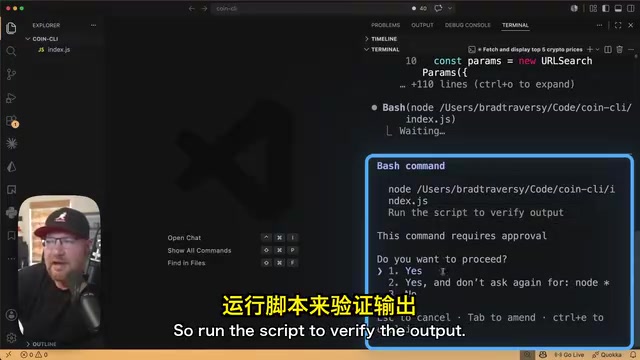
The key point is: Claude Code doesn't directly create or modify files. Instead, it first shows a diff—green for added content, red for deleted content. This lets developers clearly see every change, avoiding blind "vibe coding."
The engineering significance of the diff mechanism: Diff originates from the Unix
diffcommand and is a core mechanism of version control systems, intuitively presenting file changes in the form of "+green additions/−red deletions." Introducing diff previews into AI coding tools essentially establishes a "confirmation checkpoint" between automated execution and human review. This design solves the core trust problem of AI code generation: the AI might unexpectedly alter seemingly unrelated logic while fixing a bug, or introduce subtle boundary condition errors.By forcing the diff to be displayed, developers can catch these "side effect" changes before the code actually lands on disk. This is also the key design philosophy distinguishing Claude Code from pure "vibe coding" tools—the tool should enhance the developer's sense of control rather than replace their judgment. This design principle aligns closely with Git's core values: the significance of version control lies not only in rollback, but in making every change reviewable and traceable.
Four Permission Modes
Use shift+tab to cycle through four operation modes:
- Normal mode: Asks for permission before every operation, recommended for beginners;
- Accept Edits mode: Automatically accepts all file edits;
- Plan mode: Only generates plans without actually modifying code;
- Auto mode: Fully automated execution, capable of running for hours continuously and making autonomous decisions. It's riskier and only recommended for personal experimental projects.
Entering ! enters Shell mode to run commands directly (e.g., !node index.js); the /btw command lets you insert a "by the way" side question while Claude is working.
Permission Scope Settings
Claude Code's settings, MCP, Skills, and more all follow the concept of "scope":
- Project scope: Stored in the project's
.claudefolder, effective only for the current project; - User scope: Stored in the
.claudefolder in the home directory, effective across all projects; - Local scope: Stored in
settings.local.json, not committed to the repository, for personal use only.
Use /permissions to configure allow / ask / deny rules, for example requiring manual confirmation for every git push, or completely prohibiting dangerous operations like rm -rf *.
CLAUDE.md: A Global Memory File for Claude
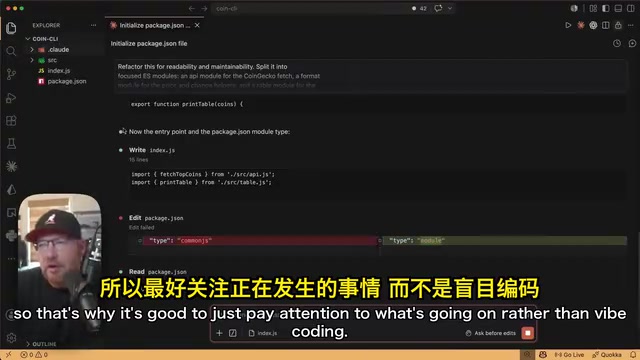
The author demonstrated refactoring a single-file script into a multi-module structure. Claude automatically split it into files like api.js, format.js, and table.js, and added the type: module configuration to support ES module syntax.
For content that Claude should always remember—such as coding standards or project architecture information—you should write it into a CLAUDE.md file. Whether you run /clear to clear the context or open a new tab, the file's contents are automatically loaded, serving as Claude's "long-term memory."
After running the /init command, Claude scans the entire project and automatically generates a CLAUDE.md file containing core information such as run commands, architecture descriptions, and environment variable requirements.
CLAUDE.md and AI memory architecture: The design philosophy of CLAUDE.md corresponds to the classic distinction between "Persistent Memory" and "Working Memory" in AI systems. The context window is working memory—it disappears when the session ends; whereas CLAUDE.md plays the role of persistent memory, automatically injected each time a session starts. This pattern is also a lightweight implementation of "Retrieval-Augmented Generation (RAG)"—externalizing key knowledge for storage and retrieving/injecting it when needed, rather than relying on implicit memory within the model's parameters. An advanced usage that splits CLAUDE.md into multiple sub-files referenced on demand is essentially building a lightweight knowledge graph: the main file serves as an index, while sub-files store content by topic (architecture, standards, current task). This both avoids the attention dilution caused by a bloated single file and maintains the structure and maintainability of the context.
The author's advanced approach is to keep the main CLAUDE.md file short, using it to point to multiple sub-files in a context folder that separately record the project overview, coding standards, AI interaction conventions, and current feature descriptions—maintaining clear context management when developing module by module.
Skills, MCP, and Subagents: The Three Advanced Capability Tools
Skills: Reusable Workflows
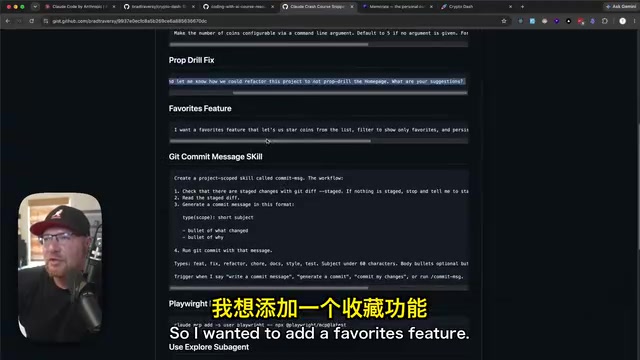
A Skill is a "teach once, remember forever" reusable workflow, essentially a Markdown file. The author created a commit-msg skill to standardize the format of Git commit messages.
It's worth mentioning that triggering a Skill doesn't require strictly executing a slash command—just say "write a commit message" and Claude can automatically recognize and load the corresponding Skill file.
MCP: A Bridge to External Services
MCP protocol background: MCP (Model Context Protocol) is a standardized protocol open-sourced by Anthropic in November 2024, aimed at solving the fragmentation of integration between AI models and external data sources and tools. Before MCP, each AI tool had to write dedicated integration code for different services (databases, APIs, file systems), incurring extremely high maintenance costs. MCP adopts a client-server architecture: the AI application acts as the MCP client, various external services are implemented as MCP servers, and the two communicate via the standardized JSON-RPC protocol.
From an architectural perspective, an MCP server is essentially a "tool adapter": it translates an external service's native API into a structured tool description (Tool Schema) that the AI model can understand—including the tool name, functionality description, parameter types, etc.—enabling the model to autonomously decide when to call which tool. This is similar to how the USB interface unified peripheral connection standards—developers only need to implement an MCP server once, and any MCP-supporting AI client can call it directly. Currently, MCP's competitors include Microsoft's Language Server Protocol (LSP) and OpenAI's GPT Actions, but MCP is currently the only truly open-source cross-platform standard adopted by multiple mainstream vendors including Google, Microsoft, and Cursor, and is becoming a key infrastructure of the AI tool ecosystem.
MCP (Model Context Protocol) enables Claude Code to connect to external services and data sources. The MCPs the author commonly uses include:
- Context7: Provides the latest documentation for frameworks, compensating for the lag in the model's training data;
- Neon MCP: Directly operates the Neon database and executes SQL queries;
- Playwright: Lets Claude control the browser to open the project, run end-to-end tests, take screenshots, and provide UI feedback.
The command format for installing an MCP is: claude mcp add -s user <name> npx <package>. The author demonstrated the complete workflow of having Playwright automatically click the favorite button, filter content, and take screenshots for verification—the results were impressive.
Subagents: Sub-Agents with Independent Contexts
Multi-agent architecture principles: The Subagent pattern is a concrete application of Multi-Agent Systems in coding tools. Claude Code's Subagents adopt the "Orchestrator-Worker" pattern—the main session acts as the orchestrator assigning tasks, while Subagents act as workers that complete specific work and report a summary of results. Its core idea is "divide and conquer": decomposing complex tasks into multiple subtasks handled by mutually independent agents, each maintaining its own context window and only reporting a result summary to the main agent.
The token economics advantage of this architecture is worth quantifying: suppose the main session has already consumed 150,000 tokens. If code review were executed directly in the main session, the 50,000 tokens of analysis generated during the review would permanently occupy the context; whereas by executing via a Subagent, the main session only needs to receive the final 2,000-word review report, saving about 97% of the context space. This pattern borrows from the microservices architecture concept in software engineering: single responsibility, loose coupling, and communication through well-defined interfaces—the core strategy for managing the token budget in long-term complex projects.
A Subagent is an independent Claude session temporarily launched for a specific task, with its own independent context window, returning only a result summary to the main session, thereby effectively avoiding bloat in the main context window.
The built-in explore agent can be used to trace the data flow in code. Users can also create custom Subagents, such as a "code-reviewer"—specifically checking uncommitted changes for common issues like dead code, leftover console.log statements, and missing React key props. This Subagent can even self-correct, learning to ignore non-code files like Playwright screenshots.
The Core Philosophy: Understand the Code, Don't Just Use the Tools
Throughout the tutorial, the author repeatedly emphasizes the same point: when using AI for programming, you don't have to type every line of code yourself, and you don't even have to remember the exact syntax, but you must clearly know what each step is doing and how the overall architecture operates.
AI programming is still in its "Wild West era"—there's no unified paradigm, and everyone is figuring out the workflow that suits them best. Whether it's Skill design, context management, or the organization of the global memory base, what this article shares is just one set of the author's personal methodology, and readers are entirely free to explore their own rhythm on this foundation.
What truly matters is: while greatly boosting efficiency with tools, always maintain your understanding and control of the code and architecture—this is the most core competitiveness for developers in the AI era.
Key Takeaways
Related articles

Alibaba Launches Happy Shrimp: AI-Powered One-Click Complete Song Generation
Alibaba launches Happy Shrimp, an AI music generation tool that creates complete songs with lyrics, melody, arrangement, and vocals from natural language descriptions. In-depth analysis of its core features, differentiation from competitors like Suno, and industry impact.
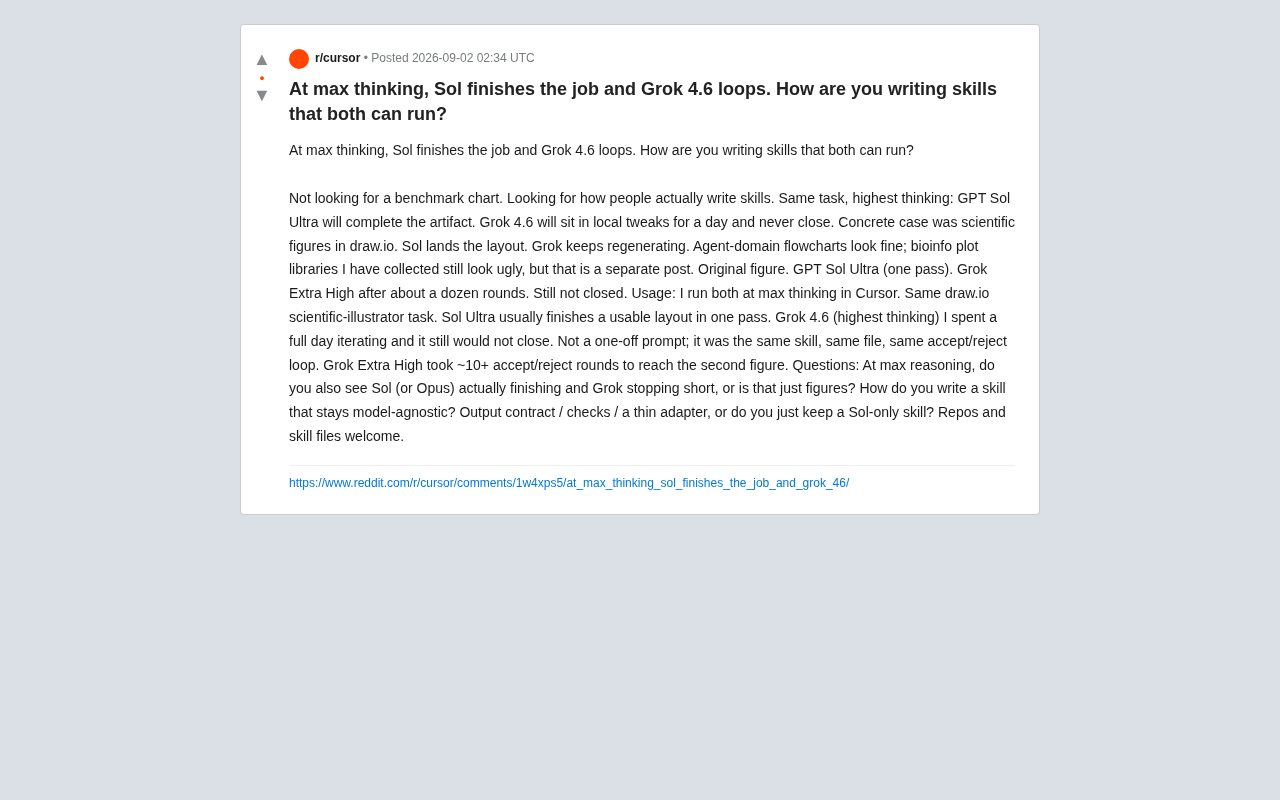
GPT Sol Ultra vs Grok 4.6: Real-World Task Completion Benchmark in Reasoning Mode
Developer benchmark reveals GPT Sol Ultra completes draw.io scientific diagrams in one iteration while Grok 4.6 fails to converge despite maximum reasoning mode, exposing that reasoning depth ≠ task delivery capability.
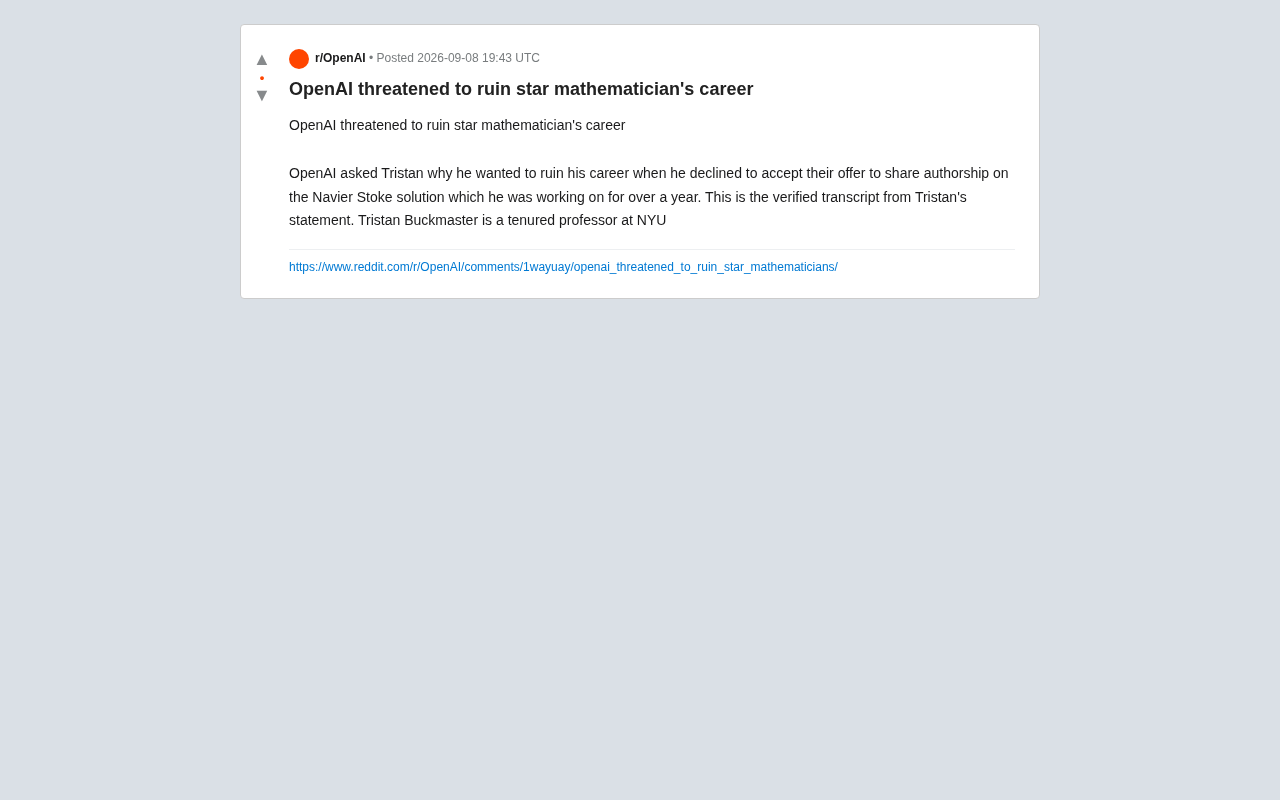
OpenAI Authorship Dispute: The Battle Over Academic Boundaries in the AI Era
OpenAI disputes authorship with mathematician Tristan Buckmaster over Navier-Stokes research, raising ethical questions about AI involvement in science.