The Complete Guide to OpenCode: Installing, Configuring, and Using the Terminal AI Coding Assistant

A complete guide to installing, configuring, and using OpenCode, the terminal-native AI coding assistant.
This guide provides a systematic overview of OpenCode, a terminal-native AI coding assistant. It covers two installation methods (desktop and the officially recommended WSL 2), core configuration of models and rule files, prompt engineering practices, AI Agents built on the ReAct framework, MCP service integration, and hands-on project workflows.
What Is OpenCode
With the rapid rise of AI coding tools, more and more developers are looking for command-line AI assistants that can truly integrate into their development workflow. Since GitHub Copilot's large-scale commercialization in 2022, AI coding tools have gone through a rapid evolution across three distinct stages: Code Completion → Chat-based Assistance → Autonomous Agent. Early tools centered on line-level and function-level autocompletion, relying on specialized models pre-trained on massive amounts of open-source code (such as Codex) to predict the next token by learning the statistical patterns of code. The explosion of ChatGPT then drove the popularization of conversational coding assistants, enabling developers to describe requirements in natural language, discuss architecture, and explain error messages. Over the past two years, agentic systems capable of autonomously decomposing tasks, invoking tools, and iterating continuously have emerged, marking AI's shift from "passive response" to "active execution."
Behind these three stages lies a structural leap in the capabilities of large language models. The core of early code completion was statistical language modeling—Codex (a code-fine-tuned version of GPT-3) was essentially a highly specialized sequence predictor. The key breakthrough in the conversational stage was instruction tuning and RLHF (Reinforcement Learning from Human Feedback), which enabled models to understand natural-language intent. The core enabling technology of the Agent stage is tool-calling capability (Function Calling / Tool Use)—models can not only generate text but also output, in a structured format, "which tool I need to call and what parameters to pass in." An external system executes the call and feeds the results back into the context, forming a genuine closed loop of human-machine collaboration.
Graphical tools like Cursor and Windsurf dominate the visual coding-assistance space, deeply embedding AI capabilities into the IDE interaction layer. Command-line-native tools, meanwhile, represent a different path that more closely matches the mental model of professional developers—for the many backend engineers, DevOps engineers, and open-source contributors who use the terminal as their primary working interface, GUI-based tools actually introduce extra cognitive friction.
It's worth understanding in depth that command-line tools have a structural advantage over GUI tools in terms of Composability: the pipeline design of the Unix philosophy—"do one thing well and cooperate well with other tools"—means terminal tools naturally support flexible composition with thousands of existing tool chains such as grep, awk, jq, and sed via stdin/stdout, enabling complex automation workflows. This is an ecosystem advantage that no closed GUI tool can easily replicate. OpenCode is a tool worth watching in this direction—it is purpose-built for the terminal environment, allowing developers to write code, build projects, and perform automation tasks without ever leaving the command line, while fully inheriting the composability dividend of the command-line ecosystem.
Compared with graphical AI coding tools, OpenCode places greater emphasis on being lightweight, flexible, and deeply integrated. It supports a variety of model configurations, custom commands, and custom tools, and can connect to external MCP services and Agents, offering strong extensibility in professional development scenarios. For developers accustomed to working in the terminal, this design effectively avoids the efficiency loss caused by frequent window switching—according to cognitive psychology research, context switching takes an average of about 23 minutes to fully restore a state of deep focus, which is especially impactful for programming work that requires continuously maintaining large amounts of code context. Completing AI interactions within the terminal essentially transforms "the tool seeking the person" into "the tool integrating into the person's workflow."
This article is compiled from related tutorial content on Bilibili, systematically organizing OpenCode's core knowledge system to help beginners build a complete cognitive framework and avoid detours.
Two Ways to Install OpenCode
OpenCode offers two installation paths, suited to different usage needs and system environments.
Direct Desktop Installation
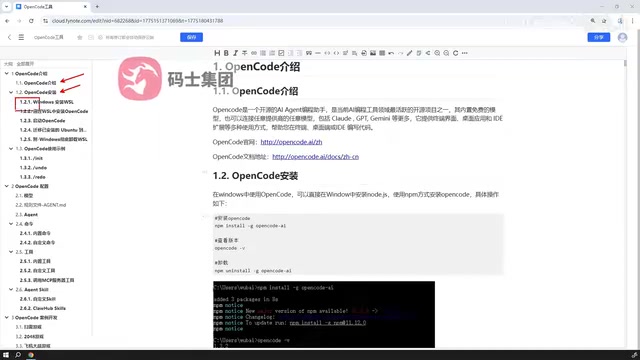
The first approach is direct desktop installation, which has the lowest barrier to entry. For users who just want to quickly experience the tool's features without dealing with environment setup, desktop installation is essentially ready to use out of the box, deployable in just a few steps.
WSL-Based Installation (Officially Recommended)
The second approach is to first install WSL (Windows Subsystem for Linux) on Windows, build a virtual Linux environment on top of WSL, and then install OpenCode within it.
WSL is a compatibility layer technology introduced by Microsoft that allows Linux binary executables to run natively on Windows. Understanding its evolution helps in choosing the right approach: WSL 1 (2016) used a "syscall-by-syscall translation" mechanism, mapping Linux system calls to Windows NT kernel calls through a translation layer. It had significant compatibility gaps, especially for tools relying on low-level file system features. WSL 2 (2019) underwent an architectural rewrite—based on Hyper-V lightweight virtualization technology, it runs a complete, real Linux kernel within an isolated virtual machine environment, completely eliminating the compatibility bottleneck of the translation layer.
It's worth understanding in depth that WSL 2 uses Microsoft's in-house Lightweight Utility VM. Compared with traditional Hyper-V virtual machines, startup time drops from minutes to seconds, and memory usage is dynamically adjusted rather than statically allocated. Its Linux kernel is maintained by Microsoft, regularly synced with upstream security patches, and specifically optimized for Windows integration scenarios, supporting GPU passthrough (via WSLg for graphical applications) and USB device access (via usbipd-win). For tools with complex tool chains like OpenCode, WSL 2's full syscall compatibility is particularly important: Node.js file watching (inotify), network binding, and process signal handling all had known defects in WSL 1, whereas WSL 2 completely eliminates such issues by using a real kernel. Real-world testing shows that WSL 2's I/O performance on the Linux file system (ext4) is several to dozens of times better than WSL 1, making it the de facto standard for Windows developers using Linux tool chains.
It's worth noting that although WSL 2 introduces a real virtual machine, through bidirectional mounting with the Windows file system (Windows disks are accessible in WSL 2 via paths like /mnt/c) and deep integration with tools like Windows Terminal and VS Code Remote, the actual usage experience is nearly seamless, with the virtualization layer barely perceptible.
This approach involves slightly more steps, but it is the officially recommended installation method. The reason is straightforward: many of OpenCode's command-line features and tool chains receive more complete and stable support in a Linux environment. For users who wish to use it long-term and carry out serious project development, the WSL approach effectively avoids subsequent compatibility issues.
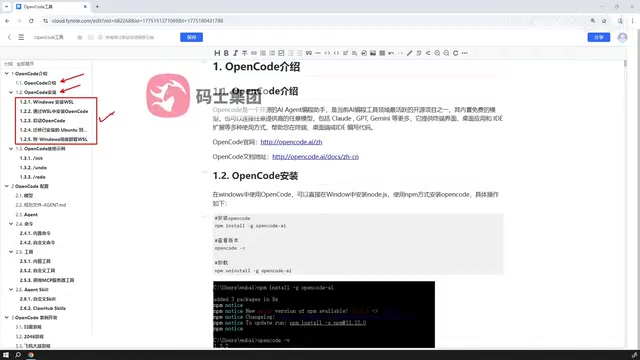
The two approaches each have their strengths: desktop installation wins on speed and is suitable for quick trials; the WSL approach wins on stability and completeness and is suitable for production environments. Developers can choose flexibly based on their own needs.
Core Configuration and Basic Usage
After installation, what truly determines the OpenCode experience is its rich configuration capabilities—this is also the key differentiator from ordinary AI tools.
Common Commands and Basic Operations
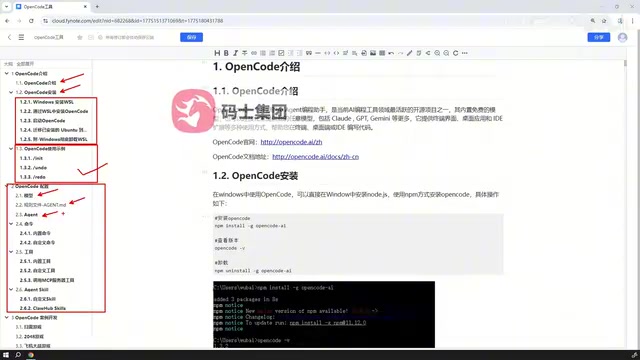
Mastering OpenCode's common commands is the first step to getting started. Through basic commands, users can interact with the AI, generate code, execute tasks, and quickly build an intuitive understanding of the tool.
Model Configuration and Rule Files
OpenCode's configuration system mainly includes the following aspects:
-
Model Configuration: Specify which AI model to use and switch flexibly to adapt to different task requirements. Models of different scales and characteristics each have their strengths across dimensions like code generation, logical reasoning, and multilingual support—models with larger parameter counts (such as Claude 3.5 Sonnet, GPT-4o) perform better on complex reasoning and cross-file refactoring tasks, while lightweight models (such as Claude 3 Haiku, GPT-4o Mini) have clear advantages in response speed and token cost, making them suitable for high-frequency, simple completion scenarios. Reasonable model selection is the prerequisite for unlocking AI value; teams can dynamically route to different models based on task complexity, balancing quality and cost.
-
Rule File Configuration: Set project context, coding standards, and other constraints for the AI so that generated results better match actual project requirements. Rule files are essentially the systematic implementation of Prompt Engineering. As an independent technical field, prompt engineering has developed several mature paradigms: Chain-of-Thought (CoT) improves accuracy on complex problems by guiding the model to reason step by step. Its principle lies in forcing the model to make intermediate reasoning steps explicit before giving the final answer, thereby reducing the probability of jump errors—research by Google Brain in 2022 showed that simply adding reasoning steps to examples could more than double model accuracy on mathematical reasoning tasks. Few-shot Prompting helps the model understand the expected format by providing a small number of input-output examples. Its mechanism is based on the attention mechanism of the Transformer architecture—after examples are encoded into the context window, the model identifies the input-output correspondence patterns through attention weights. This process requires no update to model weights and is called "In-context Learning." System Prompt is used to set the model's role, constraints, and behavioral boundaries, and is the core mechanism for persisting AI behavioral norms.
Rule files solidify these prompt strategies into version-controllable, team-shareable configuration files, allowing prompt optimization results to be passed on and continuously iterated across teams, avoiding the siloing of individual experience. It's especially worth emphasizing that incorporating rule files into Git version control not only enables team sharing but also allows tracking the impact of each prompt iteration on AI output quality through diff visualization, gradually forming an internal "prompt engineering knowledge base"—this is a key engineering practice for transforming individual experience into organizational capability, and the core shift from "ad-hoc tuning" to "engineered management."
-
Agent Categories: OpenCode has multiple built-in categories of Agents, each responsible for different duties, and users can select as needed based on the scenario.
AI Agents are AI systems capable of perceiving the environment, autonomously planning, and executing multi-step tasks. They are one of the core paradigms for the practical deployment of large language models over the past two years. Modern AI Agents are typically built on the ReAct (Reasoning + Acting) framework—proposed by a Princeton University research team in 2022, its core idea is to have the model alternate between Chain-of-Thought reasoning (Thought) and tool-calling actions (Action), continuously iterating based on the Observation feedback of execution results, forming a closed loop of "think → act → observe → think again."
The theoretical foundation of the ReAct framework lies in decoupling the language model's "world model" capability from the "execution capability" of external tools: the Thought step leverages the model's reasoning ability for task decomposition and planning, the Action step interacts with real systems through structured tool-calling interfaces, and the Observation step injects execution results into the context, enabling the model to make its next decision based on real feedback rather than internal hallucination. This design addresses two core limitations of pure language models: the inability to access real-time external information (broken through by tool calls that overcome the knowledge cutoff date), and the inability to verify the correctness of their own output (achieved through self-correction by observing execution results). Notable variants worth attention include Reflexion (which introduces a self-reflection mechanism, enabling the Agent to verbally summarize past failure experiences and persist them) and multi-agent collaboration frameworks (such as AutoGen and CrewAI, which organize Agents with different specialties into a collaborative network capable of communicating with each other).
OpenCode's Agent mechanism allows users to define dedicated roles and behavioral rules for specific scenarios (such as SQL writing, code review, API design), converging the general capabilities of large models into highly specialized domain assistants, capable of handling complex engineering tasks such as code debugging, automated testing, documentation generation, and multi-step data processing.
Reasonable configuration can significantly improve the accuracy and practicality of AI output, and is the key step from "usable" to "pleasant to use."
Custom Extension Capabilities
OpenCode's most attractive feature is its powerful extensibility, which allows it to truly integrate into a personalized development workflow.
Custom Commands and Tools
Users can not only use built-in commands but also create custom commands, encapsulating frequently used operations into dedicated instructions to greatly improve the efficiency of repetitive work. OpenCode also supports custom tools, allowing developers to continuously expand the tool's capability boundaries according to actual needs. The value of this extension mechanism is that the AI's actual capability ceiling is no longer determined by the tool's built-in functions, but by the developer's own engineering creativity—any capability that can be defined as a tool interface can be brought into the AI's callable range.
From the perspective of Function Calling, each custom tool is essentially a callable interface with a name, description, and parameter schema. The large language model decides when and how to call it by understanding the tool's natural-language description—this makes the tool definition itself a kind of "API documentation for the AI to read." The clarity and accuracy of the tool description directly determine the reliability of the model's calls, making this the aspect most worth investing effort in during custom tool development. Furthermore, custom commands are naturally compatible with the Unix pipeline mechanism: a well-encapsulated custom command can be called by the AI as well as directly chained with other command-line tools in shell scripts, fully embodying the composability advantage of terminal-native tools.
Connecting to External MCP Services
OpenCode supports publishing and connecting tools through external MCP (Model Context Protocol) services, integrating third-party tool capabilities directly into the workflow and greatly enriching the tool ecosystem.
MCP (Model Context Protocol) is a standardized communication protocol officially open-sourced by Anthropic in November 2024. Its introduction directly addresses a core pain point of the AI tool ecosystem: before MCP appeared, each AI application (Claude, Cursor, ChatGPT, etc.) defined its own tool-calling interface, and the same tool (e.g., "query database") had to be separately integrated for different AI platforms, causing massive duplicate development and severe ecosystem fragmentation.
MCP borrows from the Adapter Pattern in software engineering, adopting a client-server architecture: the MCP Server is responsible for encapsulating and exposing tool capabilities (such as database queries, file read/write, Git operations, external API calls), while the MCP Client (i.e., the AI application) discovers, describes, and calls these tools through standardized interfaces. On the technical implementation level, MCP uses JSON-RPC 2.0 as the underlying communication protocol and supports two transport methods—stdio (standard input/output, suitable for local inter-process communication) and SSE (Server-Sent Events, suitable for remote HTTP services)—ensuring full-scenario coverage from local CLI tools to cloud microservices.
In terms of security design, MCP adopts a two-layer protection mechanism: first, the principle of least privilege, where the MCP Server runs with restricted permissions by default to prevent malicious tools from accessing system resources beyond their authority; second, a Capability Declaration mechanism—the MCP Server must explicitly declare the required permission scope upon registration (such as "needs to read the file system" or "needs network access"), and the AI host application presents understandable permission requests in the user interface accordingly, delivering a user awareness and authorization experience similar to app permission management on mobile operating systems. This reduces the supply-chain security risk of AI tool chains at the architectural level, with each tool call requiring explicit confirmation through the host application's authorization layer.
MCP Servers support three types of core primitives: Tools (executable operations, such as running code or calling APIs), Resources (readable context resources, such as file contents or database records), and Prompts (reusable prompt templates). Together, these three provide the AI with complete "capability-context-guidance" three-layer support. The AI model only needs to understand the tool's natural-language description to initiate a call, without needing to be aware of the underlying implementation details. This design enables tool developers to "implement once, use everywhere," a value analogous to the foundational role of the HTTP protocol for the Web ecosystem. After MCP's launch, mainstream AI tools such as Claude, Cursor, Windsurf, and Zed successively added native support; tech companies such as GitHub, Stripe, and Brave also released official MCP Servers one after another. As of the first half of 2025, the number of MCP servers had exceeded several thousand, covering nearly all mainstream tech stacks including databases, version control, cloud services, and communication tools, gradually forming an industry de facto standard. For OpenCode users, connecting to MCP means being able to directly reuse the increasingly rich ready-made tool libraries in the community. As the ecosystem continues to mature, OpenCode's capability boundaries will naturally expand accordingly, with no additional development cost.
Custom Agents and Reusing Community Resources
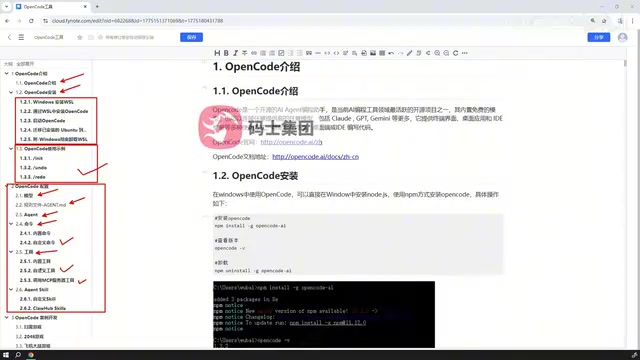
OpenCode provides a complete Agent mechanism: users can either create their own dedicated Agents or directly import existing Agents from the internet for immediate use. This design lowers the barrier to entry, allowing developers to reuse community achievements without building from scratch. The community-built Agent resource library is an important part of the value of the OpenCode ecosystem—as the user base grows, high-quality Agents for specific tech stacks (such as React, FastAPI, PostgreSQL) and specific workflows (such as TDD, Code Review, documentation generation) will continue to accumulate, forming a positive network effect. This "shared Agent economy" closely mirrors the evolutionary logic of the open-source software ecosystem: the accumulation of early contributors lowers the entry cost for latecomers, and the scale of the ecosystem in turn attracts more high-quality contributions, ultimately forming a competitive barrier that is difficult for closed ecosystems to replace.
Hands-On Project Demonstration
After mastering installation, configuration, and extension capabilities, the ultimate goal is to apply OpenCode to real project development. The final part of the tutorial content focuses on a complete case demonstration, connecting all the previously learned knowledge points through an actual development process.
From understanding the tool to setting up the environment, from configuration tuning to project implementation, this complete learning path helps beginners build a systematic understanding of OpenCode. Compared with fragmented documentation reading, complete hands-on practice enables learners to enter a practical state faster—especially for abstract concepts like Agents and MCP, which are often more intuitively understood in real project scenarios. The "Learning by Doing" theory in cognitive science shows that active operation and immediate feedback are the most effective paths to building deep skill memory. From a neuroscience perspective, the episodic memory formed during hands-on practice has stronger encoding depth and retrieval reliability than the semantic memory produced by merely reading documentation, which is precisely why hands-on demonstrations are indispensable in tool learning.
Conclusion
As an AI coding tool designed for the terminal, OpenCode offers developers a highly customizable AI-assisted programming experience through flexible model configuration, rich customization capabilities, and solid support for MCP and Agents.
Getting-started recommendations:
-
For beginners: First quickly experience it through desktop installation, then switch to the officially recommended WSL approach after becoming familiar with basic operations. WSL 2's complete Linux kernel architecture ensures you won't encounter frustrating compatibility issues in subsequent use, and the migration cost is lower the earlier you pay it.
-
Configuration focus: Prioritize mastering model configuration and rule files, which directly affect the quality of AI output. Rule files are essentially the engineered implementation of prompt engineering (paradigms such as CoT, Few-shot, System Prompt). Investing effort in refining rule files is the highest-ROI configuration work—a carefully designed rule file can generate compounding returns in every AI interaction. It is recommended to incorporate rule files into a version control system (such as Git) for team sharing and iterative optimization, tracking the impact of each prompt iteration on output quality through diffs, so that the AI's "tuning results" become a shared asset the team can sustainably accumulate, rather than a silo of individual experience.
-
Advanced efficiency: Once you are proficient with the basics, custom commands, tools, and external Agent integration will become the core means of multiplying efficiency. In particular, integration with the MCP ecosystem allows OpenCode to continuously benefit from the community's tool accumulation—as more and more tool developers choose MCP as a standard interface, the capability boundaries that OpenCode can call will naturally expand as the ecosystem matures, with no additional development cost. This characteristic makes OpenCode's long-term value positively correlated with the prosperity of the entire MCP ecosystem, an important strategic consideration when choosing this tool.
Key Takeaways
- OpenCode is an AI coding tool designed for the terminal, representing a new paradigm of command-line-native AI assistants, suitable for professional developers who use the terminal as their core working interface. Its command-line-native design fully inherits the composability advantage of the Unix pipeline philosophy, allowing AI capabilities to seamlessly integrate with thousands of existing command-line tools.
- It offers two installation methods, desktop and WSL, with the officially recommended approach being based on WSL 2—its lightweight virtual machine architecture provides complete Linux kernel compatibility while maintaining a user experience of second-level startup and dynamic memory allocation.
- Rule files are the systematic implementation of prompt engineering (paradigms such as CoT, Few-shot, System Prompt). It is recommended to incorporate them into Git version control to enable team sharing and iteration tracking. This is the highest-ROI configuration investment for improving AI output quality and achieving team collaboration consistency.
- AI Agents implement a "think → act → observe" closed loop based on the ReAct framework, while variants such as Reflexion and multi-agent collaboration further expand their ability to handle complex tasks, converging general large models into specialized tools capable of completing complex engineering tasks.
- The MCP protocol uses JSON-RPC 2.0 + a client-server architecture, solving the fragmentation problem of the AI tool ecosystem through the three primitives of Tools/Resources/Prompts. The capability declaration mechanism ensures tool-calling security at the architectural level. After integrating MCP, OpenCode can directly reuse a community tool library that has already exceeded several thousand entries, with its capability boundaries continuously and naturally expanding as the ecosystem matures.
Related articles
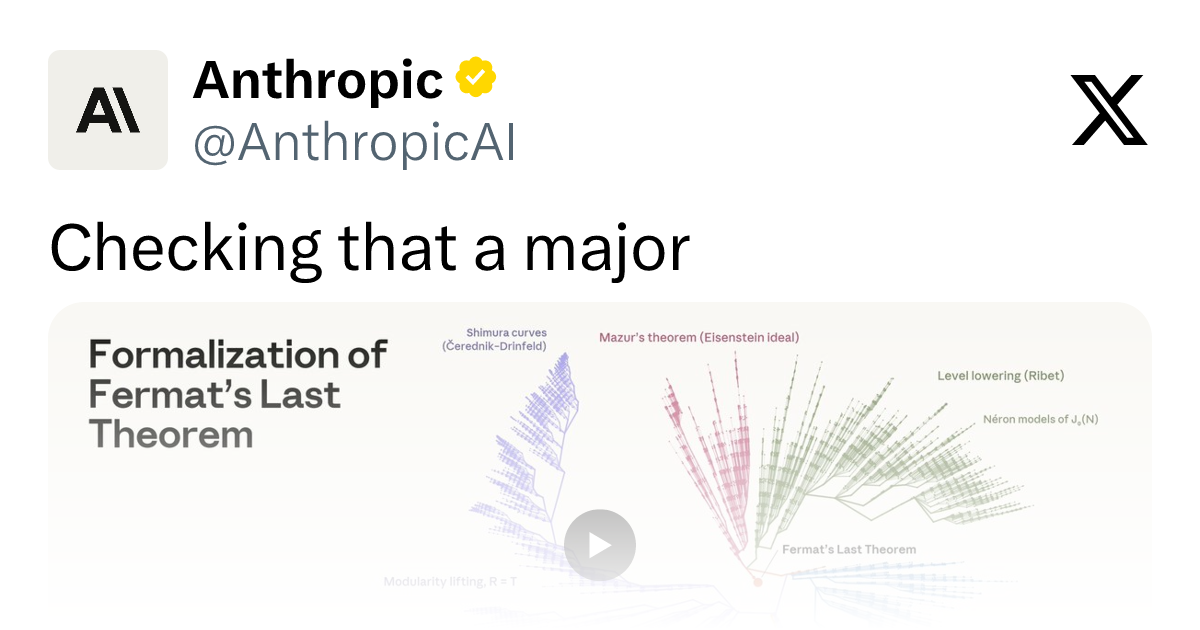
Claude Completes First Formal Proof of Fermat's Last Theorem: A Record-Breaking 13 Million Lines of Lean Code
Anthropic's Claude completes the first formal proof of Fermat's Last Theorem in over 13 million lines of Lean code — the largest ever — plus 29,000+ subsidiary theorems, opening new paths for AI-assisted math verification.

Microsoft Copilot Enters the NFL: How AI Is Supporting On-Field Decision-Making
Microsoft Copilot and Excel are entering NFL sidelines and booths, helping Seahawks analysts and coaches with real-time game decisions. Here's what it means for AI in pro sports.
Microsoft Copilot Goes Autopilot: From Assistant to Autonomous Long-Running Task Execution
Microsoft is evolving Copilot into autonomous Autopilots powered by Opal and Windows 365 cloud PCs, enabling end-to-end completion of long-running tasks without human intervention.