The Faster AI Writes Code, the Messier the Project? Six Layers of Engineering Governance from YOLO Visual Agent Vol.19
The faster AI writes code, the more engineering rules are needed; six layers of governance keep changes maintainable.
Addressing the "easy to generate, hard to modify" problem in AI programming, the article proposes a six-layer engineering governance framework. First, AGENTS files record global and frontend/backend constraints so AI knows existing conventions; second, two lightweight skills—task brief and finish review—form a check loop before starting and before delivery; third, file-based plans leave recoverable records for long tasks; frontend governance focuses on state ownership rather than file splitting, handling issues like save responses overwriting unsaved input; backend unifies capability ownership and error boundaries; finally, checks and verification distinguish passed, failed, environment-skipped, and unverified. The author emphasizes that rules cannot replace engineering judgment; every AI change should answer why, where, and on what basis it is considered done.
AI writes code faster and faster—adding a page or an endpoint seems like a moment's work. But many developers have found that as features grow, generating code becomes easier while confidently modifying it becomes harder. In Episode 19 of the Bilibili series "YOLO Visual Agent," the author shares how, in the second season of the project, they used a set of engineering rules to constrain AI so that rapidly generated code remains maintainable.
The Problem: AI Makes Features Run Easily, but Makes Modification Risky
The author gives a very typical example: the project has many modal components. If you ask AI to write another separate set of modals, each one works in isolation. But can it be closed when busy? Can the user click close twice in a row? Where does focus return after closing? These behaviors may each be implemented differently. The same goes for APIs and business logic: without clear boundaries, the most direct way to complete the current task might be to write another copy.
This is not to say that AI-written code is inherently worse, but that as features grow, rules and verification must keep up—AI needs to know what the project already has and what it should not create this time. The author manages these changes from six aspects: rules, work steps, and task records organize the changes; frontend, backend, and verification ground the code in clear boundaries.
Layer 1: Write Project Constraints into the AGENTS File
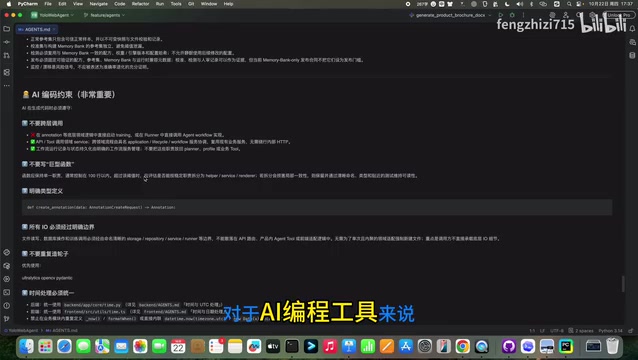
Previously, many requirements existed only in chats with Codex—remind it to use a certain component this time, remind it not to cross layers next time, and explain it all over again for a new task. Now the author maintains AGENTS files at the root, frontend, and backend, recording global business boundaries, page component states and API conventions, domain service exception rules, and so on.
The root AGENTS file is quite long, covering the tech stack, environment constraints, directory constraints, backend design principles, data specifications, business tool specifications, and usage rules for AI programming tools. Since the author uses not only Codex but also tools like Cursor and opencode, this file is written for all AI programming tools. The author emphasizes that AGENTS is guidance, not a permission system or a test; what it solves is letting AI know what conventions the project has and where to find the basis.
AGENTS files are a convention gradually forming in the AI programming tool ecosystem, similar to a README for AI. They are stored in the project root or subdirectories, and AI tools automatically read them at the start of a session to obtain context such as the project's tech stack, directory structure, coding standards, and business boundaries. Unlike traditional contribution guides, AGENTS emphasizes executable constraints and guidance, such as "do not cross layers" and "prefer reusing a certain component," helping AI avoid known no-go zones when generating code. Multiple tools such as Cursor, Codex, and opencode support or are compatible with this convention, allowing the same set of rules to be reused across tools and reducing the cost of repeated explanations.
Layer 2: Use Skills to Organize Change Steps
With the AGENTS rules in place, the steps of a change also need to be organized. The author initially used super powers but found it increasingly bloated, so they built a lightweight workflow of their own, replacing it with two skills: task brief and finish review.
task brief comes before starting complex tasks: first check existing implementations, then clarify goals, scope, risks, and acceptance criteria. For example, which pages does the unified confirmation modal actually change? Is it just integrating the EO component or modifying public behavior? Which APIs must not be modified along the way? These must be clarified first. finish review comes before delivery: return to the same requirements to check actual differences and verification results—were any requirements missed? Was the scope expanded? Were the tests actually run? What remains unverified?
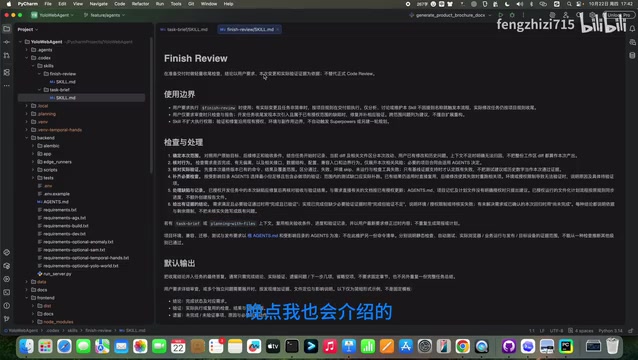
The author also uses this with the planning with files skill. The value of a skill is to give easily overlooked steps a fixed entry point; if it's just a simple copy change, there's no need to go through such a complete planning process.
In the context of AI programming tools, a Skill usually refers to a reusable prompt or workflow script that encapsulates multi-step operations into a callable command. Unlike ordinary chat instructions, it is a "skill package" with fixed inputs, outputs, and step order—for example, "first check existing implementations, then list goals and risks, and finally output acceptance criteria." The value of a Skill lies in solidifying easily overlooked checkpoints into entry points, reducing reliance on the model's improvisation. A lightweight workflow usually contains only two or three key skills, avoiding bloat from feature stacking like super powers. Developers can choose whether to invoke them based on task complexity; simple changes need not go through the full process.
Layer 3: File-Based Plans Leave a Recoverable Record for Long Tasks
If the confirmed behavior involves many pages and modules and needs to be implemented in stages, chat logs alone are not enough. planning with files puts the plan, findings, and progress into files: the plan records how to proceed, findings record implementation differences and compatibility constraints, and progress records what has been handled and the verification results.
These three files are not a rewrite of the requirements but work with task brief and finish review. task brief defines the change plan, the process continues to record, and finish review returns to the same acceptance requirements. Switching to another programming tool like Cursor can also read the corresponding plan, findings, and progress. File-based plans provide a recoverable, checkable work record.
Layer 4: Frontend Governance—Focus on State, Not File Line Count
The author once understood frontend governance as splitting files when they get too long, but moving an entire page into a large hook, or passing all state to components, does not really reduce complexity. Now they focus more on: pages handle orchestration, business hooks manage related state and actions, business components handle corresponding sections, and shared UI handles basic behavior.
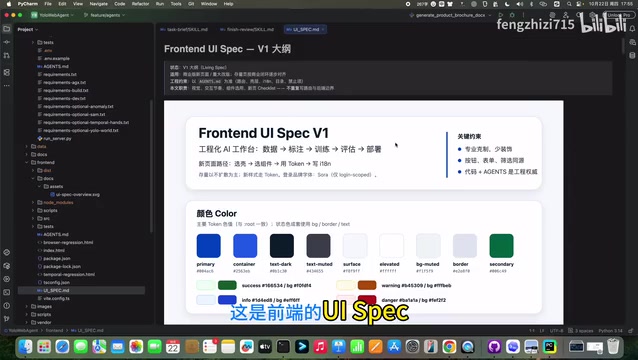
State is where problems more easily arise. Take the save scenario: when clicking save, draft A is submitted, but before the request returns the user edits to B, and then A's save response comes back. A successful save only means the submitted content was confirmed by the server; it must not overwrite the later input B, nor mistakenly treat B as saved. Background refresh must also not overwrite unsaved input without handling. This is more important than reducing file line count. Modals also don't end with unified colors; focus, nested layers, and blind-recording states all need clear conventions.
Layer 5: Backend Governance—Unify Capability Ownership Instead of Stacking Utility Classes
The same goes for the backend. Adding an entry point to a page, a tool to an agent, or a node to a Workflow—if each entry point re-trains, exports, or writes data, several similar but inconsistent logics will emerge. Entry points can differ, but core business capabilities should be reused as much as possible: the API handles parameter validation and responses, the domain service handles business rules and task creation/execution, and the executor actually runs training, inference, or export.
API validation does not mean tools or Workflows can bypass permissions; different entry points must still follow the same set of permissions and data boundaries. Shared capabilities also need clear ownership: who is responsible for image ingestion, who maintains YOLO result parsing—what needs to be unified is the same capability, not cramming all similar code into an ever-growing Utils. For error handling, the project uses App Error to express expected business failures, maps status codes at the HTTP boundary, and keeps unknown exception details in server logs. But the author reminds: when organizing, check the error structure and import paths of old APIs—moving files is not completing a refactor; what really needs to converge is capability ownership, dependency direction, and call contracts.
App Error is an application-layer error type used to express predictable business failures, such as invalid parameters, missing resources, or insufficient permissions. It is distinguished from unknown exceptions (such as null pointers or database connection failures): the former can be safely mapped to HTTP status codes and returned to the client, while the latter should be logged in detail without exposing internal details. In a layered architecture, the API layer converts App Error into corresponding 4xx responses, the domain service layer throws such errors, and the executor layer does not handle HTTP directly. This convention gives error handling a unified entry point, avoids each API assembling its own error structure, and makes it easier for the frontend to provide targeted prompts based on error codes.
Layer 6: Checks and Verification—Distinguish "Passed" from "Unverified"
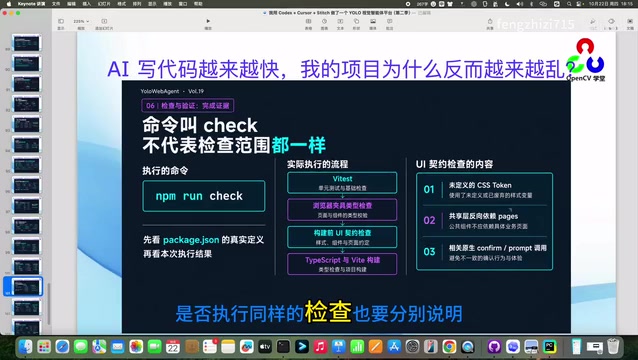
The frontend already has UI contract guard checks, checking for undefined CSS Tokens, public component types, or pages that reverse-depend on the API layer. But the same command name does not mean the same check scope; the current standard build entry and the checks already integrated with UI contracts must be verified separately, and whether a failed check actually blocks subsequent processes must also be confirmed—a printed error in the terminal does not mean the build has truly stopped.
Backend domain ownership, compatibility exports, and exception boundaries are verified separately by corresponding tests; a frontend passing on one screen does not mean the backend has passed. Browser-enhanced type checking does not mean real browser operations have passed; type checking cannot replace behavior testing, and a successful build does not prove the button won't double-submit. After the save response returns, is the input still there? Can a failed save be retried? Will modal re-rendering steal focus? These require corresponding tests and actual operations. At delivery, distinguish passed, failed, environment-skipped, and unverified; do not write test suggestions as test results.
Conclusion: AI Coding Requires Engineering Judgment
Back to the initial modal example: modal changes must first clarify which pages to adjust and which behaviors must be preserved, then find project rules, existing components, and call sites; if staged migration is needed, record the plan and findings; if the backend is not involved, keep existing APIs and do not rewrite the backend just for governance completeness; finally, check differences, tests, and page behavior.
These six aspects are not a one-time checklist; together they help a change evolve from generating a piece of code into an engineering action with scope, boundaries, and evidence of completion. The author also admits that AI coding is not guaranteed to stay organized just by installing a few skills; rules, plans, components, and checks cannot replace engineering judgment. What they truly hope to achieve is that every AI change can answer three questions: why change it, where to change it, and on what basis do we consider it done. AI accelerates code generation; engineering governance determines whether that code can stay long-term.
The next episode will turn to visual tasks: how visual detection can be done without sufficient annotations, introducing two routes—open-vocabulary detection and industrial anomaly detection.
Background Supplement
UI contract guard checks are a static or build-time validation mechanism used to ensure frontend code adheres to agreed UI specifications. For example, checking whether undefined CSS Tokens are used, whether public component types are correct, and whether pages reverse-depend on the API layer. Such checks are usually integrated into the build process and block the build on failure, preventing non-compliant code from entering the main branch. But the same command name does not mean the same check scope; different entry points may cover only some rules, so actual check items and blocking behavior must be verified separately. A printed error in the terminal does not mean the build has truly stopped; you must confirm the exit code and whether subsequent processes are interrupted.
One-line Summary
Related articles
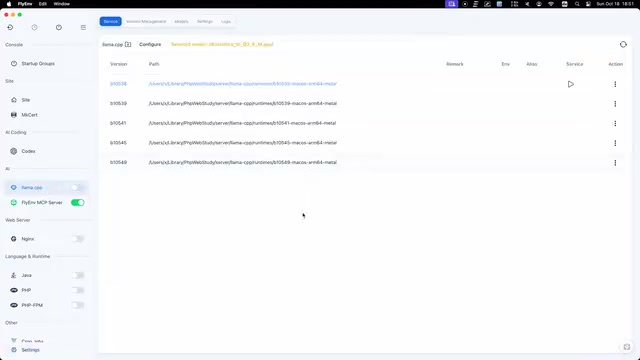
FlyEnv Plugin Review: Visually Running llama.cpp and Managing GGUF Models
FlyEnv launches the official llama.cpp plugin with side-by-side Metal runtime management, public GGUF repository indexing with file type labels, and visual configuration of context, threads, and GPU layers—saving templates and speculative decoding with each model for one-click local LLM inference.
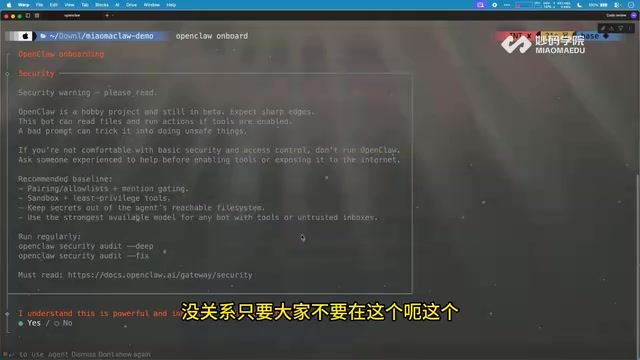
How Can Frontend Developers Advance into AI Agent Development? Deconstructing System-Level Agent Architecture from OpenClaw
Starting from the OpenClaw demo in a Bilibili open class, this article breaks down the three-layer architecture and universal formula of system-level AI agents, and analyzes the path for frontend developers to enter agent development based on TypeScript, including plugin-based design and security/memory layer challenges, with an interview answer framework.

WorkBuddy in Action: How AI Agents Automate Batch File Conversion and Archiving
Bilibili creator Teacher Shanyao tests WorkBuddy vs. Doubao on batch file conversion, showing how AI Agents move from "giving solutions" to "direct execution," with a full workflow and credit cost reference.