The Most Comprehensive WorkBuddy Tutorial on Bilibili: Master Automated Office Work and AI Creation from Scratch

WorkBuddy is a domestic alternative to Codex, and a 426-episode tutorial teaches you to turn it from a chat toy into a productivity tool.
This article focuses on a 426-episode WorkBuddy beginner tutorial on Bilibili and breaks down the core value and learning path of this AI automation tool. WorkBuddy is positioned as a domestic alternative to Codex, with similar interface logic but better adaptation to domestic office software, and it offers free quota. The article points out that most users only use it as a chat window, wasting its potential in automated office work and content creation. The 426-episode course is divided into four major modules: introductory, case-based, advanced, and industry application, emphasizing hands-on practice, with supporting materials covering installation instructions, case breakdowns, SQL customization, and 12 commonly used SQL statements. Multi-source information shows that WorkBuddy is well received for its ease of use and localization, but its performance on complex tasks may not match the original Codex. The author suggests watching while doing, and avoiding saving without taking action.
Title
The Most Comprehensive WorkBuddy Tutorial on Bilibili: Master Automated Office Work and AI Creation from Scratch
Meta Description
A 426-episode WorkBuddyAd beginner tutorial on Bilibili covering automated office work and AI content creation. This article analyzes WorkBuddy's advantages as a domestic alternative to Codex, its curriculum system, and learning path to help you go from beginner to expert and boost productivity.
Article Content
With AI tools emerging endlessly today, choosing a product that suits you and can truly be put into practice is not easy. Recently, a set of WorkBuddy beginner tutorials claiming to be "the most comprehensive and detailed" appeared on Bilibili, with 426 episodes covering automated office work and AI content creation. This has drawn considerable attention: What exactly is WorkBuddy? Can it become a powerful tool for domestic users to improve efficiency? Based on the tutorial content and combined with multi-source information, this article breaks down WorkBuddy's core value and learning path.
What Is WorkBuddy: A Friendly Choice for Domestic Users
According to the Bilibili creator, WorkBuddy can be understood as a domestic alternative to Codex, with essentially the same interface and operation logic, but more friendly to domestic users. It does not require complex configuration, has low device requirements, and offers free quota (Figure 1).
Compared with Codex, WorkBuddy's biggest advantage lies in directly adapting to commonly used domestic office software. This means users no longer need to switch back and forth between multiple applications. Work that previously required cross-application completion—organizing materials, generating documents, analyzing spreadsheets, completing repetitive operations—can now be handled in a unified way by WorkBuddy. It is not just a chatbot, but an AI assistant that can truly help you get work done.
From an industry perspective, WorkBuddy's positioning hits two major pain points for domestic users: first, access and configuration barriers; second, integration with the local office ecosystem. This gives it a differentiated advantage in the competition among AI tools.
Codex is an early code generation model launched by OpenAI, once used as the underlying engine of GitHub Copilot, capable of automatically completing or generating code based on natural language descriptions. Its core capability is translating human intent into executable program logic, and it is widely known among developers. WorkBuddy being called "a domestic alternative to Codex" means it borrows the interaction paradigm of "using natural language to drive automated tasks," but has been adapted for the domestic network environment, office software ecosystem, and Chinese-language context. Understanding Codex's positioning helps grasp the boundaries of WorkBuddy's capabilities: it is not a general-purpose chatbot, but a productivity tool oriented toward "instruction execution," skilled at turning repetitive operations into reusable automated workflows.
Why Do Most People Use Only 10% of Its Features?
Despite the tool's powerful capabilities, many users still just ask a few simple questions after opening WorkBuddy, treating it as an ordinary chat window (Figure 2). This "using a cannon to shoot a mosquito" approach wastes WorkBuddy's potential in automation and content creation.
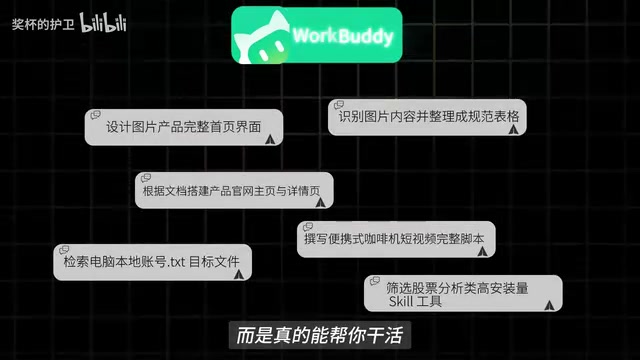
The creator points out that it is truly a pity that a tool so strong ends up reduced to a chat toy. This reflects a common problem in the adoption of AI tools: users lack a systematic learning path and do not know how to map tool capabilities to specific work scenarios. A structured tutorial is exactly the key to solving this problem.
The essential difference between "chat-window-style use" and "automated-task-style use" lies in different interaction goals: the former is Q&A dialogue, where the user asks a question and gets a piece of text, and the task ends; the latter is goal-driven, where the user describes a workflow (such as "read all spreadsheets in a folder, summarize sales, and generate a report"), and the tool needs to understand the intent, invoke the corresponding capabilities, and output a deliverable result. Most users are accustomed to treating AI tools as search engines or chat assistants because this interaction has the lowest barrier and the most immediate feedback, but they therefore overlook the tool's potential in process orchestration and cross-application operations. To realize the value of the latter, users need a sense of "task decomposition," turning vague requirements into clear step descriptions—which is exactly the significance of a systematic tutorial.
The 426-Episode Curriculum: From Beginner to Industry Application
This tutorial has 426 episodes in total, divided into four modules: introductory, case-based, boundary-definition (likely a homophone or typo for "advanced"), and industry language application, containing 28 "posture points" (likely a typo for "knowledge points"), gradually unfolding from basic operations to real office scenarios (Figure 3).
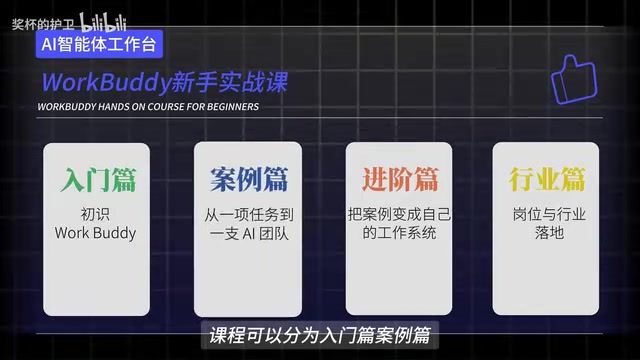
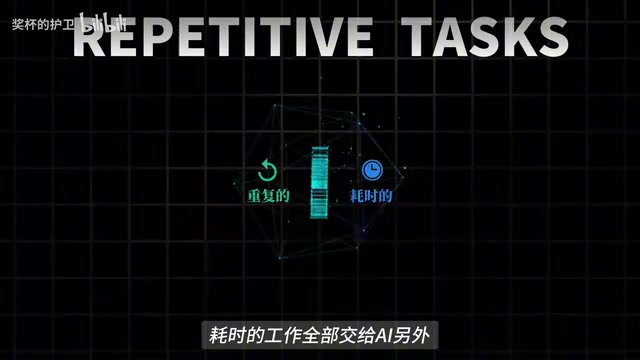
The course design emphasizes "hands-on practice." Even if you cannot write code and have never touched AI, as long as you follow along, you can gradually hand repetitive, time-consuming work over to AI. This project-driven learning approach is more effective than simply watching theoretical explanations.
You may not have noticed that the course also comes with a "hard-to-review book" (likely a homophone for "blue book" or "guide"), covering four major modules: installation instructions, case breakdowns, SQL customization, and industry applications, and organizing 12 commonly used SQL statements (Figure 4). These materials provide learners with something they can use immediately.
SQL (Structured Query Language) is the standard language for managing relational databases, with core operations including query (SELECT), insert (INSERT), update (UPDATE), and delete (DELETE). In office automation scenarios, SQL is often used to quickly filter, aggregate, and calculate statistics from large amounts of tabular data, such as summarizing sales by department or filtering records from a specific time period. The tutorial's supporting materials organizing "12 commonly used SQL statements" indicate that WorkBuddy's industry application module may involve letting users describe requirements in natural language and having the tool generate or execute SQL queries, thereby lowering the barrier for non-technical users handling structured data. Mastering basic SQL concepts helps in understanding the practical role of such tools in data analysis and report generation.
Multi-Source Perspective: WorkBuddy's Real Positioning
At present, public information about WorkBuddy mainly comes from this Bilibili tutorial, while independent reviews on other platforms such as YouTube and Zhihu are relatively scarce. From the limited multi-source information, the consensus is that WorkBuddy indeed lowers the barrier for domestic users to use AI automation tools, and is especially recognized for its adaptability in office scenarios.
However, there are also points of disagreement: some users in technical communities believe that WorkBuddy's performance on complex tasks may not match the original Codex, especially when deep customization is required or large-scale data needs to be processed; supporters of the tutorial, meanwhile, emphasize that it is friendlier to beginners and that the free quota is enough to cover daily lightweight needs. This disagreement essentially reflects differences in the needs of different user groups—developers pursuing extreme performance may prefer the original tool, while ordinary office users value ease of use and localization more.
In addition, a single source mentions that WorkBuddy's industry language application module involves natural language processing in specific domains, but there is not much corroborating evidence, so readers are advised to remain cautious.
Learning Advice: Don't Let the Tool Sit in Your Favorites
For users who want to systematically master WorkBuddy, the creator suggests "watch while doing," and to practice immediately after receiving the materials, avoiding the habit of only saving them without taking action. A specific path could be: first become familiar with the interface and basic operations through the introductory module, then imitate real office tasks (such as document organization and spreadsheet analysis) through the case-based module, and finally explore customized scenarios in your own field through the industry application module.
From an SEO perspective, search demand is strong for keywords such as WorkBuddy tutorial, automated office work, and AI content creation, and this 426-episode course undoubtedly provides beginners with relatively complete resources. However, note that expressions in the tutorial titles such as "boundary-definition module," "posture points," and "hard-to-review book" may contain slips of the tongue or typos, so learning should be based on the actual content.
In summary, as a domestic-user-friendly AI automation tool, WorkBuddy's value lies in transforming AI from a chat toy into a productivity tool. And a systematic tutorial is exactly the key to unlocking that value. If you are looking for an AI solution to improve office efficiency, you might start with this course, but remember: hands-on practice is far more important than saving it to favorites.
One-line Summary
WorkBuddy is a domestic alternative to Codex, and a 426-episode tutorial teaches you to turn it from a chat toy into a productivity tool.
Paragraph Summary
This article focuses on a 426-episode WorkBuddy beginner tutorial on Bilibili and breaks down the core value and learning path of this AI automation tool. WorkBuddy is positioned as a domestic alternative to Codex, with similar interface logic but better adaptation to domestic office software, and it offers free quota. The article points out that most users only use it as a chat window, wasting its potential in automated office work and content creation. The 426-episode course is divided into four major modules: introductory, case-based, advanced, and industry application, emphasizing hands-on practice, with supporting materials covering installation instructions, case breakdowns, SQL customization, and 12 commonly used SQL statements. Multi-source information shows that WorkBuddy is well received for its ease of use and localization, but its performance on complex tasks may not match the original Codex. The author suggests watching while doing, and avoiding saving without taking action.
Related articles
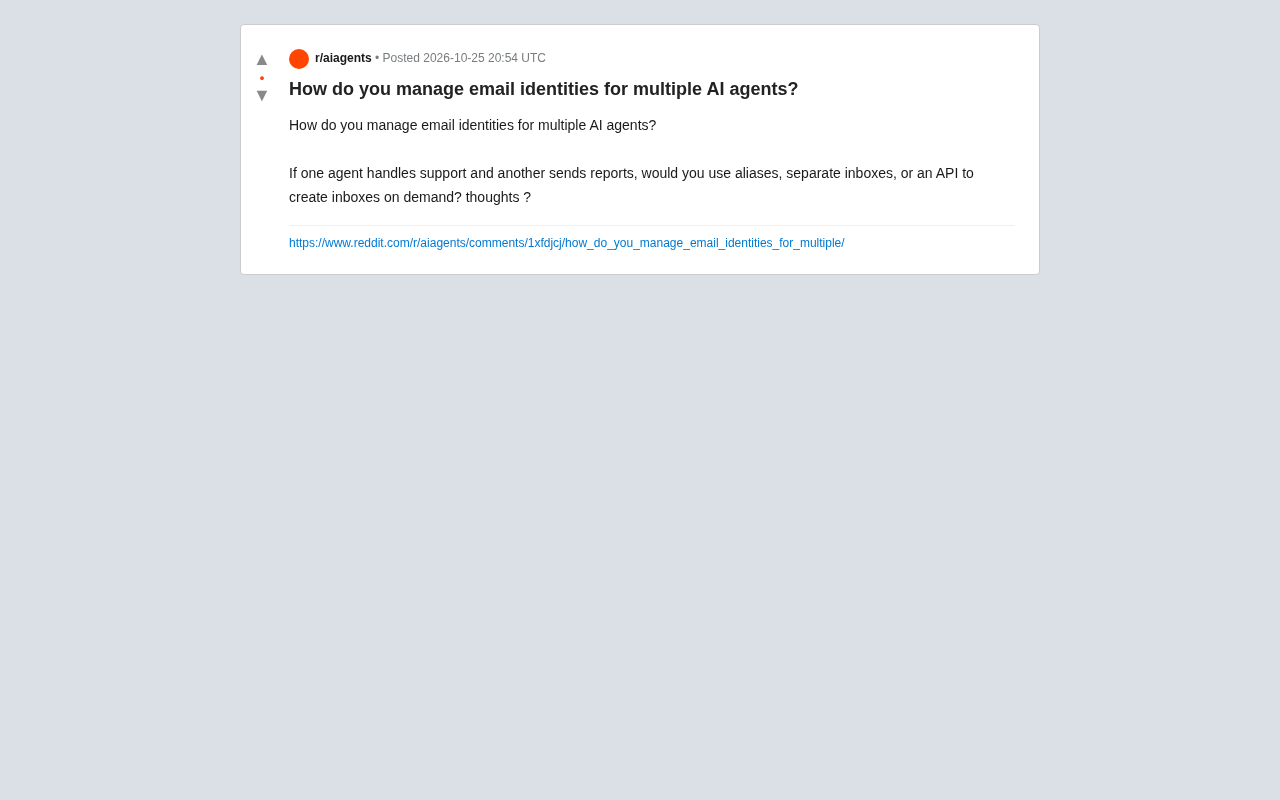
Email Identity Management for Multiple AI Agents: Aliases, Dedicated Inboxes, or API Solutions?
How should multiple AI agents manage email identities? This article analyzes email aliases, dedicated inboxes, and API on-demand creation, with layered management advice by agent role.

iPhone Duo Crackgate: YouTuber Teardown Reveals Hinge Defect
Apple's iPhone Duo foldable has been hit by Crackgate, with users reporting rapid screen cracking at the hinge. A YouTuber's teardown found a hinge design flaw or foreign object intrusion causing stress concentration. The incident has sparked community debate, Apple has not responded, and foldable reliability is once again under scrutiny.

ChatGPT Is Building a Psychological Profile of You: Privacy Boundaries Under Fire Again
A Reddit thread debates whether ChatGPT builds psychological profiles of users. This article analyzes how chat memory, emotional signals, and behavioral data accumulate into psychological profiles, explores the boundary between personalization and covert surveillance, and offers practical privacy tips.