The Self-Hosted Password Manager Showdown: Official Bitwarden vs. Vaultwarden
A practical comparison of Vaultwarden vs. official Bitwarden self-hosting across resources, risk, and migration.
This article addresses a common dilemma for self-hosters: stick with the lightweight community implementation Vaultwarden, or switch to official Bitwarden? It covers Vaultwarden's Rust-based low resource footprint, why that advantage fades with ample hardware, the real sustainability risk of core-maintainer dependency, and the reassuring fact that both solutions share compatible data formats — making smooth migration always possible. The key takeaway: strong backup habits matter more than which server you pick.
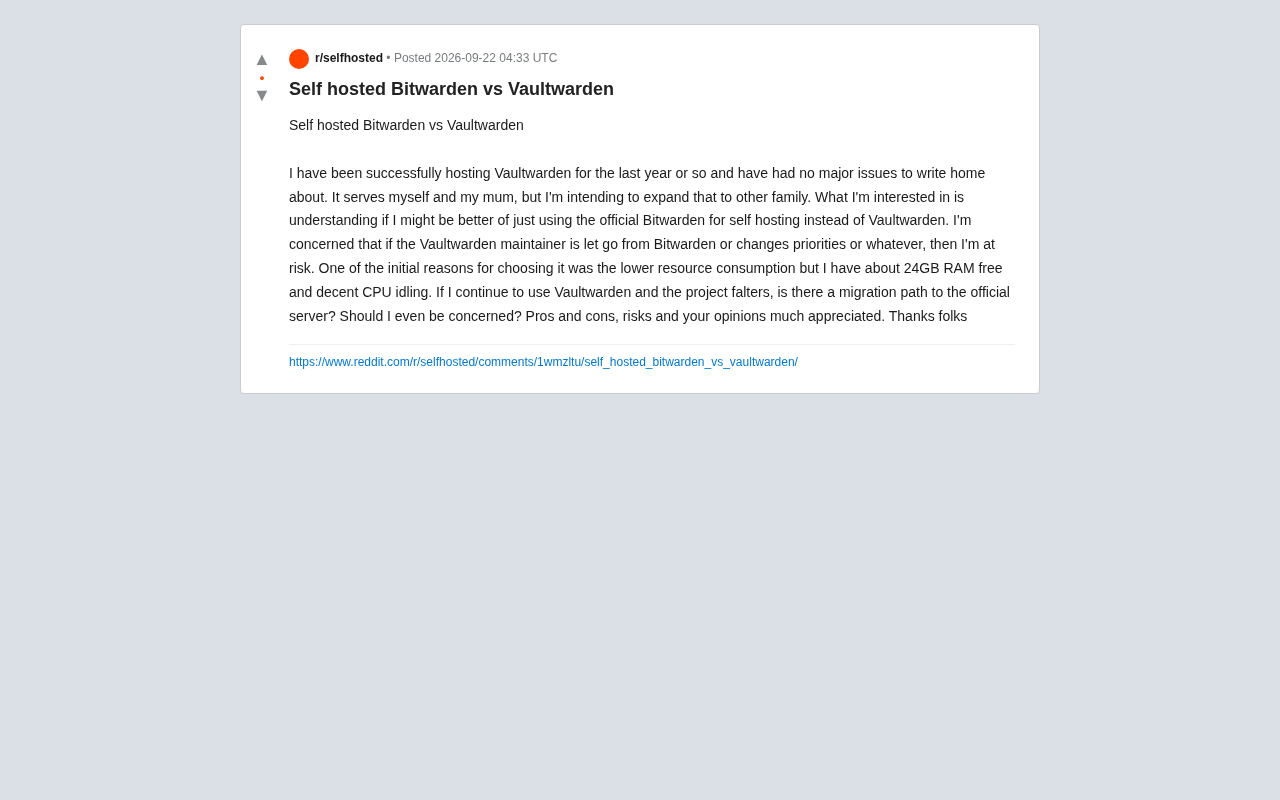
For users who care about privacy and data sovereignty, self-hosting a password manager is an unavoidable topic. A recent Reddit post captured a common dilemma quite well: the user had been running Vaultwarden stably for about a year, serving themselves and their mother, and was now looking to expand it to more family members. The question in front of them — stick with the lightweight third-party implementation Vaultwarden, or switch to the official Bitwarden self-hosted solution?
What looks like a simple choice actually involves multiple dimensions: project sustainability, resource consumption, and migration risk. This article draws on that discussion thread to break down the trade-offs between the two.
The Fundamental Difference Between Vaultwarden and Official Bitwarden
Vaultwarden (formerly bitwarden_rs) is an unofficial Bitwarden server implementation written in Rust. It is compatible with all official Bitwarden clients — browser extensions, desktop apps, and mobile apps — but completely rewrites the server side. Its biggest selling point is extremely low resource consumption.
The official Bitwarden self-hosted solution is a full containerized deployment that includes a database, identity service, API gateway, and several other components, typically run via Docker Compose. It's feature-complete and maintained by the official team, but at the cost of significantly higher memory and CPU usage, as well as greater deployment and maintenance complexity.
In short, Vaultwarden is a lean community gem that punches above its weight, while the official solution is a full enterprise-grade deployment. The client-side experience is nearly identical between the two — the differences are mainly felt on the server operations side.
The reason Vaultwarden can stay compatible with official clients comes down to the fact that Bitwarden's clients communicate with the server via a publicly documented REST API, and the client code itself is open source. Vaultwarden reverse-engineered and studied this API documentation to fully implement the protocol, meaning official clients on any platform — iOS, Android, Chrome extension, etc. — behave almost identically whether they're connecting to Vaultwarden or the official server. One caveat: Vaultwarden may have brief compatibility lag periods after new client versions are released, since new features (like updated encryption algorithms or API changes) need the Vaultwarden community to follow up and implement support. For most everyday use cases this lag is imperceptible, though edge cases may exist with cutting-edge features.
Resource Consumption Is No Longer the Deciding Factor
The original poster's main reason for choosing Vaultwarden was its low resource footprint. In hardware-constrained environments — like a Raspberry Pi or a small VPS — this is an overwhelming advantage. Vaultwarden can run comfortably in just tens of megabytes of RAM, while the official solution typically requires 1–2 GB or more.
That said, the author acknowledged having roughly 24 GB of idle memory and a largely idle CPU. With that kind of hardware headroom, the resource argument — once the core decision driver — has effectively become moot. This is a good reminder that the reasoning behind a technical choice needs to be re-evaluated as circumstances change. What made sense a year ago may no longer hold today.
The Real Concern: Project Sustainability
The author raised a deeper concern: Vaultwarden is heavily dependent on its core maintainers. If a key maintainer were laid off by Bitwarden, shifted priorities, or stepped away for any reason, could the project stall? This "single point of dependency" risk is a concern shared by all community-driven open source projects.
It's worth clearing up a common misconception: Vaultwarden is a completely independent community project with no direct employment relationship with Bitwarden the company. So the specific worry about a maintainer being "laid off by Bitwarden" is based on a false premise. However, the underlying risk — that a core maintainer could exit for any number of reasons, causing project activity to decline — is real and applies to any open source project driven by a small number of contributors.
Looking at the project's current state, Vaultwarden has an active community, a steady release cadence, and a large number of deployed instances. The chance of a sudden cliff-edge shutdown in the short term is low. But for something as sensitive and long-lived as storing the entire family's passwords, the author's caution is completely reasonable.
The "Bus Factor" is a common metric for measuring open source project sustainability — it refers to how many core contributors a project can afford to lose before it becomes unmaintainable. Vaultwarden's bus factor has historically been low, driven primarily by a handful of core developers, which is an objectively real concentration risk. That said, even if the original author of an open source project stops maintaining it, the community can keep it alive through a fork. The Bitwarden API protocol is relatively stable, which provides a solid technical foundation for any potential community takeover. Furthermore, Vaultwarden has accumulated a large number of GitHub stars and a broad deployment base — that widespread adoption is itself a driver of continued community engagement, and cannot be compared to the risk profile of an obscure niche project.
Is There a Migration Path?
Another key question the author raised: if they continue with Vaultwarden and something goes wrong down the road, can they smoothly migrate to the official server?
The answer is yes, and the migration cost is relatively manageable. Since Vaultwarden and official Bitwarden use the same clients and data formats, users can at any time use the client's "Export Vault" feature to export all passwords as an encrypted file or JSON/CSV, then import them into an official self-hosted instance or Bitwarden's cloud. This export-import path is independent of the specific server implementation — it's a universal capability of the Bitwarden ecosystem.
This means that even if Vaultwarden were to stop being maintained in the future, users wouldn't be "locked in." Data sovereignty stays in your own hands, which significantly reduces the long-term risk of continuing to use Vaultwarden.
How to Choose
Taking everything into account, here are a few practical recommendations:
If you want maximum lightweight simplicity, easy deployment, and low-maintenance operation — and you can accept the inherent sustainability risks of a community project — Vaultwarden remains an excellent choice for self-hosting a password manager, especially for home and small team use cases.
If you place particularly high value on long-term stability, official support, and enterprise-grade features (like directory sync, SSO, and compliance auditing), and you have ample hardware resources, switching to the official Bitwarden self-hosted solution will give you greater peace of mind.
For the original poster's specific situation — plenty of hardware headroom, a year of stable operation already under their belt, and a clear export-and-migrate path available — there's no strong reason to stop using Vaultwarden. What actually matters is establishing a reliable routine for regular backups and exports, so you can migrate quickly in any scenario. That is far more important than agonizing over which server implementation to use.
General Principles for Self-Hosting a Password Manager
Regardless of which option you ultimately choose, any self-hosted password vault should follow a few non-negotiable principles: implement a solid backup strategy, ensure HTTPS encrypted transport, enable two-factor authentication, and regularly export encrypted copies as a fallback. A password vault is the core of your digital identity — any single point of failure can have catastrophic consequences.
Debating the merits of different technical solutions is worthwhile, but for a critical service that holds the entire family's passwords, sound operational habits and disaster recovery capabilities are the first line of defense for keeping things secure.
Self-hosted services require extra caution when it comes to network exposure. When exposing a password manager instance directly to the public internet, you should configure rate limiting and IP blocking at the Vaultwarden level or at the reverse proxy layer (Nginx, Caddy, etc.) to guard against brute-force attacks. Some security-conscious users choose to place their instance behind a VPN (such as Tailscale or WireGuard) or a Cloudflare Tunnel, allowing only trusted devices to connect rather than opening a direct public internet entry point. Two-factor authentication (2FA) is equally essential in a self-hosted setup — both Vaultwarden and official Bitwarden support the TOTP protocol, compatible with authenticator apps like Aegis and Authy. For home users, the 2FA recovery codes for the master account should be stored securely offline to avoid being permanently locked out if the authentication device is lost.
Related articles

Free Unlimited Claude Code Solution: Agnes AI + CC Switch Setup Guide
No paid subscription needed — pair the free AI platform Agnes AI with the open-source tool CC Switch to provide a backend for Claude Code, enabling unlimited free calls to text, image, and video models. This guide covers the full setup, test results, and usage boundaries.

A Complete Zero-Cost Guide to Getting Started with Claude Code for Beginners in China
A beginner's guide to Claude Code for users in China: two installation methods (command line and IDE plugin), full configuration steps for replacing the official API with the free domestic LongCat model, and a hands-on demo of building a small tool with natural language, plus tips.

When the NSA Gets Involved: The AI Supply Chain Crisis Behind Open-Source CVEs and API Key Hijacking
Multiple open-source projects disclosed severe CVEs in one day, PHP flaws alarmed the FBI, and Railway and OpenCode were breached with API keys stolen. This article breaks down the vulnerability window, AI-accelerated exploitation, and the AI supply chain crisis behind the API key black market, with a developer defense checklist.