Tracking Traffic From ChatGPT, Perplexity and Gemini in GA4 and BigQuery

Use a GA4 custom channel group plus BigQuery to track AI assistant referrals and correlate citation data, while clarifying three blind spots.
The article presents a method for tracking AI assistant (ChatGPT, Perplexity, Gemini, etc.) referral traffic in GA4 and BigQuery, emphasizing that "being cited" and "being clicked" should be viewed together. It covers three steps: building an AI assistants channel group in GA4 with regex and prioritized ordering, querying each AI session's first page_view in BigQuery covering referrer and UTM signals, and FULL OUTER JOINing citations with sessions to assess content strategy via four quadrants. It also flags three blind spots: referrer loss, zero-click influence, and AI Overviews folded into Google organic.
Title
Tracking Traffic From ChatGPT, Perplexity and Gemini in GA4 and BigQuery
Meta Description
A step-by-step guide to creating a custom AI assistant channel group in GA4 and using BigQuery to query sessions and landing pages referred by ChatGPT, Perplexity, Gemini, and others, correlating citation data to compare being cited versus being clicked, while explaining three major measurement blind spots including referrer loss and zero-click impact.
Article Content
AI visibility metrics (such as mentions and citations) are becoming standard for brand monitoring, but everyone working in content eventually asks the same question: do these impressions actually turn into real traffic?
Part of the answer has actually been hiding in your analytics tool all along—just buried under the broad "Referral" category. This article will pull it out: create a custom channel group in GA4 dedicated to tracking AI assistants, use BigQuery to extract AI-referred sessions and landing pages from your GA4 export, and then correlate the two datasets of "being cited" and "being clicked."
At the same time, we need to be clear about what traffic this method can't see—only by understanding where the blind spots are can the numbers be read correctly.
How AI traffic shows up
When a user clicks a source link in an AI answer, the visit reaches your site in one of three ways:
| Signal | Example | Notes |
|---|---|---|
| Referrer header | https://chatgpt.com/, https://www.perplexity.ai/ | Most common on web |
| UTM parameters | ?utm_source=chatgpt.com | ChatGPT adds this to many outbound links |
| Nothing at all | (direct) | Mobile apps, privacy settings, and copy-pasted URLs often lose the referrer |
The referrer hostnames you need to match are these (keep them in one place, since the list will change):
chatgpt.com, chat.openai.com
perplexity.ai, www.perplexity.ai
gemini.google.com
copilot.microsoft.com
claude.ai
chat.deepseek.com
One important caveat: clicks from Google's AI Overviews and AI Mode are usually classified in GA4 as regular Google organic search traffic, so they won't appear in this AI referral tracking.
The Referrer header is a field in the HTTP protocol that browsers automatically carry when initiating cross-site requests, and its value is usually the URL of the page the user was on previously. Website analytics tools (including GA4) read this field by default to determine traffic source. When a user clicks an outbound link from an AI assistant page like ChatGPT or Perplexity to jump to your site, the browser writes an address like https://chatgpt.com/ into the Referrer, and GA4 classifies that visit as referral traffic from that host accordingly.
It's worth noting that the Referrer is not reliable. For privacy reasons, many browsers and sites actively trim or block this field via Referrer-Policy, and WebViews inside mobile apps often don't send a Referrer. This explains why the same batch of AI referral traffic sometimes appears as a referrer, sometimes as UTM parameters, and sometimes is lost entirely—only falling into Direct.
Step 1: Create a custom channel group in GA4
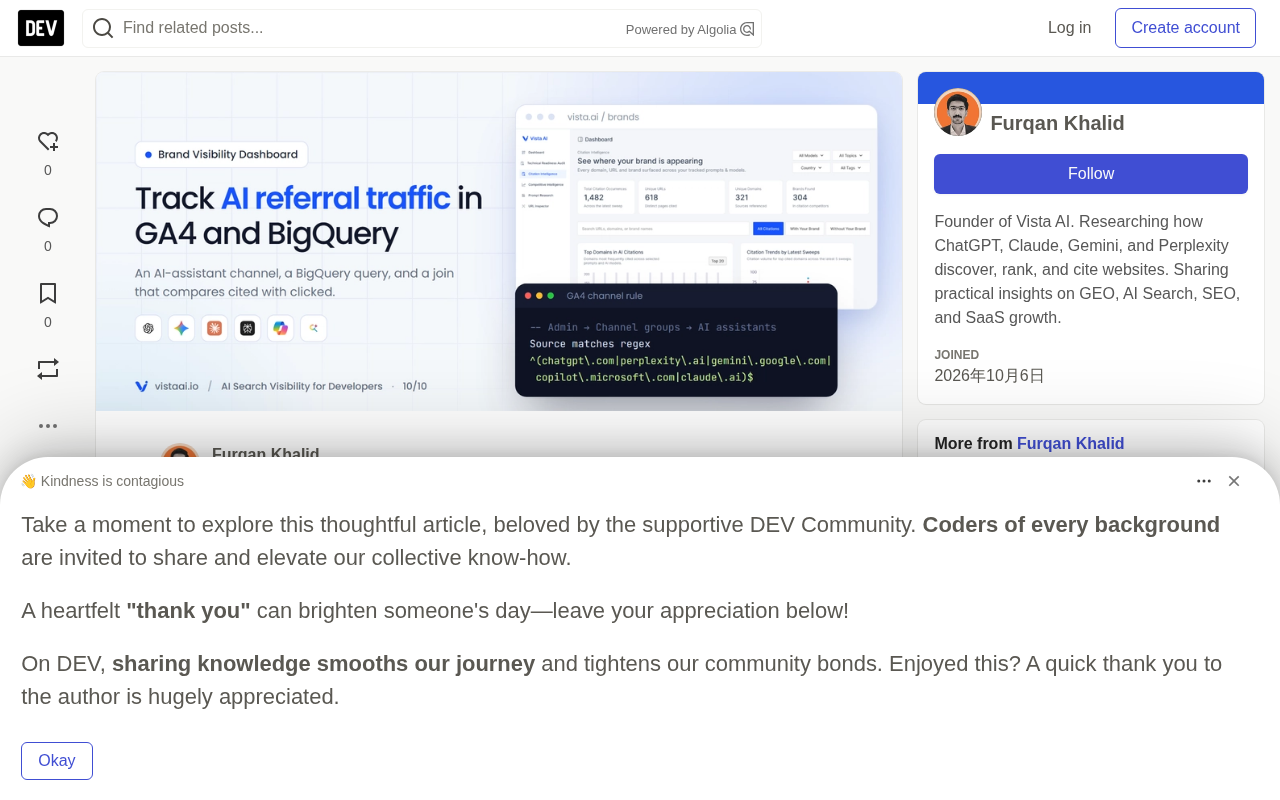
Go to Admin → Data display → Channel groups, copy the default group, then add a new channel called AI assistants with the condition set to:
- Source matches regex:
^(chatgpt\.com|chat\.openai\.com|(www\.)?perplexity\.ai|gemini\.google\.com|copilot\.microsoft\.com|claude\.ai|chat\.deepseek\.com)$
Then drag this new channel above "Referral". GA4 matches channels in order, and the first matching rule wins—if Referral comes before it, AI traffic will still get absorbed by Referral.
Because the rule matches the source field, it can catch both referrer-based visits and visits with utm_source=chatgpt.com. Custom channel groups also apply retroactively in GA4 reports, so you'll see historical data immediately after setting it up.
GA4 channel groups are an ordered set of matching rules used to bucket raw sources (source / medium) into categories like "Organic Search," "Referral," and "Paid Search." The system compares each session against the rule list one by one, and the first matching rule determines that session's classification; subsequent rules are not evaluated. Therefore the rule order itself is part of the logic: placing AI assistants before Referral ensures AI referrals are identified separately, otherwise they'll be caught first by the broader Referral rule.
The default channel group is built into GA4 and can't be modified, while custom channel groups let you copy a set, then add or remove rules, and specify where they apply in reports. Rules support exact match, contains match, and regex; this article uses matches regex on the Source field.
Step 2: Pull raw AI sessions from the BigQuery export
For looking at trends, the GA4 interface is enough, but to analyze landing pages, do data correlation, or write custom logic, you need the BigQuery export. The SQL below finds the first page_view of each session coming from an AI assistant, covering both referrer and UTM source signals:
DECLARE ai_re STRING DEFAULT
  r'(chatgpt\.com|chat\.openai\.com|perplexity\.ai|gemini\.google\.com|copilot\.microsoft\.com|claude\.ai|chat\.deepseek\.com)';

WITH pv AS (
  SELECT
    PARSE_DATE('%Y%m%d', event_date)                                   AS day,
    user_pseudo_id,
    (SELECT value.int_value    FROM UNNEST(event_params) WHERE key = 'ga_session_id') AS session_id,
    (SELECT value.string_value FROM UNNEST(event_params) WHERE key = 'page_location') AS page_location,
    (SELECT value.string_value FROM UNNEST(event_params) WHERE key = 'page_referrer') AS page_referrer,
    collected_traffic_source.manual_source                              AS utm_source,
    event_timestamp
  FROM `my-project.analytics_123456789.events_*`
  WHERE _TABLE_SUFFIX BETWEEN FORMAT_DATE('%Y%m%d', DATE_SUB(CURRENT_DATE(), INTERVAL 28 DAY))
                          AND FORMAT_DATE('%Y%m%d', CURRENT_DATE())
    AND event_name = 'page_view'
),
landing AS (
  SELECT *,
    ROW_NUMBER() OVER (PARTITION BY user_pseudo_id, session_id ORDER BY event_timestamp) AS rn
  FROM pv
)
SELECT
  day,
  COALESCE(REGEXP_EXTRACT(page_referrer, ai_re), REGEXP_EXTRACT(utm_source, ai_re)) AS assistant,
  REGEXP_REPLACE(REGEXP_EXTRACT(page_location, r'^https?://[^/]+([^?#]*)'), r'/$', '') AS landing_path,
  COUNT(*) AS sessions
FROM landing
WHERE rn = 1
  AND (REGEXP_CONTAINS(IFNULL(page_referrer, ''), ai_re)
       OR REGEXP_CONTAINS(IFNULL(utm_source, ''), ai_re))
GROUP BY day, assistant, landing_path
ORDER BY sessions DESC;
A few practical reminders:
- The
collected_traffic_sourcefield only exists in exports after mid-2023; for earlier data you can only rely on the referrer. REGEXP_EXTRACTreturns the matched hostname, so bothwww.perplexity.aiandperplexity.ainormalize toperplexity.ai.- Filtering with
_TABLE_SUFFIXkeeps the scan scope and cost within the date range you need. - If you've also enabled intraday exports,
events_*will also matchevents_intraday_*tables, and the most recent day may be double-counted. Change it toevents_2*to match only daily tables.
The query results are aggregated by assistant and landing page, making it clear at a glance how many sessions ChatGPT, Perplexity, Gemini, Copilot, and Claude each contribute. For data layout, a stacked bar chart works well for viewing share changes across assistants, while cards can show the absolute volume for a single assistant.
GA4's BigQuery export writes each event as a row, stored in daily tables called events_YYYYMMDD; all daily tables under the same dataset can be queried at once using the wildcard events_*. Because GA4 is an event model, session-level dimensions (session_id, landing page, etc.) don't appear directly as columns but are nested in the event_params key-value array, requiring UNNEST to expand and then fetching values by key—this is why the SQL repeatedly writes (SELECT value.string_value FROM UNNEST(event_params) WHERE key = ...).
collected_traffic_source is a newer top-level structure added in more recent export versions, storing the attribution source captured by GA4, with manual_source corresponding to the UTM utm_source. It's closer to the raw captured values than the traffic_source series of fields, and is better suited for custom attribution.
Step 3: Correlate "being cited" with "being clicked"
If you're collecting citation data (for example, recording how many times each page was cited in AI answers), and now you also have the number of sessions each page brought in from AI assistants, you can put them side by side:
WITH cited AS (
  SELECT landing_path, SUM(citations) AS citations
  FROM `my-project.ai_visibility.page_citations_28d`
  GROUP BY landing_path
),
clicked AS (
  SELECT landing_path, SUM(sessions) AS ai_sessions
  FROM `my-project.ai_visibility.ai_sessions_28d`
  GROUP BY landing_path
)
SELECT
  COALESCE(c.landing_path, k.landing_path) AS landing_path,
  IFNULL(c.citations, 0)    AS citations,
  IFNULL(k.ai_sessions, 0)  AS ai_sessions,
  SAFE_DIVIDE(k.ai_sessions, c.citations) AS sessions_per_citation
FROM cited c
FULL OUTER JOIN clicked k USING (landing_path)
ORDER BY citations DESC;
The four quadrants are the part that actually guides action:
- High citations, high sessions: this content strategy is working; protect these pages and keep them updated.
- High citations, low sessions: AI treats your page as a source, but users don't need to click through—the answer itself is already complete. This often happens with definition-type and simple fact-type pages. Think carefully about whether the page gives users a compelling reason to come (a tool, a template, deeper data).
- Low citations, high sessions: this traffic can't be explained by your existing prompt set. It means your prompt monitoring list is missing the questions users are actually asking—add them.
- Both low: most pages fall here. Unless it's a page you absolutely must win, no special handling is needed.
Plotting citations and sessions on the same scatter chart, using the median or mean to divide the quadrants, quickly reveals which pages are "critically praised but commercially weak" and which pages are "quietly pulling in traffic."
What this method can't measure
There are three blind spots that need to be communicated clearly to stakeholders in advance:
- Referrer loss. In-app clicks and privacy settings drop the referrer, and those visits fall into Direct. So the AI traffic you measure is a floor, not the full picture.
- Zero-click influence. Many users, after reading an AI recommendation, go straight to Google to search for the brand name or manually type the URL. In the data this shows up as branded search or direct traffic, with no attribution link to AI at all. If a rise in branded search coincides with a rise in AI visibility, that's only indirect evidence—and it should be treated as such.
- AI Overviews and AI Mode are folded into Google organic traffic in GA4 and can't be separated out.
This is also why looking at referral traffic alone underestimates the value of AI search—it must be viewed alongside visibility metrics, not as a replacement for them.
Put visibility and outcomes in the same view
The most useful reports put visibility (mentions, citations, share of voice) and outcomes (AI sessions, conversions) in front of the same people, reviewed on the same cadence.
Vista AI's Brand Visibility Dashboard covers the visibility side: visibility by engine and region, share of voice compared with competitors, sentiment, rankings by query dimension, and 30/90/365-day trends, plus weekly email reports. It also supports independent query sets for multiple brands, making it easy for agencies to report per client. Pair it with the channel you built in GA4 above, and the two halves are complete: how often AI recommends you, and how often those recommendations turn into a visit.
One-line Summary
Use a GA4 custom channel group plus BigQuery to track AI assistant referral traffic and correlate citation data, while clarifying three major blind spots.
Paragraph Summary
The article presents a method for tracking AI assistant (ChatGPT, Perplexity, Gemini, etc.) referral traffic in GA4 and BigQuery, emphasizing that "being cited" and "being clicked" should be viewed together. The process has three steps: first, create an AI assistants custom channel group in GA4, using regex to match sources and dragging it above Referral to leverage ordered matching for priority capture; second, use BigQuery to query the first page_view of each AI session, covering both referrer and UTM signals to reconstruct landing pages; third, FULL OUTER JOIN the citation table with the session table, using four quadrants to judge content strategy effectiveness. The article also points out three blind spots: referrer loss means the data is only a floor, zero-click influence can't be attributed, and AI Overviews and AI Mode are folded into Google organic traffic—so referral traffic must be viewed alongside visibility metrics, not as a replacement.
Related articles

Free Unlimited Claude Code Solution: Agnes AI + CC Switch Setup Guide
No paid subscription needed — pair the free AI platform Agnes AI with the open-source tool CC Switch to provide a backend for Claude Code, enabling unlimited free calls to text, image, and video models. This guide covers the full setup, test results, and usage boundaries.

A Complete Zero-Cost Guide to Getting Started with Claude Code for Beginners in China
A beginner's guide to Claude Code for users in China: two installation methods (command line and IDE plugin), full configuration steps for replacing the official API with the free domestic LongCat model, and a hands-on demo of building a small tool with natural language, plus tips.

When the NSA Gets Involved: The AI Supply Chain Crisis Behind Open-Source CVEs and API Key Hijacking
Multiple open-source projects disclosed severe CVEs in one day, PHP flaws alarmed the FBI, and Railway and OpenCode were breached with API keys stolen. This article breaks down the vulnerability window, AI-accelerated exploitation, and the AI supply chain crisis behind the API key black market, with a developer defense checklist.