Two Essential Updates for Building Chrome Extensions with Antigravity

Two new updates let AI Agents write Chrome extensions per best practices and verify them in a real browser.
The article covers two key updates for building Chrome extensions with Antigravity. First, installing the Modern Web Guidance skill package presets best practices for the AI Agent, making generated code compliant on permissions, Manifest V3, and service worker architecture. Second, installing Chrome DevTools for Agents, whose built-in MCP server lets the Agent install and test extensions in a real Chrome browser, forming a closed loop from generation to verification. Together they create a full workflow—reduce manual back-and-forth, especially for cross-origin requests, message passing, and storage debugging. Install soon and start with a simple extension.
Chrome extension development is being redefined by AI Agents. If you're using Antigravity (Google's internal codename for its Agent-driven development environment) to build Chrome extensions, two recent updates are worth your attention. They address two core problems: "how to write it correctly" and "how to verify it works."
Update 1: Install the Modern Web Guidance Skill Package
The first update is installing Modern Web Guidance. The Google team has packaged best practices for building Chrome extensions into a Skill that can be handed directly to your AI Agent.

This means you no longer need to manually dig through documentation, cross-check Manifest specifications line by line, or worry about whether the Agent's generated code meets Chrome Web Store review requirements. The Agent writes extension code based on this preset set of best practices—from permission declarations to background script architecture, everything has a clear basis.
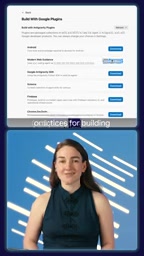
From an engineering perspective, the value of this skill package lies in making tacit knowledge explicit. Chrome extension development has plenty of pitfalls—such as Manifest V3's restrictions on service workers, content script injection timing, and granular control of host permissions. This experience is usually scattered across documentation and community discussions, but it's now consolidated into structured knowledge the Agent can directly invoke.
Manifest V3 is the currently promoted manifest version for Chrome extensions, replacing V2's long-lived background page with a service worker. This change has two cascading effects: first, the service worker gets terminated by the browser when idle, so extensions cannot rely on in-memory global variables to hold state—they must use chrome.storage or message passing instead; second, event listeners must be registered synchronously at the top level, otherwise they can't be re-bound when the worker is woken up. Content scripts are scripts injected into the web page context that are constrained by the page's CSP and isolated world, and can only communicate with other parts of the extension via messages. Host permissions determine which sites the extension can access. V3 supports requesting optional permissions at runtime on demand, with finer granularity than V2, but it also requires developers to declare them precisely in manifest.json, otherwise the relevant APIs fail silently. These are exactly the areas where Agents are most likely to make mistakes when generating code.
Update 2: Install Chrome DevTools for Agents
The second update is equally critical: installing Chrome DevTools for Agents.
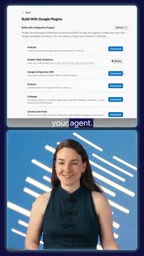
This tool includes an MCP (Model Context Protocol) server that allows your Agent to install and test extensions in a real Chrome browser.

The importance of this cannot be overstated. Previously, Chrome extension code written by AI Agents often stayed at the "looks fine" level—syntactically correct and structurally sound, but whether it actually works when loaded into a browser required human verification. With this MCP server, the Agent can autonomously complete the full loop of installation, loading, and running tests.
Note that you need to enable the extensions tools in your configuration. The official documentation has detailed enabling steps—follow them as described.
MCP (Model Context Protocol) is an open protocol that establishes standardized connections between AI Agents and external tools and data sources. In traditional integrations, each tool you connect often requires writing a set of adapter code for a specific model or platform; MCP exposes tools as unified "servers," and Agents discover and invoke their capabilities as clients according to the protocol, thereby decoupling tools from models. For the scenario in this article, the MCP server provided by Chrome DevTools for Agents wraps browser debugging capabilities (loading extensions, opening tabs, reading console logs, executing scripts, taking screenshots, etc.) into tools the Agent can invoke. The Agent sends requests via the protocol, the MCP server executes them in a real browser and returns structured results, and the Agent then judges whether the extension is running correctly. This also explains why the extensions tools need to be enabled separately in the configuration: only explicitly registered tools appear in the Agent's callable list.
What These Two Updates Mean Together
Viewed separately, Modern Web Guidance solves the code quality problem, while Chrome DevTools for Agents solves the verification loop problem. But together, they point to a more complete Agent development workflow:
- The Agent generates extension code based on best practices
- The Agent installs the extension in a real browser via the MCP server
- The Agent tests functionality and gets feedback
- The Agent iterates and fixes based on the results
This workflow reduces the manual back-and-forth between "writing code" and "verifying code." For extension development scenarios that require frequent debugging—such as handling cross-origin requests, debugging message passing, or testing storage reads and writes—the Agent's ability to verify autonomously can significantly shorten the development cycle.
Practical Advice
If you're already using Antigravity to build Chrome extensions, install these two components as soon as possible. Modern Web Guidance can be provided directly to the Agent as a Skill, while Chrome DevTools for Agents requires configuring the MCP server and enabling the extensions tools.
For developers just getting started with this toolchain, it's recommended to begin with a simple extension—such as a small tool containing only a popup and a content script—get the full workflow running, then expand to more complex scenarios.
AI-assisted Chrome extension development is evolving from "helping you write code" to "helping you write it correctly and verify that it runs." These two updates are an important step in that direction.
One-line Summary
Two new updates let AI Agents write Chrome extensions following best practices and verify them in a real browser.
Paragraph Summary
The article introduces two key updates for building Chrome extensions with Antigravity. First, installing the Modern Web Guidance skill package presets Chrome extension development best practices for the AI Agent, making the generated code compliant with standards and review requirements for permission declarations, Manifest V3, and service worker architecture—turning tacit experience into explicit knowledge. Second, installing Chrome DevTools for Agents, whose built-in MCP server lets the Agent install and test extensions in a real Chrome browser, forming a closed loop from generation to verification. Together, they constitute a complete workflow: generate code, install in a real environment, test and get feedback, iterate and fix—reducing manual back-and-forth, especially for frequently debugged scenarios like cross-origin requests, message passing, and storage reads and writes. The author recommends installing them soon and starting with a simple extension to get the workflow running.
Related articles

Amphibious Transforming Drone: Beyond 100x Power Savings, What Are the Real Needs?
Is the amphibious transforming drone just a gimmick? Starting from the 100x power difference of the M4 Morphobot, explore real application scenarios and thesis topic ideas, analyzing boundary conditions where pure drones and pure ground robots both fail.

Warhound Raises $200 Million: Genetically Engineered "War Dogs" Paired with Anduril Gear
Warhound raises $200M, backed by Ben Lamm and Palmer Luckey, to genetically engineer dogs for military and law enforcement use and equip them with Anduril gear. This article analyzes its technology direction, funding logic, and ethical controversy.

Claude API Comes to Google Cloud: IAM Integration and SDK Access Guide
Anthropic hosts the full Claude API on Google Cloud with IAM-controlled permissions and unified billing. This guide covers the Vertex AI and Anthropic-hosted entry points, IAM role configuration, and SDK access.