Vercel Billing CLI Launches: Team Billing Management Moves to the Terminal
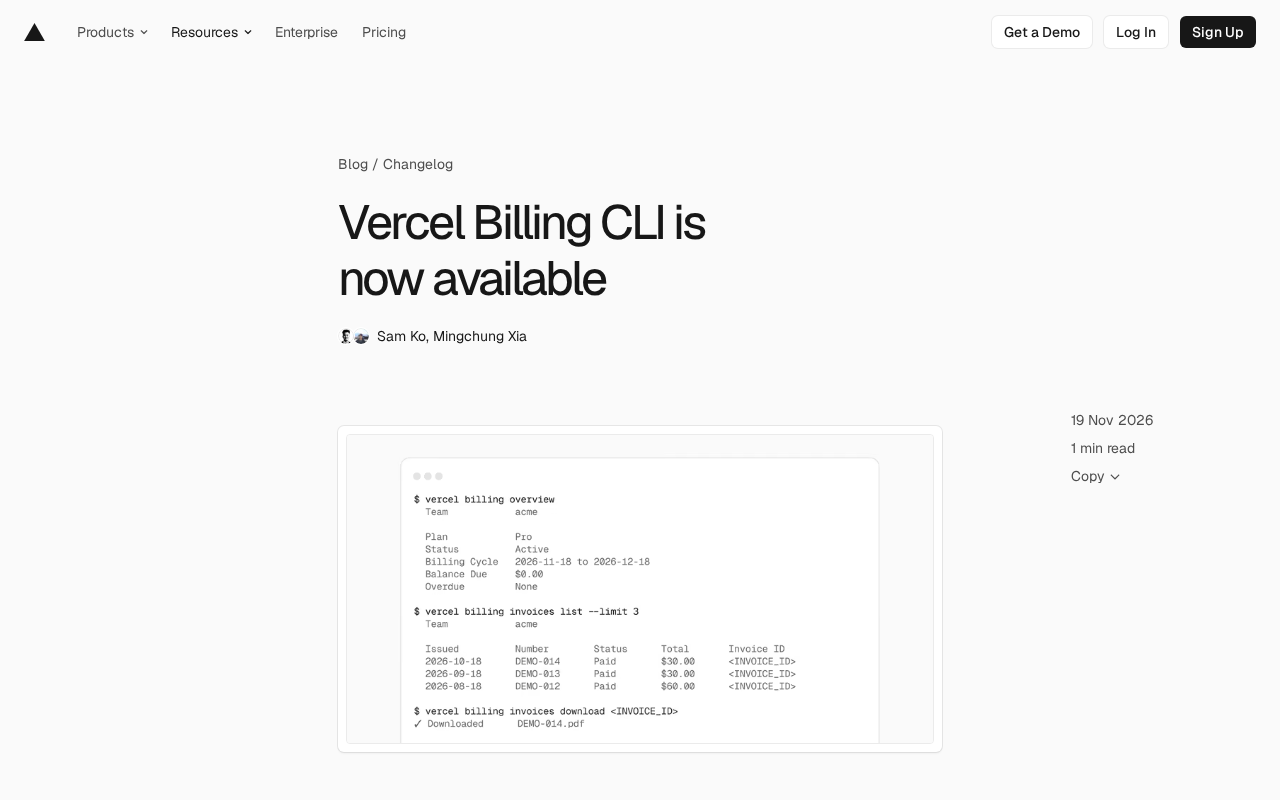
Vercel CLI adds a billing command group, unifying billing, invoice, and budget management with JSON output support.
Vercel has integrated billing management into the command line with the `vercel billing` command group. The existing `vercel usage`, `vercel contract`, and `vercel budgets` commands have been migrated to this namespace, with old names retained as aliases so existing scripts and CI pipelines remain unaffected. The new commands support viewing billing overviews (plan, billing cycle, outstanding balance, overdue invoices, and invoice configuration), listing invoices, viewing details, downloading PDFs, and previewing upcoming charges. All billing commands accept `--json` for structured output aimed at scripts and agent automation. Billing overviews and invoice history are available on all plans but subject to team permissions, while estimation features require an active paid subscription. After upgrading the CLI, verify with `vercel billing overview`.
Vercel has moved billing management into the command line. Teams can now view billing overviews, review and download invoices, and preview upcoming charges directly through the Vercel CLI, with all billing-related commands consolidated under vercel billing.
A Command Refactor: From Scattered to Unified
The core change in this update is command grouping. The previously scattered vercel usage, vercel contract, and vercel budgets have now been migrated to vercel billing usage, vercel billing contract, and vercel billing budgets. The old command names are retained as aliases, so existing scripts and CI pipelines won't break.
For teams maintaining automation pipelines long-term, this "add a prefix without breaking compatibility" approach lowers migration costs. There's no need to rewrite every script at once, and no risk of things crashing on launch day.
The alias mechanism is a common backward-compatibility technique in CLI tools: when a command is renamed or moved to a new namespace, the old name is still registered as a shortcut pointing to the new command. When a user enters the old command, the parser rewrites it to the corresponding new command before execution. Compared to simply deleting old commands, this approach sacrifices some command-space tidiness in exchange for zero-breaking upgrades—shell scripts, Makefiles, and CI configs that depend on old commands keep working without modification. Vercel's decision to retain old names like vercel usage follows exactly this pattern, at the cost that these aliases may be deprecated after several major versions, at which point warnings are typically printed before removal.
What the Billing Overview Shows
vercel billing overview is used to view the current team's plan, billing status, billing cycle, outstanding balance, and overdue invoices. To check a specific team, add --scope <team> to switch.
In CLI version 65.17.0 and later, the overview also displays configured invoice information such as billing address, tax ID, and purchase order number. This is particularly useful for teams that need to go through financial reimbursement processes—no more jumping to the web console to verify information.
Invoice and Estimated Cost Workflows
The vercel billing invoices subcommand covers the full invoice operation chain:
vercel billing invoices list --limit 3lists the three most recent invoicesvercel billing invoices inspect <INVOICE_ID>views details for a single invoicevercel billing invoices download <INVOICE_ID>downloads an invoice as PDFvercel billing invoices upcomingpreviews the next invoice and its line items
Both inspect and download require a full invoice ID, which you can get from the list output. The official docs specifically note that upcoming charges are estimates and may change before the billing cycle ends, so they shouldn't be treated as final settlement figures.
Structured Output for Scripts and Agents
For automation scenarios, this update includes a key switch: adding --json after vercel billing overview or any vercel billing invoices subcommand produces structured output.
This design is worth noting. Financial data is naturally suited for programmatic consumption, and JSON output means teams can embed billing checks into CI/CD, internal monitoring dashboards, or alerting systems. The original post explicitly mentions this capability targets "scripts and agents," indicating Vercel has made targeted considerations for automated callers at the command-line level. When agents need to be aware of cost status, the programmability of the billing interface becomes part of the infrastructure.
The difference between structured output and human-readable output is that default CLI output often includes table borders, colors, pagination, and alignment spaces—friendly to terminal users but difficult for programs to parse reliably. The --json switch makes commands output JSON-compliant text with fixed field names and nested structures, directly consumable by tools like jq, Python, and Node. Best practices for this pattern include: JSON should go to stdout while logs and progress information go to stderr to avoid polluting pipes; fields should remain backward-compatible, adding new fields rather than renaming; exit codes need to distinguish success from business failures. For CI/CD and agents, parseable exit codes combined with JSON output enable the closed loop of "read status—evaluate condition—trigger alert."
Permission and Plan Boundaries
Billing overviews and invoice history are available on all plans but are subject to existing team billing permissions—not all members can see them. The upcoming invoice estimation feature requires the team to have an active paid subscription. These two limitations show that while Vercel opens up capabilities, it follows the existing permission model rather than creating a separate authorization logic for the CLI.
Team-level RBAC and plan thresholds are two independent dimensions. The former determines "who can see": billing data is typically visible only to team Owners, Billing roles, or members with corresponding permissions—regular developers will receive permission errors even when running the commands. The latter determines "how far you can go": even with permissions, features like estimated invoices that depend on paid subscriptions remain unavailable on free plans. Understanding this distinction helps with troubleshooting—when a command errors, first determine whether it's an authorization failure (403/insufficient permissions) or an unactivated feature (plan limitation); the resolution paths are completely different. The CLI following the web console's permission system rather than building its own also means that role changes adjusted on the web will be reflected in the command line immediately.
How to Get Started
Just upgrade the CLI: run vercel upgrade, then execute vercel billing overview in your project to verify permissions and output. For more detailed instructions, refer to the official Billing & Invoices documentation.
For teams that use Vercel as their primary deployment platform, the significance of this update isn't about how many features were added, but rather that billing has gone from "requires opening a browser" to "type a command in the terminal when needed." Combined with JSON output, cost visibility can truly enter automated workflows rather than remaining at the level of manual inspection.
Related articles
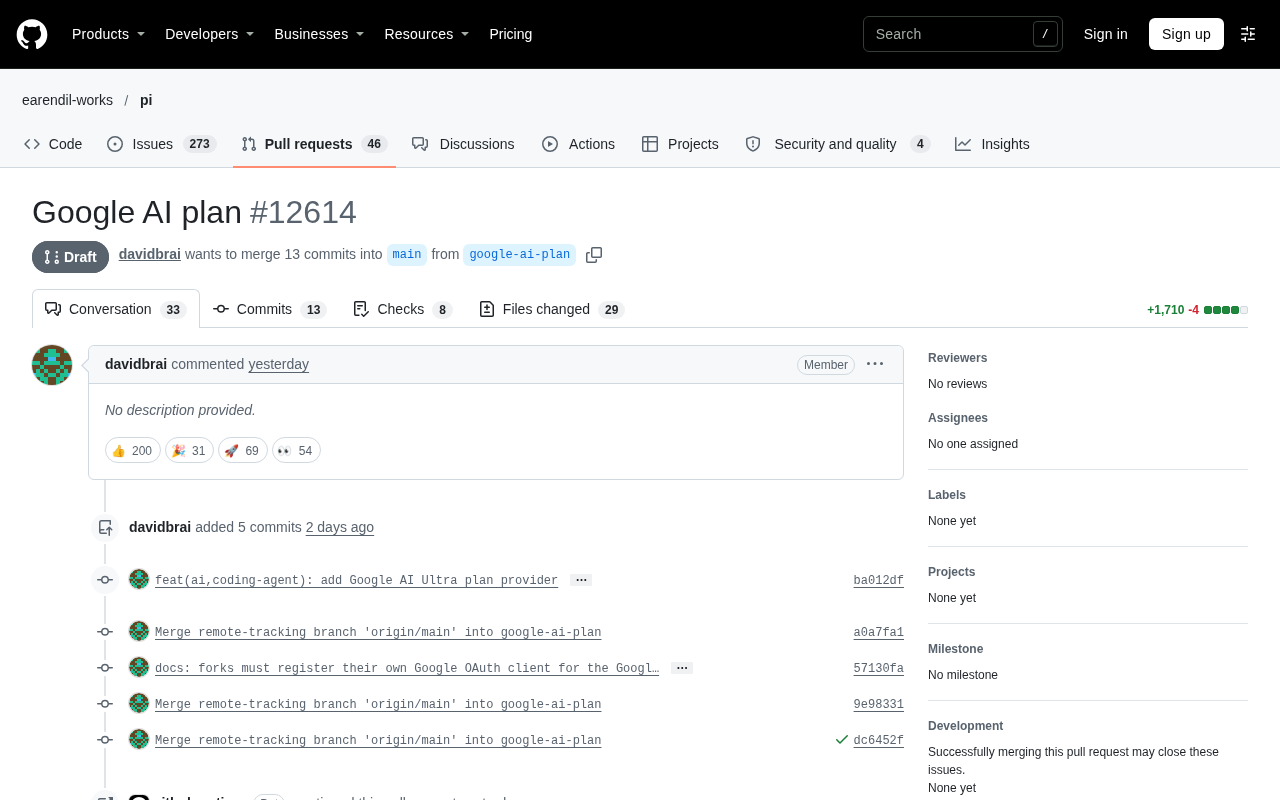
Google Officially Supports Pi Coding Agent: The AI Programming Tool Ecosystem Expands Further
Google adds official Google AI plan support for the open-source coding agent Pi, signaling accelerating integration between large model vendors and coding agent tool ecosystems. This article analyzes the impact on developer workflows, the tool ecosystem landscape, and model binding relationships.

Loom: One Machine for Weaving, Knitting and Braiding
Loom is a device that aims to seamlessly combine weaving, knitting and braiding in a single machine, drawing attention on Hacker News. This article examines its engineering challenges, significance for flexible manufacturing, and lessons for makers and hardware developers.
Running Local AI Agents on Mac: A Full Breakdown of the MLX Four-Layer Stack
A breakdown of Apple engineer Joanna's local Mac AI agent solution: the MLX four-layer stack, a three-step setup, and how the neural network accelerator, continuous batching, and distributed inference solve local agent performance bottlenecks.