Vercel CLI Adds feedback Command: Report Bugs Directly from the Terminal, Usable by AI Coding Agents Too

Vercel CLI adds a feedback command with structured fields, designed for AI agents.
Vercel added a `vercel feedback` command to its CLI, letting developers submit bugs, friction reports, and feature requests directly from the terminal without switching to a browser form—shortening the feedback path and lowering operational costs. Its differentiator is the `-f/--field` parameter, which accepts repeated `key=value` pairs to attach structured context; the official example includes product, model, harness, task, expected, actual, and type fields, forming a standard "task–expected–actual" problem description chain. The model and harness fields clearly point to AI coding agent runtime environments, showing the command is explicitly designed for agent scenarios so agents can report failures in a unified format for automatic triage and reproduction. The command also reads from standard input, allowing logs or notes to be piped in for scripted integration.
Vercel recently added a seemingly unremarkable but highly impactful new command to its CLI tool: vercel feedback. Developers can now submit bugs, friction reports, and feature requests directly to the Vercel team from the terminal, without switching to a browser to fill out a form. More notably, the command was explicitly designed with AI coding agents in mind, supporting structured fields for passing context and providing a standardized entry point for "machine-submitted feedback."
Closing the Feedback Loop Within the Terminal
vercel feedback is refreshingly simple to use: run the command in your terminal with a description attached. The official example uses the description "The error didn't explain how to fix the issue"—exactly the kind of friction feedback that tends to get overlooked in traditional channels yet has an outsized impact on developer experience. Putting the entry point inside the CLI means developers can report issues right when they encounter them, without leaving their workflow, lowering both the psychological and operational barriers to giving feedback.
From a product design perspective, this is a classic move to shorten the feedback path. Vercel's core users are developers who are used to deploying and debugging from the terminal, so embedding a feedback entry point in the CLI is far smoother than asking users to open a webpage, log in, select a category, and fill out a form. For the platform, it also yields first-hand information that is closer to real-world usage scenarios.
Vercel CLI is the official command-line tool from Vercel. After installing it globally via npm i -g vercel, developers can run commands like vercel, vercel dev, and vercel deploy in their project directory to log in, develop locally, create preview deployments, and publish to production. The CLI reuses credentials from browser OAuth login and stores them in the local configuration, so new commands can reuse the existing login state without separate authentication. This is precisely what allows vercel feedback to require "zero extra configuration"—developers are already logged in, and submitting feedback is just one more step along the way.
Structured Feedback: A Context Format Built for AI Agents
The real differentiator in this update is the -f / --field parameter. By repeating this flag, you can attach structured context in key=value form. The official example is quite complete:
vercel feedback "The error did not explain the correct command" \
  -f product=cli \
  -f model=gpt-6-astra \
  -f harness=fx \
  -f task="deploy a preview" \
  -f expected="Create a Preview deployment" \
  -f actual="Unknown option: --preview" \
  -f type=bug
Each field is worth unpacking: product identifies the product line, model and harness describe the model and runtime environment being used, while task, expected, and actual form a standard "task–expected–actual" problem description chain, with type used for categorization. Compared to free-form text, these structured fields make feedback easier to automatically triage, aggregate, and reproduce.
You may not have noticed, but model=gpt-6-astra and harness=fx in the example clearly point to an AI coding agent's runtime environment. In its announcement, Vercel explicitly states that coding agents can also send feedback when they run into problems. In other words, this command serves not only human developers but also AI agents executing tasks on Vercel—when an agent encounters a failure like Unknown option: --preview while performing a task such as "deploy a preview environment," it can report the task intent, expected outcome, and actual error together in a unified format.
Why Structured Fields Matter for Agent Scenarios
Free-text feedback is human-friendly but not machine-friendly. If an agent's feedback is just a natural language paragraph, it's hard for the platform to categorize it at scale; the key=value format, by contrast, is naturally suited for storage, statistics, and clustering. It's foreseeable that as more and more coding agents run in real projects, these "machine-readable feedback channels" will gradually become part of the infrastructure—serving both as a data source for product quality and as a kind of collaboration protocol between agents and the platform.
"AI coding agents" refer to automated programs that can autonomously read codebases, execute commands, modify files, and iterate based on results—for example, agent frameworks running in the terminal or agent modes built into IDEs. Unlike ordinary scripts, agents have task planning and error recovery capabilities, and they invoke the CLI when performing multi-step tasks like "deploy a preview environment." When a step fails, the agent needs to report the task intent, expected outcome, and actual output together so the platform can reproduce the issue. If it can only output natural language, the platform struggles to categorize at scale; key=value fields, however, can be directly stored, aggregated, and analyzed—naturally suited to machine processing pipelines.
Piped Input and Lightweight Integration
In addition to the -f parameter, vercel feedback also supports reading from standard input. The official example shows cat notes.md | vercel feedback -, which means you can pipe existing logs, notes, or error output directly in, further reducing the cost of manual organization. For teams accustomed to scripted workflows, this design leaves room for automated integration.
In terms of command design, Vercel maintains the CLI's characteristic simplicity: a single command, optional fields, and piped input support. No complex subcommand hierarchy, and no additional authentication steps—the existing CLI login state is reused.
Standard input (stdin) is the default data input channel for Unix processes, and the pipe operator | can pass the output of one command directly as input to another. In cat notes.md | vercel feedback -, the - is a conventional placeholder meaning "read content from standard input rather than from command-line arguments." This pattern is common in CLI tools (e.g., git commit -F -, docker login --password-stdin); its value lies in letting feedback content come from the output of any command—build logs, test reports, error stacks—thereby embedding the feedback action into existing scripts without manual copy-pasting.
What It Means for the Developer Ecosystem
Building a feedback entry point into a CLI isn't a Vercel first, but combined with the structured field design for AI agent scenarios, this update carries significance beyond "just adding a command." It reflects a trend: as AI coding agents increasingly perform deployment, debugging, and other operations in place of humans, platforms need to design interaction interfaces for "non-human users." The feedback channel is just one piece of this, but it's a window into how a platform positions agents—whether as ordinary script callers or as first-class citizens that need full context-expression capabilities.
Of course, the real-world effectiveness of this mechanism remains to be seen. Whether the structured field conventions will be widely followed by developers and agents, whether feedback receives effective responses, and whether the field design covers enough problem types—all of this will take time to validate. But at least from the command design itself, Vercel has taken a pragmatic step forward in feedback efficiency and agent-friendliness.
Developers who want to try it can update to the latest version of Vercel CLI and consult the official documentation for vercel feedback for full usage details.
Related articles
LLaMA-Factory in Practice: A Complete No-Code Guide to Fine-Tuning Large Models
An introduction to LLaMA-Factory, the open-source fine-tuning tool: its 60.1K-star background, supported models and algorithms, local vs. cloud deployment, and CUDA setup steps.

Zeng Ming's Deep Retrospective: Why OpenAI May Not Be the Ultimate Winner — and Why the Corporate System Will Disappear
Zeng Ming's deep retrospective on the AI endgame: model companies are just infrastructure, OpenAI and Anthropic won't be the final winners; the next battle is the Agent entry point standard; the corporate system will disappear as AI restructures collaboration, and only mission-driven companies can survive the cycle.
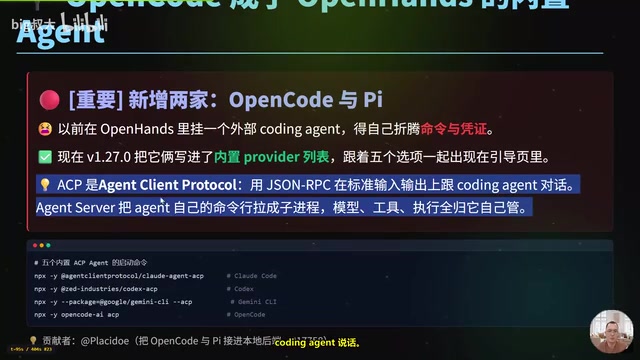
OpenHands v1.28.0: OpenCode and PI Added as Built-in Agents, API Keys Requestable In-Conversation
OpenHands ships 5 releases in 21 days: v1.27.0 adds OpenCode and PI as built-in agents, v1.28.0 enables in-chat key requests. ACP integration, credential reuse, model list changes, and upgrade advice.