Vercel Container Registry Raises Per-Layer Limit to 2 GB, Total Stays at 15 GB
Vercel container registry raises per-layer limit to 2GB, total remains 15GB.
Vercel Container Registry has increased the single compressed image layer limit from 500 MB to 2 GB while keeping the total image size limit at 15 GB, allowing large dependency trees, native extensions, and model weights to be organized into layers more naturally and reducing the management overhead of overly granular layering. The Registry is compatible with standard Docker workflows like push, pull, and tag, automatically creates repositories on push, and supports direct build-and-push with buildx. Repositories can be made public read-only or shared with up to 100 teams, and Vercel Sandbox managed images are distributed through public repositories. Management is via the vercel vcr command in Vercel CLI v58.3.0+, CI can use GitHub OIDC for passwordless login, and background optimization failures after push can be viewed on the dashboard and retried by re-pushing.
Vercel Container Registry has rolled out a key update: the maximum size for a single compressed image layer has been raised from 500 MB to 2 GB, while the total image size limit remains unchanged at 15 GB. This means developers can pack larger dependency bundles, model files, or runtime components into a single layer, reducing the management overhead and number of pushes caused by overly granular layering.
Per-layer limit quadruples, total capacity unchanged
The core of this change is the per-layer compressed size limit. The previous 500 MB limit was tight for many modern workloads—large Node.js dependency trees, Python environments with native extensions, and even some pretrained model weights could easily hit the ceiling on a single layer. With the increase to 2 GB, common medium-to-large images can be organized into layers more naturally.
The total image size limit remains 15 GB. This shows that Vercel's positioning is not to be an oversized image registry, but to give standard web applications and server-side workloads more flexibility in layering within a reasonable size. For scenarios requiring larger sizes, trimming or splitting during the build stage is still necessary.
About container image layers and compressed layers
A container image is built by stacking a series of read-only layers, each corresponding to an instruction in the Dockerfile (such as RUN, COPY). When pulling an image, layers can be downloaded in parallel and caches can be reused, so the layering strategy directly affects build and distribution efficiency. The "compressed image layer" mentioned here refers to the layer size after gzip/zstd compression that is uploaded to the Registry, which is not the same as the decompressed disk usage—a 2 GB compressed layer may be significantly larger once decompressed. This is exactly why the per-layer limit and the total limit need to be considered separately: the Registry measures storage and transfer by compressed size, while runtime disk usage is based on decompressed size.
Compatible with standard Docker workflows
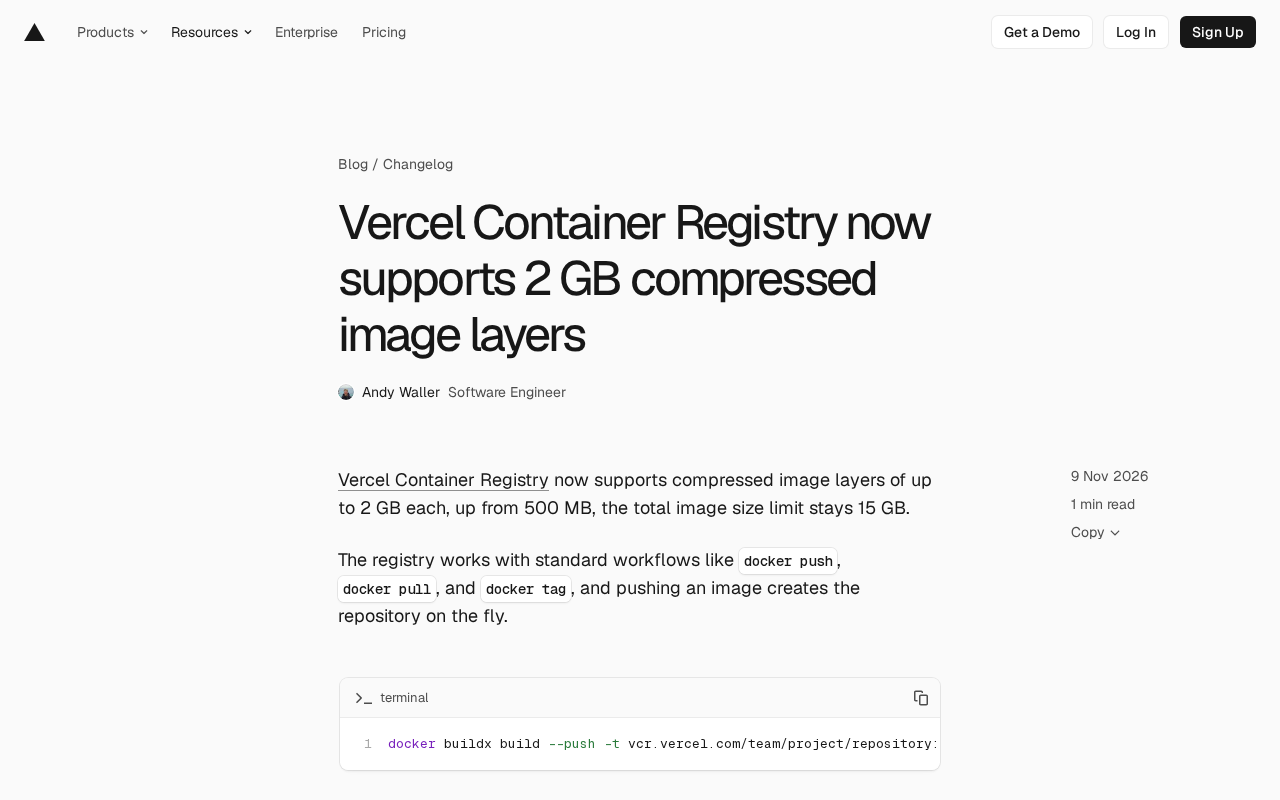
Vercel Container Registry does not reinvent the wheel; it directly supports standard commands such as docker push, docker pull, and docker tag. Repositories are automatically created when an image is pushed, eliminating the need for manual initialization. A typical use case is building and pushing directly with buildx:
docker buildx build --push -t vcr.vercel.com/team/project/repository:tag
This design lowers migration costs. Teams already using Docker do not need to learn a new image format or authentication flow—they simply point the registry address to Vercel.
About buildx and the OCI image specification
docker buildx is Docker's build frontend, based on the BuildKit engine, supporting multi-platform builds, parallel builds, and more flexible cache export. When pushing images, it follows the OCI Distribution specification, so any Registry compatible with that specification can receive the output of docker push. Vercel Container Registry is a server-side implementation of this specification, which is why it can directly handle standard Docker commands without a dedicated client. Understanding this helps assess migration costs: as long as the toolchain outputs standard OCI images, switching the Registry address is all that's needed—no changes to the image format.
Repository sharing and public access
Repositories can be made public for read-only pulls by any Vercel team, or shared with specific teams, up to a maximum of 100. There are two entry points: the dashboard or the vercel vcr permissions command.
Notably, the Vercel Managed Images that Vercel Sandbox relies on are distributed through ordinary public repositories, built in the same way as any public repository available to teams. This means the official team uses its own product to host core image distribution, indirectly validating the feature's usability.
CLI and CI integration
Repositories, images, and tags are managed through the vercel vcr command in Vercel CLI v58.3.0 and above. In CI scenarios, GitHub Actions can log in via the vercel/vcr-action/login action combined with GitHub OIDC, eliminating the need to store registry credentials long-term in the repository. This is friendlier for teams with conservative security practices, reducing key rotation and leakage risks.
After an image is pushed, background optimization is performed. If optimization fails, the dashboard shows an error status, and re-pushing the same image triggers a retry. This asynchronous approach means the push flow does not need to wait for optimization to complete, but teams should pay attention to status feedback in their release process.
About GitHub OIDC passwordless login
Traditional CI image pushes require storing Registry account passwords or tokens long-term in repository Secrets, which can have a large impact if leaked and require regular rotation. The GitHub OIDC approach instead has GitHub issue a short-lived, verifiable identity token each time a workflow runs; the Registry authorizes by verifying the token's issuer and repository claims, avoiding long-term credentials. This mechanism relies on the Registry supporting OIDC trust configuration and requires the workflow to declare the id-token: write permission. For teams with multiple repositories and environments, it shifts credential management from "distributing secrets" to "configuring trust relationships," significantly reducing operational burden.
Practical impact for developers
The most direct value of raising the per-layer limit is simplifying image structure. In the past, teams might have been forced to split dependency layers, compress resources, or introduce extra build steps to work around the 500 MB limit; now these compromises can be reduced. However, the 15 GB total red line remains, so image size management is still necessary, especially regarding layer caching and pull efficiency.
Taken together with standard Docker compatibility, team sharing, and OIDC login, Vercel is turning the container image registry into an infrastructure component within its deployment chain rather than a standalone product. For teams already hosting applications on Vercel, including the image registry in the same platform can reduce cross-platform configuration and credential management workload.
One-line Summary
Vercel container registry raises per-layer limit to 2GB, total stays at 15GB.
Paragraph Summary
Vercel Container Registry raises the single compressed image layer limit from 500 MB to 2 GB while keeping the total image size limit at 15 GB, allowing large dependency trees, native extensions, and model weights to be organized into layers more naturally and reducing the management overhead of overly granular layering. The Registry is compatible with standard workflows such as docker push, pull, and tag, automatically creates repositories on push, and supports direct build-and-push with buildx. Repositories can be made public read-only or shared with up to 100 teams, and Vercel Sandbox's managed images are also distributed through public repositories. Management is done via the vercel vcr command in Vercel CLI v58.3.0+, and CI scenarios can use GitHub OIDC to avoid long-term credentials. Background optimization failures after push can be viewed on the dashboard and retried by re-pushing.
Related articles

Gemini 4 Neon Review: Benchmark Scores Rival Carbon, API Pricing and Quota Breakdown
Google Gemini 4 Neon is now live, benchmark scores closely tracking Carbon, API pricing 3/15 at twice Hydrogen's rate. This article compiles Bilibili creator testing: Neon can replace 90% of Carbon scenarios, AntiGravity quota consumption is only one-third of Carbon, plus subscription channel restrictions and 2API ban risks.

Gemini 4 Helium Coming Soon? Signals of Google Loosening Subscription Restrictions
Google team member hints releases will continue; community speculates Gemini 4 Helium (Flash Lite) may be next. Subscription ban controversy gets a response as product lead says "Soon," suggesting restrictions may be lifted. This article covers Gemini developments, OpenAI Coding Agent and risk management, Doubao real-time audio-video API, and compute business dynamics.

AI-Assisted React Development in Practice: Optimizing a Video App and Handling Errors
A 14-year veteran developer demonstrates AI-assisted React video app optimization: compressing video from 80MB to 5MB (~94%) via ImageKit, plus reliable error handling and retry mechanisms. Includes planning, code understanding, and verification methods for working with AI.