Vercel Optimizes pnpm Installs: Millisecond Completion When Dependencies Are Unchanged
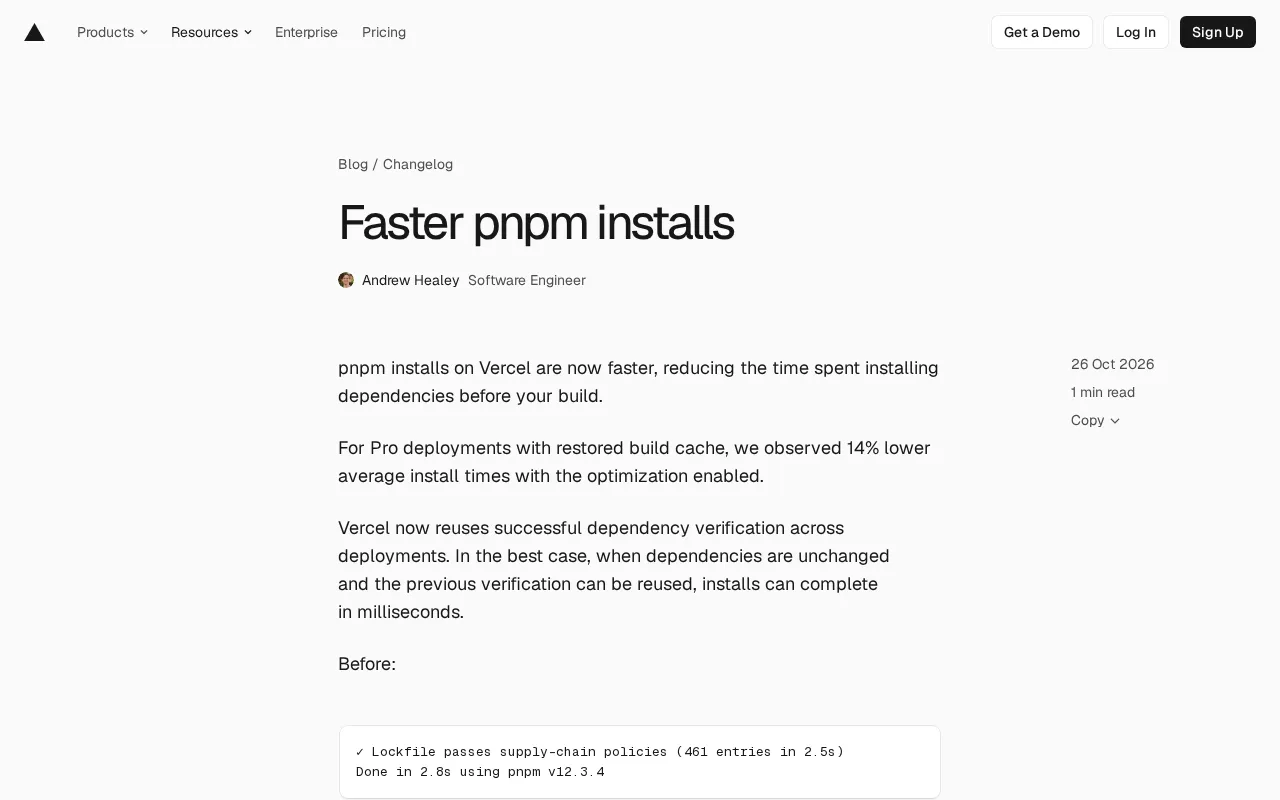
Vercel reuses pnpm dependency verification results across deployments, cutting install time from seconds to milliseconds.
Vercel announces an optimization to pnpm installation that reuses dependency verification results across deployments. Previously pnpm re-verified the lockfile against supply chain policies on every deployment, which was slow with many dependencies; the new approach caches a successful verification and reuses it when dependencies are unchanged. In the official example, verifying 461 entries went from 2.5s with a 2.8s total install to showing "verified 58 seconds ago" with a 135ms total install. Pro deployments with build cache restore see a 14% average reduction. Security checks aren't weakened—repeated verification is simply replaced with result reuse—and the optimization applies automatically to all plans with no configuration.
Vercel has announced an optimization to the pnpm installation process. The core idea is to reuse dependency verification results across deployments. When dependencies haven't changed, install time can drop from seconds to milliseconds—and this improvement applies automatically to all plans with no configuration required.
How It Works: Reusing Dependency Verification Results
Previously, on every deployment, pnpm had to re-verify whether the lockfile passed supply chain policies—a process that became quite time-consuming when there were many dependency entries. Vercel's new approach is to cache a successful dependency verification result. On subsequent deployments, if dependencies are detected as unchanged, the previous verification conclusion is reused directly, skipping the redundant verification step.
The official before-and-after comparison makes the difference clear. Before optimization, verifying the lockfile against supply chain policies required processing 461 entries, taking 2.5 seconds, with total installation time of 2.8 seconds. After optimization, the verification status simply shows "verified 58 seconds ago," and total installation takes just 135 milliseconds. In other words, in the best case, developers barely notice that dependency installation happens at all.
Lockfile is a file generated by a package manager after installing dependencies. It records the exact version, download URL, and integrity check value (such as an integrity hash) for each dependency package. pnpm uses pnpm-lock.yaml to lock the dependency tree, ensuring that installations across different environments and at different times produce exactly the same dependency versions—the foundation of reproducible builds.
Supply chain policy verification refers to the platform checking, according to security policies, whether dependencies in the lockfile come from trusted sources before installation—for example, whether they come from an allowed registry, whether versions are blacklisted, or whether packages have been tampered with. This kind of verification requires traversing every entry in the lockfile (461 in the example above), so the more dependencies there are, the longer it takes. Vercel's optimization caches the verification conclusion at exactly this layer, thereby skipping the repeated traversal.
Real-World Gains: 14% Average Reduction in Cache Restore Scenarios
For Pro deployments with build cache restore enabled, Vercel observed an average installation time reduction of 14%. This figure reflects the overall average including cache restore, rather than only the ideal scenario where "dependencies are completely unchanged." In other words, even when dependencies have partially changed and verification results can't be fully reused, the installation process still benefits from this optimization.
This difference in tiered benefits is worth noting: in the best case, it's a qualitative leap to milliseconds; on average, it's a quantitative improvement of about 10%. For teams that deploy frequently, the time saved per deployment adds up considerably—especially in CI/CD pipelines, where dependency installation is often a fixed overhead before the build.
Build Cache is a Vercel capability: the platform caches artifacts from the previous build (such as node_modules, .next/cache, etc.), and on subsequent deployments, if the relevant inputs are unchanged, it directly restores the cache to shorten build time. Dependency installation and cache restore are two independent steps—cache restore reduces the overhead of subsequent build steps, while dependency verification reuse acts on the installation stage itself. The 14% average reduction mentioned above is measured under the statistical scope of "Pro deployments with build cache restore enabled," so it measures the net benefit of the installation stage, not the benefit brought by caching.
In a CI/CD pipeline (continuous integration/continuous deployment), every code commit triggers a complete build process, and dependency installation is a fixed step at the beginning of the pipeline. Because pipelines typically run in clean container environments and can't retain node_modules long-term like local development, installation time is repeatedly counted in the total duration of every build—which is exactly why this optimization is more valuable to teams that deploy frequently.
Balancing Supply Chain Security and Speed
The cleverness of this optimization is that it doesn't sacrifice security checks for speed. Lockfile supply chain policy verification still exists—it's just changed from "repeated verification" to "reused verification." As long as dependencies haven't changed, previously passed verification results remain valid, and the security boundary hasn't been relaxed.
This also addresses a common engineering trade-off: security checks usually mean extra overhead, but whether that overhead is necessary depends on whether the object being checked has changed. Vercel's approach binds verification results to dependency state, so verification only runs when it's truly needed.
Scope and Requirements
This improvement covers all plans and is automatically applied to the pnpm installation process—developers don't need to modify any configuration. This means whether it's a personal project or team collaboration, anyone using pnpm on Vercel can directly benefit from this optimization. The pnpm version used in the official example is v12.3.4; the optimization itself is independent of the specific version and is a platform-side capability upgrade.
For projects with frequently changing dependencies, the best case may not occur often, but the average 14% installation time reduction is still a stable positive gain. For projects with relatively stable dependencies, millisecond-level installation completion will become the norm.
One-line Summary
Vercel reuses pnpm dependency verification results across deployments, reducing installation time from seconds to milliseconds.
Paragraph Summary
Vercel has announced an optimization to the pnpm installation process. The core idea is to reuse dependency verification results across deployments. Previously, pnpm had to re-verify whether the lockfile passed supply chain policies on every deployment, which was noticeably time-consuming when there were many dependency entries. The new approach caches a successful verification conclusion and reuses it directly when dependencies are unchanged, skipping redundant verification. In the official example, verification of 461 entries went from 2.5 seconds with total installation of 2.8 seconds to showing "verified 58 seconds ago" with total installation of just 135 milliseconds. For Pro deployments with build cache restore enabled, average installation time dropped by 14%. This optimization doesn't weaken security checks—it simply replaces repeated verification with result reuse—and it applies automatically to all plans with no configuration required.
Related articles
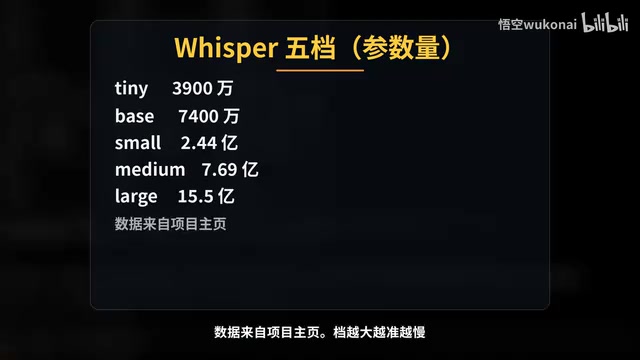
Claude Code in Practice: Building a Zero-Code Clip Factory That Turns Long Videos into Vertical Shorts Automatically
Bilibili creator Wukong uses Claude Code to build a zero-code clip factory, automatically turning a 35-minute long video into 10 vertical shorts. Full workflow from Plan Mode, Whisper transcription, claude.md rules, hook QA to subagent review and plugin distribution, with real measured data.
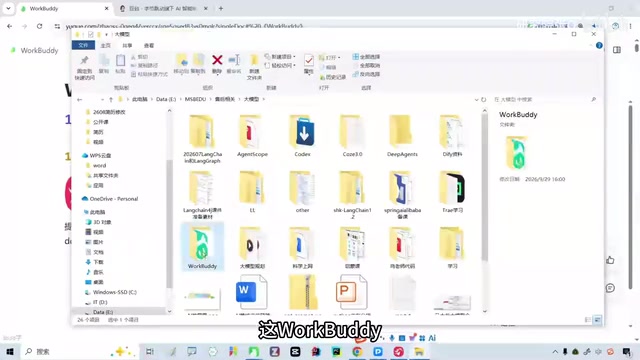
WorkBuddy Complete Guide: How AI Agents Automate File Conversion for You
WorkBuddy hands-on guide: from Doubao giving only plans to AI agents that actually execute—batch-convert PDFs and archive them in three minutes. Includes installation, points system, Codex comparison, and getting-started tips.
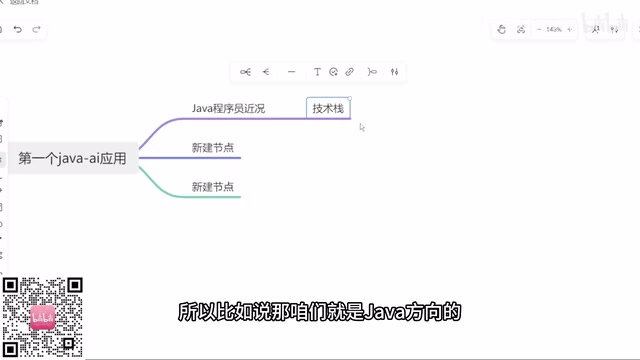
Zero to One: Java + DeepSeek in Practice — A Programmer's Guide to Transitioning into AI Large Model Development
Based on a Bilibili livestream tutorial, this article explains how Java programmers can transition into AI large model development from zero, covering skill paths, building your first Java AI app, resume packaging, and job-hunting strategies to help you seize opportunities in the large model era.