Vibe Coding in Practice: Build Software Without Writing a Single Line of Code

A practical guide to building software with AI through Vibe Coding — no programming skills required.
Vibe Coding lets anyone build software by describing what they want to AI in plain language — no coding required. This guide covers the complete hands-on pipeline: crafting effective AI requests, breaking down requirements into manageable tasks, troubleshooting bugs by feeding errors back to AI, and managing versions with basic Git practices. It redefines technical ability as problem definition and human-AI collaboration.
What Is Vibe Coding
If you have absolutely no programming experience but have always had the thought, "I wish I could build my own little tool," then Vibe Coding might be exactly the path you've been looking for. The term itself is quite evocative — "Vibe" refers to the feel, the atmosphere — and its core philosophy is: you don't need to learn syntax or memorize commands; you just tell the AI what you want in your own words, and the AI writes and runs the code while you simply nod Yes or shake your head No.
The concept of Vibe Coding was first formally introduced by Andrej Karpathy (former Tesla AI Director and co-founder of OpenAI) in a tweet in February 2025. He described an entirely new way of programming: fully immersing yourself in the "vibe," embracing exponentially growing capabilities, and forgetting that code itself even exists. The concept quickly took the tech community by storm because it precisely captured a paradigm shift already underway — the core value of programming was moving from "writing code" to "defining problems."
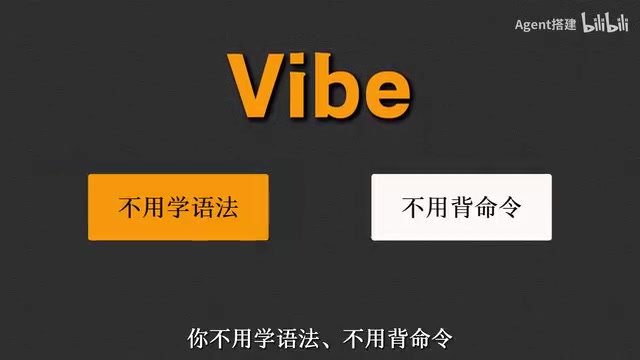
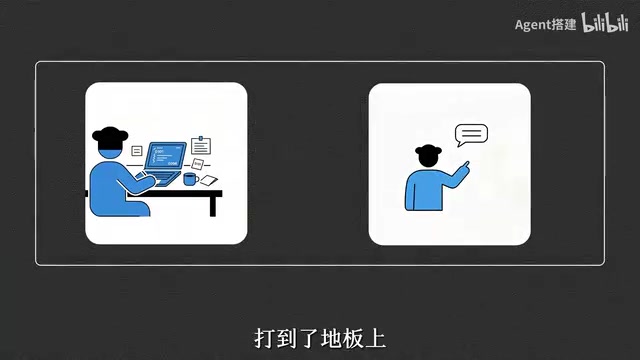
In other words, the focus of Vibe Coding has never been "writing code" — it's "expressing intent." This shift has lowered the barrier to creating software to almost ground level, enabling ordinary people without technical backgrounds to build their own software with their own hands.
Why Vibe Coding Is Worth Learning Even With Zero Experience
In the past, if you wanted to build a tool, you typically had only two options: either spend tens of thousands hiring someone to outsource it, or invest half a year learning to code from scratch. Neither path was cheap, and both discouraged countless people who had ideas but lacked technical skills.
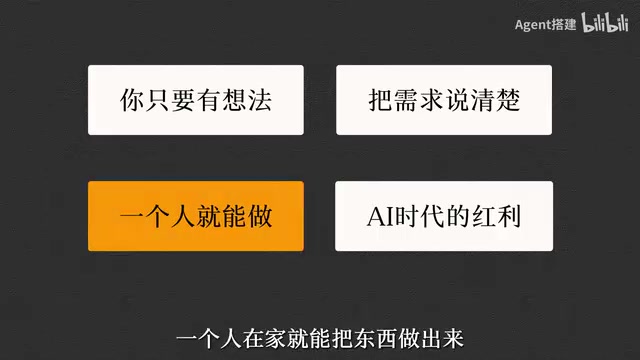
Now, everything has changed. As long as you have an idea and can articulate your requirements clearly, you can build it yourself from home. This is the greatest dividend the AI era offers to ordinary people: it hands the "implementation bottleneck" over to AI, frees creators from technical details, and lets people focus on "what do I actually want to build."
The tool ecosystem supporting Vibe Coding is already quite rich. AI-native editors like Cursor and Windsurf can automatically generate and modify code after you describe your requirements. Browser-based tools like Bolt.new, Lovable, and v0 don't even require installing any development environment — you can generate runnable applications through conversation directly in your browser. Replit Agent offers a full-pipeline experience from code generation to one-click deployment. What all these tools share is the deep integration of Large Language Models (LLMs) into the development workflow, making "conversation as programming" a reality.
From "Learning Tools" to "Running the Full Pipeline"
The problem with many beginner tutorials is that they stop at "which software to install, which environment to configure" — and after finishing, you still don't know how to actually build something usable. Truly valuable learning means completing a full pipeline from 0 to 1 — from articulating a requirement to ultimately running a piece of software that actually works.
The Complete Vibe Coding Pipeline: Four Key Steps
Based on the experience from this hands-on tutorial (which the author describes as a four-month summary of lessons learned), a complete Vibe Coding workflow can be broken down into the following key steps.
1. How to Make Your First Development Request to the AI
The first step often determines the trajectory of the entire project. You need to clearly communicate "what kind of thing I want to build" to the AI, rather than vaguely tossing out "help me make some software." The more specific your description — such as its purpose, target users, and core features — the more likely the AI will deliver a usable first version.
A practical technique is to use a "role + scenario + functionality" description framework. For example, instead of saying "help me build a bookkeeping tool," say "I'm a freelancer who needs a web-based bookkeeping tool that can categorize income and expenses by project and automatically generate summary reports at the end of each month." This structured way of expressing requirements significantly improves the quality of the AI's first output and reduces the number of subsequent revisions.
2. How to Break Down Requirements So the AI Can Execute Reliably
This is the step most commonly overlooked by beginners. AI isn't good at handling overly large tasks all at once, so you need to break big requirements into small, executable steps. By decomposing complex features into modules and implementing and verifying them one by one, the AI's execution becomes more stable and it's much easier to identify where problems occur.
Breaking large requirements into small steps is essentially an exercise in Prompt Engineering. Although the context windows of large language models keep expanding (from an initial 4K tokens to 128K or even longer today), models still tend to experience "attention drift" when processing long, complex instructions — meaning they forget earlier requirements or confuse multiple subtasks. Therefore, decomposing a complex project into clear, single-objective small tasks not only reduces the error rate of each interaction but also allows you to more precisely verify whether each step's output meets expectations. This aligns perfectly with the classic "modular development" philosophy in software engineering — except the executor has changed from a programmer to an AI.
3. How to Locate and Fix Errors and Bugs
Even if you can't write code, encountering errors during development is virtually unavoidable. The key isn't whether you can read error messages — it's whether you know how to feed those errors back to the AI so it can help you locate and fix them. Learning to describe symptoms and copy error messages to the AI is the core skill for zero-experience users when troubleshooting problems.
In practice, effective Bug feedback typically includes three elements: what operation you performed, what result you expected, and what actually happened (including complete error message screenshots or text). This "action → expected → actual" description template is the standard format for submitting Bug reports even in professional software development teams. For Vibe Coding users, developing this habit helps the AI pinpoint the root cause much faster, rather than repeatedly probing in irrelevant directions.

4. How to Manage Versions Without Things Getting Out of Control
As your project grows and changes pile up, without version management it's easy to end up in a situation where "the more you change, the messier it gets, and you want to roll back but can't." Learning basic version management ensures you always have a safety net to fall back on when trying new features or modifying code.
Version Control is a foundational practice in software development, and the most widely used tool is Git. Its core idea is to create a "snapshot" (called a commit) for every meaningful change to the project — you can review history, compare differences, and roll back to any previous version at any time. For Vibe Coding users, you don't need to master every Git command — just the most basic operations: saving the current state (commit), creating a branch to try new features (branch), and rolling back when something goes wrong (revert/reset). Many AI programming tools like Cursor already have built-in visual Git interfaces, and some tools even automatically create version snapshots for you, further lowering the barrier for this step. A good practice is: save after completing each small feature and write a brief note about what changed — so that even if something goes wrong later, you can precisely roll back to the most recent "everything was working" state.
Final Thoughts: From Imitation to Generalization
The significance of Vibe Coding isn't just about completing one specific project — it's about mastering a mindset for collaborative creation with AI. Once you've truly completed the full pipeline from requirement to finished product, you'll find that you're no longer limited by "not knowing how to code" — all you need is an idea and the ability to express it clearly, and you can keep building whatever software and tools you want.
The deeper meaning of this shift is that it redefines what "technical ability" means. In the traditional view, technical ability equals programming ability — you need to master the syntax details of languages like Python and JavaScript, and understand data structures and algorithms. In the context of Vibe Coding, technical ability is more about "problem definition ability" and "human-AI collaboration ability": Can you transform a vague idea into a clear requirement description? When the AI delivers suboptimal results, can you adjust your expression to guide it in the right direction? These skills are fundamentally different from traditional programming skills, yet they may become far more important in the AI era.
For newcomers just starting with Vibe Coding, the best way to get started is to follow a complete pipeline and run through it hands-on. Once you've completed the full loop, you'll naturally begin to generalize and apply this methodology to the problems you actually want to solve. This is precisely the creative power the AI era grants to every ordinary person.
Related articles

Uber Deploys ChatGPT Work Company-Wide: AI in the Workplace Enters the Scaled Implementation Phase
Uber deploys ChatGPT Work to 30,000+ employees, extending it from engineering to all roles. We analyze its expert-engineer pairing, end-to-end automation, and questions of AI control and power concentration—insights for scaling AI in the workplace.

Shift at Midnight Hands-On: When "ID Verification" Becomes Alien Hunting
Shift at Midnight blends ID verification with horror survival in a four-player co-op game. We break down its inspection mechanics and chaotic humor.

Zelensky Recounts the Outbreak of War: I Need Ammunition, Not a Ride
Zelensky recalls the first day of war in a YouTube interview: farewell to family, rejecting Biden's evacuation offer with "I need ammunition, not a ride," and how Bucha shaped his stance on compromise and peace talks.