Vibe Coding Practical Guide for Beginners: The Complete Path from Idea to Your First Project

A complete beginner's guide to building software projects with AI through Vibe Coding.
This practical guide walks complete beginners through the entire Vibe Coding pipeline — from expressing your first requirement to AI, breaking down tasks into manageable steps, debugging errors collaboratively with AI, and managing versions with Git. Based on four months of hands-on experience, it provides a reusable framework for turning ideas into finished software without writing code.
What Is Vibe Coding?
If you have zero programming experience but have always wanted to build your own software, Vibe Coding might be the most worthwhile approach to try right now. "Vibe" refers to the feel and atmosphere — the core idea is this: you don't need to learn syntax, you don't need to memorize commands. You just tell the AI what you want in your own words, and it writes and runs the code while you simply nod in approval or shake your head in disagreement.

In other words, Vibe Coding isn't about "writing code" — it's about "expressing intent." Traditional programming requires you to master an entire language's syntax system before you can implement logic. Vibe Coding drops the barrier to creating software down to the floor, allowing ordinary people with no coding knowledge to participate in software development.

Why Should Ordinary People Learn Vibe Coding?
The reasoning is actually quite straightforward. In the past, if you wanted to build a tool, you had two options: either spend tens of thousands hiring an outsourcing team to build it for you, or spend six months or more systematically learning to code. Either path came with significant costs.
Now the situation is completely different. As long as you have an idea and can articulate your requirements clearly, you can build things on your own from home. This is considered the biggest dividend the AI era offers ordinary people — it has lowered the entry cost of "creation" to an unprecedented level.
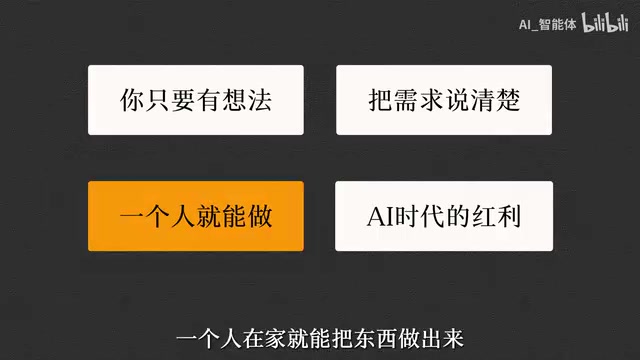
Interestingly, the prerequisite for this dividend is "being able to articulate your requirements clearly." While you no longer need to write code, you do need clear requirement-decomposition and communication skills. This effectively shifts the core challenge of development from "implementation" to "thinking."
The Complete Vibe Coding Pipeline: Building a Project from Zero to One
A proper Vibe Coding tutorial shouldn't stop at surface-level content like "which tools to install and which environment to configure." Instead, it should walk you through a complete development pipeline. Based on hands-on experience, the entire process can be broken down into the following key stages.
Step 1: Initiate Your First Development Request to AI
The starting point of development is turning the idea in your head into a first sentence that AI can understand. The key here is not to dump all your requirements onto AI at once, but to first define a minimum viable goal. On the tooling side, mainstream options currently include AI coding assistants like Claude Code, Cursor, and Codex, as well as LangChain and Agent development frameworks when building AI-powered applications.
Step 2: Requirement Decomposition — The Key to Stable AI Execution
How well AI executes largely depends on how finely you break down your requirements. A vague instruction often yields a vague result. Breaking a large goal into clearly defined small steps and having AI execute them progressively and steadily is the core technique for keeping your project on track. This is also the part of Vibe Coding that tests "the human" the most.
Step 3: Locating and Resolving Errors and Bugs
Even when AI writes the code, errors are part of the daily routine. For complete beginners, seeing a wall of red error messages is often enough to make them give up. But in reality, the approach to handling bugs isn't complicated — just hand the error message directly to AI as-is, and let it help locate the problem and provide a fix. Learning to collaborate with AI on debugging is the watershed moment that determines whether Vibe Coding can truly work in practice.

Step 4: Version Control — Keeping Things Organized as Your Project Grows
As your project grows and code changes pile up, managing versions and avoiding chaos becomes an unavoidable issue. Building version control habits (such as using Git) allows you to roll back to a working state at any time when things go wrong — this is especially important for solo developers.
The Core Value of This Vibe Coding Approach
This workflow isn't theoretical — it's experience distilled from four months of real-world trial and error. Its value doesn't lie in showing you how to build one specific piece of software, but in giving you a reusable mental framework: how to initiate requirements, how to decompose them, how to debug, and how to manage versions.
Once you've mastered this complete pipeline, you gain the ability to adapt it to anything — whether you want to build a small tool, an automation script, or an AI-powered application, the underlying methodology is the same. For newcomers just getting into Vibe Coding, rather than agonizing over which tool to pick, it's better to first complete one full cycle from "idea to finished product." That's the real way to build confidence and capability.
Final Thoughts
Vibe Coding represents a fundamentally new way of creating software: shifting the focus of development from "how to implement" to "what do I want." It won't instantly turn you into an engineer, but it genuinely opens a door for ordinary people who don't know how to code. As long as you're willing to think through your requirements clearly and articulate them well, you can confidently hand the rest of the implementation work over to AI.
Related articles

GPT-Next Leak, Gemini 4 Argon Imminent: AI News Roundup
GPT-Next leak suggests extreme efficiency; OpenAI's 28-day shipping pledge boosts speed 50%; Gemini 4 Argon nears release; Anthropic subscription value report sparks debate.

GPT-Next Leaked, Gemini 4 Argon Speeds Up, Fable 5.5 May Launch Today
OpenAI's GPT-Next model leaks, expected to be extremely low-cost and possibly part of the 28-day release plan; Gemini 4 Argon internal testing accelerates, NanoBanana 2.1 is live; Semi Analysis tests show Claude Max's equivalent API value is about 5 times that of ChatGPT Pro; Fable 5.5 may launch today.

Gemini 4 Argon Launches Globally: Key Highlights from the AI Daily Brief
Google opens Gemini 4 Argon globally across Pro and Ultra subscriptions and the API, and demonstrates robot control. This article rounds up open-source models, Agent infrastructure, cost transparency, and safety governance updates.