What Is Ollama? Putting Free AI Models on Your Own Computer

Ollama is the runtime manager for local large models, not the model itself. This article clarifies its role, principles, advantages, and hardware constraints.
This article clears up a common misunderstanding: Ollama is not a large model but a runtime tool for downloading, managing, and launching models—like Steam for games. It covers the four-step local setup, uses an offline chat example to show the model and data stay on your machine, and explains the advantages: no per-token API costs, local data, and an extensible AI foundation. It also discusses hardware constraints, the capability-speed-footprint triangle, quantization, and what "free" really means.
Many people first hear about "running large models locally" and the first tool that comes to mind is Ollama. But what exactly is it? Is it the model itself, or a runtime environment? This article clarifies Ollama's role, how it works, who it's for, and common misconceptions—all in one go.
Ollama Is Not a Model—It's the Model's "Runtime Manager"
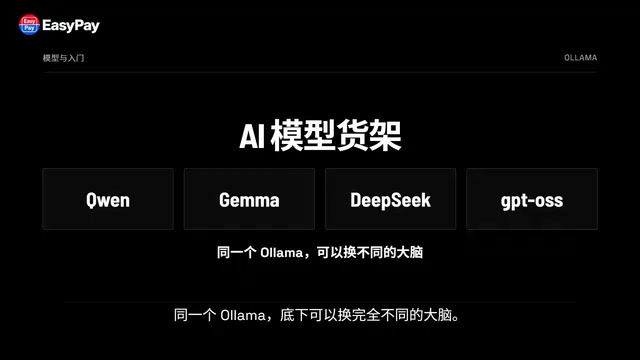
The most common misunderstanding is to think of Ollama as a large model. In reality, Qwen, Gemma, DeepSeekAd, and GPT-OSS are the models; Ollama is responsible for downloading, managing, launching, and calling these models.
You can think of it as a three-layer structure: the bottom layer is the model weight files, the middle layer is the runtime tool Ollama, and the top layer is the chat interface, coding tool, or custom application you actually use.
If that still feels abstract, think of it as Steam. Steam is not a game—it helps you download, manage, and launch games. Ollama is similar, except it manages not games but a bunch of AI models that can run locally.
Why Local AI Needs a Tool Like Ollama
In the past, running a large model on your own computer meant facing a string of technical terms: model formats, inference frameworks, GPU drivers, runtime parameters, VRAM usage. Ordinary users were scared off before they even started using AI.
Ollama's job is to compress away a lot of the intermediate complexity. The whole process can be summarized in four steps: install Ollama, pick a model, download the model to your computer, and start chatting.
When you open it, you'll see an interface that looks a lot like an "AI model shelf." Under the same Ollama, you can swap in completely different brains: for Chinese conversation, look for a model suited to Chinese; for coding, choose a programming-oriented model; for image recognition, pick one that supports visual input. The same model family often comes in small, medium, and large versions.
So what you download is not "Ollama's AI"—what you actually download are the model weight files. Ollama pulls these models down in a relatively uniform way, stores them, and then launches them.
What Actually Happens When You Run a Local Chat
Suppose you choose a Qwen model and enter the run command in the terminal. On first use, Ollama downloads the model file to your machine; once downloaded, the model is loaded into memory or VRAM.
Now you type "help me write a Python Snake game." The request doesn't fly off to some AI website first—it goes into the local Ollama service, then to the local model for inference, and finally the generated result is returned to you.
A more intuitive way to verify this: turn off the network, then ask it to "add a scoring feature to the game you just made." As long as the entire task relies only on the already-downloaded local model and local files, it can still keep answering. This is the most direct lesson in local AI: the model is not on someone else's server; data enters your machine from the keyboard, goes through memory and GPU computation, and the answer comes back from your machine.
Inference refers to the computational process of generating a response token by token based on your input prompt after the model is loaded. It's different from "training": training adjusts model weights using massive amounts of data, while inference simply performs forward computation with already-fixed weights. During local execution, inference happens on your CPU or GPU, and the time it takes depends on model size, quantization level, hardware compute power, and memory bandwidth. A 7B model on an ordinary laptop might generate only a few to a dozen tokens per second, while a larger model on a consumer-grade GPU might be so slow it's unusable interactively. Understanding the inference mechanism helps explain why "it can still answer offline"—the model weights and computation are all local, with no network round-trip, but generation speed is limited by local hardware.
Three Real Advantages of Local AI
First, no per-token remote API costs. Once the model is downloaded, the main consumption becomes your own hardware resources, electricity, and storage.
Second, data can stay on your own machine. When the model, interface, and data processing all happen locally and no external search or cloud services are called, code, internal documents, and private materials don't have to leave the device.
Third, what you get is an extensible local AI foundation. It's not just a chat webpage—it's a runtime layer you can keep building on.
Hardware Is an Unavoidable Reality Check
Model names are often followed by numbers like 1B, 4B, 8B, 14B, or even larger. The B can be roughly understood as billions of parameters. The larger the model, the more memory or VRAM it typically needs, and runtime speed is affected too.
So choosing a local model isn't simply asking "which one is strongest"—the real question is: which one can my computer run comfortably? If you force a particularly large model onto an ordinary computer, the result may not be that the AI suddenly gets smarter, but that the computer starts frantically eating memory, responses get slower and slower, and eventually it can't load at all.
Local AI has a very realistic triangle: model capability, runtime speed, and hardware footprint—usually you can't max out all three.
That's also why you see versions like Q4 and Q8. Think of them as "compression": storing weights at lower precision to reduce size and runtime pressure, giving more ordinary computers a chance to run them. The trade-off is that different quantization methods may bring changes in speed, memory, and model quality.
Another common pitfall: a larger parameter count doesn't necessarily mean better for every task. If a larger model runs sluggishly on your machine, the actual experience may be worse than a smaller but faster model; conversely, a small model running fast doesn't mean it can handle complex reasoning, long texts, or difficult coding tasks. When choosing a model, look at at least three things: what it's good at, how big it is, and whether your machine can run it smoothly.
For beginners using Ollama for the first time, don't start by chasing the biggest model—begin with a smaller version, confirm it runs smoothly, then scale up step by step.
Quantization is a key technology that's unavoidable when deploying large models locally. Simply put, it compresses model weights from the commonly used 16-bit floating point (FP16) to lower bit widths, such as 8-bit integers (INT8) or 4-bit integers (INT4). The Q4 and Q8 mentioned in the article are common quantization levels in formats like GGUF: Q4 means weights are compressed to about 4 bits, with size and VRAM requirements roughly one-quarter to one-third of FP16, while Q8 retains more precision and takes up more space. Quantization is essentially "trading a bit of precision for size, speed, and VRAM." Low-bit quantization may cause degradation on tasks like mathematical reasoning and long code generation, while high-quality quantization schemes (like Q4_K_M) retain higher precision in key layers to minimize loss. Therefore, when choosing a model, besides parameter scale, pay attention to quantization level and community reviews—different quantized versions of the same model can feel noticeably different.
From Chat Tool to Local AI Engine
Ollama can also provide a local API. This means that upper-layer applications that used to connect to OpenAI-style interfaces can, in many cases, simply change the request address to the local Ollama.
So the whole structure changes: before, applications connected to the internet and then to cloud models; now, applications can connect to localhost and then to the model in your computer. Chat interfaces can connect to it, local knowledge bases can connect to it, your own programs can connect to it, and coding tools can connect to it.
A concrete chain: the coding tool reads code and modifies files, Ollama handles model execution, and underneath is the local model you chose. Part of the AI workflow that used to happen in the cloud can now be brought back to your own computer.
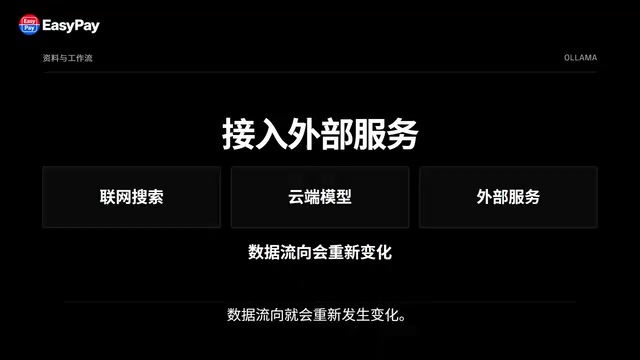
A more specific example: suppose you have project materials you don't want to casually upload to a third-party platform. The old approach was to open cloud AI, upload the file, and wait for analysis; the local route could be: the file stays on your computer, the text is read locally, and then handed to the local model for summarization, classification, or Q&A. From file to model to answer, the entire chain stays on your device.
Of course, as soon as you add internet search, cloud models, or other external services, the data flow changes again. Local is not a magic button—it's a way of configuring an entire workflow.
Local API and OpenAI-compatible interfaces are key to Ollama being reusable by various tools. By default, Ollama exposes an HTTP service on localhost:11434 and provides an interface similar to OpenAI Chat Completions. Many clients or frameworks that support custom API addresses only need to change the base_url from a cloud address to http://localhost:11434/v1 to route requests to the local model. This means chat frontends, knowledge base retrieval, coding assistants, and agent frameworks don't need to rewrite a separate codebase for local models, reducing migration costs. Note, however, that compatible interfaces don't mean identical capabilities: features like function calling, structured output, and long context supported by cloud models may be missing or unstable on small local models—verify each item before integrating.
How to Understand "Free"
Ollama doesn't mean all AI will be free from now on. Whether a model allows free use and commercial use depends on its respective license.
Although local execution doesn't have the per-call payment issue of traditional remote APIs, your computer's GPU, electricity, and disk space are all costs. The more accurate understanding of "free" in the title is: for many models that can be legally downloaded and run locally, you can run the model on your own hardware without paying token fees to a remote API for every local conversation. That's completely different from "no cost at all."
Can It Replace ChatGPT, Claude, Gemini?
The more reasonable answer is: it depends on the task.
If you want strong general capabilities, don't want to tinker with hardware, and need internet search, complex tools, and a complete ecosystem, cloud AI is often more convenient. But if you want to run offline, process local materials, control the model yourself, build a knowledge base, create AI agents, or simply want to truly understand what it feels like to have "a large model running on your own computer," local AI is well worth trying.
Final Thoughts
What Ollama truly lowers is not the price of a model, but the barrier to running AI on your own computer. The model is the brain, your computer is the hardware, Ollama is the runtime layer connecting the two, and the chat, coding, knowledge base, and agent applications on top are what you can actually build.
In the past, using AI meant opening a website, typing a question, uploading files, and waiting for the cloud to return an answer. Ollama offers another route: download the model, put it on your own computer, run it locally, and connect it to your own tools and workflows. It's not another ChatGPT—it's more like a door. On one side of the door is using AI services provided by others; on the other side is beginning to own an AI system that runs on your own computer.
One-line Summary
Ollama is the runtime manager for local large models, not the model itself. This article clarifies its role, principles, advantages, and hardware constraints.
Paragraph Summary
This article clears up a common misunderstanding: Ollama is not a large model but a runtime tool responsible for downloading, managing, and launching models—comparable to Steam managing games. The article outlines the four-step process of running large models locally and uses an offline chat example to show that the model, data, and computation all stay on the local machine. The advantages of local AI are no per-token remote API costs, data staying local, and serving as an extensible local AI foundation. But hardware is a real constraint: model capability, runtime speed, and hardware footprint form a triangle, and a larger parameter count isn't necessarily better for your machine—quantized versions and model specialties must be considered together. The article also explains how local APIs connect chat, knowledge bases, coding tools, and agents to localhost, and clarifies that "free" only means no per-token payment—hardware and licensing costs still exist.
Related articles

Amphibious Transforming Drone: Beyond 100x Power Savings, What Are the Real Needs?
Is the amphibious transforming drone just a gimmick? Starting from the 100x power difference of the M4 Morphobot, explore real application scenarios and thesis topic ideas, analyzing boundary conditions where pure drones and pure ground robots both fail.

Warhound Raises $200 Million: Genetically Engineered "War Dogs" Paired with Anduril Gear
Warhound raises $200M, backed by Ben Lamm and Palmer Luckey, to genetically engineer dogs for military and law enforcement use and equip them with Anduril gear. This article analyzes its technology direction, funding logic, and ethical controversy.

Claude API Comes to Google Cloud: IAM Integration and SDK Access Guide
Anthropic hosts the full Claude API on Google Cloud with IAM-controlled permissions and unified billing. This guide covers the Vertex AI and Anthropic-hosted entry points, IAM role configuration, and SDK access.